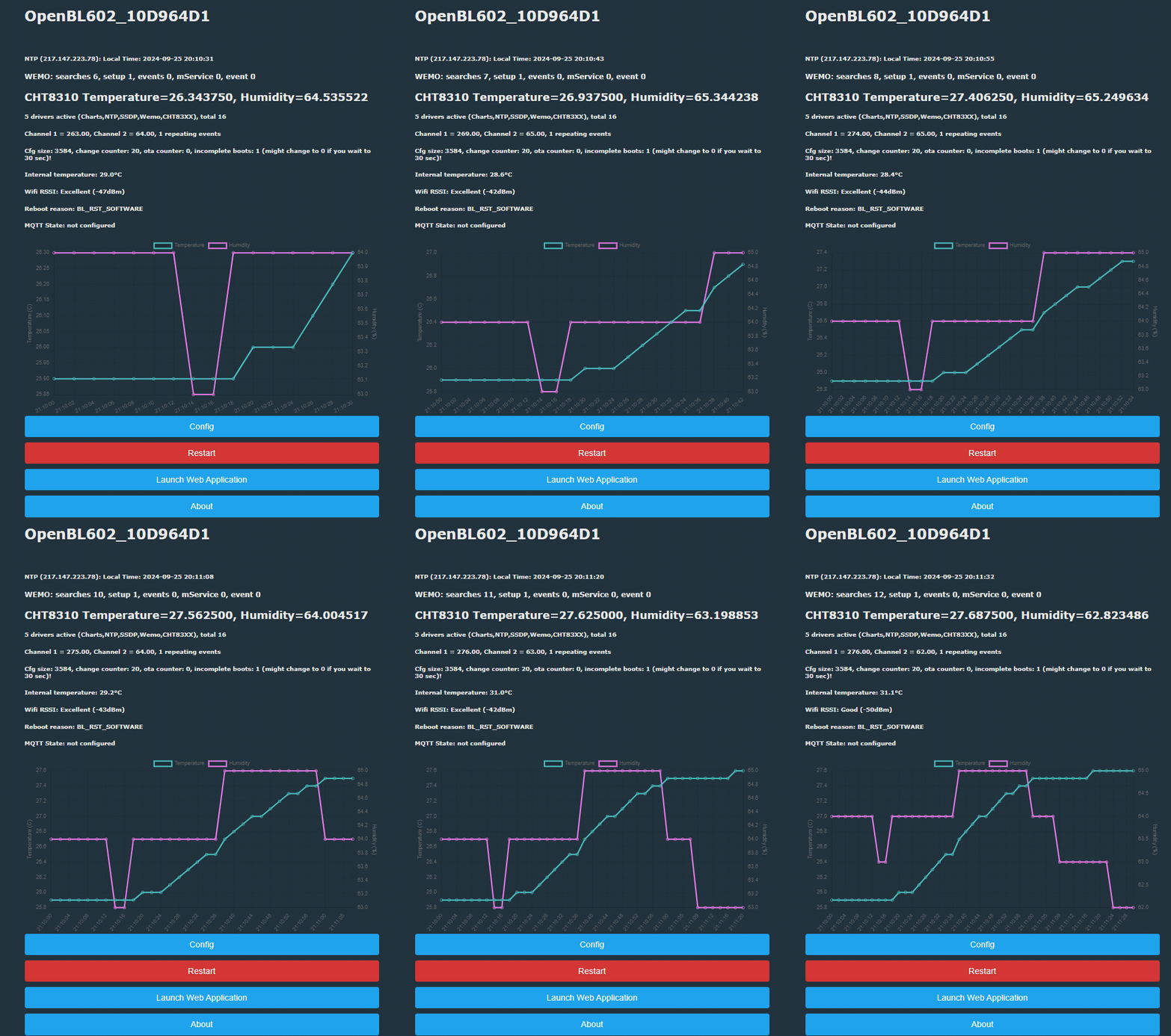
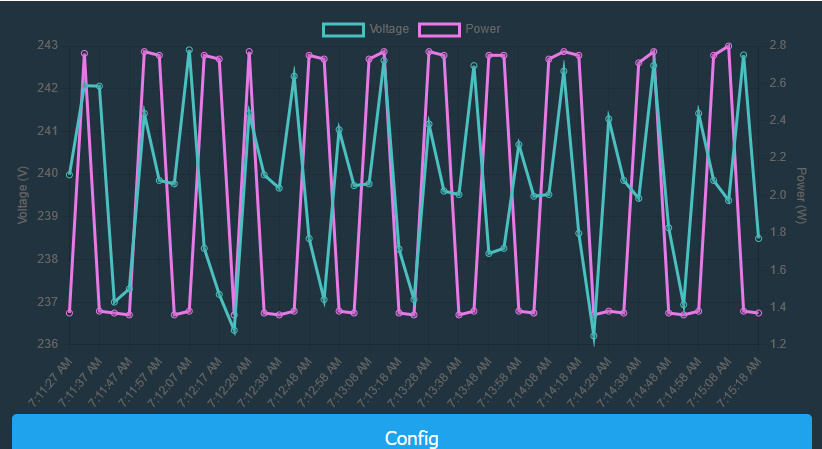
OpenBeken adds a scriptable charts driver for plotting arbitrary variables and multiple axes directly on the device, without Home Assistant.
The workflow uses chart_create, chart_setVar, chart_setAxis, and chart_add/chart_addNow in autoexec.bat, with NTP time or repeating events for live history.
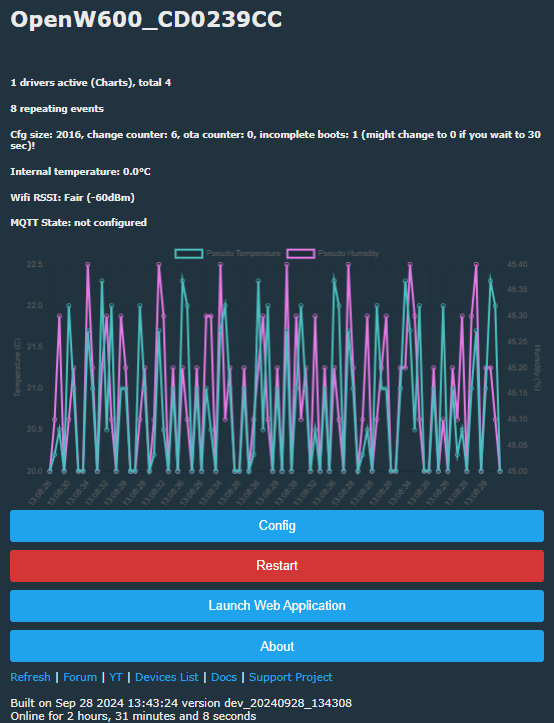
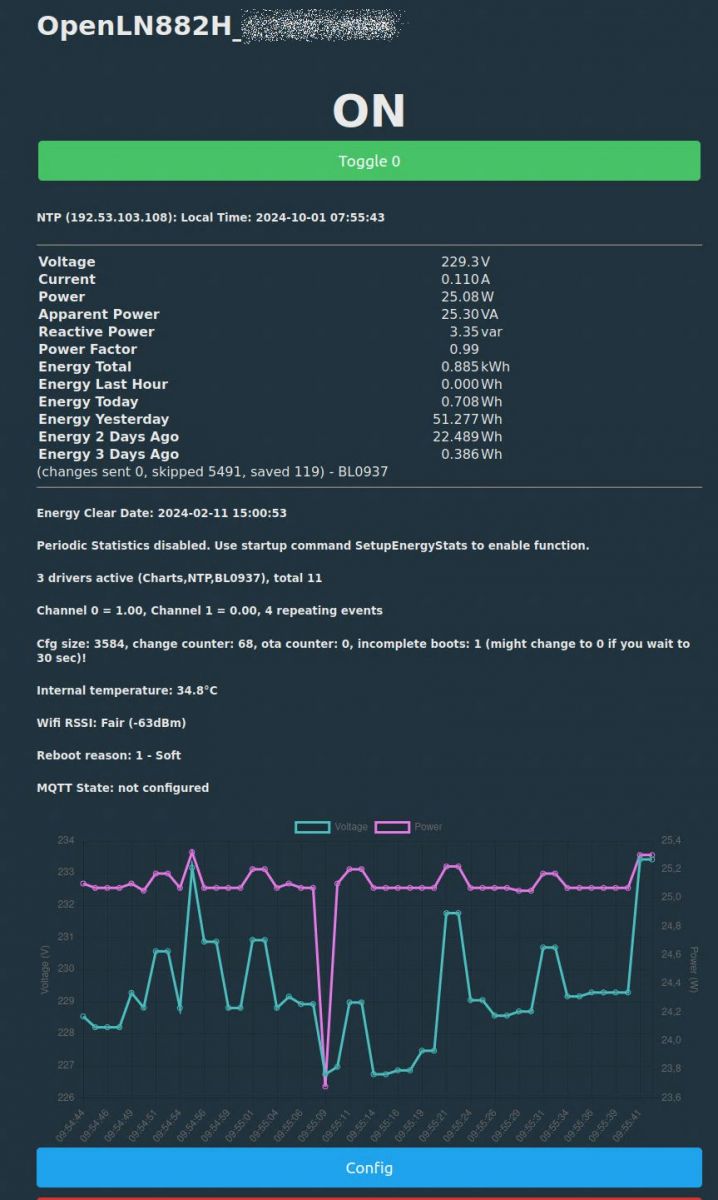
Sample configs show 16-sample charts, including temperature-only, temperature plus humidity on two axes, and even VCP voltage/current/power on three axes.
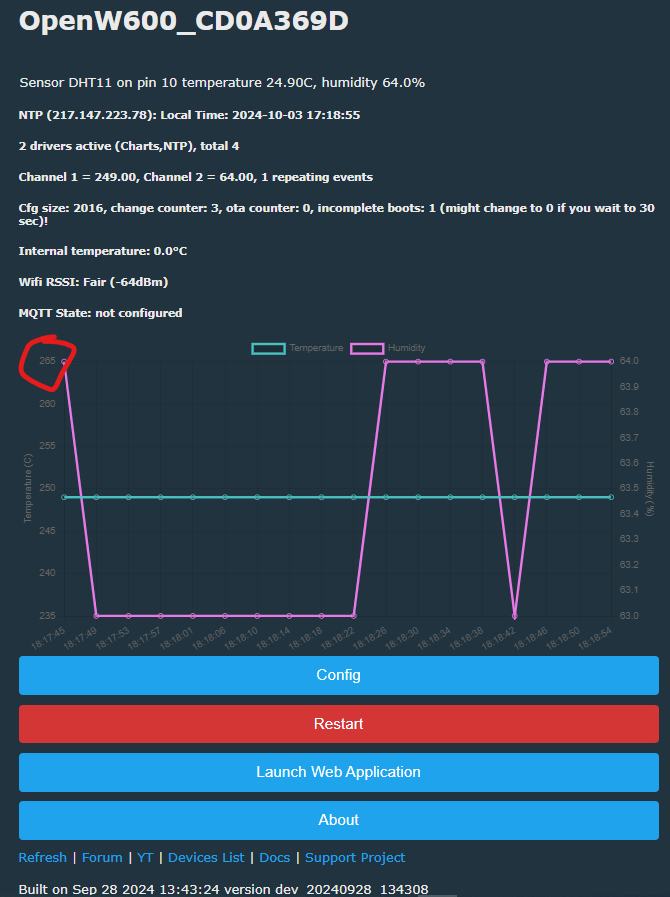
A DHT11 demo uses chart_create 48 2 2, starts NTP, and logs temperature and humidity every 60 seconds with addRepeatingEvent.
Early builds may need IndexRefreshInterval 100000, and planned features include per-variable RGB colors, alternative chart.js paths, and persistent storage.
sorry about lack of progress. tired. brain go-slow. I can carry on with LN/W800 tomorrow if wanted. My W600 isn't ideal for testing sensors (Air602 is in the post though).
BL602 started with command:
Code: Text
Log in, to see the code
I can do XR809 but still need to remove XR3 from P06 device.
Added after 29 [minutes]:
Added after 1 [minutes]:
would need sensor driver too (AHT, SHT or 83XX) I guess. Unless I did it on LED channel and flicked them on and off for a while?
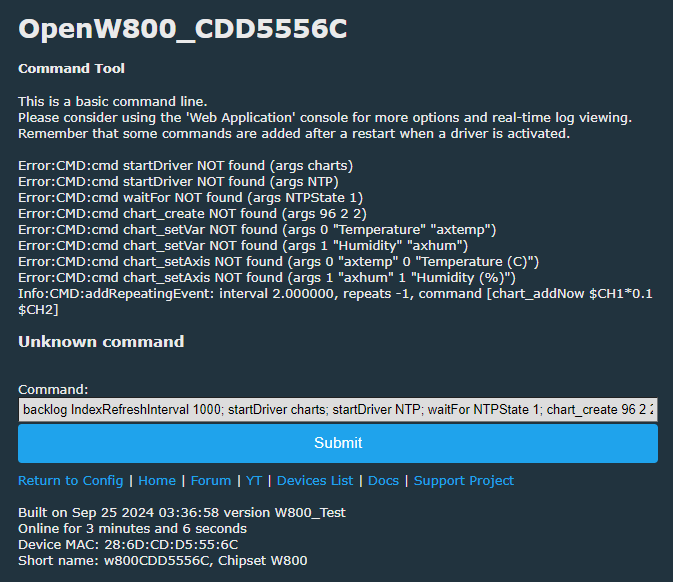
W800 uses DISABLE_ALL_DRIVERS so you need to do some tweaks to allow loading and using drivers at all.
I locally enabled this to use DS1820, so it's working for me as long as I define DS1820, too.
XR809 is the same, but I never tried to enable it here, for I don't have any of those modules...
I just took their presence in your zip as a sign they were good to be tested
... and you were absolutely right, it should have been that way!
I just didn't consider that I started with a new checkout that didn't include my local changes.
So, let's try again, also (brand new and never tested) a version for XR809 ...
Good job on testing, altough I wouldn't focus on XR809. The first thing I would check would be the buffer wrap around, so, setup a buffer with like 30 samples and wait 31 cycles and see if the samples are still in order. Then wait 60 cycles, etc.
I know XR809 isn't the focus, but this on the bench right now for other work.
not sure how far I can get with no ntp driver. shall I forget XR809?
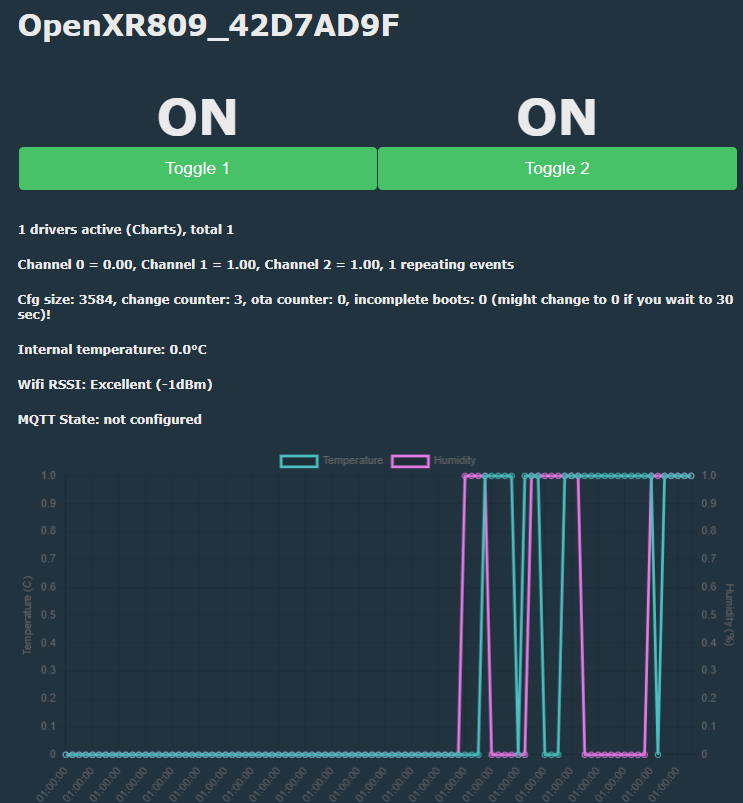
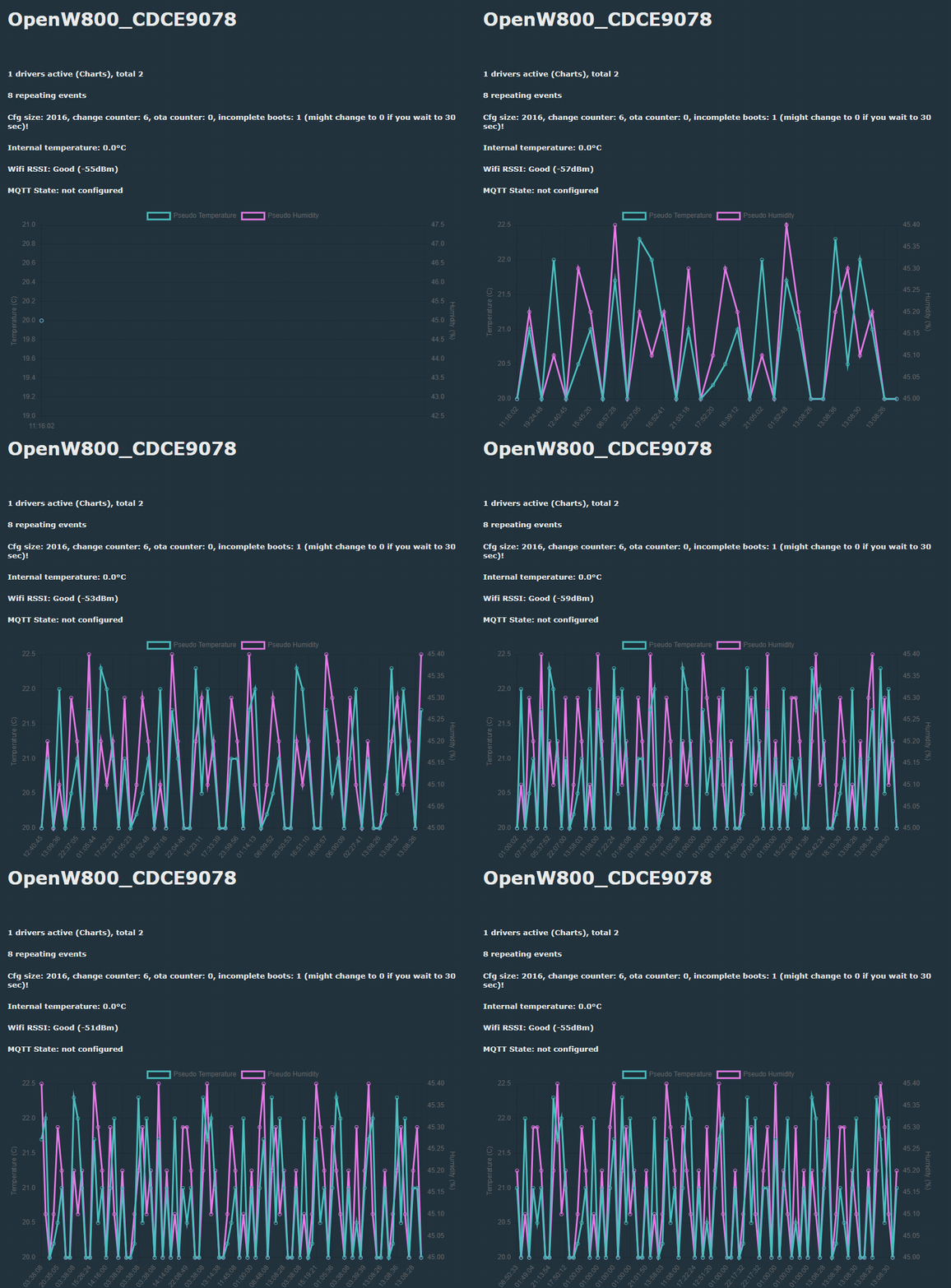
this is me toggling switches manually.
same backlog single line of commands as BL602 above. it's filling the bottom with sample dots and the pattern moves off the the left without issue. Not sure if this the test you're looking for.
Thats fine, thanks. If the chart is drawn, that's all we need to know, for the handling of data is the same for all devices.
I didn't want to focus on XR809, it was only a good opportunity to test the idea of a "reduced" driver support for devices with DISABLE_ALL_DRIVERS.
I came to the same situation while doing the DS1820 driver for W800 and used it again here for the charts driver.
It's simply allowing three functions: starting a driver, calling "on every second" and adding HTML to status page.
So your feedback is very helpful for me, showing it works for different platforms.
Details filled in soon, it's just three lines or so.
#define OBK_DISABLE_ALL_DRIVERS      1
// Even with OBK_DISABLE_ALL_DRIVERS defined
// allow to start a driver and display on HTML Page:
// enables:
//      DRV_OnEverySecond(); and DRV_Generic_Init(); in usr_main.c
//       DRV_AppendInformationToHTTPIndexPage(request); in http_fns.c
// used for charts driver
#define OBK_ALLOW_DRIVERS_START      1
and two changes to the actual code for the new "#define OBK_ALLOW_DRIVERS_START" in http_fns.c
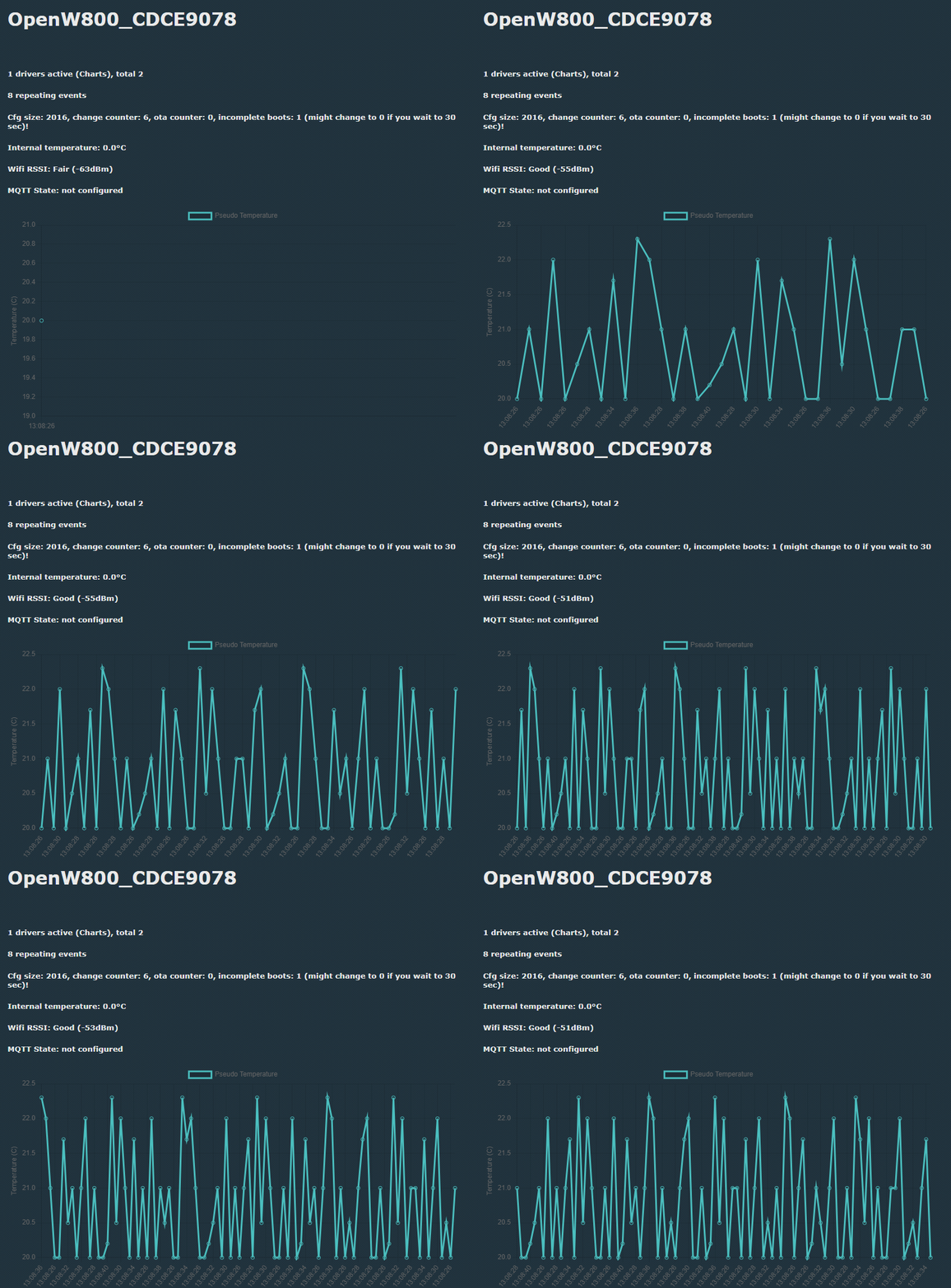
cheers. that gives me a single straight line on W800. This is even more manual but still serves to demonstrate:
Code: Text
Log in, to see the code
W800 startup command doesn't seem to support very long strings, so has to be run from WebApp.
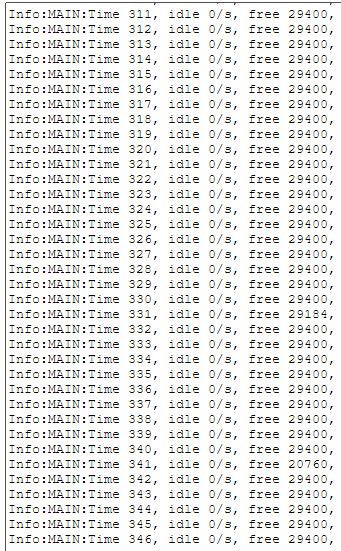
seems stable. not eating memory
Is leaving that above command running overnight on several platforms a worthy test or are you pretty confident at this point and PR is ready for merging?
Ah, thanks. I didn't take into account, that y axis isn't f type "time", but only "labels", so even if you add something for the same timestamp again later, it will just "go back in time", but adding it to the right of the chart. So my calculation of a "running clock" was just overdone...
Since allocation of memory for the ring buffer is done once on start of charts driver, I wouldn't expect a memory leak over the time from the charts driver.
From my point of view, this is "ready for production".
If you would like to do some more testing, maybe the implementation with a separate circular buffer in PR #1358.
Since this will again need changes to sdk Makefiles, I will attach some of the versions not in artifacts here...
Yes, thanks, that would be great - and a little "long time test" would be even better...
Another possible test could also be a "small" chart and testing "by hand" (or so slow, that it can be observed), if adding points will be o.k on the crucial points:
with a few points
when all points are used and its "rolling over"
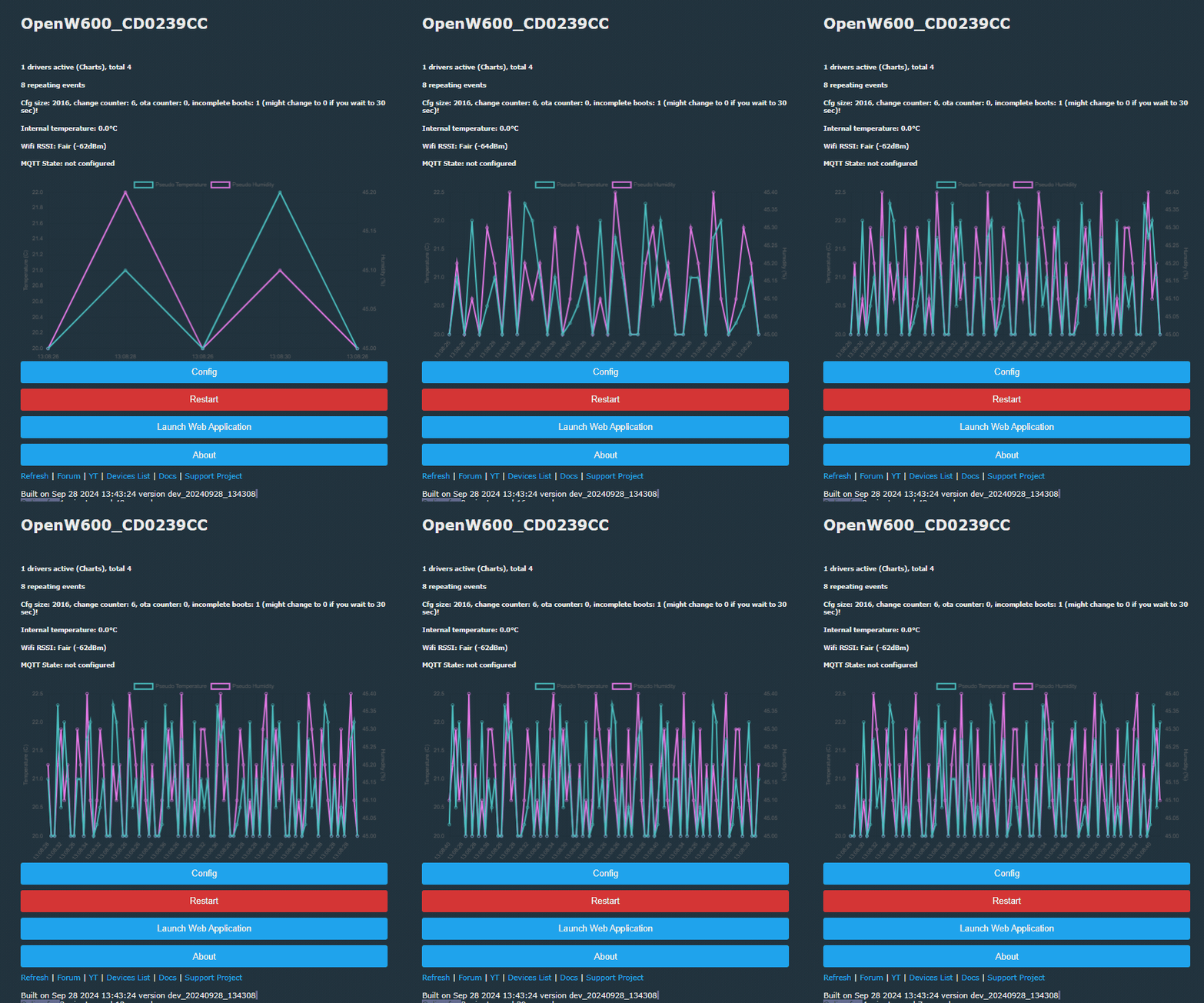
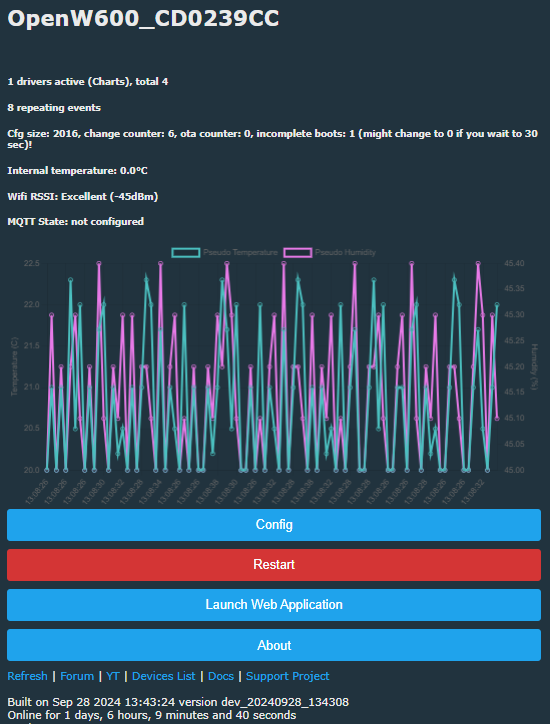
I appreciate this is only one test, but I'll leave this W600 going all night. Shows W600 working anyway.
Added after 7 [hours] 35 [minutes]:
so this may not have anything to do with Charts driver, but W600 is unresponsive this morning.
Code: Text
Log in, to see the code
the following was true:
-web app logs page was left open in the browser
-OBK main GUI with chart drawing was left open in another tab
-the device is still responding to pings
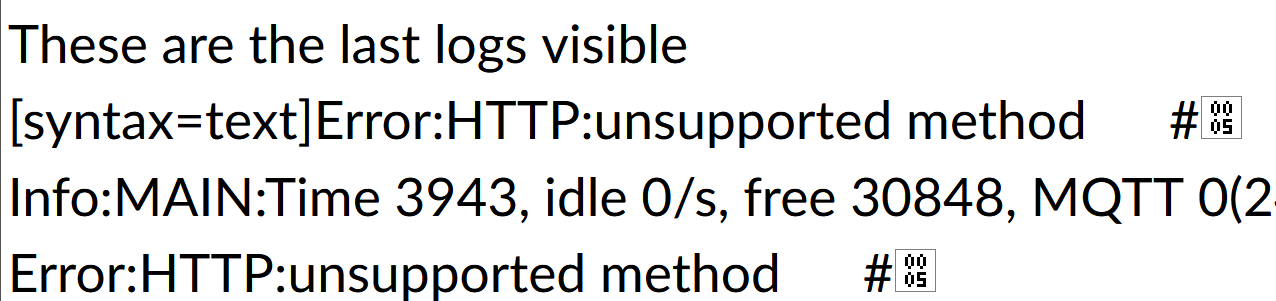
These are the last logs visible
Code: Text
Log in, to see the code
I'll start W600 again but with no pages left open.
newbie question: how do I plot $power and $voltage variables every 5 sec in a chart (I managed to get the driver-enabled firmware on my BK7231N LSC power metering plug)
My autoexec.bat:
Is calculating possible at all for W600 in actual configuration?
I'm not sure, but wasn't there a define needed for this, that was not obvious in the first place?
Maybe #define ENABLE_EXPAND_CONSTANT
The drive is not enabled for all platforms. The line you mention (line 79) belongs to the Windows build.
Which device are you trying?
Added after 8 [minutes]:
jkwim wrote:
So next step is for you to approve it only for automatic build? Am I understanding the process correctly?
Yes, that's the way.
If you can live with an older version, you can scan the last PRs, iirc there were quite some for enabling graphs on different platforms...
✨ The OpenBeken firmware introduces a configurable and scriptable charts driver enabling visualization of multiple variables with multiple axes directly on supported devices without requiring Home Assistant. The driver supports platforms based on BK7231T, BK7231N, BK7231M, T34, BL2028N, XR809, W800, LN882H, BL602, and others. Users configure charts via commands such as chart_create, chart_setVar, chart_setAxis, and addRepeatingEvent to plot variables like temperature, humidity, voltage, and power. Initial issues included crashes due to missing null checks in chart_setVar and chart_setAxis before chart_create, heap corruption from uninitialized memory, and platform-specific bugs such as vsnprintf handling null pointers. These were addressed through patches adding null checks, memory zeroing, and input validation to prevent crashes on invalid indexes. The charts driver was integrated with a ring buffer for data storage, with ongoing improvements to reduce flickering by updating charts instead of recreating them, and repositioning the chart below the "state" div to avoid page scroll jumps. Users reported stable long-term operation on various devices, including W600 and BL602, with some platform-specific driver enablement required in obk_config.h and Makefiles. The Windows simulator supports testing charts, facilitating development. Suggestions for future enhancements include adding a DIFF function to compute differences between consecutive samples. The driver supports variable expansion (e.g., $voltage*0.1) if ENABLE_EXPAND_CONSTANT is enabled. Sample configurations and troubleshooting tips were shared, including manual command sequences to generate pseudo-random data for testing. The charts driver is now considered production-ready with ongoing refinements and cross-platform support. Generated by the language model.
TL;DR: With 48 samples and 2 axes, OpenBeken can log history directly on-device; as one maintainer put it, "No Home Assistant, no external server" is needed for temperature, humidity, voltage, or power charts. This FAQ is for OpenBeken users who want local measurement history, setup examples, and fixes for crashes, refresh issues, and platform quirks. [#21223630]
Why it matters: It lets small IoT devices keep useful measurement history without adding Home Assistant, a database, or another always-on server.
Approach
Extra infrastructure
Where history lives
Best for
OpenBeken charts driver
None beyond the device and browser
On the OBK device
Small standalone setups
Home Assistant history
Home Assistant instance and integration
External system
Larger automations and central dashboards
Key insight: The charts driver became practical after fixes for NULL checks, repeated chart_create, redraw flicker, and input validation. Once enabled for your platform, the core setup is simple: create the chart, map variables to axes, then add samples on a timer. [#21263018]
Quick Facts
The basic chart workflow has 5 steps: start the driver, create the chart, assign variables, configure axes, and add data samples. [#21223630]
A working DHT11 demo used 48 samples, 2 variables, 2 axes, and logged values every 60 seconds with chart_addNow. [#21223630]
The driver can plot mixed units on separate axes, including examples such as temperature (°C), humidity (%), battery voltage (V), pressure (hPa), current (A), and power (W). [#21223630]
One crash investigation showed about 60 kB free RAM on a BK7231 test device, so missing charts were not always a low-memory issue. [#21224054]
Long-run testing on W600 showed stable free memory around 30,848 bytes for hours, which suggests the chart buffer itself was not leaking over time. [#21244441]
How do I set up the OpenBeken charts driver in autoexec.bat to log temperature, humidity, voltage, or power history directly on the device?
Create the chart in autoexec.bat, then add samples on a timer. 1. Start charts and usually NTP. 2. Run chart_create samples vars axes, then chart_setVar and chart_setAxis. 3. Use addRepeatingEvent with chart_addNow or chart_add. A working DHT11 example used chart_create 48 2 2 and logged temperature plus humidity every 60 seconds. [#21223630]
What is the OpenBeken charts driver, and how is it different from using Home Assistant for measurement history?
It is an on-device charting feature that stores a rolling measurement history inside the OpenBeken device. "Charts driver" is a built-in OpenBeken component that renders measurement history in the device web UI, using configurable variables, axes, and a looped sample buffer. Unlike Home Assistant, it needs no external server. The thread’s main use case was a single IoT device showing its own temperature, humidity, voltage, or power history locally. [#21223630]
Why does chart_create panic or reboot some OpenBeken builds, and what fixes were discussed for NULL checks, uninitialized memory, and malloc failures?
The panics came from several code bugs, not one cause. The thread identified missing NULL checks in chart_setVar and chart_setAxis, uninitialized pointers after allocation, repeated chart_create freeing garbage data, and a rare malloc-failure path. One ESP build showed CORRUPT HEAP and rebooted. Later patches added NULL checks, zero-initialization, repeated-create fixes, and handling for malloc failure. [#21224739]
What is ENABLE_DRIVER_CHARTS in obk_config.h, and how do I enable the charts driver for my specific OpenBeken platform?
ENABLE_DRIVER_CHARTS is the build flag that includes the charts driver for a given platform. If startDriver charts says the driver is unknown, enable #define ENABLE_DRIVER_CHARTS 1 in that platform’s obk_config.h, then build that target. The original guide said to set it in the chosen platform config and use the custom online build flow if your binary lacks charts. [#21223630]
How can I use chart_addNow with NTP to plot live DHT11, AHT20, BMP280, or power-monitor readings in OpenBeken?
Start NTP, wait until time sync is ready, then schedule chart_addNow with your live variables. The DHT11 example used startDriver NTP, waitFor NTPState 1, chart_create 48 2 2, and addRepeatingEvent 60 -1 chart_addNow $CH1*0.1 $CH2. A BMP280 plus AHT20 test used chart_create 96 4 3 and logged four channels every 900 seconds. The same pattern also works for power-monitor variables such as $voltage and $power. [#21225816]
Why does $CH0*0.1 or $CH1*0.1 fail to evaluate on some ESP32, W600, or other OpenBeken builds, and what does ENABLE_EXPAND_CONSTANT do?
It fails when the build cannot expand expressions inside command arguments. On affected builds, chart_addNow $CH0*0.1 $CH1 can pass the raw token instead of the calculated value, so temperature appears unscaled. The thread pointed to #define ENABLE_EXPAND_CONSTANT 1 as the needed feature flag. An ESP fork lacking that define was the suspected reason expression expansion did not work there. [#21224804]
What causes waitFor NTPState 1 to return 'command not found' on some platforms like W600, and how can I work around missing waitFor support?
That error means the platform build does not include the waitFor command parser. A W600 test printed waitFor NOT found, then still created a chart, but expression handling also looked incomplete. The practical workaround is to skip waitFor and either use fixed timestamps with chart_add, or delay charting until time becomes available by another mechanism. One helper command used chart_add 1727438906+$uptime ... to emulate running time without NTP. [#21241366]
How do I chart $power and $voltage every 5 seconds on a BK7231N smart plug with BL0937 in OpenBeken?
Use NTP, create a 2-variable chart, then sample $voltage and $power every 5 seconds. A confirmed working setup on a BK7231N smart plug with BL0937 used chart_create 48 2 2, mapped Voltage and Power to separate axes, and finished with addRepeatingEvent 5 -1 chart_addNow $voltage $power. The user reported it worked after enabling a build that included the charts driver. [#21254467]
Why was the chart not refreshing live in Firefox or Chromium, and how did moving the chart below the state div reduce flicker and page focus issues?
The page kept redrawing the chart inside the state div during status refreshes. That reloaded script content, caused flicker, and could pull browser focus back to the chart. A later PR moved the chart below the state div and changed redraw behavior so updated data refreshed smoothly. Users then reported the graph no longer flickered and the page stopped jumping back while they viewed controls below. [#21237266]
What is a ring buffer in the context of the OpenBeken charts driver, and how does buffer wrap-around affect sample order and long-term logging?
It is the fixed-size loop that stores the newest N samples and overwrites the oldest ones when full. "Ring buffer" is a circular data structure that reuses the same memory block, keeps a rolling history window, and wraps from the end back to the beginning instead of growing indefinitely. In practice, a 30-sample test should still show correct order after 31, then 60 cycles, if wrap-around logic is correct. [#21239907]
OpenBeken charts on-device vs Home Assistant history graphs — which approach makes more sense for a small standalone IoT setup?
OpenBeken charts make more sense when you want one device to keep its own history with no extra infrastructure. The thread explicitly positioned the driver for users who do not want to set up Home Assistant. If you only need local graphs for temperature, humidity, voltage, or power on a single device, on-device charts are simpler. Use Home Assistant when you want centralized dashboards across many devices. [#21223630]
How can I test whether the charts driver is stable across platforms like BK7231N, BL602, W600, W800, XR809, ESP32, and the Windows simulator?
Run the same small chart script, watch memory, then test wrap-around and live refresh. The thread used manual chart_create checks, overnight runs, repeated sample insertion, and platform-specific builds on BL602, W600, W800, XR809, ESP32, and the Windows simulator. One maintainer specifically recommended a small buffer, such as 30 samples, then verifying order after 31 and 60 cycles to confirm wrap-around behavior. [#21239907]
What should I check when charts are missing from the OpenBeken web UI even though startDriver charts appears to run?
First verify that the build actually contains the charts driver, then confirm chart_create really ran. Missing UI output can happen when the driver is running but no g_chart object exists, so the HTML canvas and script never get generated. The thread also suggested checking whether autoexec.bat executed correctly, whether whitespace broke parsing, and whether free memory was still healthy; one example showed about 60 kB free. [#21224054]
How do I add charts support to platforms that use DISABLE_ALL_DRIVERS or require manual Makefile entries, such as W800, LN882H, W600, or XR809?
You must both compile drv_charts.c and allow driver startup hooks. For reduced-driver platforms, the thread proposed OBK_ALLOW_DRIVERS_START 1 together with code paths that still call DRV_Generic_Init, DRV_OnEverySecond, and DRV_AppendInformationToHTTPIndexPage. For SDKs with explicit source lists, such as W800 or XR809, drv_charts.c also had to be added manually to the Makefile source entries. [#21240972]
How could a chart_getVar diff-style feature work in OpenBeken for showing changes between the latest and previous energy or sensor values?
The suggested design was to let chart_getVar return the delta against older samples. The proposal used chart_getVar 0 -1 for the difference to the previous value and chart_getVar 0 -2 for two steps back. In the example series 500, 450, 300, the newest point would report diffs of 50 and 200. The maintainer said the idea was interesting and invited a pull request. [#21440659]







 .
.