logo elektroda
logo elektroda
X
logo elektroda
Dostępna jest polska wersja

Czy wolisz polską wersję strony elektroda?

Nie, dziękuję Przekieruj mnie tam

[BK7231N] (DIY) Mini Smart Switch UNSH SS8839-16A-W

riskorja 19353 51
ADVERTISEMENT
📢 Listen (AI):
  • #31 21106104
    wonz
    Level 12  
    Posts: 39
    Rate: 1
    I have similar product, but I have an issue with deepsleep, device not waking up from timer. What is the solution to make it working propperly?
  • ADVERTISEMENT
  • #32 21106106
    p.kaczmarek2
    Moderator Smart Home
    Posts: 14678
    Help: 656
    Rate: 12705
    BK7231T or BK7231N?
    Helpful post? Buy me a coffee.
  • #34 21106115
    p.kaczmarek2
    Moderator Smart Home
    Posts: 14678
    Help: 656
    Rate: 12705
    how do you setup it? I've never heard about such issue before. Were you using latest firmware version? Can you wake up it with button?
    Helpful post? Buy me a coffee.
  • ADVERTISEMENT
  • #35 21106134
    wonz
    Level 12  
    Posts: 39
    Rate: 1
    >>21106115Ok PinDeepSleep [time] waking up device after time, but deepsleep [time] not working propperly - sleeps forever. Will use pindeepslep.
  • #36 21109527
    donut343
    Level 2  
    Posts: 18
    Rate: 1
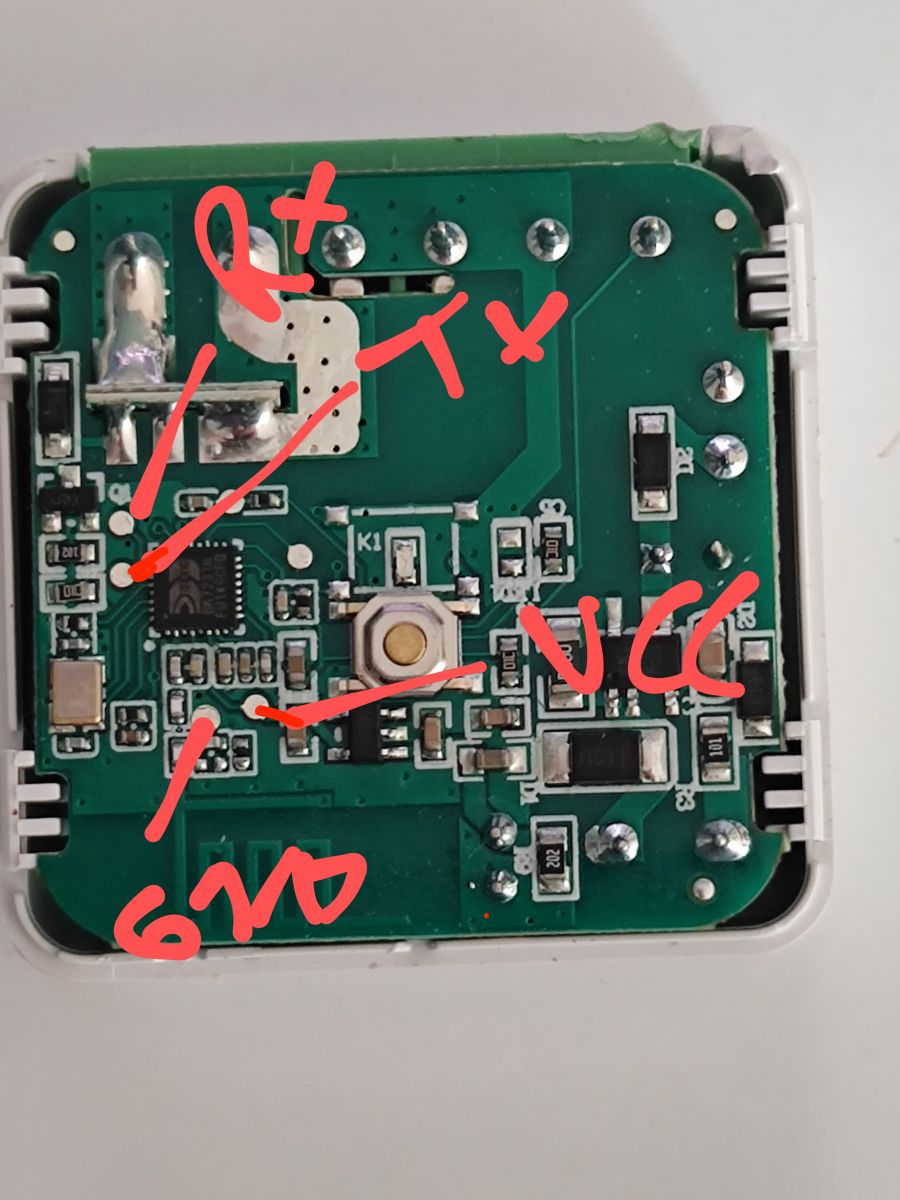
    I had two of these chips from different vendors in the "My Choice" section, both labeled as DIY Mini Smart Switch. Like others mentioned, I used the below pins to solder since it came with 1.3.10 firmware; I wasnt able to extract GPIO pin layout with the tool, the software failed there, but writing was fine. Below layout worked for me:
    - Pair/Toggle All Pin on P23
    - WiFi LED on P26
    - TglChannelToggle (channel 1) on P6
    - Relay (channel 1) on P7

    I accidentally desoldered a capacitor (https://www.elektroda.com/rtvforum/topic4056582.html) but havent run into issues so far
    Image of a circuit board with GPIO pin labels written in red.
  • #37 21112434
    donut343
    Level 2  
    Posts: 18
    Rate: 1
    >>21066589

    Hi @tonyb62 that flashing jig you got looks pretty convenient, could you tell me what that construction is? Looks 3d printed?
  • ADVERTISEMENT
  • #38 21125841
    brazoayeye
    Level 4  
    Posts: 19
    Hello, i have this module and i'm trying to flash it using serial.
    I connected GND to S1 and other 4 pins as described on >>20797138 , but I can't backup the flash using bk_writer1.60.
    I set the right port and 115k baud, but when i power on the device I have

    Time:11.105s
    Speed of Reading:115200bps
    reading flash:0x00000000...FAILED

    What am I missing?
    If I keep the CEN down it doesen't start to download the flash.

    And next, can you give me a guide regarding how and what to download to the cpu?
    At the end I will try to install espHome, BK7231N should be supported.

    Thanks
  • #40 21125906
    p.kaczmarek2
    Moderator Smart Home
    Posts: 14678
    Help: 656
    Rate: 12705
    Here we have some flashing guides for Tuya modules, some of them are BK7231, but also BL602, etc, etc:
    https://www.youtube.com/playlist?list=PLzbXEc2ebpH0CZDbczAXT94BuSGrd_GoM
    Helpful post? Buy me a coffee.
  • #41 21126030
    brazoayeye
    Level 4  
    Posts: 19
    >>21125858That's right! OPENBK works well. During the entire process i haven't touched the CEN pin.

    I made a project for EspHome and it works using

    bk72xx:
    board: generic-bk7231n-qfn32-tuya

    Always uploaded w/o CEN
  • #42 21126059
    p.kaczmarek2
    Moderator Smart Home
    Posts: 14678
    Help: 656
    Rate: 12705
    I've also stopped using CEN over time. It always works without CEN, and in extreme cases, when it doesn't want to reset, I just temporary short the disconnected 3.3V wire from the WiFI module side with ground and it helps. (NOTE: do not confuse and do not short the 3.3V from power supply with ground, obviously!)
    Helpful post? Buy me a coffee.
  • #43 21126063
    brazoayeye
    Level 4  
    Posts: 19
    And another tip is to use S1 instead of soldering gnd. At the end only 3 pins have to be soldered (idk if it's possible to use capacitors pins to connect 3.3V or maybe > 4V before voltage reductor) to reduce the number of small pins to solder
  • #44 21132867
    brazoayeye
    Level 4  
    Posts: 19
    Is it possible to use BK7231GUIFlashTool to flash a different BIN (made with esp home?)
  • #45 21197010
    bbv18121970
    Level 1  
    Posts: 1
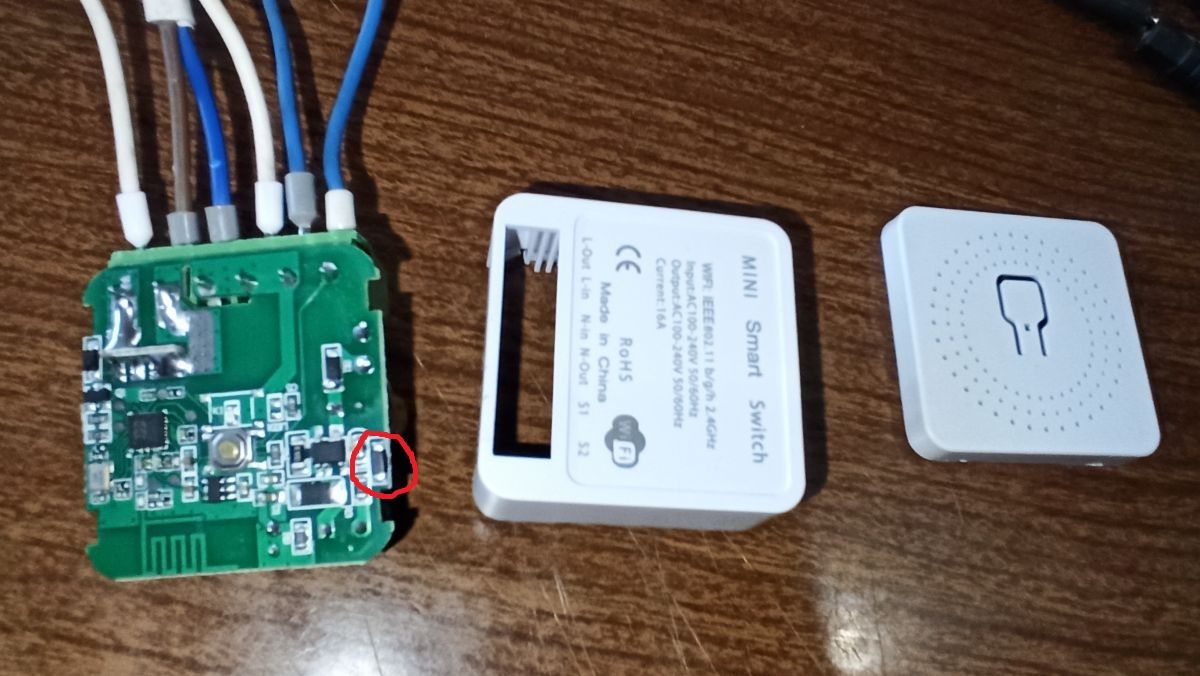
    Who has this type of board, tell me what kind of SMD part and what kind of marking?
    Printed circuit board of a mini smart switch with a highlighted SMD part.
  • #46 21285993
    davidezborges
    Level 7  
    Posts: 13
    Rate: 4
    Hey there, i just bought a couple of similar devices with kind of the same configurations and pinouts but the model differs.
    is it worth it to upload some pictures and firmware dumps? if so, i'll gladly upload them here or wherever its needed.
  • #47 21286052
    p.kaczmarek2
    Moderator Smart Home
    Posts: 14678
    Help: 656
    Rate: 12705
    >>21285993 Sure, please share, you can also share 2MB flash backup if you made it without pairing it with Tuya.

    >>21197010 I would suggest finding the datasheet of the power supply IC and checking there.
    Helpful post? Buy me a coffee.
  • ADVERTISEMENT
  • #49 21289890
    davidezborges
    Level 7  
    Posts: 13
    Rate: 4
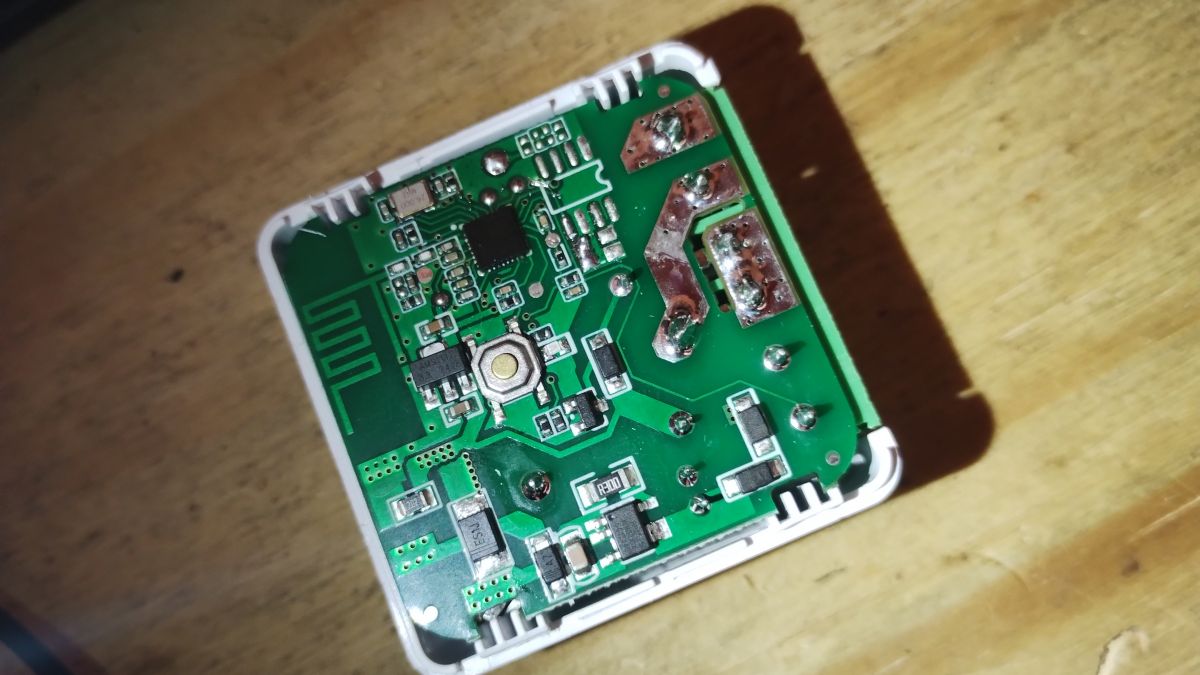
    dump and some pictures. sorry for the quality.


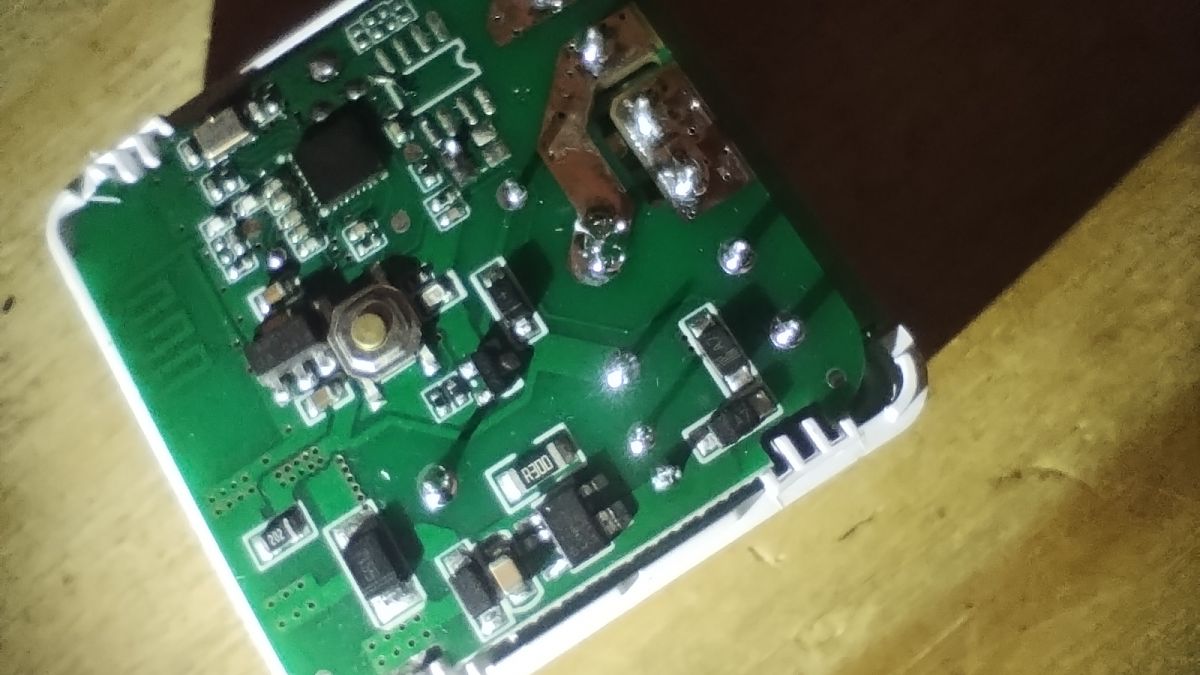
    Circuit board with electronics on a wooden background. Close-up of a circuit board with various electronic components like resistors and integrated circuits on a wooden background.
    Attachments:
    • readResult_BK7231N_QIO_bkp_switch_pc_v0_2024-01-11-20-01-06.bin (2 MB) You must be logged in to download this attachment.
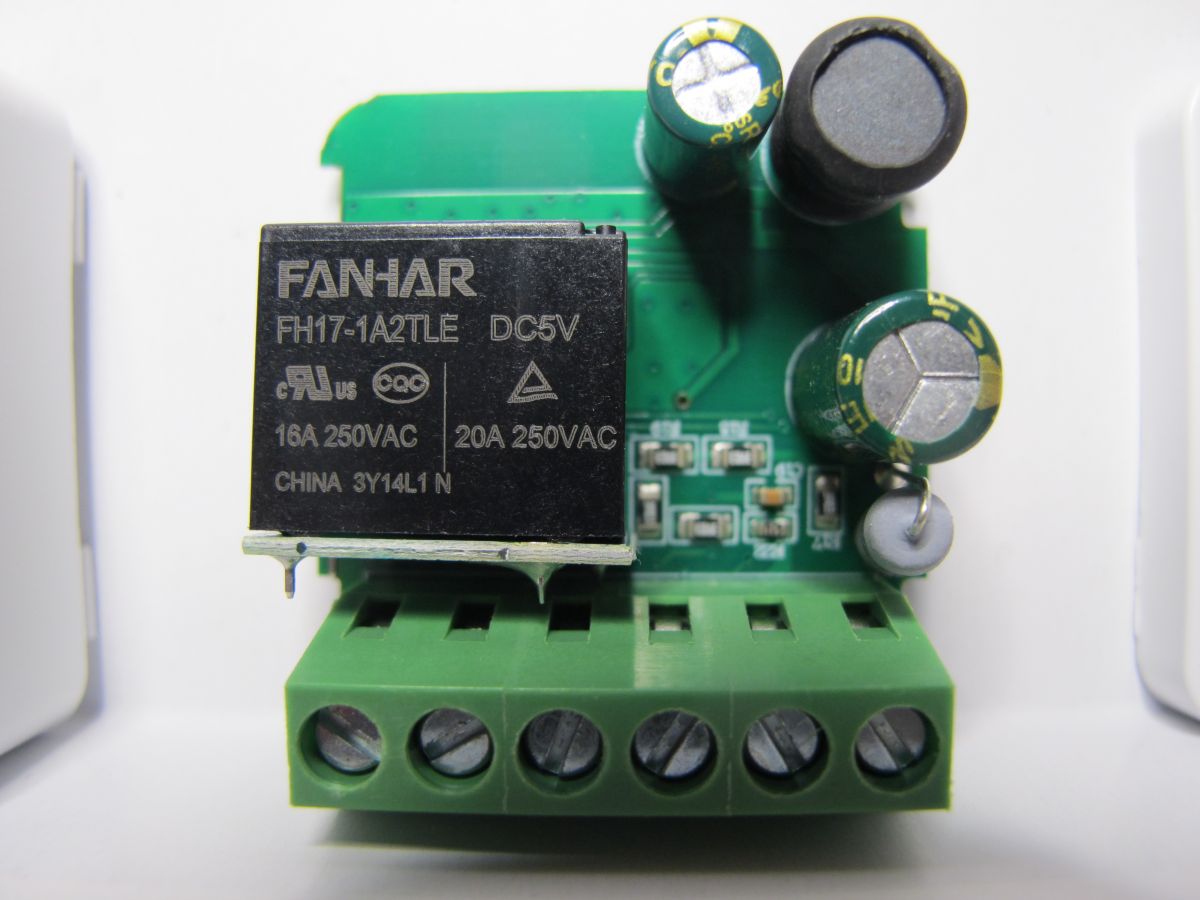
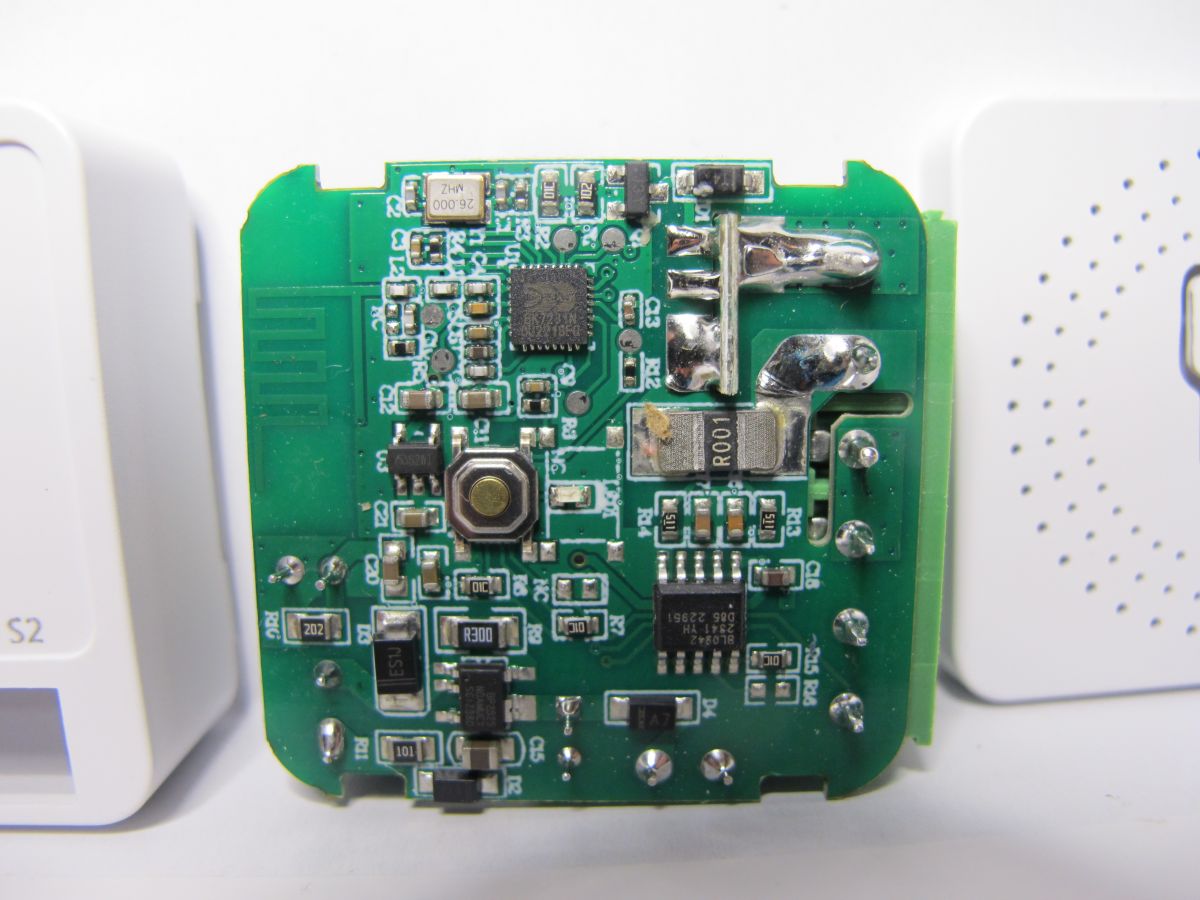
  • BL0942 power monitoring identified on BK7231N switch

    #50 21325656
    divadiow
    Level 38  
    Posts: 5121
    Help: 441
    Rate: 904
    >>20737346

    yet another. but this one has power monitoring and it's a BL0942

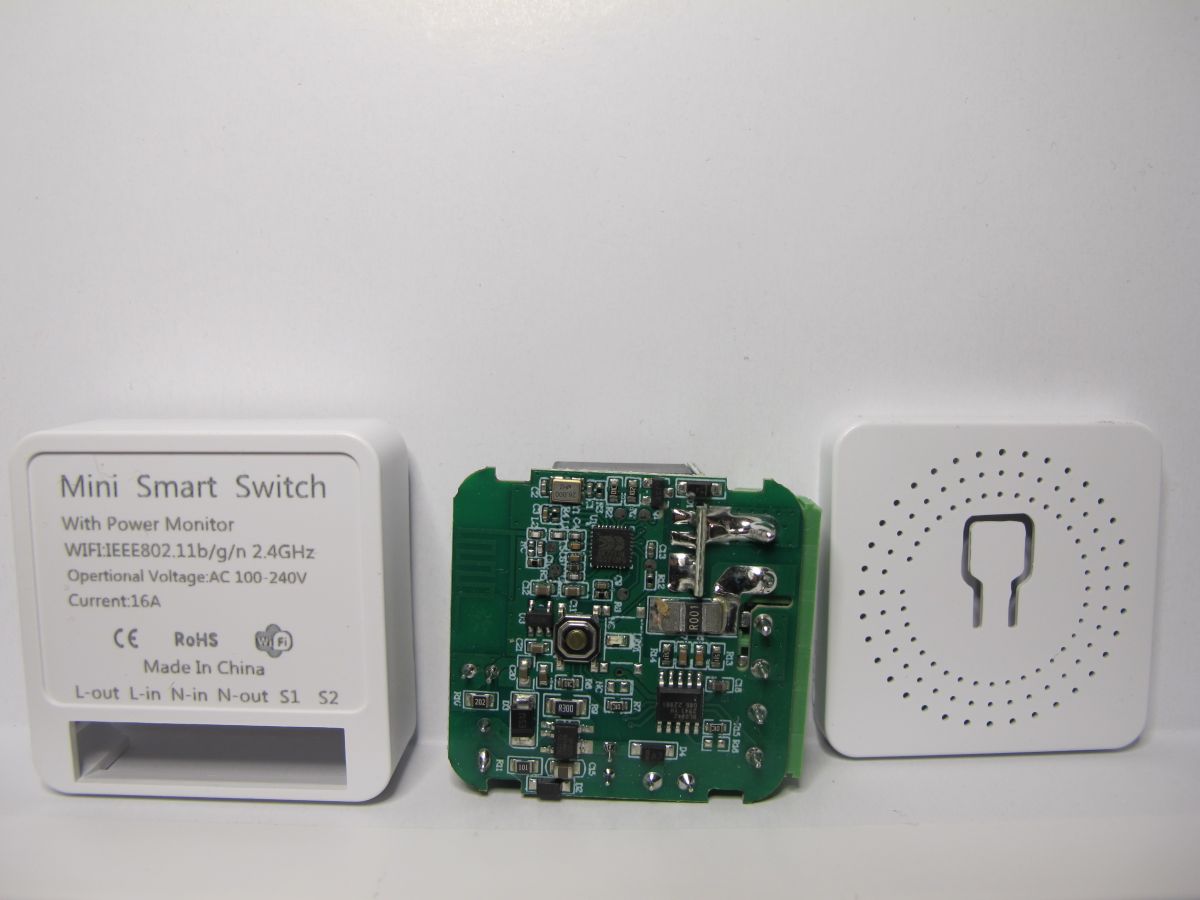
    Mini smart switch with power monitor and visible PCB PCB with FANHAR relay and capacitors. Close-up view of an electronic device's circuit board with components.

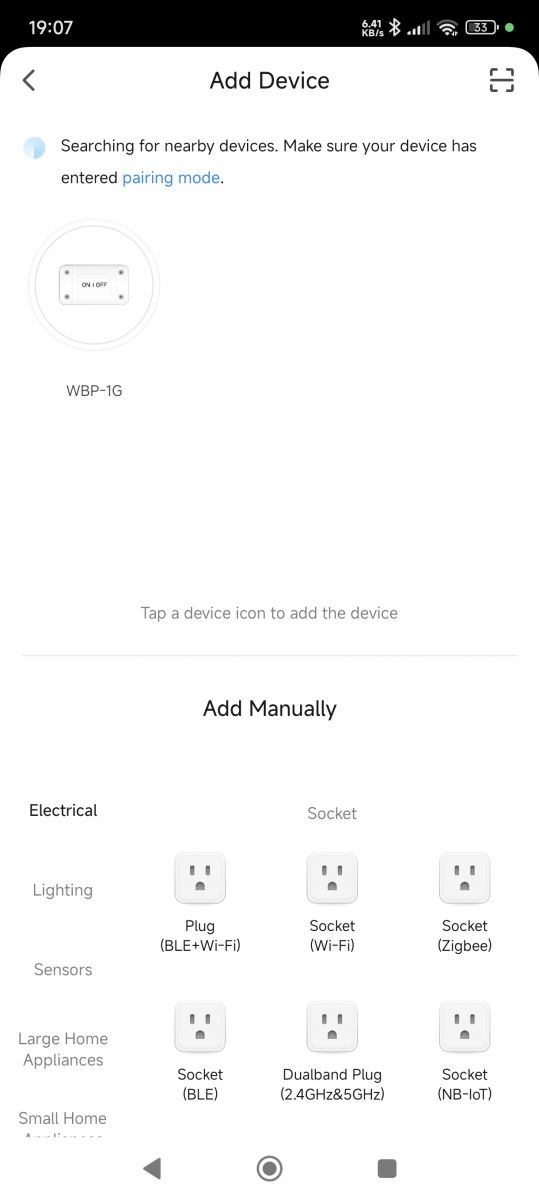
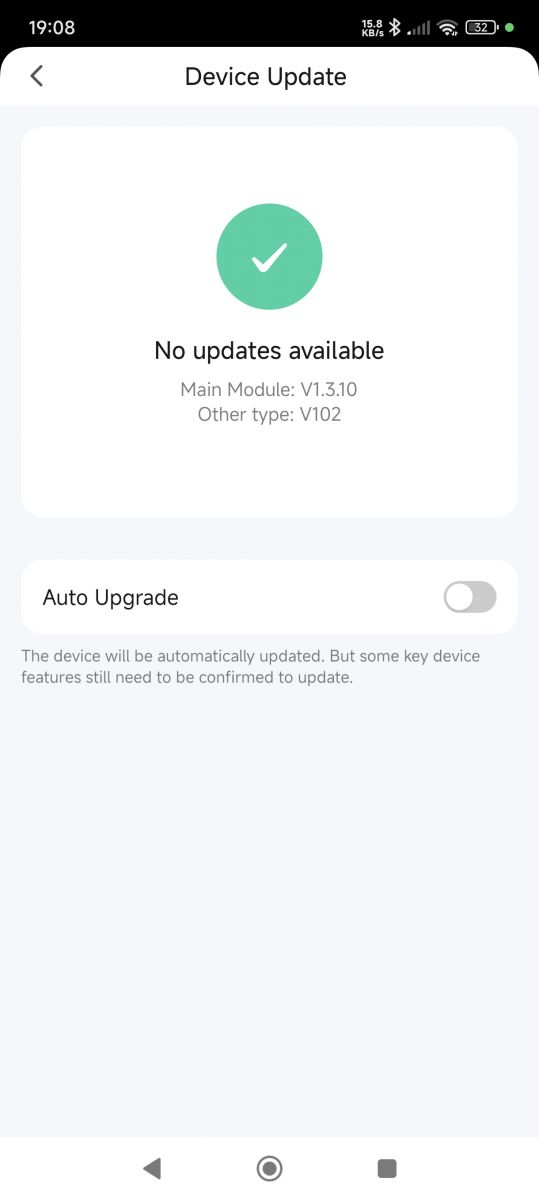
    still 1.3.10
    Code: Text
    Log in, to see the code


    Code: JSON
    Log in, to see the code


    Code: Text
    Log in, to see the code


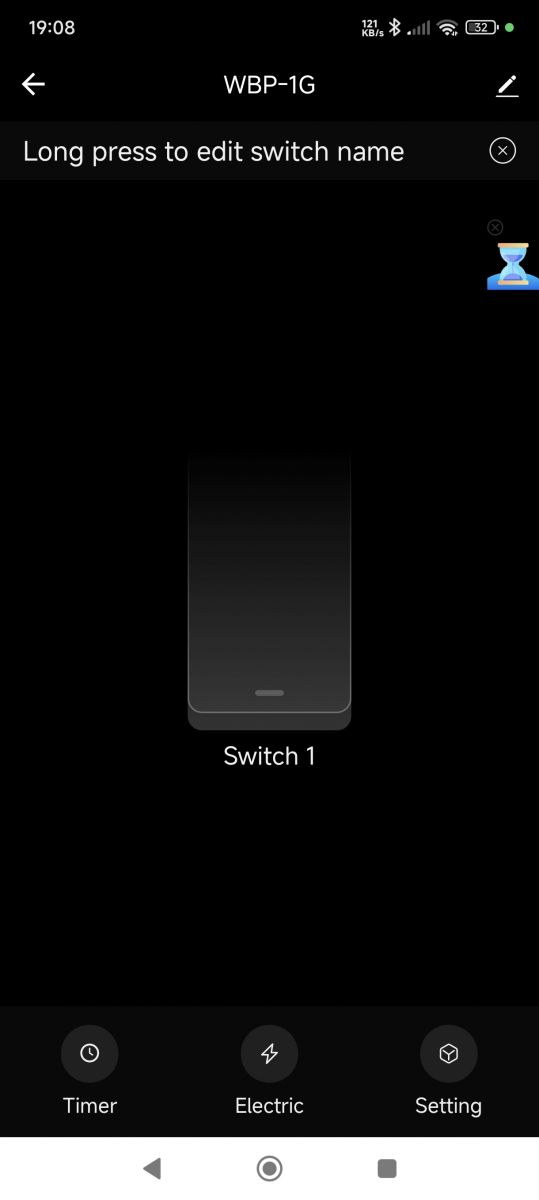
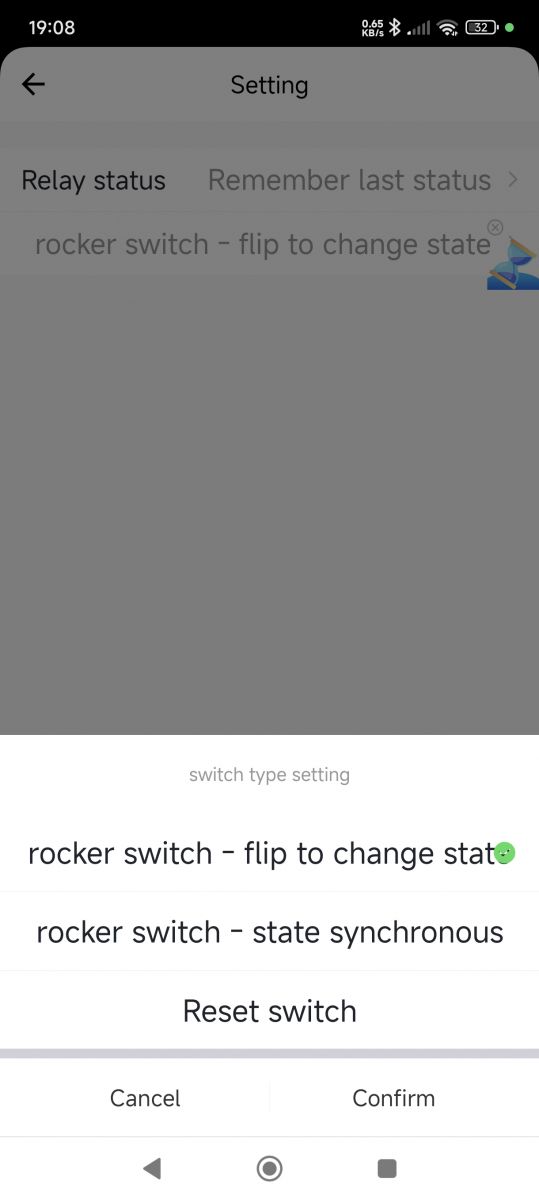
    Add device screen with the WBP-1G option selected and various socket types to choose from. Device update screen indicating no updates available. WBP-1G app interface with switch name editing feature Settings screen of an app for configuring switches with a reset option.
    and the OBK template:

    Code: JSON
    Log in, to see the code
    Attachments:
    • readResult_BK7231N_QIO_2024-29-11-19-00-28.bin (2 MB) You must be logged in to download this attachment.
  • #52 21932225
    Tilator
    Level 12  
    Posts: 137
    Help: 2
    Rate: 13
    I just run into this device for the first time. I have only had BL0937 measuring chips before, but this seems to have BL0942 on it.

    Am I right, it only takes starting the driver? Not connecting any pins like BL0937 takes?
📢 Listen (AI):

Topic summary

✨ Discussion about teardown, flashing, and OpenBeken/OpenBK configuration of UNSH/Tuya DIY Mini Smart Switches based on BK7231N. Multiple hardware variants are identified, including SS8839-16A-W and EZB-WBZS1H16N-A V1.0, with different PCB layouts, pin mappings, and some units including power monitoring. Users share working GPIO assignments for relay, button, toggle input, and WiFi LED, and report successful flashing via tuya-cloudcutter or serial UART using CP2102/BK7231GUIFlashTool, often without needing CEN. PowerSave 1 is recommended for stability, and BL0942 metering is enabled with startDriver BL0942 on monitored versions. The thread also covers issues with Tuya firmware 1.3.10, flash access, deepsleep behavior, and differences between BL0942 and BL0937-based devices.
Summary generated by AI based on the discussion content.

FAQ

TL;DR: 15 Q&A, “PowerSave 1” and serial flashing solve the main UNSH SS8839-16A-W BK7231N problems for OpenBeken users: OTA works on Tuya 1.2.1, but firmware 1.3.10 usually needs UART pads, and pinouts vary between P8, P7, P15, and T34 boards. [#20797138]

Why it matters: The same AliExpress 16A Mini Smart Switch listing can ship different PCBs, so copying one template without checking the board can break relay, LED, button, or metering behavior.

Alternative Works when Typical pins or tool Thread result
tuya-cloudcutter OTA Tuya 1.2.1, BK7231N, oem_bk7231n_control_switch Mini Smart Switch profile OpenBeken 1.15.648 or 1.15.673 flashed without soldering
Serial UART flashing Tuya 1.3.10 or OTA failure RX, TX, GND, 3.3V; CEN usually optional Worked after cloudcutter failed
ESPHome custom firmware BK7231N target build generic-bk7231n-qfn32-tuya Uploaded without CEN

Key insight: Identify the exact PCB before configuring OpenBeken. Devices sold as the same 16A Mini Smart Switch used at least relay pins P8, P7, and P15, plus BL0942 power-monitor variants.

Quick Facts

  • The original UNSH SS8839-16A-W teardown used BK7231N on a custom PCB, not a replaceable Tuya module, and cost €3.63 from AliExpress. [#20524167]
  • Two SS8839-16A-W boards from the same seller used different relay pins: one used P8, while another used P7. [#20537640]
  • EZB-WBZS1H16N-A V1.0 used another layout: LED_n on P6, button on P8, wall toggle on P14, and relay on P15. [#20538893]
  • Tuya firmware 1.3.10 blocked tuya-cloudcutter for one user, but serial flashing through the board pads worked. [#20797138]
  • Power-monitor versions can use BL0942; OpenBeken showed measurements after running startDriver BL0942. [#20992948]

How do I flash OpenBeken on the UNSH SS8839-16A-W Mini Smart Switch with a BK7231N chip using tuya-cloudcutter?

Use tuya-cloudcutter with the Mini Smart Switch BK7231N profile for Tuya firmware 1.2.1.
  1. Pair the switch in SmartLife or Tuya first.
  2. Select 1.2.1 - BK7231N / oem_bk7231n_control_switch and flash OpenBK7231N_UG_1.15.648.bin or later.
  3. If the device misses cloudcutterflash, create a second AP with internet, enter Wi-Fi credentials, then resume cloudcutter.
The first reported flash needed patience and a temporary router AP. [#20524167]

What GPIO pin template should I use for the UNSH SS8839-16A-W when the relay is on P8 versus P7?

Use P8 for the first SS8839-16A-W board, and P7 for the later same-order board. P8 variant: P6 TglChanOnTgl, P8 Rel, P23 Btn, P26 LED, all on channel 0. P7 variant: P6 TglChanOnTgl, P7 Rel, P23 Btn, P26 LED, all on channel 0. The thread confirms both came from the same seller, order, and package. [#20537640]

Why do some AliExpress Mini Smart Switches with the same UNSH 16A listing have different PCB layouts and different OpenBeken pinouts?

The listing shipped multiple internal PCB revisions under the same 16A Mini Smart Switch product. The thread shows SS8839-16A-W boards with relay on P8 or P7, plus EZB-WBZS1H16N-A V1.0 boards with relay on P15. Later buyers also found two visually identical 16A devices with different PCBs. From outside, one contributor reported no reliable difference between two 16A versions. [#20906629]

What is tuya-cloudcutter and how does it perform OTA flashing on BK7231N Tuya devices?

tuya-cloudcutter is an OTA flashing tool that replaces compatible Tuya firmware without opening the device. "tuya-cloudcutter is a flashing workflow that targets vulnerable Tuya cloud pairing behavior, lets users select a firmware profile, and uploads OpenBeken over Wi-Fi instead of UART, when the stock firmware still supports that route." In this thread it used the BK7231N oem_bk7231n_control_switch profile and Mini Smart Switch selection. [#20524167]

What is OpenBeken and how is it used with BK7231N or T34-based Tuya smart switches?

OpenBeken is replacement firmware used to run BK7231N and T34 Tuya switches locally. "OpenBeken is open firmware for Beken-based IoT devices that maps GPIO roles, starts device drivers, and replaces Tuya cloud firmware with a configurable local web application." The thread shows OpenBK7231N builds from 1.15.648 to 1.17.308, including BK7231N and T34 Mini Smart Switch variants. [#20842297]

How do I locate RX, TX, GND, and 3.3V flashing pads on BK7231N Mini Smart Switch boards?

Open the case, identify the matching board photos, and use the marked UART pads. One board used black for GND, white for 3.3V, and separate pads for RX and TX. Another tip used S1 as GND, reducing small solder points to three: RX, TX, and 3.3V. Always disconnect mains first, because the device uses high voltage. [#20737346]

Serial flashing vs tuya-cloudcutter: which method is better for easily opened Tuya Mini Smart Switches?

Serial flashing is often easier for these switches because the case opens easily. An OpenBeken developer wrote: “for simple cases I really prefer just wires.” Cloudcutter remains useful for harder-to-open devices such as bulbs. For this Mini Smart Switch, several users flashed successfully with CP2102 or UART pads after opening the enclosure. [#20797170]

Why does Tuya firmware 1.3.10 prevent using tuya-cloudcutter, and what serial flashing method works instead?

Tuya 1.3.10 blocked cloudcutter in the reported device, so UART flashing worked instead. One user had the same pins but stock Tuya V1.3.10 firmware and could not use tuya-cloudcutter. They flashed over the serial port using the exposed pads. Later examples with 1.3.10 also used RX, TX, GND, and 3.3V instead of OTA. [#20797138]

What does the CEN pad do on BK7231N devices, and when is it actually needed for flashing?

CEN is a reset-related pad, but these Mini Smart Switches usually flash without it. "CEN is a BK7231 control pad used for reset or boot control during flashing, but the thread repeatedly shows UART flashing with only RX, TX, GND, and 3.3V." One developer said he flashed hundreds of devices via wires without using CEN. [#20889669]

How do I configure power monitoring on a BK7231N Mini Smart Switch that uses the BL0942 metering chip?

Start the BL0942 driver in OpenBeken and use the relay template for that PCB. For one power-monitor version, the working pins were P6 TglChanOnTgl, P7 Rel, P23 Btn, and P26 LED. After entering startDriver BL0942, measurements appeared on the OpenBeken main page. Add the command in startup if you want it after each reboot. [#20992948]

What is the BL0942 chip and how does OpenBeken read voltage, current, and power from it?

BL0942 is the metering chip used by some power-monitor Mini Smart Switch variants. "BL0942 is an energy-metering IC that reports electrical measurements to firmware, letting OpenBeken display voltage, current, power, and energy when the BL0942 driver is started." The thread identifies BL0942 inside a power-meter variant and confirms OpenBeken measurements after startDriver BL0942. [#20992948]

Why should I add PowerSave 1 to startup commands on BK7231N smart switches, and how do I set it correctly in OpenBeken?

Add PowerSave 1 because BK7231N switches can otherwise overheat or need repair later. The recommended startup command is PowerSave 1; use backlog when combining it with other commands. One working T34/BK7231N-style config used backlog PowerSave 1. Another user reported warmth with no load attached and had already placed PowerSave 1 in startup. [#20525130]

What safety issue is caused by the Mini Smart Switch connecting N-out and S1 together?

The switch connects N-out and S1 together, making non-classic switch wiring unsafe. The teardown warns that this design is “unsafe for use other than with the classic wall switch.” The device handles mains voltage, so open or flash it only while disconnected from the power line. This warning appears in multiple board revisions. [#20524167]

How do I flash ESPHome firmware to a BK7231N Mini Smart Switch, and what board setting should I use?

Build ESPHome for generic-bk7231n-qfn32-tuya and upload it over UART. A user first confirmed OpenBK worked, then created an ESPHome project using: bk72xx: board: generic-bk7231n-qfn32-tuya They uploaded successfully without touching CEN. This was on a BK7231N Mini Smart Switch after serial flashing experiments. [#21126030]

How can I use BK7231GUIFlashTool to flash a custom ESPHome BIN instead of an OpenBeken BIN?

Use BK7231GUIFlashTool as the UART flasher and select the custom ESPHome BIN file. The thread points users to BK7231GUIFlashTool for BK7231 serial flashing, then confirms ESPHome firmware was uploaded to BK7231N without CEN. If flashing stalls, use only RX, TX, GND, and 3.3V first, then power-cycle the module; do not short the supply rail. [#21125858]
Summary generated by AI based on the discussion content.
ADVERTISEMENT