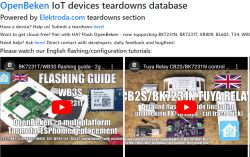
We're making a
global, community-created list of IoT device teardowns and reverse engineering/analysis articles, also coming with guides how to free given device from cloud, run it 100% local, pair with Home Assistant and regain privacy. Everybody can help and contribute, we can even send you
a free gift for submitting a teardown. The list also contains templates for
OpenBeken multiplatform IoT firmware and can be also accessed within the OBK firmware itself.
Where's the teardown list?
All teardown articles are hosted on our
Elektroda.com because we needed a reliable and independent hosting site, while the device frontend is hosted on Github:
https://openbekeniot.github.io/webapp/devicesList.html
The JSON list of devices is also on Github, so people can easily create pull requests:
https://github.com/OpenBekenIOT/webapp/blob/gh-pages/devices.json
What is the teardowns list interface?
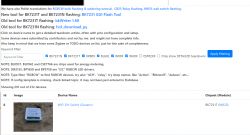
Our teardowns list is a simple SPA application featuring a dynamically-filtered list of teardowns list that is loaded from JSON database. Currently there are over 200 devices so the database is loaded in one request, but soon we might add a more advanced API for that.
Device list API allows you to:
- search and filter device by
keyword, which can be a model name, an IC name, or a feature
- search and filter device by
MCU type, so you can view only ESP8266 ones, only BK7231, or BL602, etc
- search and filter by
details level, so you can either browse all teardowns (and simple Obk templates), or show only detailed articles
- click on link to open forum topic/post with discussion related to the device (we can provide help with any device setup)
 What are the good, detailed examples of teardowns from the list?
Here are some of our best articles submitted by users:
Genio Galaxy Smart Lamp - BK7231T - Teardown + Guide
[BK7231T / WB2S] Teardown Kruitvat Smart Plug Dual (with Energy Meter)
HomeMate Wi-Fi + Bluetooth Smart 4 Gang Touch Switch
[BL602] [SM2135] Surplife APP RGB+WW+CW bulb
OpenBeken and TuyaMCU dimmer - configuration guide/tutorial
[BK7231T] LCD calendar/thermometer/hygrometer TH06 WiFi for TuyaMCU - Home Assistant
Tuya LSPA9 smart socket - teardown, OpenBeken flashing guide for CB2S, BL0942
Two difficult to program Tuya WiFi smart LED lamps - E14 and E27 [WB2L_M1]
Here is an example of topic with schematic:
Four-channel relay controller Tuya WiFi SmartLife 4CH 10A
Another topic with schematic (Zigbee device, article not yet translated):
Zigbee Sonoff Basic ZBR teardown, analysis and schematic drawing
Zigbee RR400ZB/TS011Fteardown, analysis and schematic drawing
What are the goals of the teardows list?
Our teardowns list was created with multiple goals in minds. Our teardowns list is an unique initiative, because as far as we know, it's the first
detailed IoT teardowns database. We do not want
just templates, we strive to provide detailed information about devices, sometimes even with hand-drawn schematics.
Considering all above, the goals of our list are:
- to provide information for OpenBeken users about the internals of the device (whether it can be fried from cloud and how easily)
- to provide generic flashing guidelines for devices (some devices are harder to flash than others, for example they might require a cutting PCB tracks trick, or desoldering a module, etc)
- to provide generic information for community how IoT devices are made (this is unlike the other templates list - we also try to provide insight into inner workings of IoT devices which are not required for freeing them from cloud but still may be educational for readers)
How to submit a new device?
Basically follow the guide here:
Submit the IoT device teardown/review/guide/article and get a free SD card
Try to make your teardown detailed, it's not necessary but it's always welcome. Good things to include are:
- detailed device name, model name, FCC ID (if available), SKU code (if available)
- device packaging photos (host them on our reliable Elektroda hosting so they won't expire like Imageshack did)
- screenshots from seller web page (as above)
- detailed photos (try to avoid blurry ones) of device exterior and internals, including the PCB
- write down names of components and try to figure out their roles
- and last, but not list,
try to add flashing guide and OpenBeken configuration info
NOTE: any device is welcome, we also want ESP devices and even Zigbee devices teardowns and reviews
If you are there just for OpenBeken template, then it's okay to post a shorter teardown as well, no problems here.
Then you can also create a pull request here:
https://github.com/OpenBekenIOT/webapp/blob/gh-pages/devices.json
and add new JSON entry for your device, but don't worry - if you don't know Git, we will just create the JSON entry for you few days after your teardown is submitted.
What is the teardowns list most useful for?
Apart from already mentioned educational and research purposes, you can use teardowns list to
make your own, cloud-free, private and secure Smart Home system, for example with Home Assistant, but not necessary, as our OpenBeken firmware supports many protocols and systems, including also Sonoff ioBroker, Tasmota Control app from Google Play, Alexa Wemo and much more.
Device reverse-engineering help and support
We can also help you with figuring out your device for free. For example, if you have a device and want to cut it from the cloud but don't have enough experience to do it, we're help to help you and guide you step by step. Just try to provide as much information as you can.
Here's an example of topic where device was reverse-engineered on our forum:
OpenBK7231T for Hiking DDS238-2 Smart Meter
How to access templates from OpenBeken?
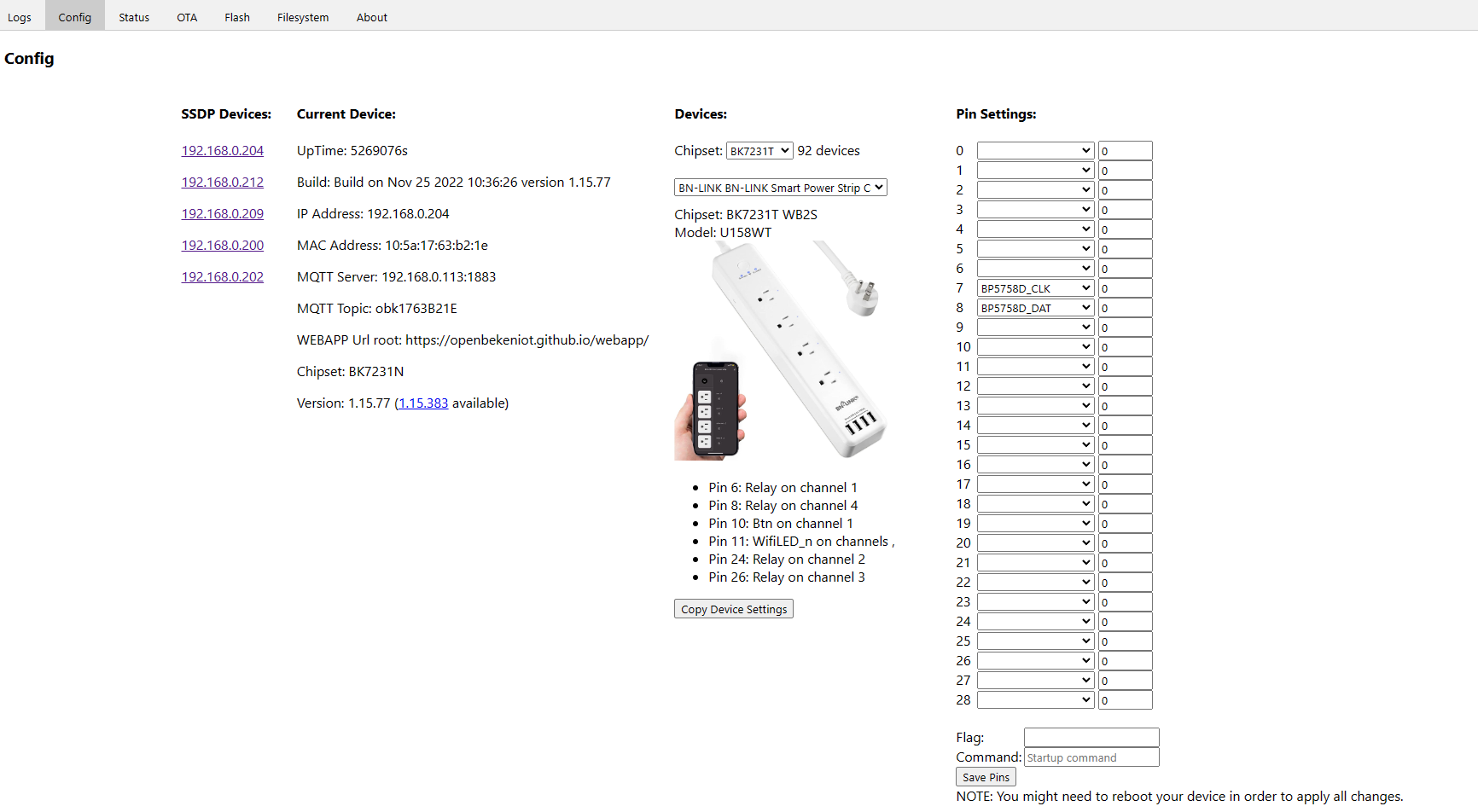
In OpenBeken WWW panel, press the "Open Web Application" button to open the secondary OBK panel that is fetched from web and runs entirely in your browser (written in Javascript, so most of that panel features are free in terms of flash memory). On Config tab, select a platform from a drop down menu and then you will be able to select device from another drop down menu and click button to apply the device templates:
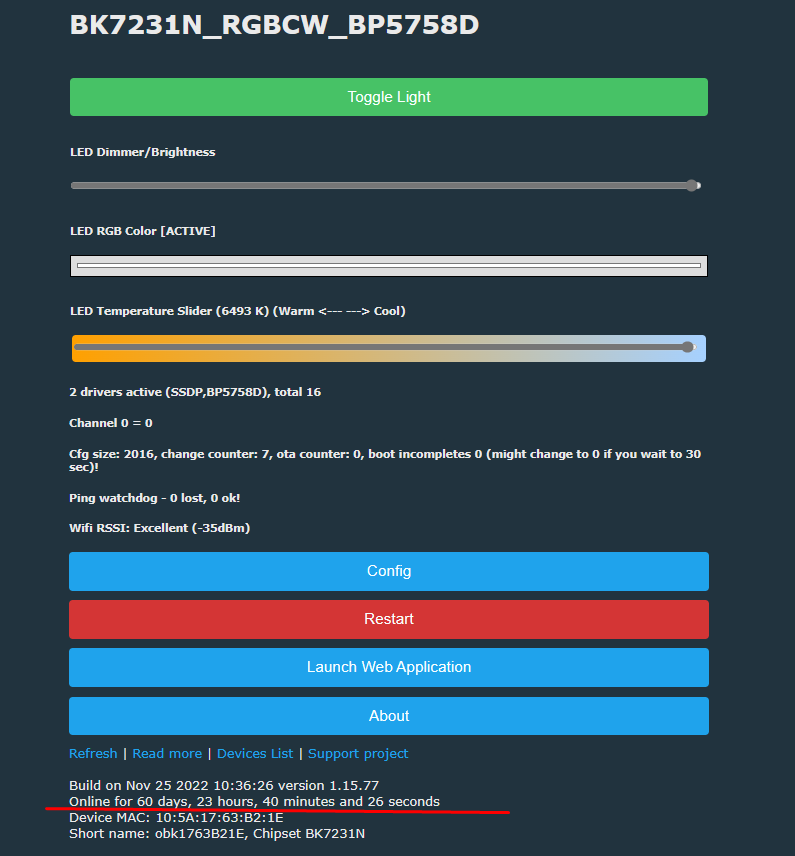
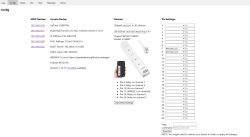 Don't worry about the uptime value on screenshot - it's just the stability of OBK, it runs 2 months without reboots already
Try OBK on Windows
Don't worry about the uptime value on screenshot - it's just the stability of OBK, it runs 2 months without reboots already
Try OBK on Windows
Please also note that you can run OBK (with simulator/schematic drawer) on Windows to play around with firmware and learn how to create automation, you can even pair your Windows with MQTT this way. The Simulator will be released soon, check this repository for details:
https://github.com/openshwprojects/obkSimulator
Summary
Our IoT teardowns list was created with openness of hardware and firmware in mind. Our IoT teardowns list (and our forum) can help you to regain your privacy and setup your Home Assistant (or another favorite platform) locally by using devices with various chips, including BK7231, BL602, XR809, W600/W601, W800/W801 and much more. You don't have to worry about getting "non-ESP" chip now, and for ESP8266 devices (which are also on list) you can use Tasmota, which is compatible with OpenBeken (and can even use Tasmota Device Groups to communicate with OBK).
Please visit
our list and see for yourself, you can also consider posting new entry to get a free gadget or donating to keep our work going:
https://www.paypal.com/paypalme/openshwprojects
You can also help us by subscribing/liking our Elektroda.com videos:
https://www.youtube.com/@elektrodacom
Thanks! Have a nice, cloud-free day.
Please do not post questions here. Always create separate topic for new question and keep the naming correct - device platform (MCU name), manufacturer and (if possible) model name should be included in the topic title. Please also remember to keep all attachments posted on our forum and upload images in accordance to our forum standard .








Comments