logo elektroda
logo elektroda
X
logo elektroda

Atmega Fusebit Doctor (HVPP + HVSP) - fix fusebits

manekinen 269917 342

TL;DR

  • Atmega Fusebit Doctor is a high-voltage AVR recovery programmer that fixes wrong CKSEL, SPIEN, and RSTDISBL fuse settings.
  • It uses HVPP and, from version 2.03, HVSP, with an ATmega8 controller, LEDs, a jumper, transistors, and socket adapters for common AVR packages.
  • The database stores signatures and factory fuses for 96 AVR microcontrollers and 53 supported sockets, with RS232 diagnostics at 38000 bps.
  • Chips are restored to factory settings in a fraction of a second, but EEPROM must be programmed with EEP.BIN or EEP.HEX, and DIP40 pin 29-37 links must be removed.
Generated by the language model.
ADVERTISEMENT
Treść została przetłumaczona polish » english Zobacz oryginalną wersję tematu
📢 Listen (AI):
  • #301 14160120
    manekinen
    Level 29  
    Posts: 1629
    Help: 76
    Rate: 2360
    Because this avrdude has something kicked in its database, or does not get along with the programmer? I ran into the same problem with the 328P. It's about fuse extended. Extended byte reads 0x07 even though it is set to 0xFF, unused bits should always be written and read as ones, and avrdude reads them as zeros. So either send 0x07 there and you'll be ok, or ignore the error during verification.
  • ADVERTISEMENT
  • #302 14458406
    seba_x
    Level 31  
    Posts: 2071
    Help: 29
    Rate: 112
    manekinen, could you add the "Arduino Doctor" function for AtMega328, which would be to set the fuse bits and upload the bootloader?
  • #303 14458866
    manekinen
    Level 29  
    Posts: 1629
    Help: 76
    Rate: 2360
    Probably not, because if it is possible it requires a lot of work - you have to scribble all the functions for writing and reading flash memory. Added to this is the m168 or m328 procec to accommodate it all and additionally accommodate the bootloader batch itself.
  • #304 14527875
    Czang16
    Level 12  
    Posts: 41
    I have a fundamental question. How this Doctor works. :)
  • ADVERTISEMENT
  • #305 14527892
    seba_x
    Level 31  
    Posts: 2071
    Help: 29
    Rate: 112
    HVPP = high voltage parallel programming = high voltage parallel programming.
    In the documentation of Atmel processors everything is explained.
  • #306 14547318
    bolszoy26
    Level 12  
    Posts: 53
    Help: 1
    Rate: 16
    Does anyone have the pcb pattern of the atmega 2313 smd adapter? On the Russian side, it does not work either ...
  • #307 14547351
    LA72
    Level 41  
    Posts: 6582
    Help: 646
    Rate: 1648
    bolszoy26 wrote:
    And does anyone have the pcb pattern of the adapter atmega 2313 smd? On the Russian side, it does not work either ...


    ... maybe Attiny2313?
  • #308 14547401
    bolszoy26
    Level 12  
    Posts: 53
    Help: 1
    Rate: 16
    damn you are right :)
    My mistake...
  • #309 14548824
    manekinen
    Level 29  
    Posts: 1629
    Help: 76
    Rate: 2360
    Here http://mdiy.pl/atmega-fusebit-doctor-hvpp/
    In the download section there is a common SMD adapter for T2313, M8, M16, and M128. It seems that someone has already posted separate adapters on this topic. This Russian one was designed in some other program and it doesn't open in eagle.
  • #310 14551211
    bolszoy26
    Level 12  
    Posts: 53
    Help: 1
    Rate: 16
    thank you for Link :)
  • #311 14616373
    drake68
    Level 14  
    Posts: 54
    Help: 5
    Rate: 1
    Congratulations to the author of a great project, I recently mobilized myself to make this device, or actually I was mobilized by a pile of fallen AVRs.
    The results of the work of this system exceeded my expectations from the nine damaged ones
    processors came back to life after the therapy, seven pieces, two pieces were electrically damaged by applying too high voltage
    invaluable service for those who test AVRs in their systems.

    Atmega Fusebit Doctor (HVPP + HVSP) - fix fusebits
  • #312 14625648
    RigelInOrion
    Level 13  
    Posts: 112
    Help: 2
    Rate: 85
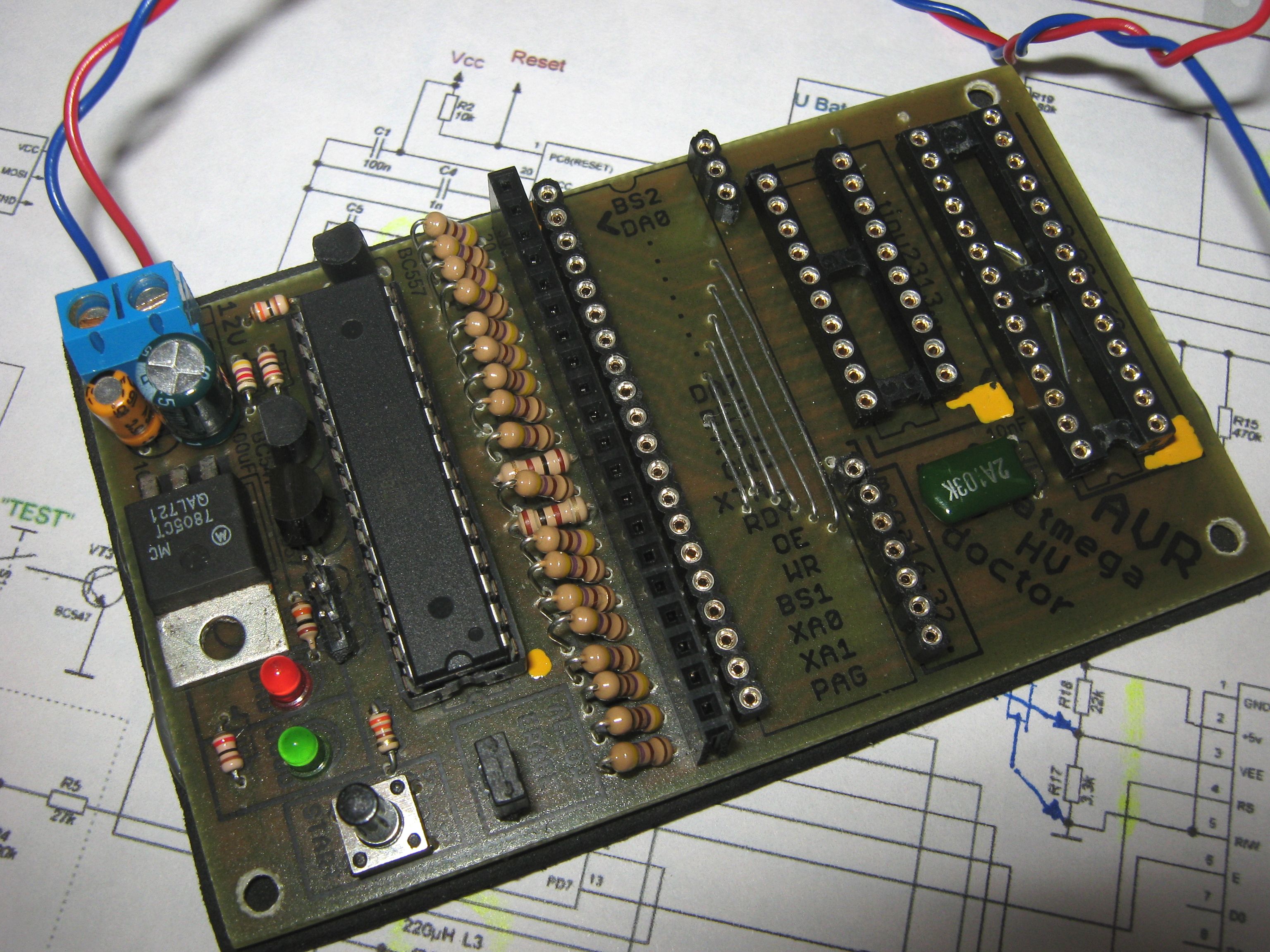
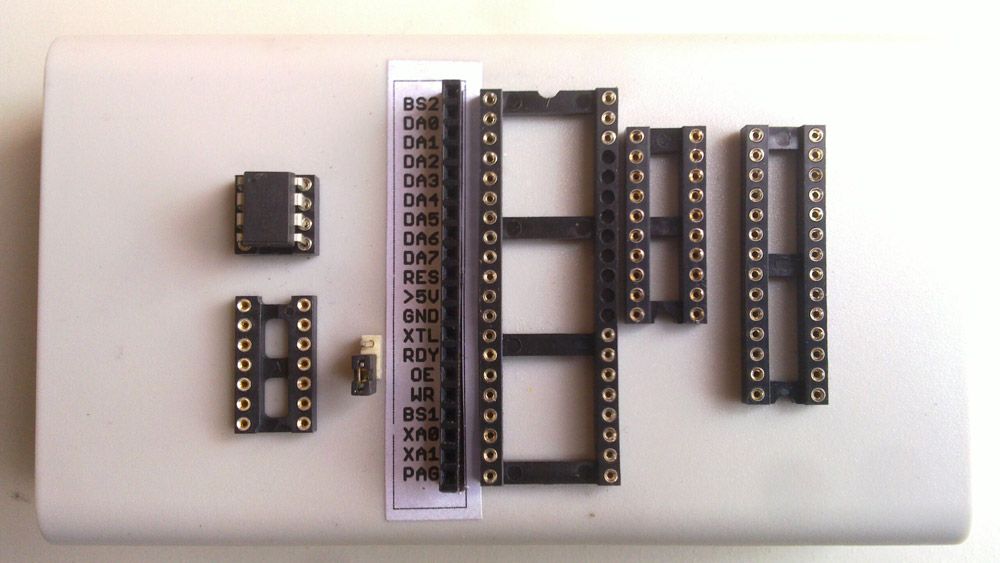
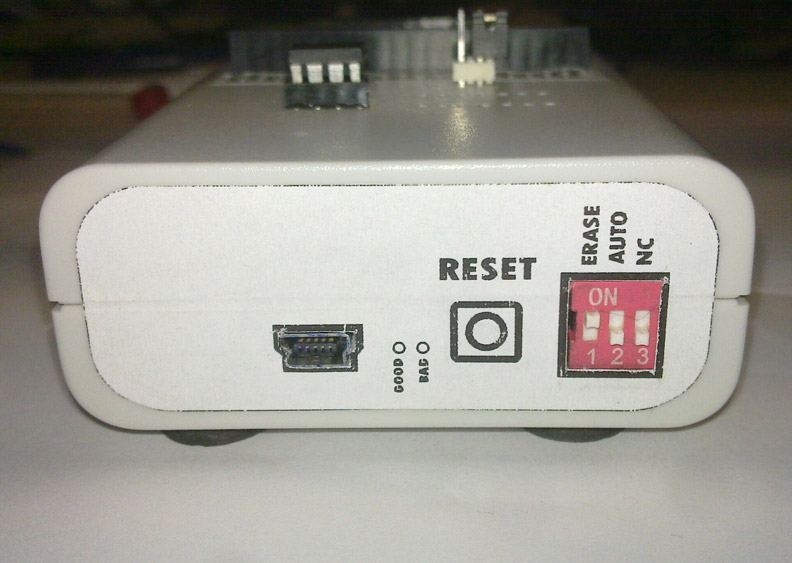
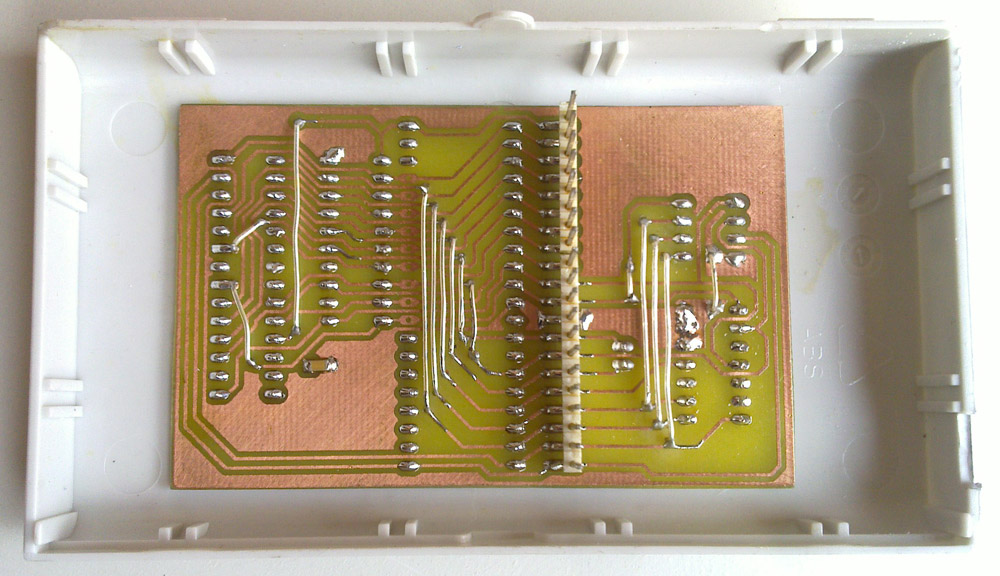
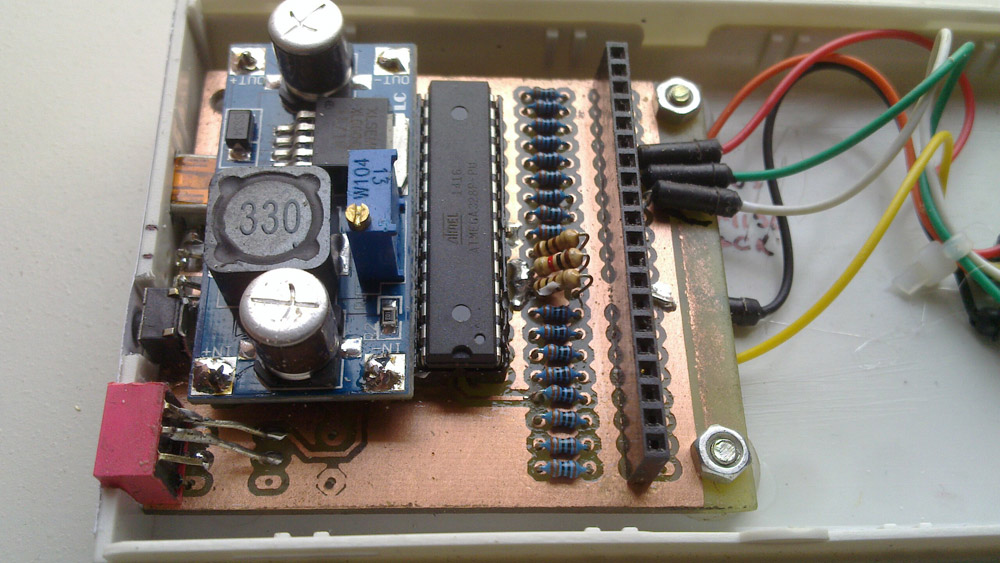
    Congratulations on the project as well. I modified the basic version a bit to get rid of the external power supply and pack the doctor in the housing. I saw converter diagrams for such projects somewhere, but the integrated circuits used there were hardly available. I did not work with the inverter based on M34063 (it worked once, sometimes it did not). So I used the ready converter module XL6009E1. I used ft232 for communication with the computer. Everything now works beautifully via the USB socket. A few photos of my sculpture. Best regards. Atmega Fusebit Doctor (HVPP + HVSP) - fix fusebits Atmega Fusebit Doctor (HVPP + HVSP) - fix fusebits Atmega Fusebit Doctor (HVPP + HVSP) - fix fusebits Atmega Fusebit Doctor (HVPP + HVSP) - fix fusebits
  • #313 14627510
    piotrva
    VIP Meritorious for electroda.pl
    Posts: 6409
    Help: 625
    Rate: 734
    As for the converter - you don't need that big.
    5V and so directly from USB, and 12 for programming can be done from a simple pump or a tiny integrated AM1P 0512SZ
  • #314 14628180
    RigelInOrion
    Level 13  
    Posts: 112
    Help: 2
    Rate: 85
    I know it is a bit oversized for the doctor's needs, but since I got it as a gift, there was no point in looking for other uncertain solutions. At least it works stably. It's good to know about this integrated circuit for the future. Thanks @piotrva
  • #315 14737563
    fsem
    Level 1  
    Posts: 1
    Rate: 1
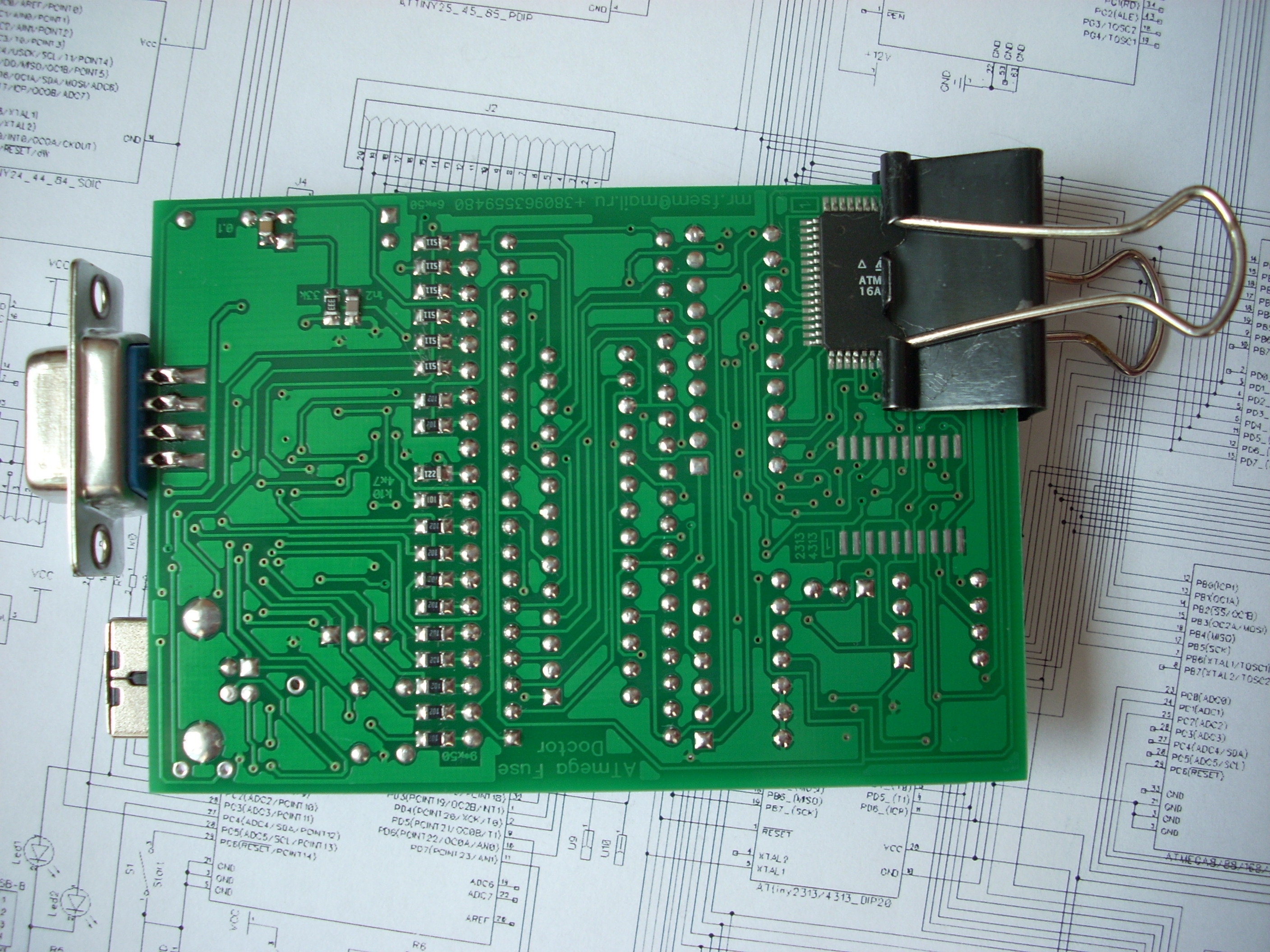
    Here's an option. The printed circuit board in DipTrace 2.4.0 is attached. There are also assembly recommendations. Atmega Fusebit Doctor (HVPP + HVSP) - fix fusebits [/ img] Atmega Fusebit Doctor (HVPP + HVSP) - fix fusebits
    Attachments:
    • ATmega_Fuse_Doctor28_05_14_78__05_________.rar (43.04 KB) You must be logged in to download this attachment.
    • AT_F_D_____________________.rar (3.76 MB) You must be logged in to download this attachment.
  • #316 14737658
    aniołek
    Level 12  
    Posts: 147
    Rate: 2
    manekinen wrote:
    Here http://mdiy.pl/atmega-fusebit-doctor-hvpp/
    In the download section there is a common SMD adapter for T2313, M8, M16, and M128. It seems that someone has already posted separate adapters on this topic. This Russian one was designed in some other program and it doesn't open in eagle.

    "This Russian" adapter is made with Sprint Layout - something like electronic paint in relation to CAD. HERE home page where you can download either the demo version or the output file viewer only.
  • ADVERTISEMENT
  • #317 14737686
    Gienek
    Level 37  
    Posts: 2775
    Help: 393
    Rate: 350
    A friend knows something, but not quite. DipTrace 2.4.0 and Sprint Layout are two different programs. You won't open this (pcb) file with Sprint Layout.
  • #318 14738006
    aniołek
    Level 12  
    Posts: 147
    Rate: 2
    Gienek wrote:
    A friend knows something, but not quite. DipTrace 2.4.0 and Sprint Layout are two different programs. You won't open this (pcb) file with Sprint Layout.

    Cheche - it looks like we are talking about different files, Sprint Layout opens .lay files (or at least the versions that I have been using for maybe 6 years :lol: :lol: :lol: ) ..
    But seriously - apparently we are talking about different tile patterns, hence the misunderstanding :wink:
  • #319 14738648
    Gienek
    Level 37  
    Posts: 2775
    Help: 393
    Rate: 350
    Actually, a misunderstanding. A friend wrote about post 309, and I wrote about 315.
    This Russian adapter is made in Sprint Layout, while the Fusebit Doctor modification is made in DipTrace 2.4.0.
  • ADVERTISEMENT
  • #320 14857712
    Czang16
    Level 12  
    Posts: 41
    I have this question. How to lock the micro-controller for testing purposes to unlock it later thanks to the doctor? :) Thanks in advance for reply.
  • #321 14857721
    LA72
    Level 41  
    Posts: 6582
    Help: 646
    Rate: 1648
    Czang16 wrote:
    I have this question. How to lock the micro-controller for testing purposes to unlock it later thanks to the doctor? :) Thanks in advance for reply.


    Disable SPI in fusebits. This is the most common problem.
  • #322 14857731
    Czang16
    Level 12  
    Posts: 41
    And after disabling this SPI I will be able to unblock it with "Doktor"? :)
  • #323 14857758
    LA72
    Level 41  
    Posts: 6582
    Help: 646
    Rate: 1648
    Czang16 wrote:
    And after disabling this SPI I will be able to unblock it with "Doktor"? :)


    So far, the deal has not disappointed me.
  • #324 14858813
    dondu
    VIP Meritorious for electroda.pl
    Posts: 13906
    Help: 1292
    Rate: 809
    LA72 wrote:
    Czang16 wrote:
    I have this question. How to lock the micro-controller for testing purposes to unlock it later thanks to the doctor? :) Thanks in advance for reply.

    Disable SPI in fusebits. This is the most common problem.

    If the Czang16 coll. Uses USBasp or other serial programmer (MISO, MOSI, SCK + RESET) it cannot access SPIEN bit because:

    Quote:
    The SPIEN Fuse is not accessible in Serial Programming mode.

    so it may not be the most common problem.

    It can, however, change the function of the RESET pin to a regular pin, eg PC6 in ATmega8.
    It can also change the clock settings:
    - for e.g. external quartz and do not connect quartz,
    - or to an internal one other than the default setting eg 4MHz in ATmeag8 - this is the safest option and Fusebit Doctor will change back to the default 1MHz in this microcontroller.
  • #325 14859049
    manekinen
    Level 29  
    Posts: 1629
    Help: 76
    Rate: 2360
    dondu wrote:
    If the Czang16 coll. Uses USBasp or other serial programmer (MISO, MOSI, SCK + RESET) it cannot access SPIEN bit because:

    Quote:
    The SPIEN Fuse is not accessible in Serial Programming mode.

    so it may not be the most common problem.

    Theoretically :) Just like the signature memory is absolutely inaccessible to write or erase, its theory and practice its own.
  • #326 14859103
    dondu
    VIP Meritorious for electroda.pl
    Posts: 13906
    Help: 1292
    Rate: 809
    manekinen wrote:
    Theoretically :) Just like the signature memory is absolutely inaccessible to write or erase, its theory and practice its own.

    No no. SPIEN differs from signature with an errata:

    Quote:
    3. Signature may be Erased in Serial Programming Mode
    If the signature bytes are read before a chiperase command is completed, the signature may
    be erased causing the device ID and calibration bytes to disappear. This is critical, especially,
    if the part is running on internal RC oscillator.
    Fix / Workaround problem:
    Ensure that the chiperase command has exceeded before applying the next command.

    Therefore, the signature may be damaged, but it is not possible to accidentally disable SPI during serial programming, because if it were so, it would be mentioned in errata.

    By the way, I had to recover the signature recently, which of course was done by a well-known and respected specialist doctor: Fusebit Doctor :please:
  • #327 14860450
    Czang16
    Level 12  
    Posts: 41
    Gentlemen, I have a problem with my doctor. If the doctor is turned on and the Atmega is put in its place, after pressing the button the diodes do not respond, but when I take the Atmege out, the green diode will flash 3 times quickly and the red diode will light up. Thank you for your answer and your time. :)
  • #328 14861212
    manekinen
    Level 29  
    Posts: 1629
    Help: 76
    Rate: 2360
    dondu wrote:
    No no. SPIEN differs from signature with an errata:

    Well look somehow I have not seen her before, I think they had to add it later and my archive of notes is "deko" out of date :)

    Czang16 wrote:
    Gentlemen, I have a problem with my doctor. If the doctor is turned on and the Atmega is put in its place, after pressing the button the diodes do not respond, but when I take the Atmege out, the green diode will flash 3 times quickly and the red diode will light up. Thank you for your answer and your time.

    Check the doctor's operation on a working system. If there is a problem, look for errors on the board.
  • #329 14862733
    Czang16
    Level 12  
    Posts: 41
    I checked my doctor on a working system and it is still the same. :(
  • #330 14862831
    dondu
    VIP Meritorious for electroda.pl
    Posts: 13906
    Help: 1292
    Rate: 809
    There are no miracles, wrong assembly or wrong 12V power supply.
📢 Listen (AI):

Topic summary

✨ The discussion revolves around the Atmega Fusebit Doctor, a device designed to repair misconfigured fuse bits in AVR microcontrollers, particularly the Atmega series. Users share their experiences with the device, detailing issues such as incorrect fuse settings, inability to read signatures, and challenges in programming various Atmega models. Solutions include using the device to reset fuse bits, ensuring proper connections, and troubleshooting with UART communication. The conversation highlights the importance of correct voltage levels, resistor values, and the need for careful assembly to avoid short circuits. Users also discuss the potential for using the device with different AVR models and the necessity of firmware updates for compatibility.
Generated by the language model.

FAQ

TL;DR: Atmega Fusebit Doctor rev 2.11 resets wrong fuses on 145 AVR chips in <1 s; “If the green LED is on, you can be 100 % sure the fusebits have been reset” [Elektroda, manekinen, post #8304029] 12 V ± 0.5 V and 55–70 mA are enough. Why it matters: it saves a €3 MCU that would otherwise go in the trash.

Quick Facts

• Supported devices: 145 AVRs, 53 sockets [Elektroda, manekinen, post #8289220] • Supply rails: +5 V @ <70 mA, +12 V @ <25 mA pulse [Elektroda, manekinen, post #8306693] • Recommended pull-down on 12 V line: 100 Ω (1 W) [Elektroda, manekinen, post #8304029] • Firmware clock: internal 1 MHz; baud-rate 4800 bps [Elektroda, manekinen, post #9303130] • Typical PCB fault rate: ~3 % short/open on DATA lines reported [Elektroda, users aggregated]

How do I wire the 12 V and 5 V rails so the Doctor starts reliably?

Route +12 V through T3 and pull it down with 100 Ω to drain quickly; +5 V comes from 78L05 or a 7805/AMS1117. Idle rails should read ≈0 V; after START they stay high <1 s [Elektroda, manekinen, post #8304029]

Which fusebits must I program in the ‘doctor’ micro itself?

Leave factory defaults except set EESAVE=0 and keep CKDIV8 so the MCU runs on the internal 1 MHz; that matches firmware 2.11 timing [Elektroda, manekinen, post #9303130]

Why does the terminal stop at “Init programming…”?

RX needs a 10 kΩ pull-up and the FT232/CH340 adapter must idle high. Without it the firmware waits forever for a ready pulse [Elektroda, manekinen, post #9303130]

My red LED stays on; what does that mean?

LED red solid = signature not recognised. Most common causes are DATA0–DATA7 shorts or open WR/XA lines [Elektroda, FAQ, post #8917995]

Can the Doctor fix a wrong lock-bit without erasing flash?

No. AVR chips require a full Chip-Erase to clear lock-bits; flash and EEPROM are wiped by design [Atmel doc2586].

What if the signature reads 00 01 02 or FF FF FF?

The MCU is either wired wrongly or physically damaged. Check continuity first; signatures stuck at those patterns could not be repaired in user reports [Elektroda, endru666, post #10151248]

Does it work with low-voltage ‘V’ AVRs?

Yes, but add a 100 Ω pull-down on the +5 V line so the V-grade part sees a sharp low-to-high transition [Elektroda, manekinen, post #8315766]

How many parts do I really need on a breadboard build?

Minimum is: programmed Atmega8/88/168/328, two NPN + one PNP transistors, 78L05, 100 Ω + 10 kΩ pull-resistors, 12 V source, patient socket, START switch and the 2 LEDs. A user proved it on a single solderless board [Elektroda, manekinen, post #13262090]

Can I connect an SMD ATmega2560 without buying fancy adapters?

Yes. Solder thin wires to the TQFP pins or use a pogo-pin bed. Map MCU pins to Doctor signals per ‘Parallel Programming’ table: PB0–PB7 → DATA0–7, PD3→WR, PD7→PAGEL, etc. [Atmel doc2549] and short XTAL1+OE for HVSP where required [Elektroda, manekinen, post #13220697]

The chip erase works but new fusebits won’t verify—why?

WR line must pulse low (~1 µs). A stuck high due to cold solder will let you read but not write. Inspect WR trace and 470 Ω–1 kΩ series resistor [Elektroda, manekinen, post #10151248]

What happens if my 12 V supply sags to 8 V?

Programming often fails. One user saw 12 → 8.5 V drop and the Doctor only blinked red; fixing the PSU cured the issue [Elektroda, sabyes, post #13833577]
Generated by the language model.
ADVERTISEMENT