logo elektroda
logo elektroda
X
logo elektroda

WBR2, WBR3, WBRU, W701-VA2-CG pinout, datasheet, flashing for Home Assistant

p.kaczmarek2 17574 163
ADVERTISEMENT
📢 Listen (AI):
  • #151 21809027
    divadiow
    Level 37  
    post it anyway so we can see what state it's in :)
  • ADVERTISEMENT
  • #152 21809035
    geniack
    Level 6  
    Ah good to know. Well I got several of these devices, I can use the next one to contribute to this archive :)

    Added after 10 [minutes]:

    Niiice! I could connect to the wifi of the newly flashed firmware and now I see myself in front of a lot of settings to configure this chip. That is really sweet.

    Added after 57 [minutes]:

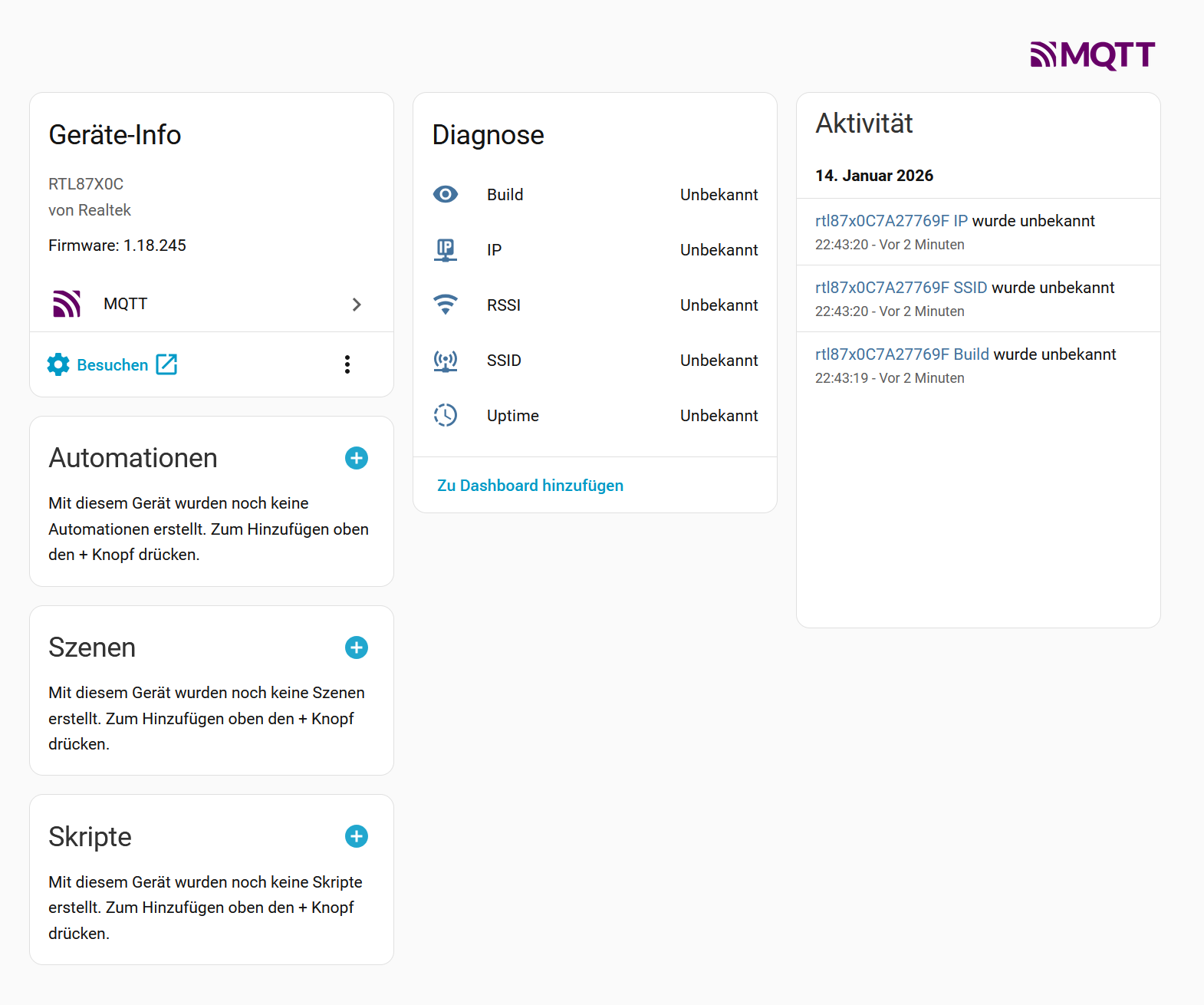
    The device seems to be connected to my MQTT broker now:

    Control panel for RTL87X0C device with firmware 1.18.245 and MQTT integration

    But... How does it know it's a thermostat?
  • ADVERTISEMENT
  • #153 21809090
    DeDaMrAz
    Level 21  
    geniack wrote:
    But... How does it know it's a thermostat?
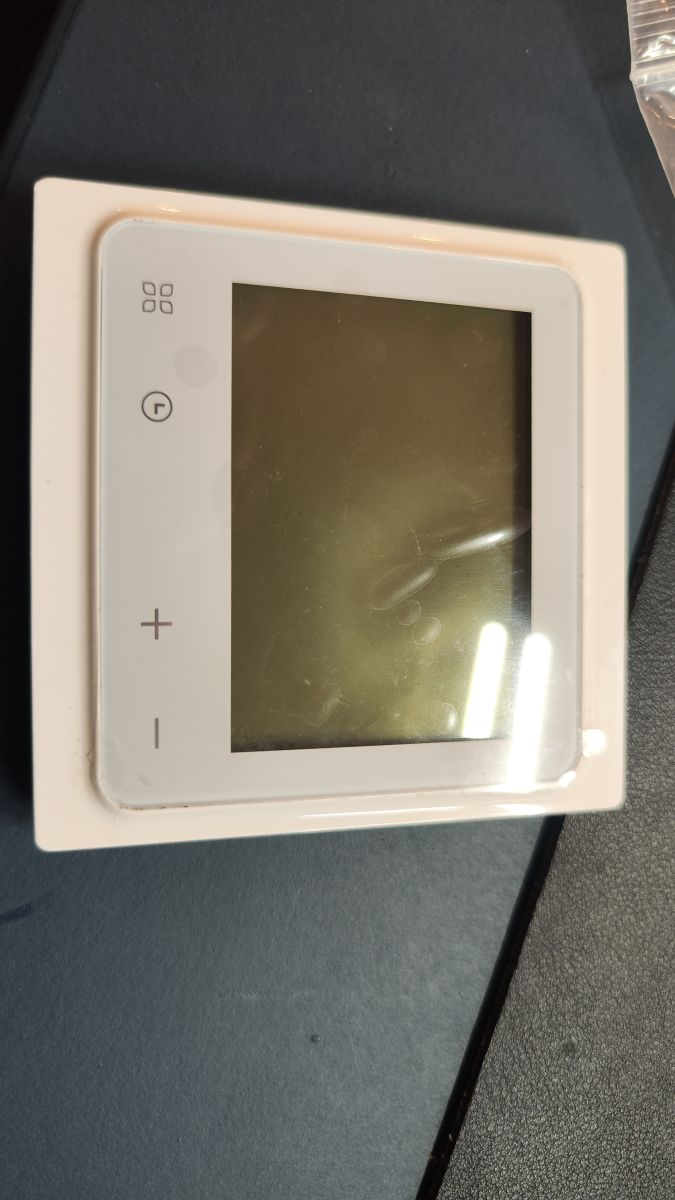

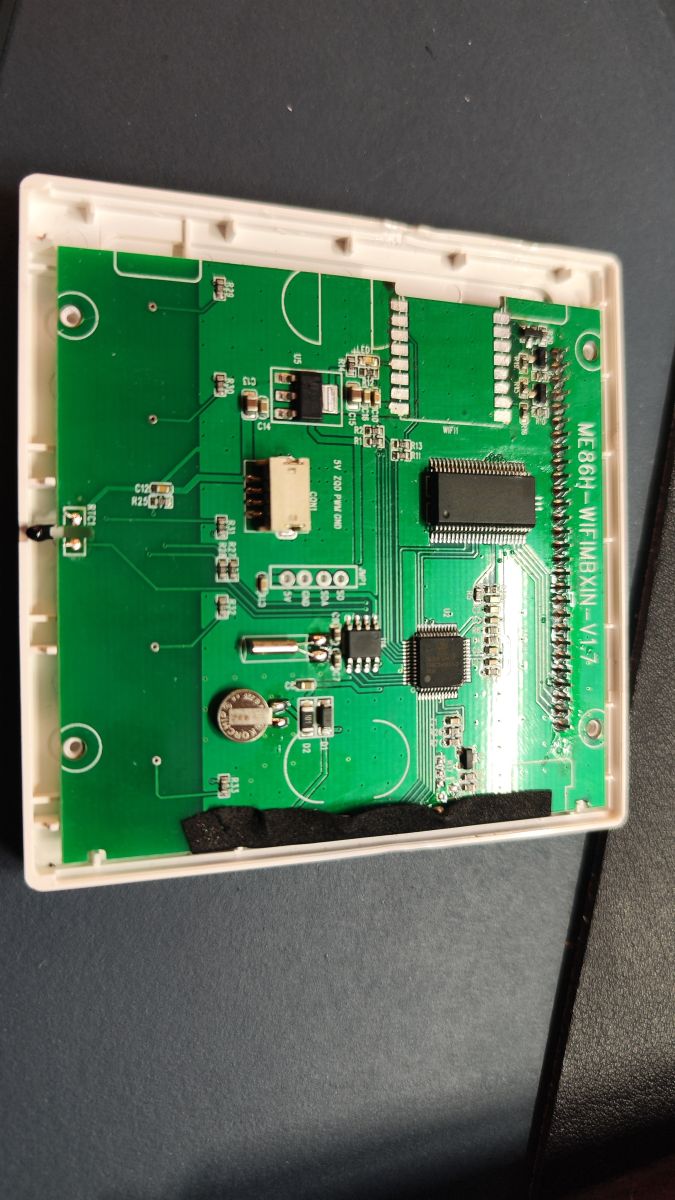
    this is where more information on the device needs to be known. Can you share a bit more about it, maybe model number, pictures of the device, disassembled preferably so we can suggest what driver needs to be used etc.

    There is almost every option available to set up all sorts of devices and build, implement and run different drivers but we need more info from you to best assist.
  • ADVERTISEMENT
  • #155 21809094
    DeDaMrAz
    Level 21  
    Here you can find more data on that device, it's been done before and I'll try to provide to you the setup process once I get familiar with it - https://www.elektroda.com/rtvforum/topic4056015.html#21119558

    Also this can explain a bit about TuyaMCU devices, and integration with OBK - https://www.elektroda.com/rtvforum/topic4147617.html

    Added after 16 [minutes]:

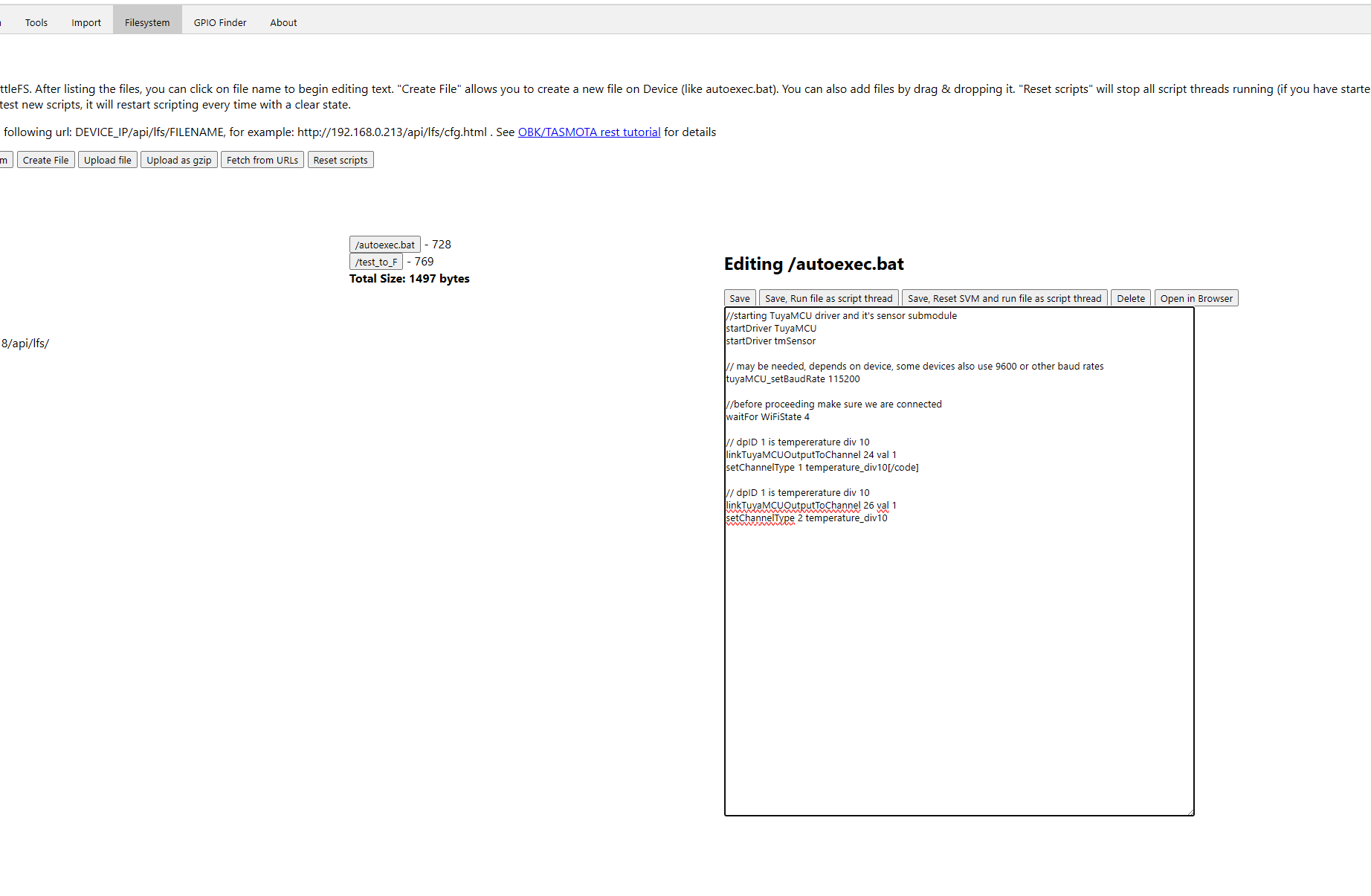
    Open WebApp from the device index page (Launch Web Application button), on the WebApp go to File system Tab and click "Create File" button, popup will appear with the name autoexec.bat - click save and a new /autoexec.bat button will appear somewhere on the lower right side - click on it a and paste the code below, it should look something lie this:


    Web interface with script file editor and Tasmota autoexec startup code

    Next, click on the "Save, Reset SVM and run file as script thread" and let us know what your index page looks like, you should get 2 new channel reading (0 if WBR3 module is not attached back to the device) and test what is going on and report back. There may be a complete autoexec for this device somewhere but I wasn't looking too hard as I have the same device only without WiFi (my ordering mistake).

    Let us know and we can continue to create a setup for your device that works. Reboot a device if no channels appear on the index page.


    //starting TuyaMCU driver and it's sensor submodule
    startDriver TuyaMCU
    startDriver tmSensor
    
    // may be needed, depends on device, some devices also use 115200 or other baud rates
    tuyaMCU_setBaudRate 9600
    
    //before proceeding make sure we are connected
    waitFor WiFiState 4
    
    // dpID 1 is tempererature div 10
    linkTuyaMCUOutputToChannel 24 val 1
    setChannelType 1 temperature_div10


    // dpID 1 is tempererature div 10
    linkTuyaMCUOutputToChannel 26 val 1
    setChannelType 2 temperature_div10
  • #156 21809110
    geniack
    Level 6  
    >>21809094

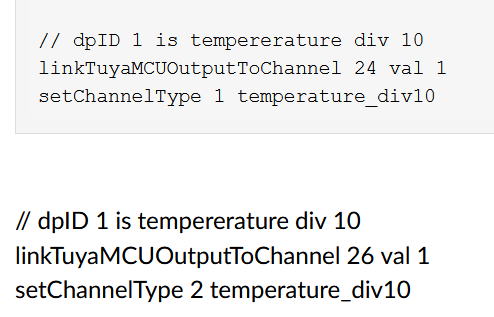
    Do I need both of these parts in the autoexec.bat ?

    Two sets of TuyaMCU configuration commands for temperature channels
  • #157 21809111
    DeDaMrAz
    Level 21  
    Give it a try, from the extracted dpID's I see them both as current temperature no harm done at this stage of figuring it out.

    Credit to @divadiow for extracting dpID's

    {"1":"Switch","2":"Set Temperature","3":"Current Temperature","4":"Mode","5":"Working status","8":"Child lock","13":"Sound","16":"Fault alarm","20":"Temperature calibration","21":"Max setting temperature","25":"Sensor selection","26":"Frost protection","31":"RESET","41":"Backlight brightness","42":"Working day setting","43":"Weekly procedure (working day)","101":"常闭型_常开型","105":"Temperature control switch difference","107":"External Sensor temperature limit"}


    Just a translation for dpID 101, it's probably relay configuration - NC/NO but we are far from that now.
  • #158 21809140
    geniack
    Level 6  
    >>21809111

    "Far" ? :D I thought I had the hardest part behind me. I just soldered back the WBR3 and put the device back together. I will have to wait for tomorrow before I will be able to check how it works inside my walls. I will report back. Thank you for your time and maintaining this project!
  • #159 21809639
    geniack
    Level 6  
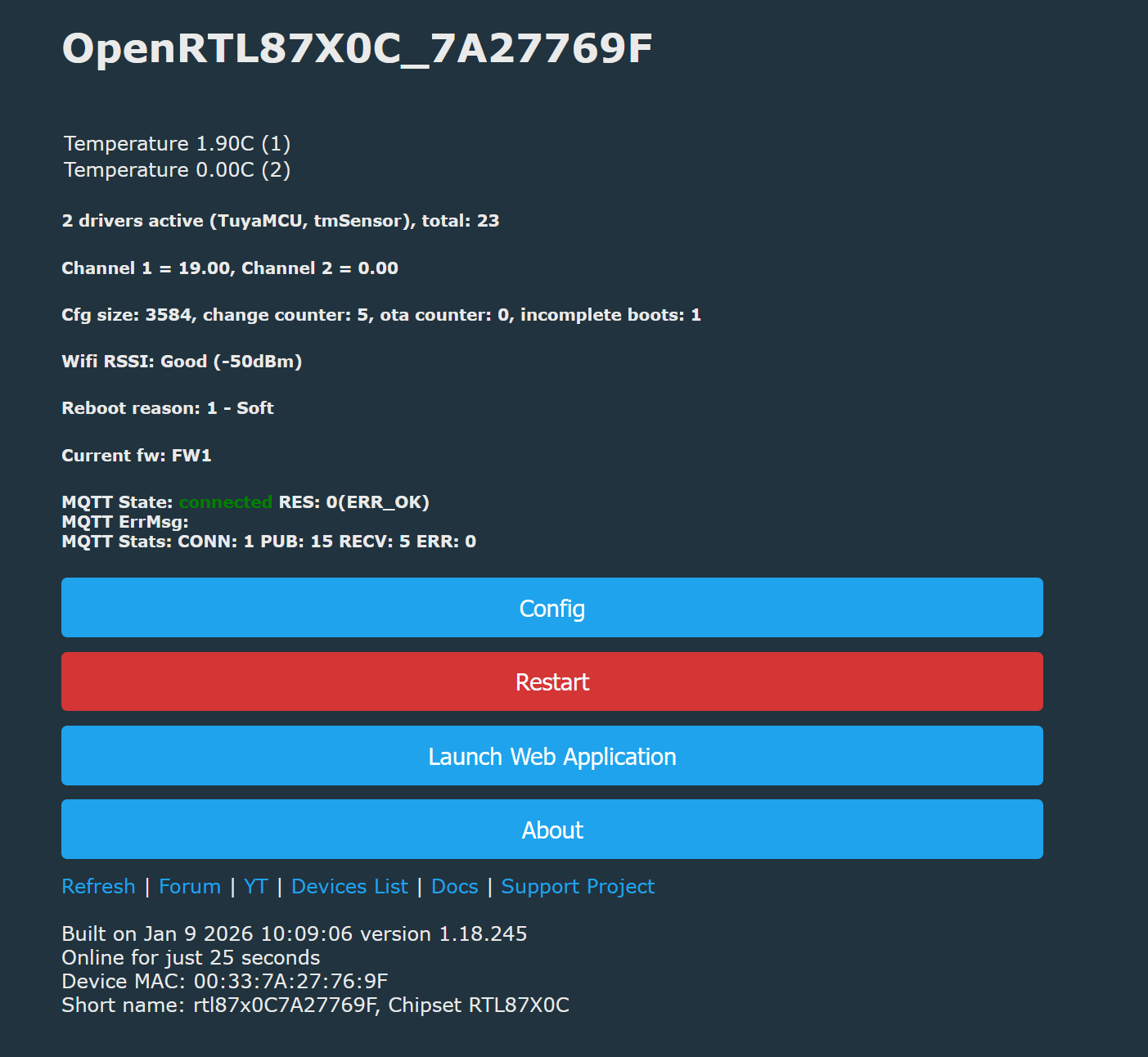
    Okay I have put the thermostat into the wall and have saved those settings to autoexec.bat. It's coming up and I see it in the list of MQTT devices in home assistant. This is a screenshot of the index page:


    OpenRTL87X0C control panel showing temperatures and MQTT connection status

    Temperature sensor looks reasonable, that's whats on the device's display too. But I think it's 1 or 2 degree higher than the old thermostat, and I feel like the old thermostat was right.
  • #160 21809664
    DeDaMrAz
    Level 21  
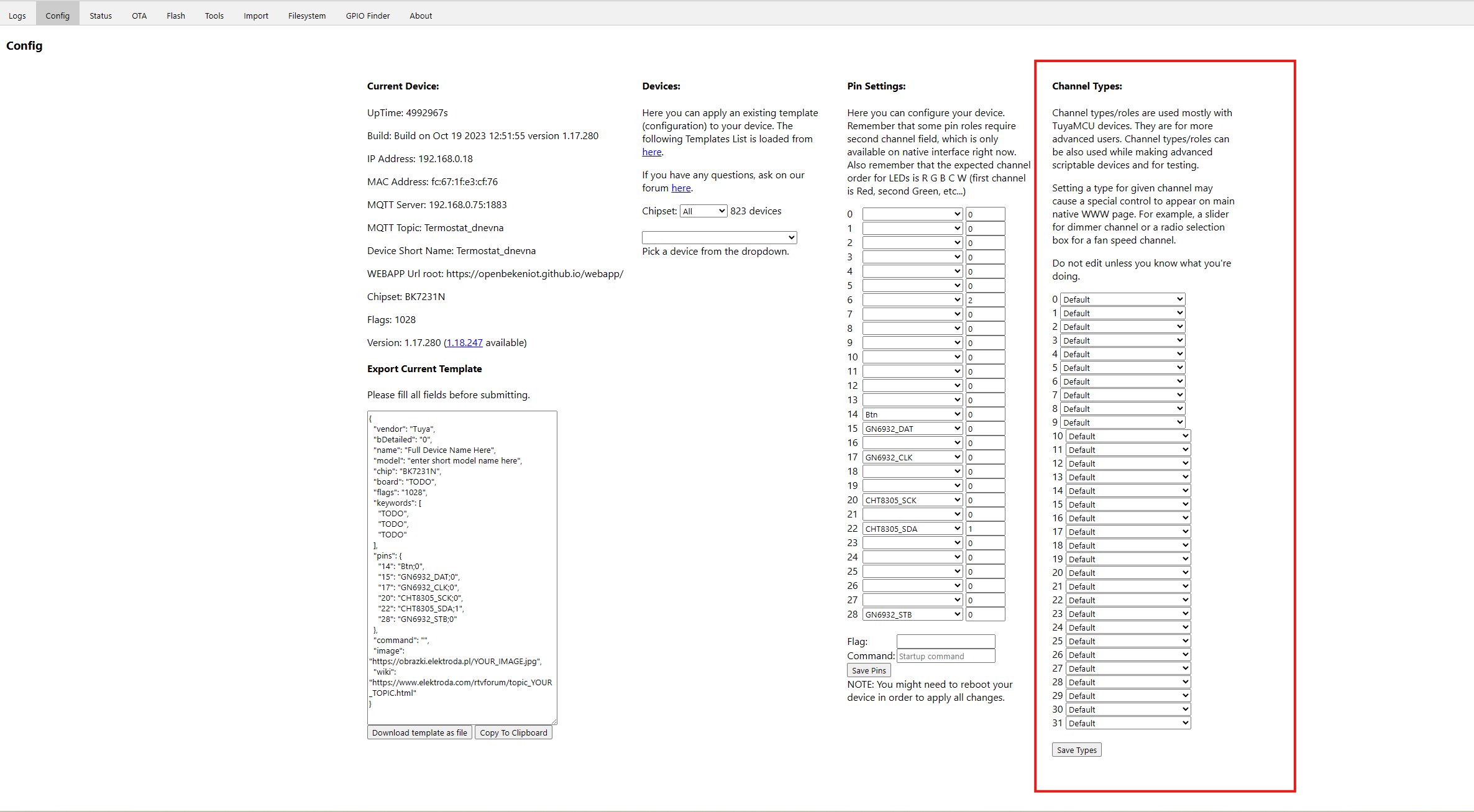
    In the web app you can change channel type in this window as well, change it to temperature instead of temp_div10
    Device configuration panel with GPIO pin settings and channel types

    Looks like CH2 is not the current temp just CH1, so you can delete everything related to CH2 from the autoexec file.

    On the temp reading, it is being done by tuyaMCU and as far as I know there is no calibration for that unfortunately. But you have the basic principle of operation, you assign dpID to a channel, figure out what the value is and then publish that via MQTT to HA. It's not supper difficult just takes time to figure out, especially on a device that has not been done fully before.

    Feel free to ask questions and welcome to the project :)

    EDIT: Looks like dpID 20 is some sort of calibration - no idea how it is implemented or what it does.
  • #161 21809694
    geniack
    Level 6  
    >>21809664

    Will I be able to control the temperature setting for this device through HA or is this purely to report the temperature?
  • #162 21809696
    DeDaMrAz
    Level 21  
    DeDaMrAz wrote:
    {"1":"Switch","2":"Set Temperature","3":"Current Temperature","4":"Mode","5":"Working status","8":"Child lock","13":"Sound","16":"Fault alarm","20":"Temperature calibration","21":"Max setting temperature","25":"Sensor selection","26":"Frost protection","31":"RESET","41":"Backlight brightness","42":"Working day setting","43":"Weekly procedure (working day)","101":"常闭型_常开型","105":"Temperature control switch difference","107":"External Sensor temperature limit"}


    These are the parameters that are exposed and some of them are controllable. I have this device on order so I can tell you more about it once i get it but until then all I can do is suggest to you how to start as I don't know how this device behaves or what should it do.
  • #163 21809865
    geniack
    Level 6  
    >>21809696
    Sounds good! Then I would take your advice on how to start, maybe I can contribute this way by finding out these things :) The temperature looks reasonable now, so probably no need to calibrate. I think setting the temperature would be my most important concern for now, so if you could help me figure that out, that would be great.
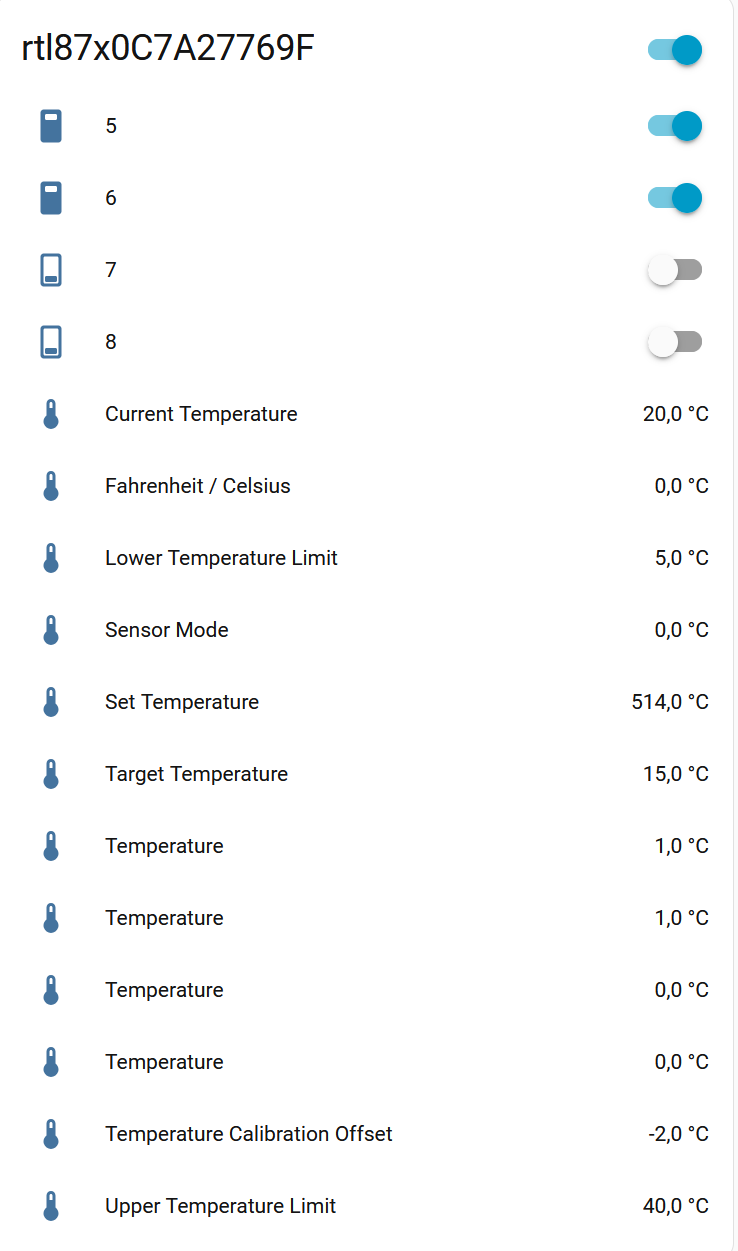
    Edit: Also the temperature sensor I can see in the obk web application, doesn't show up in HA yet, so this would be even more important. The device also isn't listed on my default page in HA. I have one other MQTT device and this showed up right after connecting to HA.

    Edit: I desoldered another WBR3 from the next thermostat and tried to read the memory of it using your flasher tool right away but the result was the same as before, there seems to be nothing stored.

    Edit: This is what I have found so far:

    // Current Temp
    linkTuyaMCUOutputToChannel 24 val 1
    setChannelType 1 temperature

    // target temperature (15°)
    linkTuyaMCUOutputToChannel 26 val 2
    setChannelType 2 temperature

    // Lower Temperature Limit (10°)
    linkTuyaMCUOutputToChannel 16 val 3
    setChannelType 3 temperature

    // Upper Temperature Limit (40°)
    linkTuyaMCUOutputToChannel 19 val 4
    setChannelType 4 temperature

    // 1
    linkTuyaMCUOutputToChannel 2 val 5
    setChannelType 5 temperature

    // 1
    linkTuyaMCUOutputToChannel 1 val 6
    setChannelType 6 temperature

    // 1
    linkTuyaMCUOutputToChannel 103 val 7
    setChannelType 7 temperature

    // Kinds of periods of time mode (OF: Close, 01: 5+2 day mode, 02: 6+1 day mode, 03: 7+0 day mode)
    linkTuyaMCUOutputToChannel 104 val 8
    setChannelType 8 temperature

    Since this is only the read-only values, how do I test the write values?
  • ADVERTISEMENT
  • #164 21812007
    geniack
    Level 6  
    I think I have found more or less all I need:


    Control panel with temperature settings and three active device switches

    Using the setChannel command allows me to set the target temperature, which will trigger the thermostat to start heating if the value is higher than room temperature. Now I am struggling to correctly integrate what is coming from the thermostat into home assistant. How on earth will I be able to use some kind of input in HA that allows me to set the temperature without writing all that yaml myself. I was under the impression that I will define the data type in openbeken and HA will just magically construct all the GUI elements from it.
📢 Listen (AI):

Topic summary

The discussion centers on flashing and integrating Tuya modules based on the RTL8720CF chip (W701-VA2-CG), including WBR1, WBR2, WBR3, WBR2L, WBR3L, and WBRU, for cloud-free operation with Home Assistant (HA) using the AmebaZ2 PG Tool and OpenBK7231T (OBK) firmware. Detailed pinouts, flashing jigs, and boot logs are shared, highlighting the need to access specific pins (A0, A15, A16) often located on the PCB underside, sometimes requiring desoldering. Users report successful flashing on devices like Kasa HS200, Gosund SP1 (BL097), and Tapo P110, with calibration support for BL0937 power monitoring chips. Challenges include reading and backing up firmware, especially system and calibration data, which may be stored in efuse or inaccessible flash areas. The community collaborates on templates for device configuration, MQTT integration, and HA discovery, including channel type mappings (e.g., OpenStopClose, LowMidHigh, dimmer) for TuyaMCU protocols. OTA updates and UART communication are tested, with ongoing development of tools and firmware support for these Realtek-based modules. Additional discussion covers the similarity between WBR3 and WBRU modules for firmware transplantation and the presence of Tuya config partitions. The thread also touches on related devices like thermostats (WT50-WH-3A, WT100-WH-3A, WT200-16A-W, HY609-WE) and the FR8016HA MCU in some modules. Overall, the topic provides a comprehensive guide and collaborative troubleshooting for flashing, configuring, and integrating RTL8720CF-based Tuya modules with open-source firmware and Home Assistant.
Summary generated by the language model.
ADVERTISEMENT