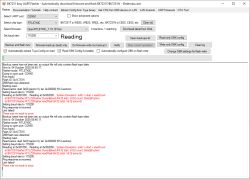
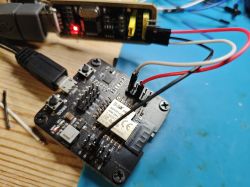
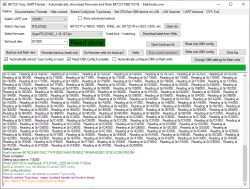
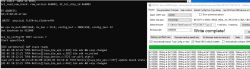
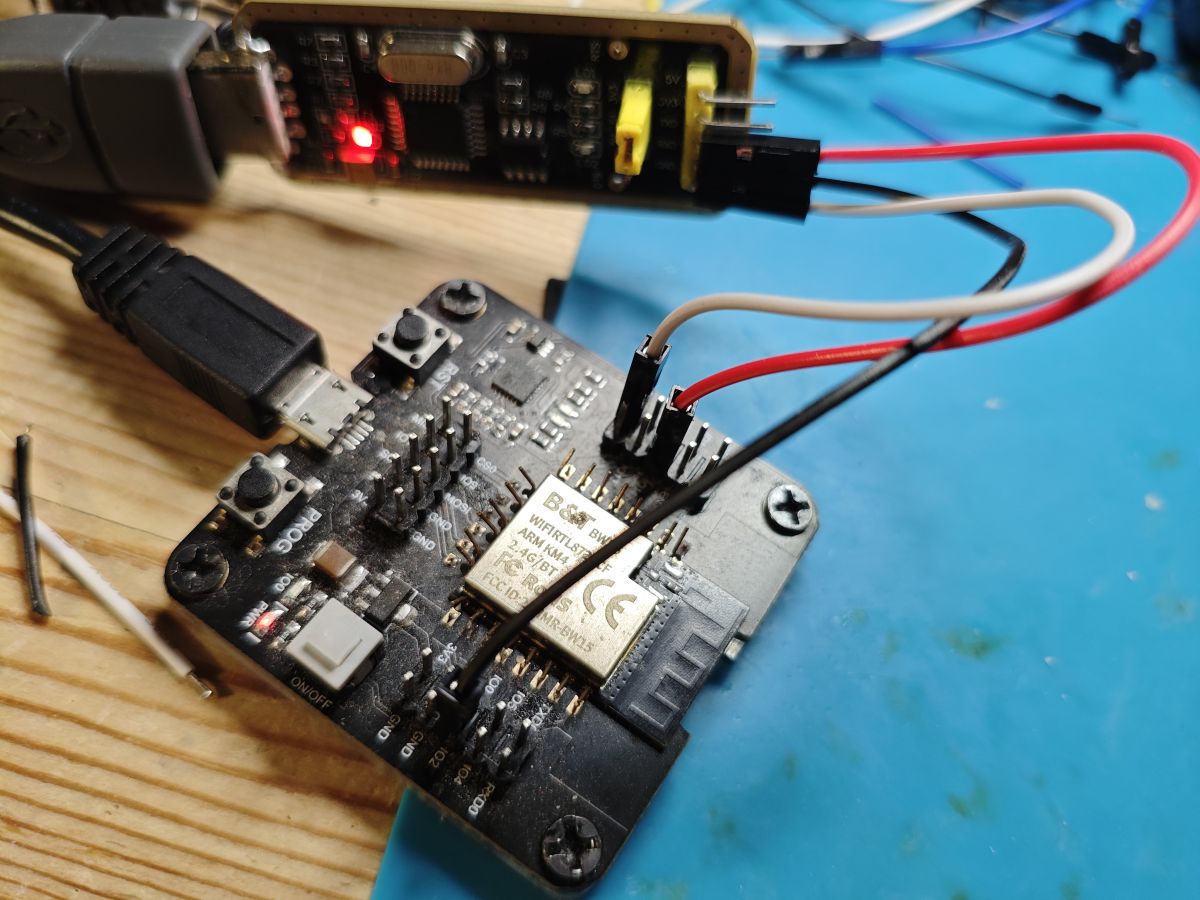
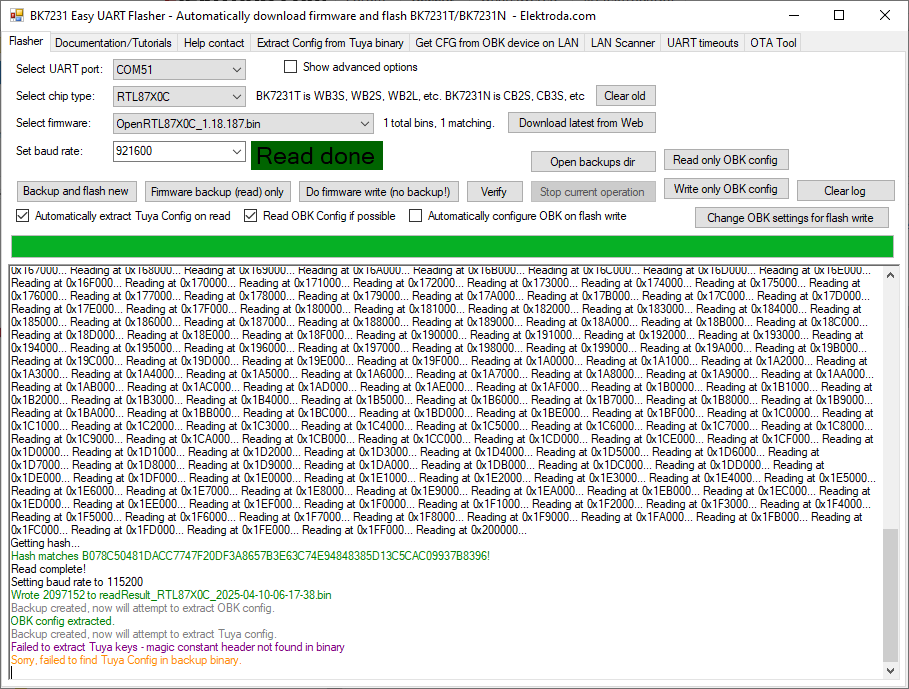
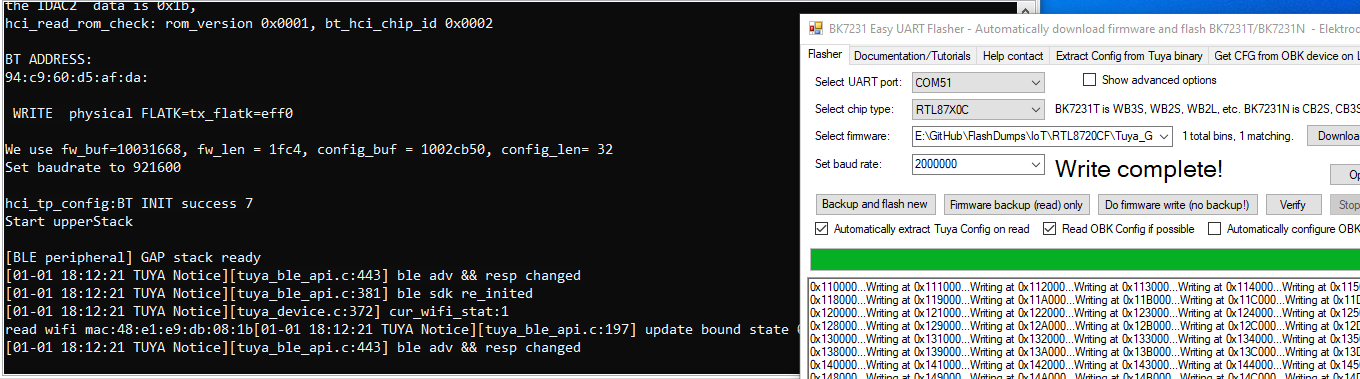
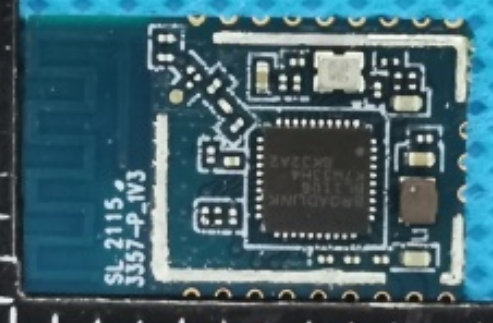
I see that it uses default ROM functions.
Can you try to adapt script so that it would use flashloader?
Might be a dud though
Czy wolisz polską wersję strony elektroda?
Nie, dziękuję Przekieruj mnie taminsmod wrote:Can you try to adapt script so that it would use flashloader?
def read(self, length):
self.logger.debug(sys._getframe().f_code.co_name)
self.logger.info("don't support read ...")
return FalsePort ready!
>>> ping
>>> Rtk8710C
>>> DW 400001F0 4
>>> DW 1002F054 4
>>> DW 1002D72C 4
>>> DB 1002D72C 16
>>> EW 1443D 1002D730
Jump to 0x1002D730 using 'TL'
>>> TL
Starting read...
>>> DW 40000038 4
>>> EW 40002800 7EFFFFFF
>>> DW 40000038 4
>>> EW 40002800 7EFFFFFF
>>> fwd 0 1 0
>>> hashq 0 0 1
>>> ucfg 2000000 0 0
Change baud rate response:
>>> ping
>>> DB 981F0000 4096
>>> DB 981F1000 4096
>>> DB 981F2000 4096
>>> DB 981F3000 4096
>>> DB 981F4000 4096
>>> DB 981F5000 4096
>>> DB 981F6000 4096
>>> DB 981F7000 4096
>>> DB 981F8000 4096
>>> DB 981F9000 4096
>>> DB 981FA000 4096
>>> DB 981FB000 4096
>>> DB 981FC000 4096
>>> DB 981FD000 4096
>>> DB 981FE000 4096
>>> DB 981FF000 4096
Read complete!
>>> ucfg 115200 0 0
Change baud rate response: >>> ping
OBK config loaded. You can now view it by clicking 'Change OBK settings' button.
You can also edit it whatever you want.
You can also use 'Write OBK config' button to write it back with your changes.
Backup name has not been set, so output file will only contain flash type/date.
Now is: Friday, 3 October, 2025 21:19:19.
Flasher mode: GenericSPI
CH341 ready!
JEDEC ID: FF-7F-9D-20
Detected flash size: 0 KB
Starting flash read, ofs 0x0, len 0x1
Done!
Current programmer: CH341 Green
SPI ID: 7F9D20
---------------------------------------------------------------------------
Currently selected: Pm25LD512 [3.3V] 512 Kbits, 64 Kbytes
Quote:
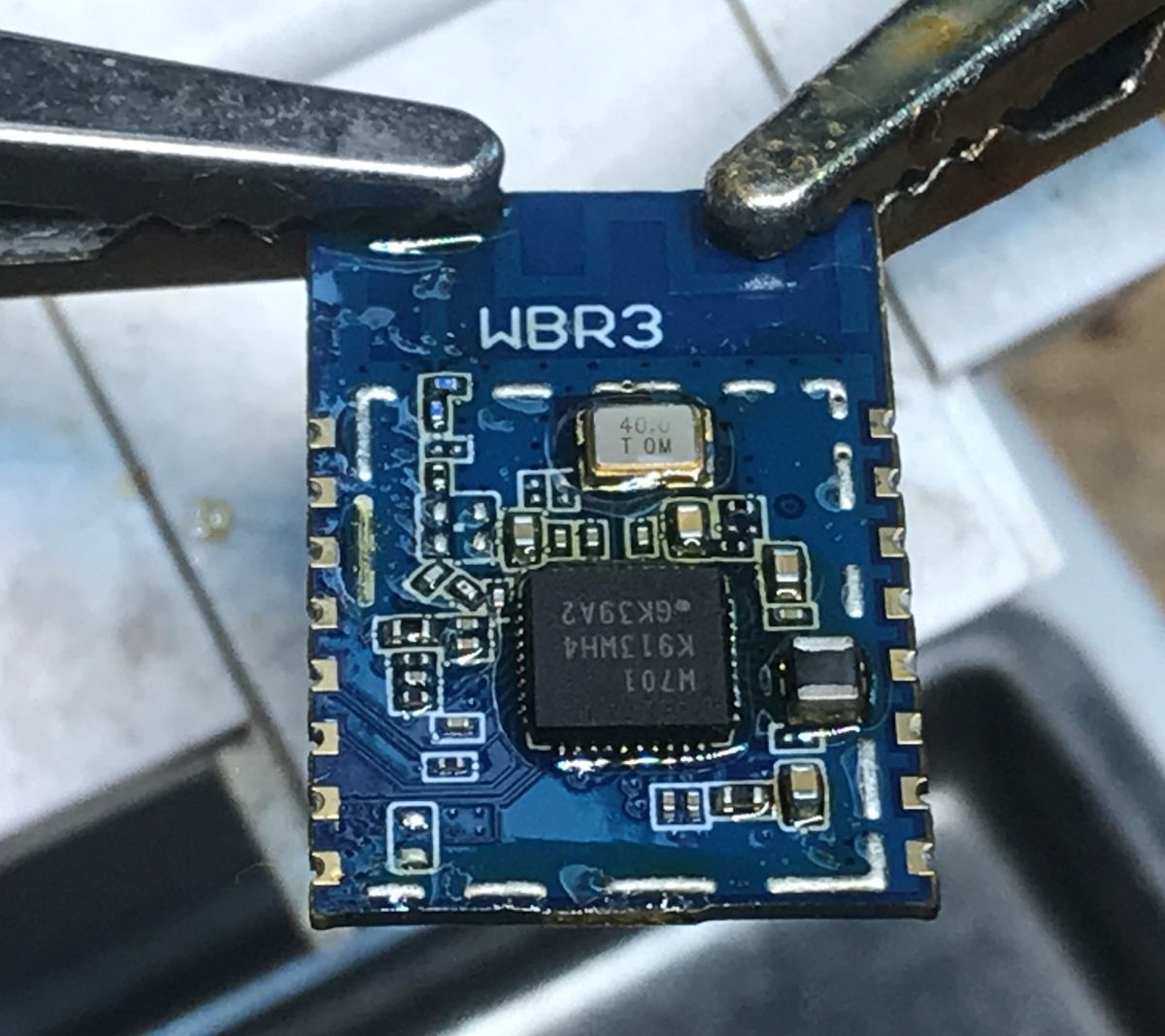
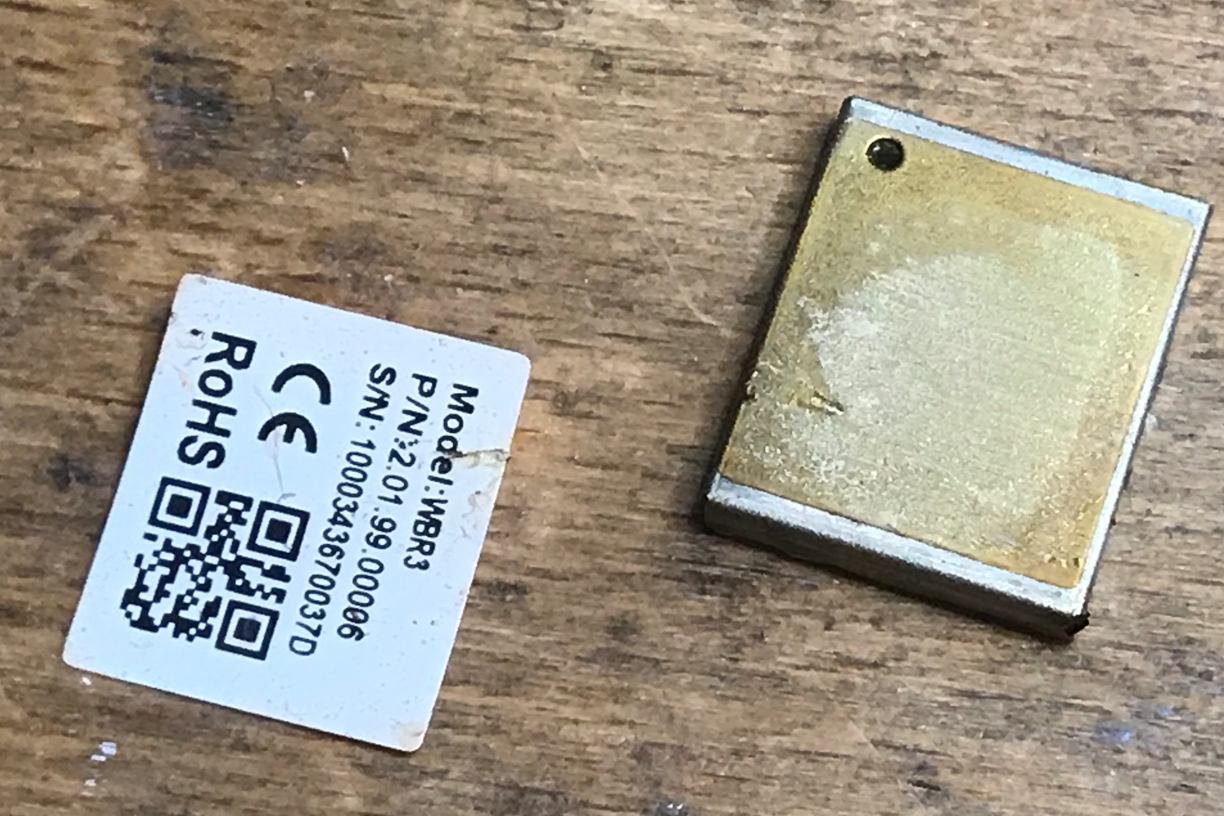
CR3L is a low-power embedded Wi-Fi+Bluetooth module that Tuya has developed. It consists of a highly integrated RF chip (W701M-VT2-CG), with an embedded Wi-Fi network protocol stack and rich library functions.
Overview
With the maximum CPU clock rate of 100MHz, CR3L contains a low-power KM4 MCU, a WLAN MAC, a 1T1R WLAN module, 4-MB SRAM, 4-MB flash memory, and extensive peripherals.
CR3L is an RTOS platform that integrates all function libraries of the Wi-Fi MAC and TCP/IP protocols. You can develop embedded Wi-Fi products as required.
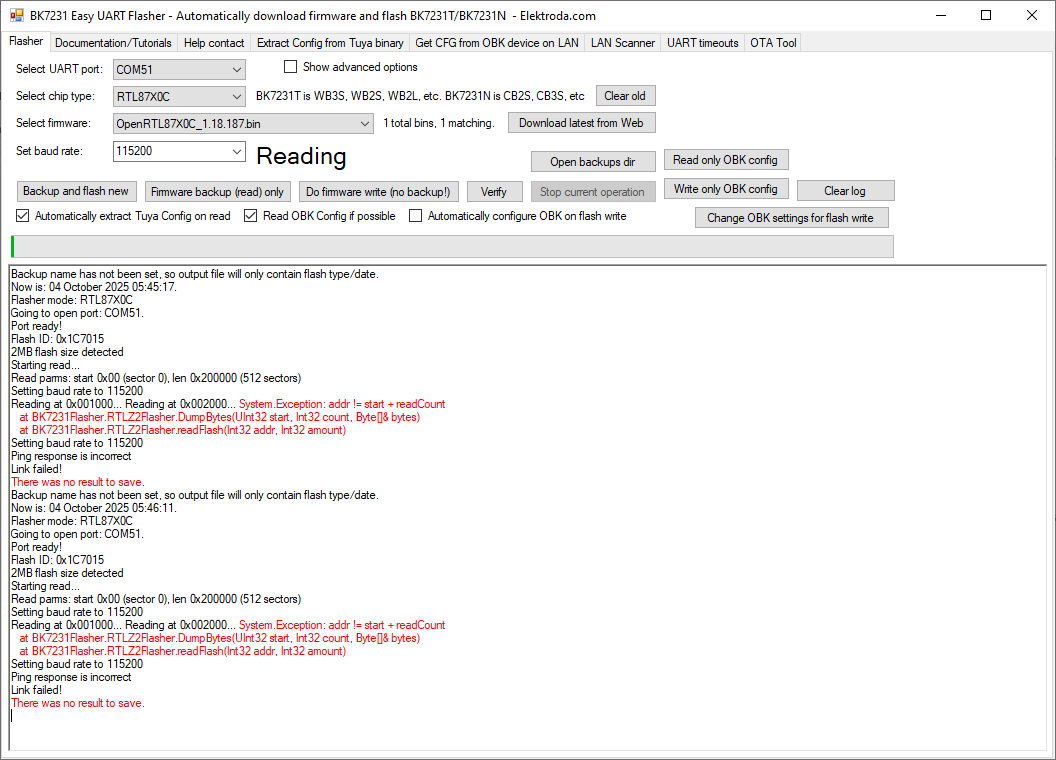
Flasher mode: RTL87X0C
Going to open port: COM15.
Port ready!
Flash ID: 0x1C7015
2MB flash size detected
Starting read...
Read parms: start 0x00 (sector 0), len 0x200000 (512 sectors)
Flasher mode: RTL87X0C
Going to open port: COM6.
Port ready!
Flash ID: 0x684016
4MB flash size detected
DeDaMrAz wrote:Is anybody else having trouble with the GUI flasher on Win11???
== Rtl8710c IoT Platform ==
Chip VID: 5, Ver: 3
ROM Version: v3.0
== Boot Loader ==
Dec 9 2020:20:15:00
Boot Loader <==
== RAM Start ==
Psm type 0 active data 26
Psm type 1 active data 187
targetFWaddr e8000 currentFWaddr 10000
fw1_sn 64 fw2_sn 0
[uart] uart_drv_open port_id 1 baud 230400
[MISC Err]Pin 0[16] is conflicted
[MISC Err]It's configured as UART now.
[MISC Err]Pin 0[15] is conflicted
[MISC Err]It's configured as UART now.
[UART Err]serial_ BHH^ Q ! JB
-------------
---------------module_mac->efuse_flag=0xfeedbabe
###################################: 444c4143
flash_mac:e8707208775b
write efuse extend part: 10
interface 0 is initialized
interface 1 is initialized
Initializing WIFI ...
WIFI initialized
dna_wlan_framework_start(146), Available heap 0x10918
MAC=[e8:70:72:08:77:5b]
license verify...
license verify success
test_flag=0
[APP]MAC e8:70:72:08:77:5b
[airconfig] rework ssid: 584139d855eb6dfdacfc8c3e8fb106b5
[APP]need_aircfg No
[APP]==== module_base in profile ====
[APP]mbase name 智能遥控
[APP]hostname BroadLink-Remote
[APP]dhcp hostname BroadLink-Remote-08-77-5b
[APP]connect_network_mode 2
[APP]sniffer_time 0
[APP]devtype 21005
[APP]==== rmparam in profile ====
[APP]app_network_pin 15
[APP]app_keypad_pin 19
[APP]th_support 0
[APP]energy_support 0
[APP]twinkle_support 0
[APP]rst_ver 0
[APP]linkage_support 1
[APP]==== irda in profile ====
[APP]is_support 1
[APP]capin_work_level 0
[APP]carrier_pin 4
[APP]data_pin 18
[APP]data_gpt 8
[APP]carrier_gpt 1
[APP]carrier_gpt_channel 4
[APP]led_pin 7
[APP]==== rf in profile ====
[APP]is_support 0
[APP]freq_range_start 0
[APP]freq_range_end 0
[APP]data_pin 0
[RMCTRL][dna_rmctrl_init:854][DBG] params ->1001e8d4 irda_params ->1001e8cc
[RMCTRL][dna_rmctrl_component_install:772][DBG] start init dev 1 type 0 params ->1001e8d4
[RMCTRL][rmctrl_irda_component_init:47][DBG] input 18 output 4 start_level 0 trigger_edge 2 end 3333 min_level 15
[RMCTRL][rmctrl_irda_init:71][INF] irda initialize success
[RMCTRL][dna_rmctrl_component_install:774][WRN] dev 1 type 0 init success
[RMCTRL]rmctrl framework initialize success
[SoftI2C] dna_i2csoft_master_init enter
[SoftI2C] dna_i2csoft_master_init: success
sht30 crc serial data size 2
0000: 00 00 ..
sht30 crc serial data size 2
0000: 00 00 ..
sht30 crc serial data size 2
0000: 00 00 ..
sht30 crc serial data size 2
0000: 00 00 ..
sht30 crc serial data size 2
0000: 00 00 ..
sht30 crc serial data size 2
0000: 00 00 ..
[APP]rmbl product initialize success 智能遥控 21005
[APP][sensor_do_sample:141] th get failed online 0 offline_cnt 3
[APP][sensor_do_sample:141] th get failed online 0 offline_cnt 3
[FACT][INF] get factory flag 5afedcba
[FACT][INF] won't enter product testing
[APP]netcfg default 2 secondary 2
[APP]reset version 0
[APP]==== broadlink in profile ====
[APP]broadlink ap_name BroadLink_WiFi_Device
[APP]broadlink ble_device_name BL-RM-
[APP]broadlink main_port 80
[APP]broadlink back_port 8080
[APP]broadlink tcp_port 80
[APP]broadlink main_server
[APP]broadlink back_server
[APP]broadlink tcp_server
[APP]noapp.url
[APP]noapp.js_len 0
[APP]noapp.timeout 0
[APP]noapp.hijack 0
firmware version initialization
Product init done
broadlink Product Type :21005 V62092 V0 SVN: 3389, BuildTime: 11:22:50
[APP]Rmbl service startup success Build Time: Mar 25 2021 11:27:39
WiFi management thread startup success
[APP][module_network_config:691] get 'app.reset_cfg_type' ret -1
[APP][module_network_config:695] netcfg_mode 2
[SE]:Entry ap config mode---cloud_id 0
sniffer time 0 s
sniffer time 0 s
LwIP_DHCP: dhcp stop.
Deinitializing WIFI ...
WIFI deinitialized
Initializing WIFI ...
WIFI initialized
Starting AP ...BroadLink_WiFi_Device started
[bl2_blecfg_advdata_init] advdata len: 24, [ 02 01 06 03 03 80 fe 0c 09 42 4c 2d 52 4d 2d 37 37 35 62 00 03 ff 0d 52 ]
[dna_ble_config_init] devname: BL-RM-775b
BT BUILD Date: Mar 25 2021, 11:28:44
BT RESET LOG...
[ble](dna_ble_init,530) success
[ble](dna_ble_add_service,638) service_id 1
[data_service_init] data service add success, srv_id: 1
BT Reset ok
bt_iqk_efuse_valid: has data
hci_tp_phy_efuse[0]=0,
bt_dump_iqk: DUMP,
the IQK_xx data is 0x137,
the IQK_yy data is 0x3fa,
the QDAC data is 0x1a,
the IDAC data is 0x20,
the QDAC2 data is 0x1d,
the IDAC2 data is 0x20,
hci_read_rom_check: rom_version 0x0003, bt_hci_chip_id 0x0004
hci_rtk_parse_config: BT ADDRESS 5b 77 08 72 70 e8, use the defaut config
WRITE physical FLATK=tx_flatk=ffff
We use fw_buf=10039cb0, fw_len = 1f40, config_buf = 1003bbf8, config_len= 32
Set baudrate to 921600
hci_tp_config:BT INIT success 7
Start upperStack
[ble](ble_profile_callback,301) PROFILE_EVT_SRV_REG_COMPLETE: result 0
[ble](ble_handle_io_msg,464) msg_type 0
[ble](ble_handle_gap_msg,371) subtype 1
[ble](ble_handle_dev_state_evt,56) init state 1, adv state 0, cause 0x0
[ble](ble_handle_dev_state_evt,61) GAP stack ready
[ble](ble_handle_io_msg,464) msg_type 0
[ble](ble_handle_gap_msg,371) subtype 1
[ble](ble_handle_dev_state_evt,56) init state 1, adv state 1, cause 0x0
[ble](ble_handle_io_msg,464) msg_type 0
[ble](ble_handle_gap_msg,371) subtype 1
[ble](ble_handle_dev_state_evt,56) init state 1, adv state 2, cause 0x0
[ble](ble_handle_dev_state_evt,82) GAP adv start
[ble](dna_ble_start,610) success
[bl2_blecfg_start] ble netcfg startup success
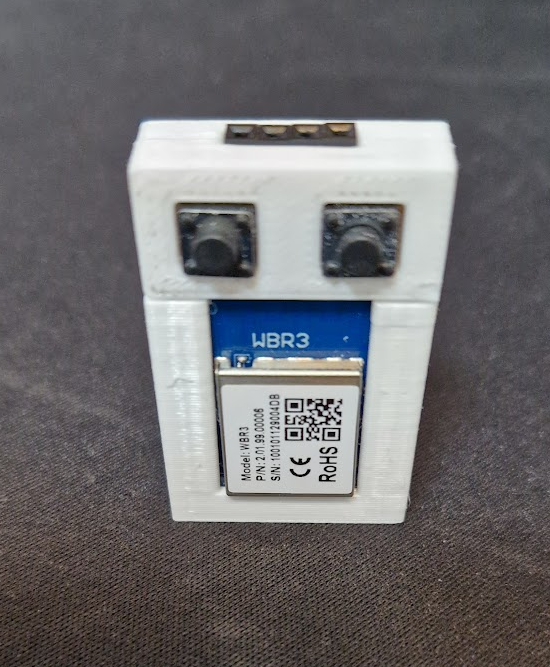
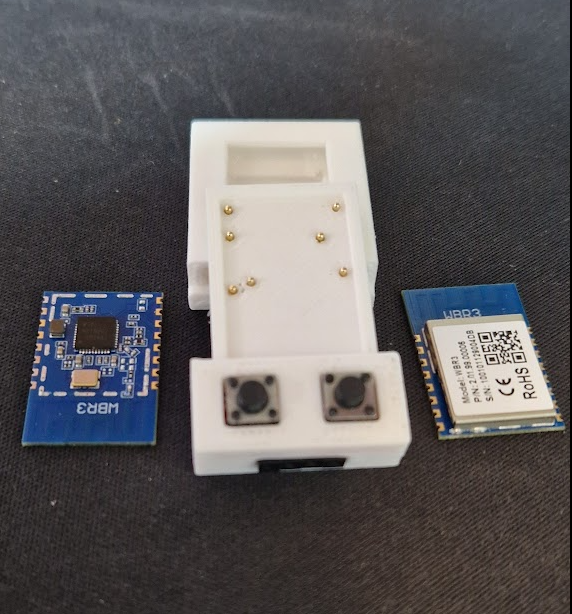
TL;DR: With 3.3 V wiring and 4–6 UART connections, you can flash WBR2/WBR3/WBRU Tuya modules; as one contributor put it, "the connection ... is the same" even when switching to newer tools. This FAQ helps Home Assistant and OpenBeken users identify pinouts, choose the right flasher, and recover MQTT discovery on RTL8720CF-based devices. [#21375223]
Why it matters: These modules appear in thermostats, plugs, breakers, switches, heaters, blinds, and IR devices, so one reliable flashing method unlocks many Tuya products without cloud dependence.
| Tool | Best use | Write support | Read/backup support | Notable thread detail |
|---|---|---|---|---|
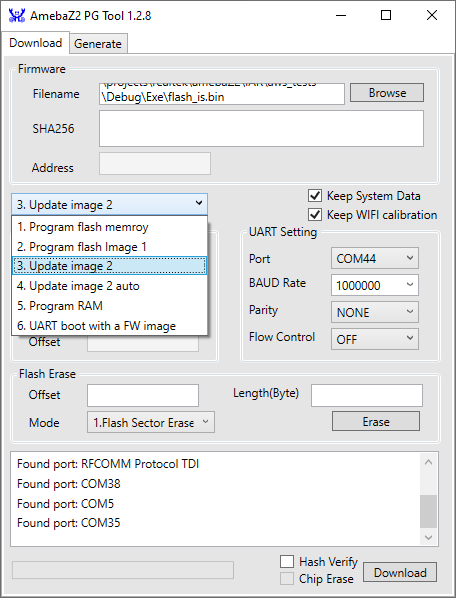
| AmebaZ2 PG Tool 1.2.47 | Legacy RTL8720CF flashing | Yes | No practical read option discussed early on | Original step-by-step guide used it first [#21375223] |
| BK7231GUIFlashTool | Preferred newer workflow | Yes | Yes, later RTL87X0C read/write support added | RTL87X0C support expanded through 2025 [#21708748] |
| ltchiptool | Linux/CLI alternative | Yes | Not the main focus here | One user wrote a 719.1 KiB image successfully on Linux [#21398455] |
Najważniejsza wskazówka: On WBR3, the working UART boot path uses the log UART on A15/A16, not the normal user UART on A13/A14. Most failed flashes came from wrong UART choice, unstable adapters, or weak 3.3 V power. [#21375223]
/dev/ttyUSB0 and the tool auto-detected a 719.1 KiB Realtek AmebaZ2 image successfully. [#21398455]scheduleHADiscovery 5 to autoexec.bat so discovery starts about 5 seconds after MQTT connects. The thread shows this works once the right channel types are assigned; missing or old channel types were a real cause of absent entities. One contributor confirmed the fix immediately after updating the firmware and keeping discovery in autoexec. [#21564801]linkTuyaMCUOutputToChannel 2 val 2 and setChannelType 2 dimmer or Temperature. The thread shows this method working on thermostats, blinds, heaters, and a smart kettle. [#21701460]startDriver TuyaMCU still forces safe mode, the usual causes are wrong baud rate, wrong dpID/channel mapping, or a bad command in autoexec. If Home Assistant entities do not appear, update to a build that includes the needed channel types, then run scheduleHADiscovery 5. That exact issue happened with new OpenStopClose support: the entity appeared only after firmware update because the older May build lacked the required discovery behavior. [#21565324]UART_Log_RXD and A16 as UART_Log_TXD, while A13/A14 are UART0_RXD and UART0_TXD for user-side serial communication. The flashing note repeats the distinction: use A15/A16 for debug output and bootloading, and pull A13 plus A0 high to enter bootloader mode. That distinction explains many failed attempts through the wrong UART. [#21375223]autoexec.bat. 3. Add drivers, labels, MQTT, and Home Assistant discovery. The thread explicitly says original behavior is usually restored either by choosing GPIO roles manually or via template import, then extending it with scripts and TuyaMCU channel mappings. [#21420173]