logo elektroda
logo elektroda
X
logo elektroda

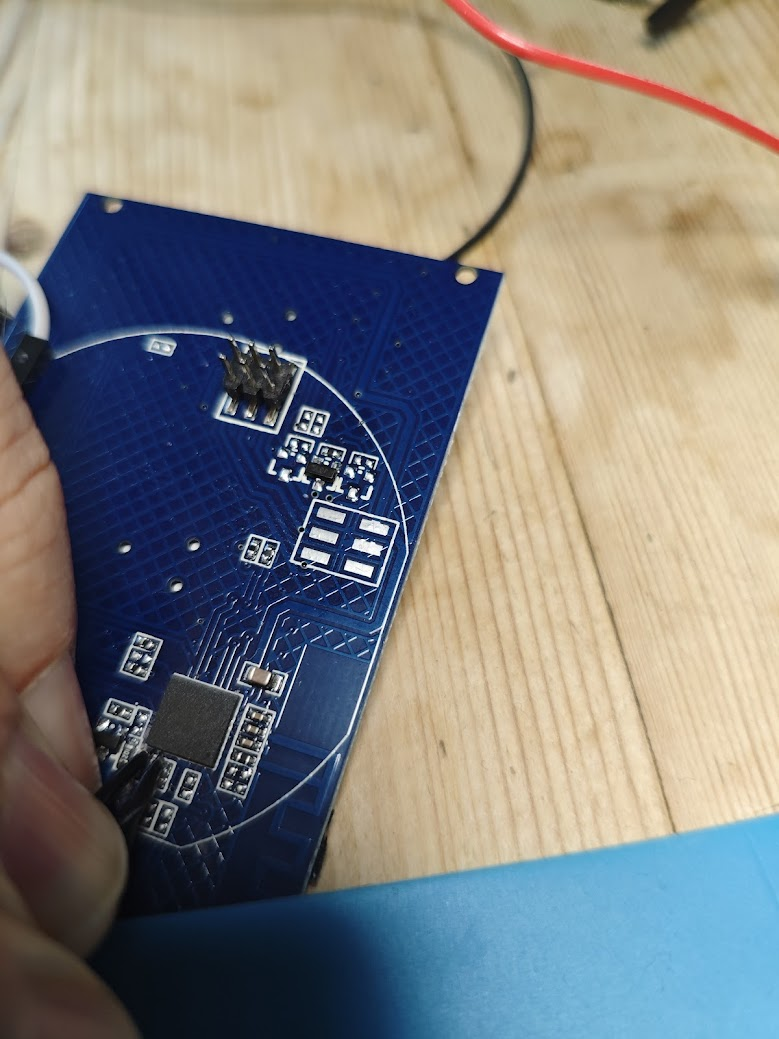
[BK7231N / T34 ] Teardown Tuya Generic Wifi Wall Light Switch 3 Gang

CameronDev 33297 115

TL;DR

  • A Tuya Generic WiFi Wall Light Switch 3 Gang with a BK7231N/T34 was torn down and prepared for OpenBeken flashing.
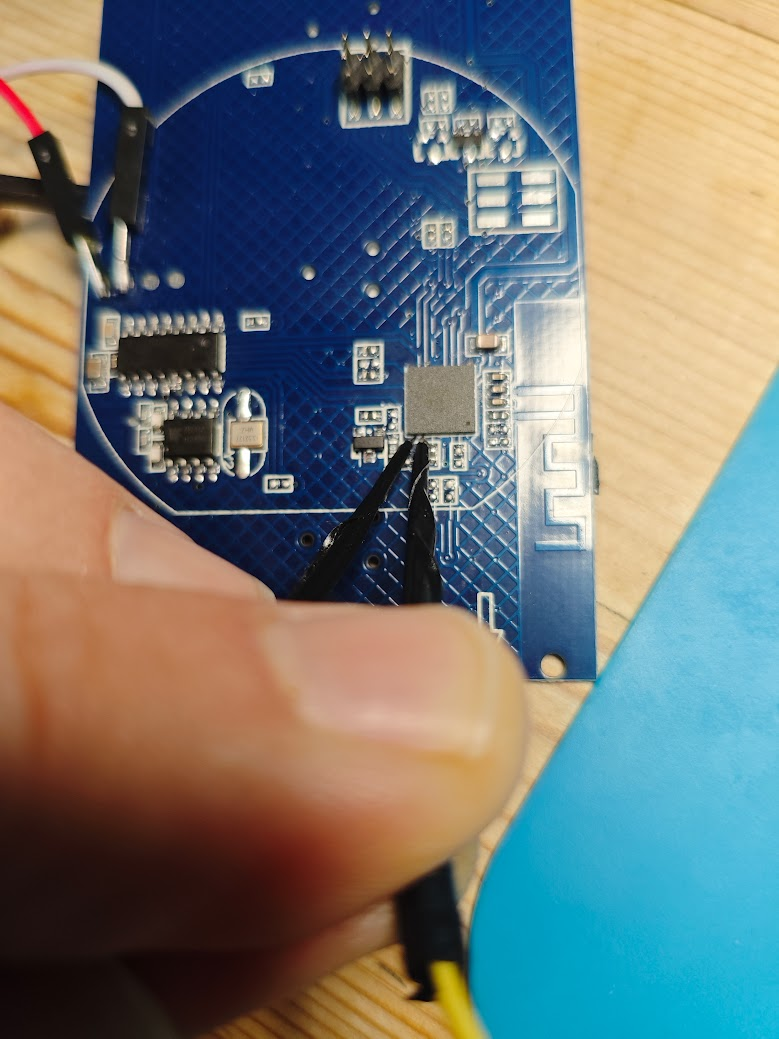
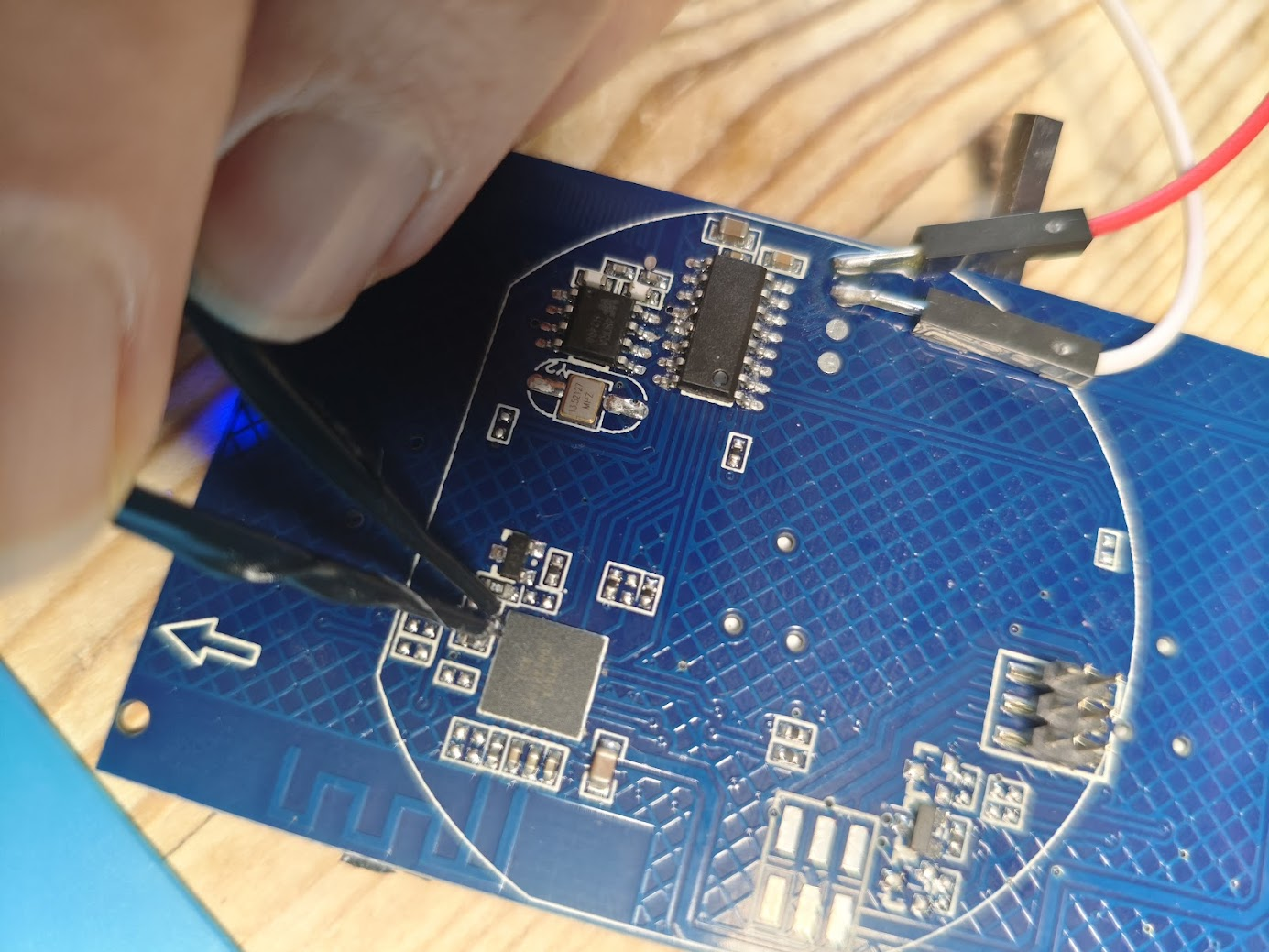
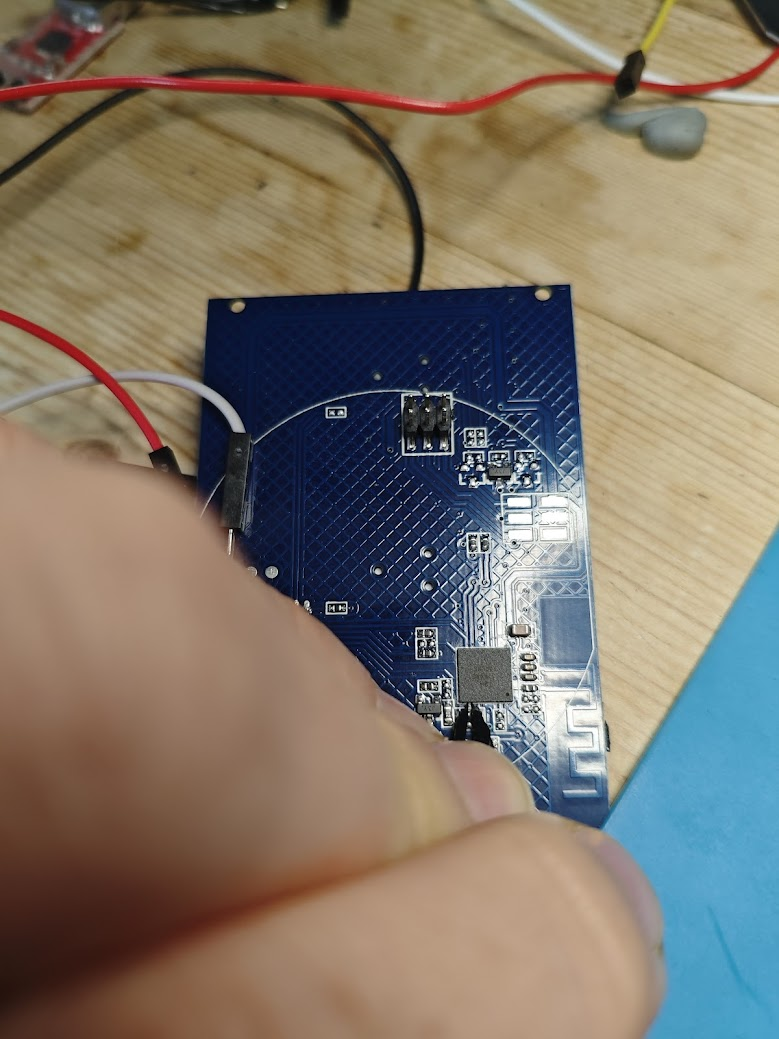
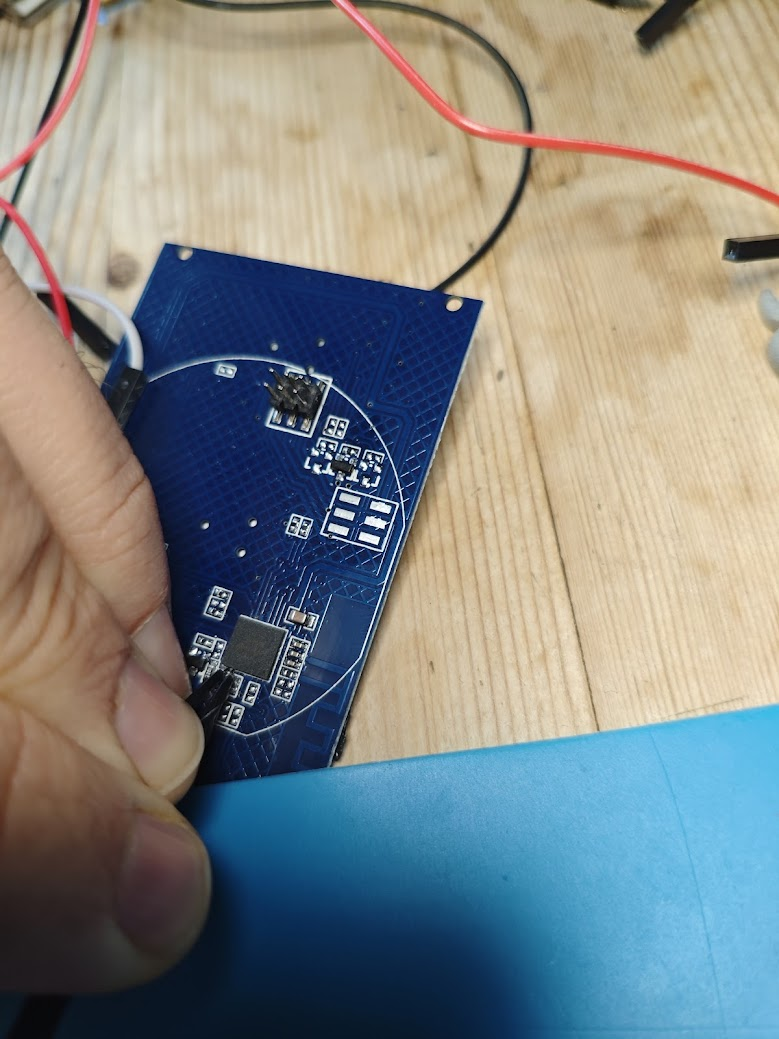
  • The front glass lifts off from the bottom opening, and the motherboard unclips easily, but the T34 QFN chip has no exposed programming pads.
  • It shipped from AliExpress with firmware 1.3.10 and was already patched against the CloudCutter exploit.
  • Hot-air desoldering, jumper wires, and bk7231flasher were needed to dump and reflash the chip, and the T34 was resoldered successfully.
  • OpenBeken and ESPHome pin maps are provided, but the dump could not extract Tuya config, so this is a difficult mod to attempt.
Generated by the language model.
ADVERTISEMENT
📢 Listen (AI):
  • #61 21111773
    johnypean
    Level 5  
    Posts: 4
    Thanks for this thread. I have been successful, too.
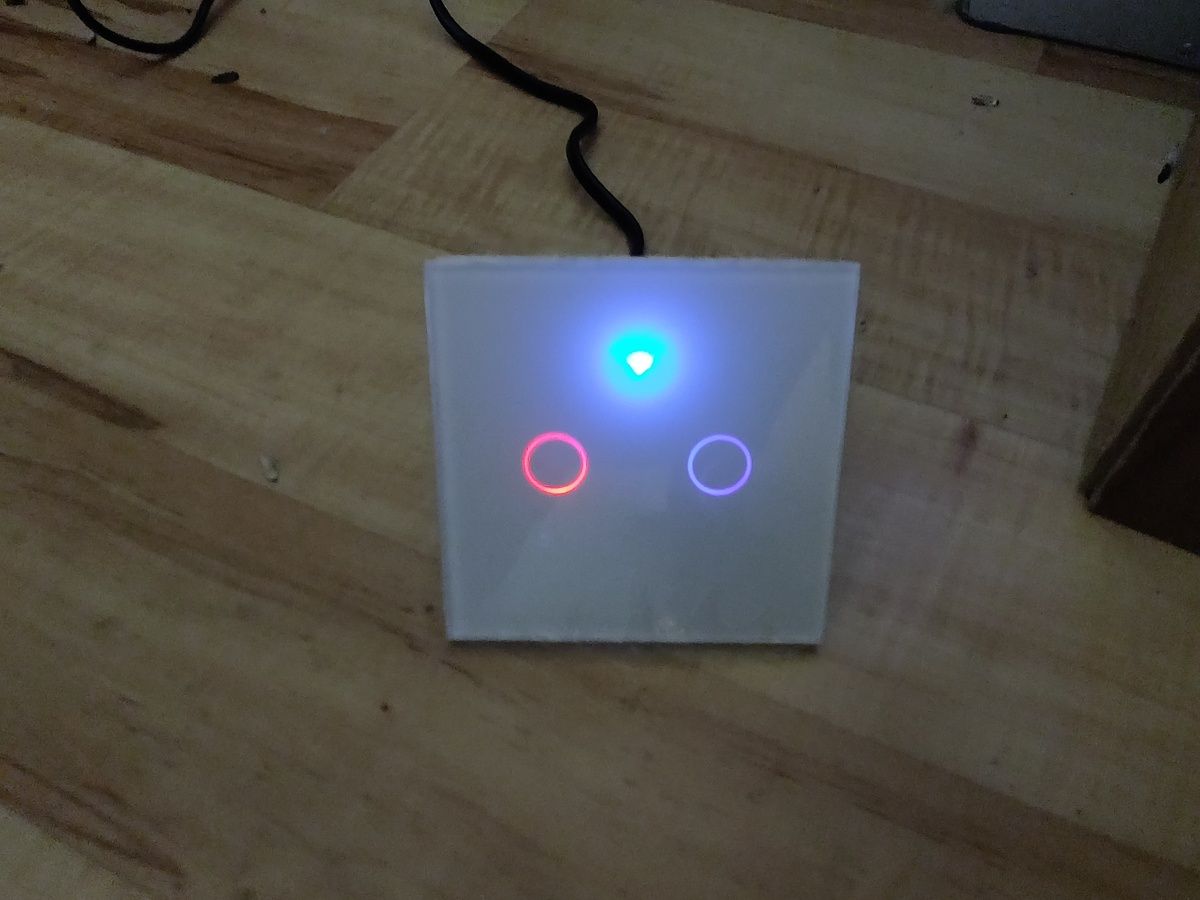
    This is square 2-gang version.
    Code: JSON
    Log in, to see the code


    Square wall switch with two illuminated buttons on a wooden floor.
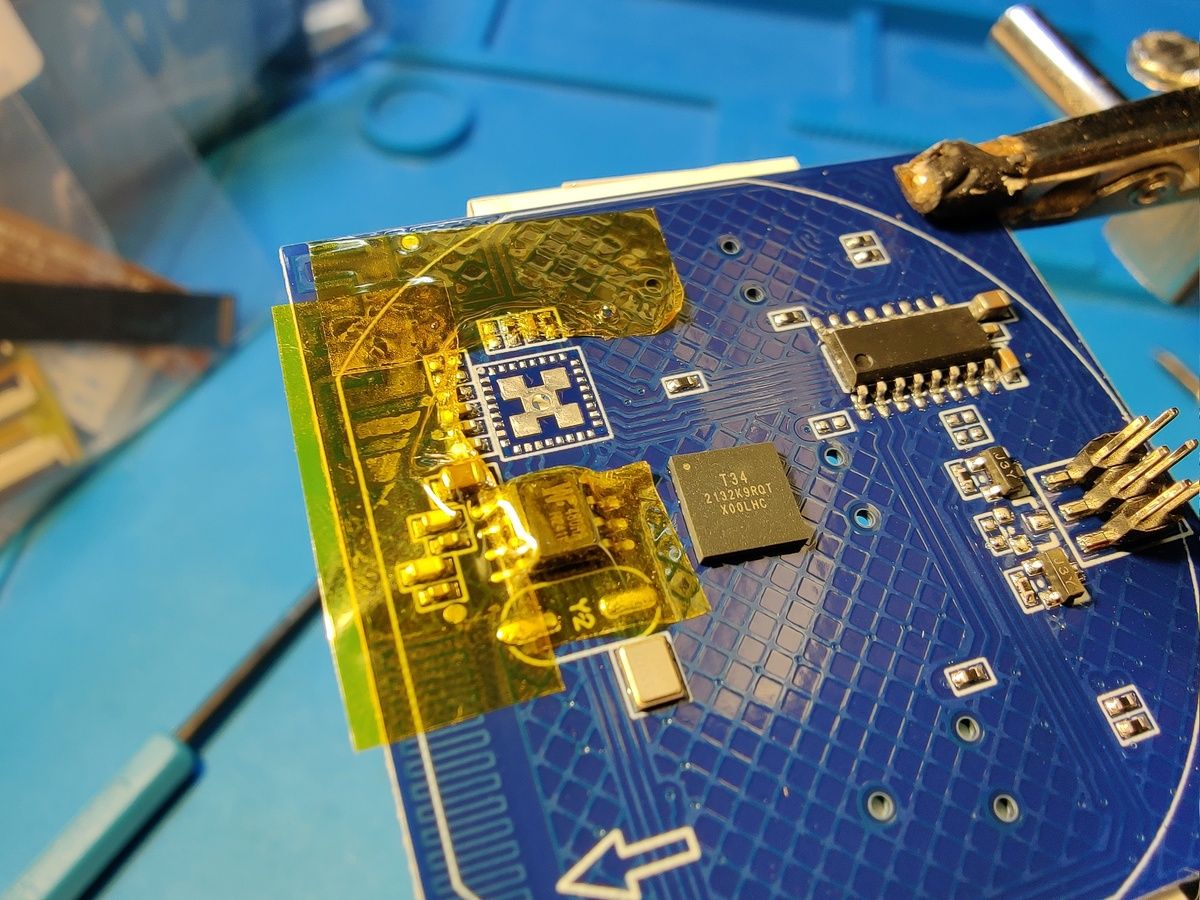
    Close-up of a blue circuit board with integrated circuits and yellow insulating tape.
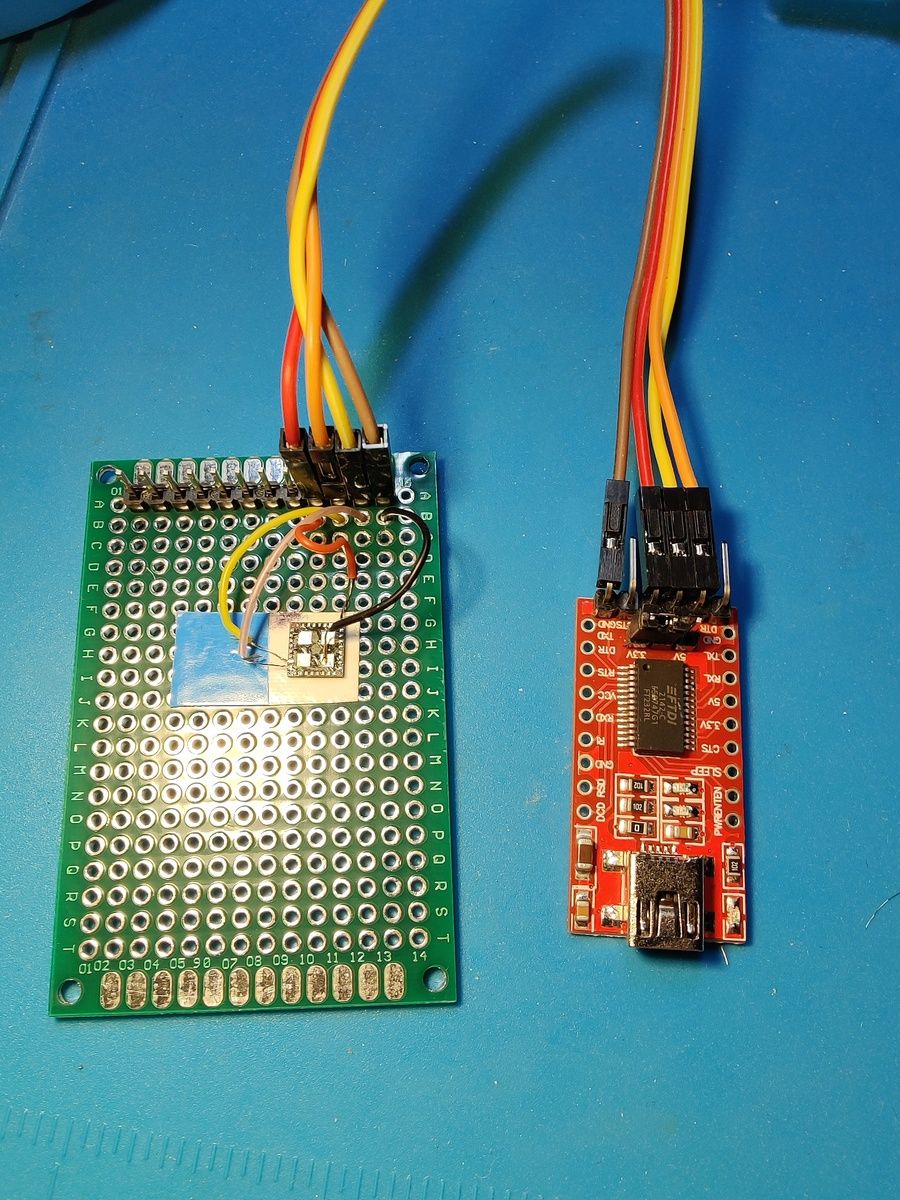
    Prototype board next to a programmer with connecting wires.
  • ADVERTISEMENT
  • #62 21111776
    p.kaczmarek2
    Moderator Smart Home
    Posts: 14444
    Help: 650
    Rate: 12414
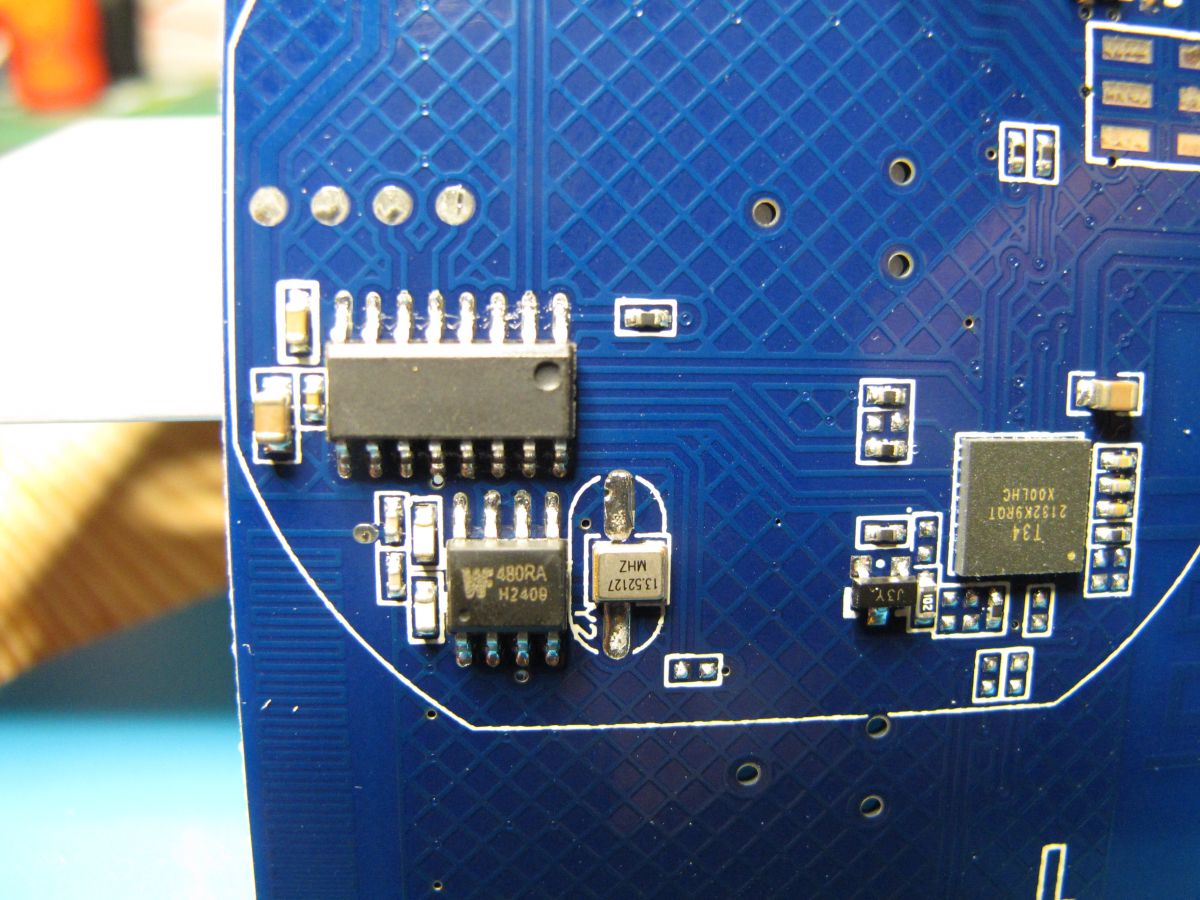
    Good job, but hey, is this Winbond memory chip? What's the purpose of that in the light switch?
    Helpful post? Buy me a coffee.
  • ADVERTISEMENT
  • #63 21111928
    johnypean
    Level 5  
    Posts: 4
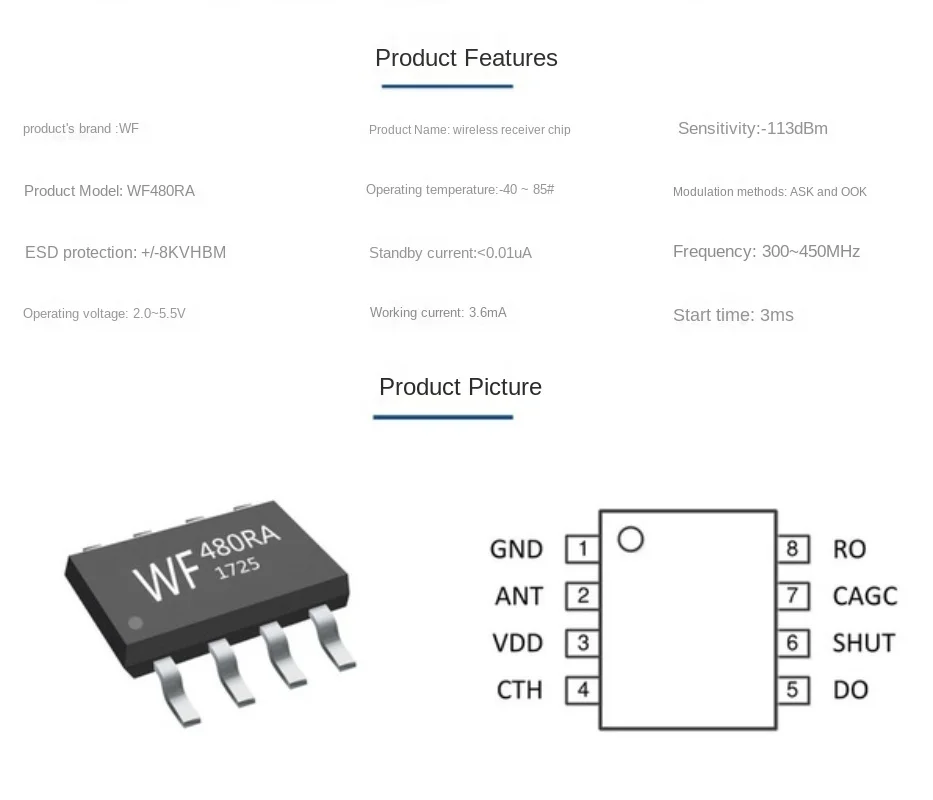
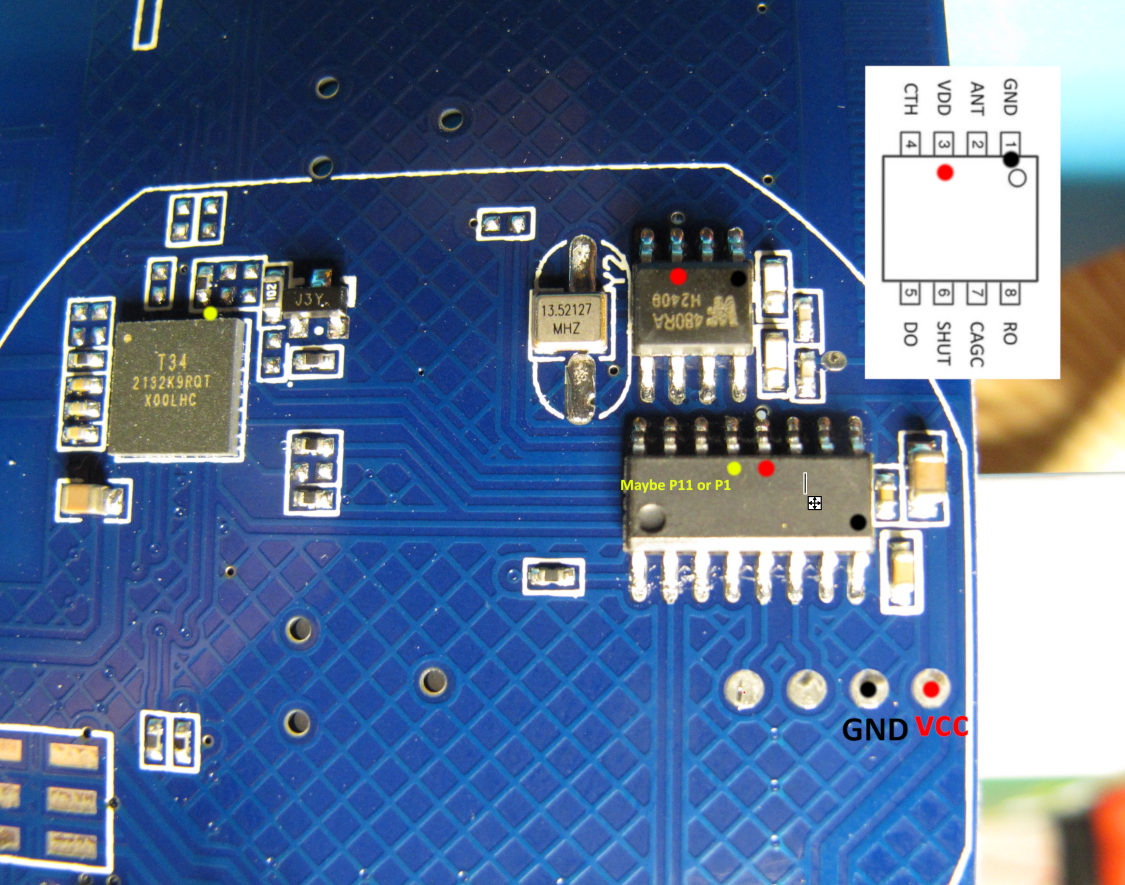
    WF480RA - 315/433MHz transceiver. It has its own antena on pcb opposite the T34s wifi antena. It seems to be connected to some of the T34 gpios. Haven't traced them. Looks like the device can be controlled by rf remote, but that wasn't mentioned in supplied manual.
  • #64 21111948
    p.kaczmarek2
    Moderator Smart Home
    Posts: 14444
    Help: 650
    Rate: 12414
    Ah, it makes sense, especially with that oscillator nearby... I also had sometimes smart devices coming with RF support unannounced.
    Helpful post? Buy me a coffee.
  • #65 21112115
    CameronDev
    Level 4  
    Posts: 12
    Help: 1
    Rate: 15
    >>21111928

    Mine did mention RF support on the box, but I have no idea how that was meant to be used.
  • #66 21112187
    p.kaczmarek2
    Moderator Smart Home
    Posts: 14444
    Help: 650
    Rate: 12414
    The image shows the technical documentation of the WF480RA integrated circuit.
    We will need to add WF480RA support.,
    Helpful post? Buy me a coffee.
  • #67 21117203
    divadiow
    Level 38  
    Posts: 4880
    Help: 427
    Rate: 869
    I've had the misfortune of receiving one of these. A challenge for another day perhaps

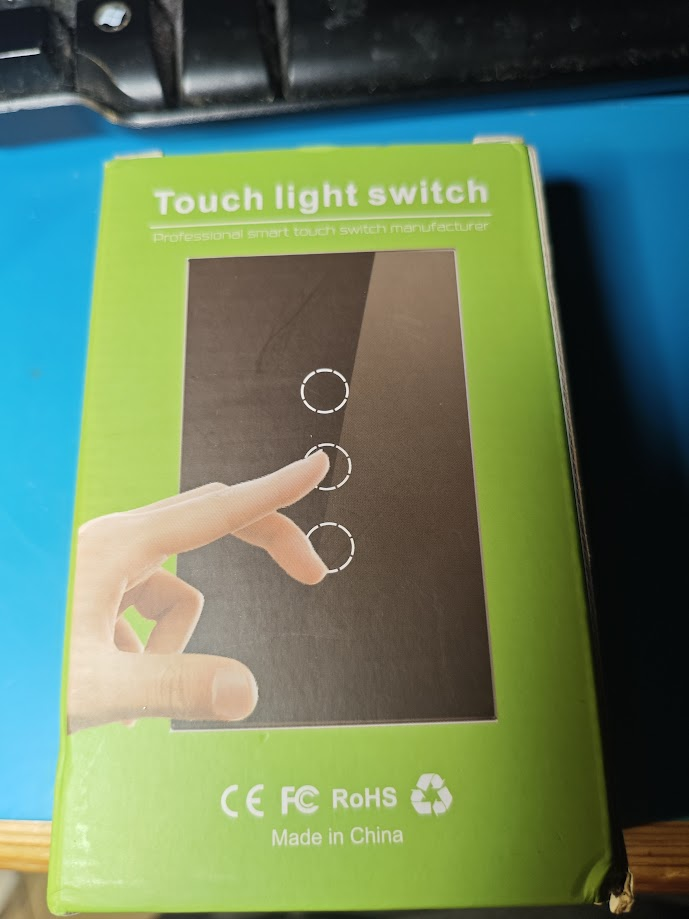
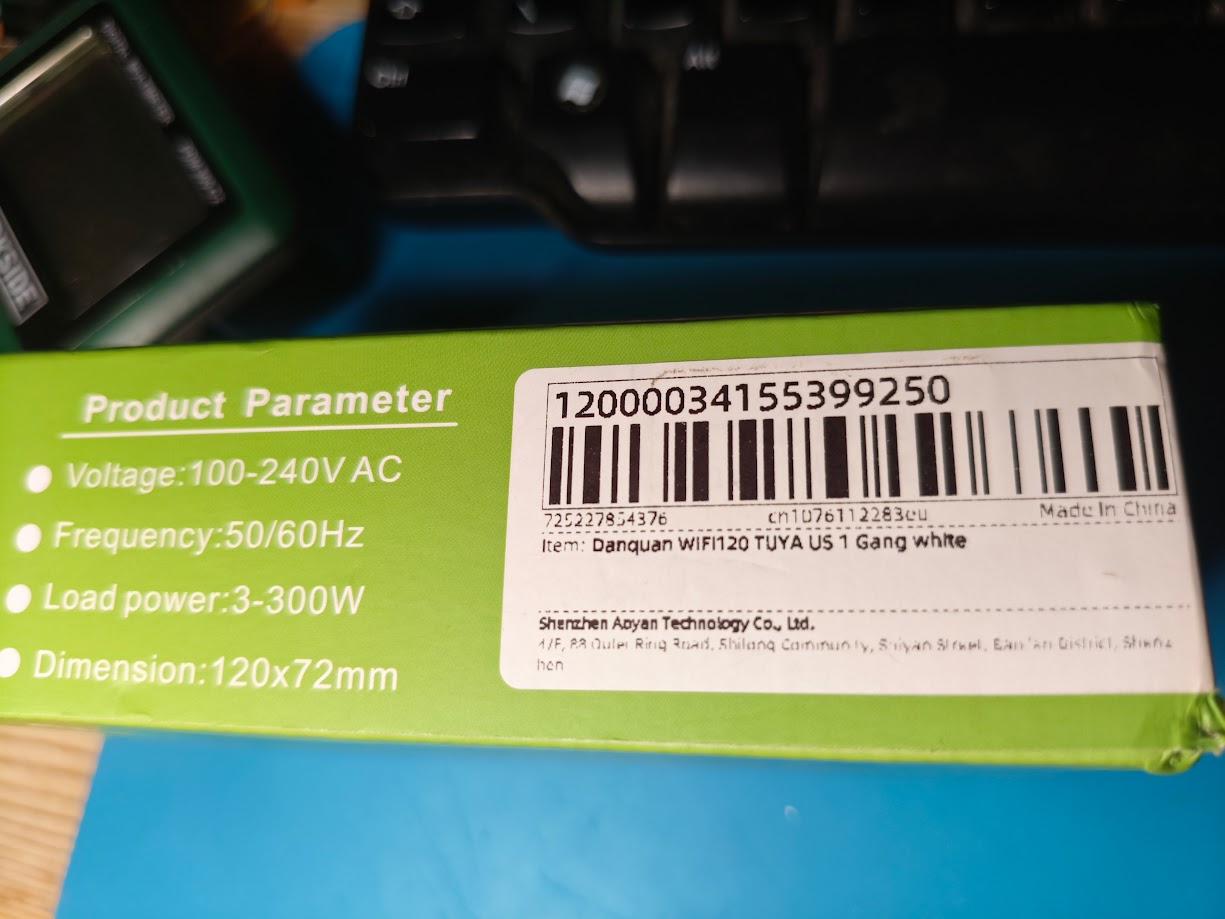
    Packaging of a touch light switch in green, featuring an image of a hand touching icons on a panel. Product packaging with technical specifications and a barcode. Close-up of a circuit board with visible integrated circuits and components.

    maybe some traces can be exposed instead of removing the whole chip

    Added after 1 [hours] 25 [minutes]:

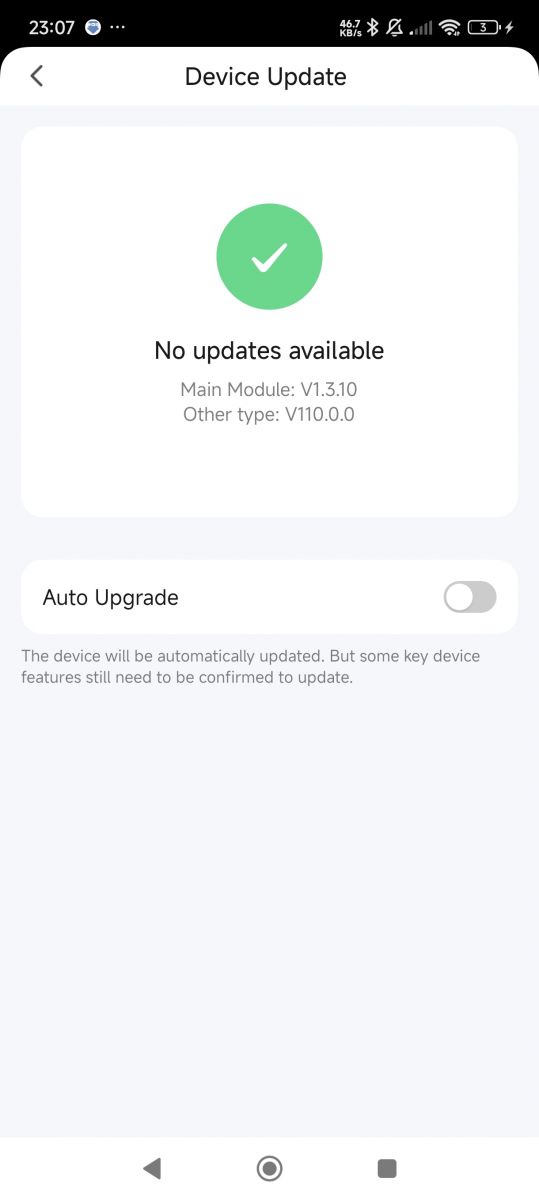
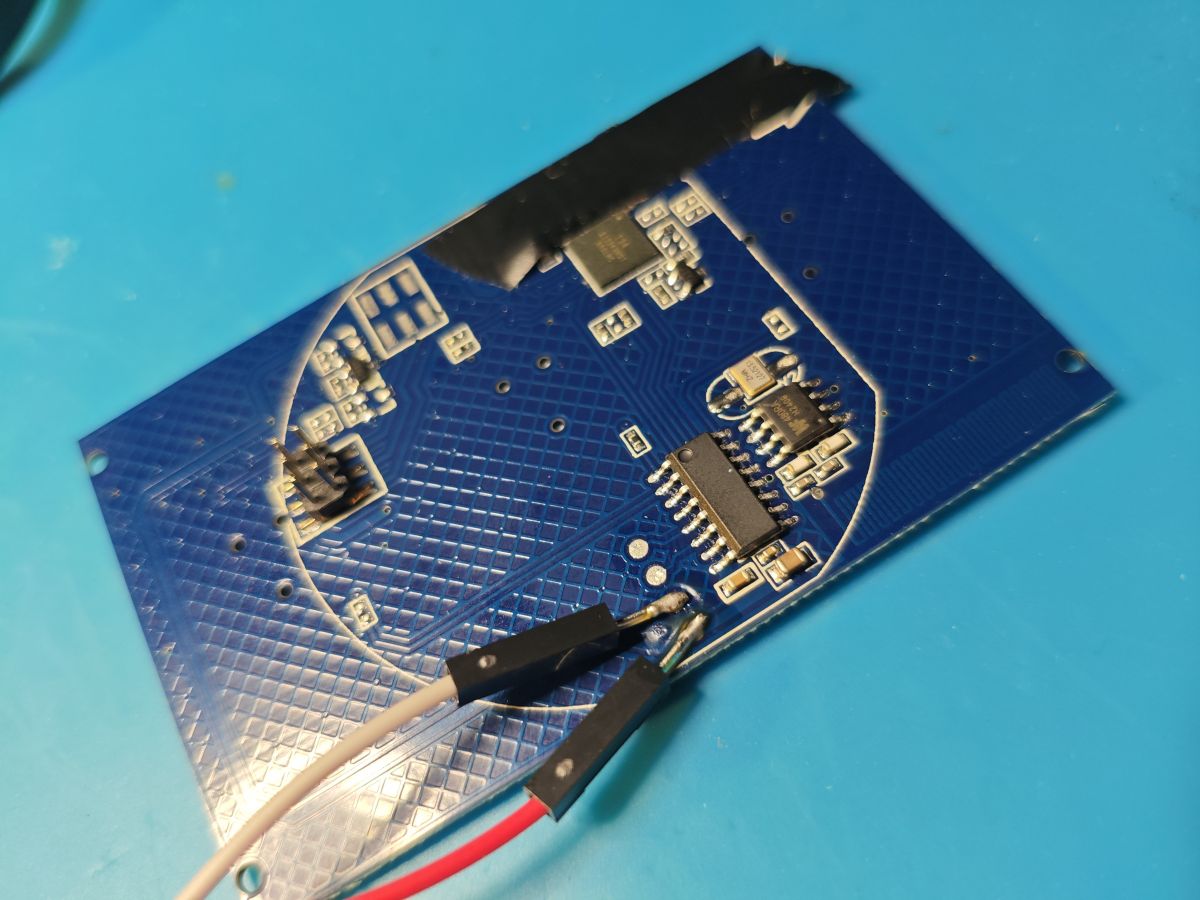
    Couldn't resist starting

    Device update screen showing no updates available and auto upgrade option turned off. Close-up of a blue printed circuit board with electronic components and connected wires.

    Added after 2 [minutes]:

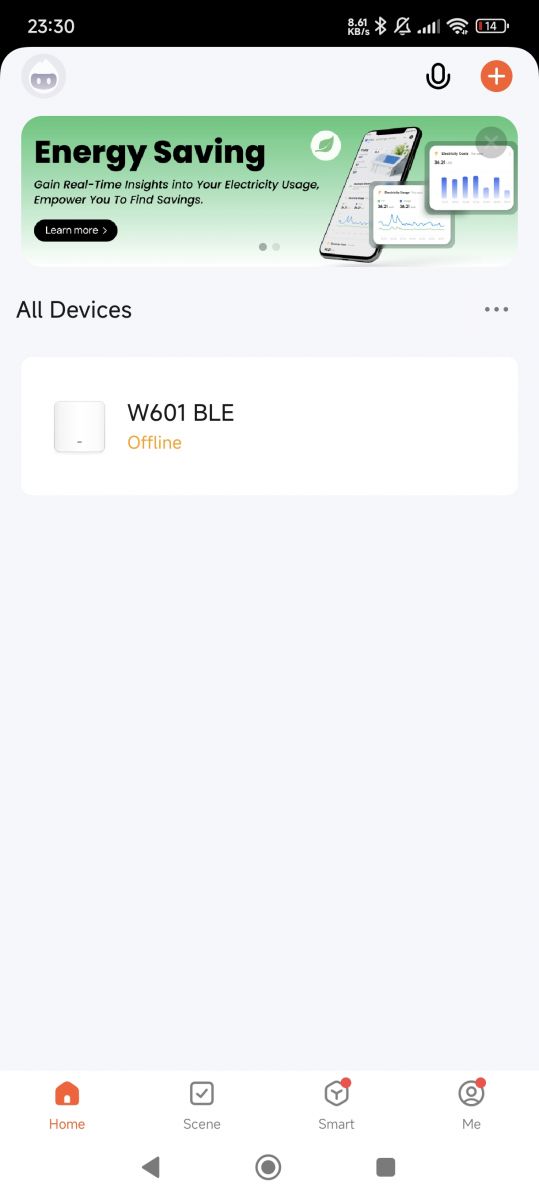
    Known as W601 BLE
    App interface showing W601 BLE device, currently offline.

    Added after 9 [minutes]:

    divadiow wrote:
    Known as W601 BLE

    Tying it in nicely with the Bingoelec brand
    https://templates.blakadder.com/bingoelec_W601.html
    https://www.elektroda.com/rtvforum/topic3974861.html#20911947

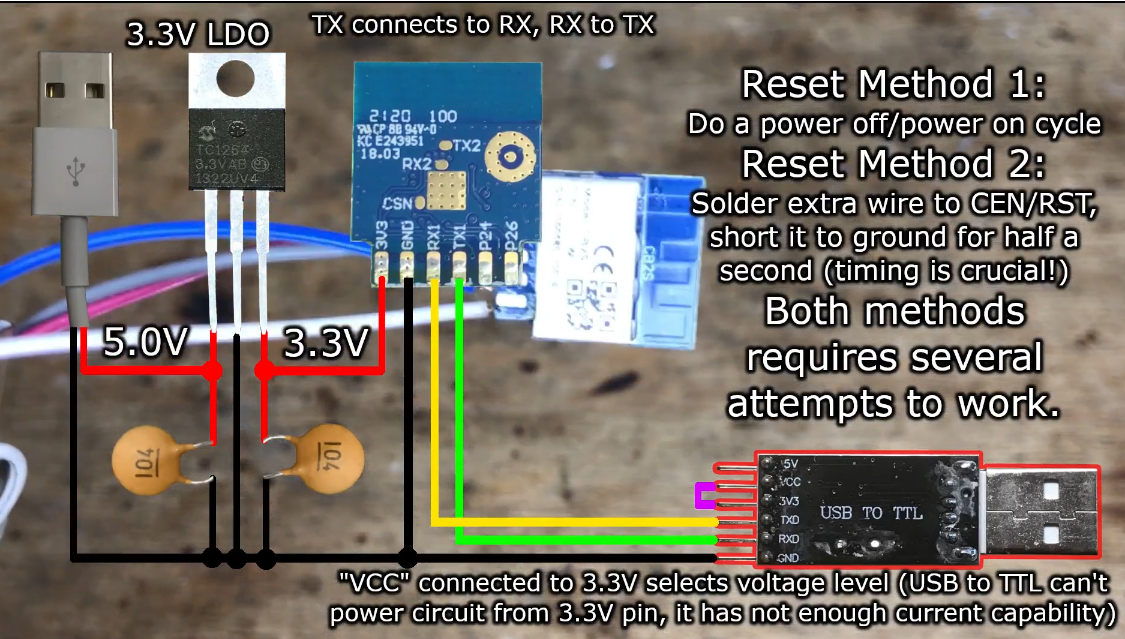
    Added after 7 [hours] 49 [minutes]:

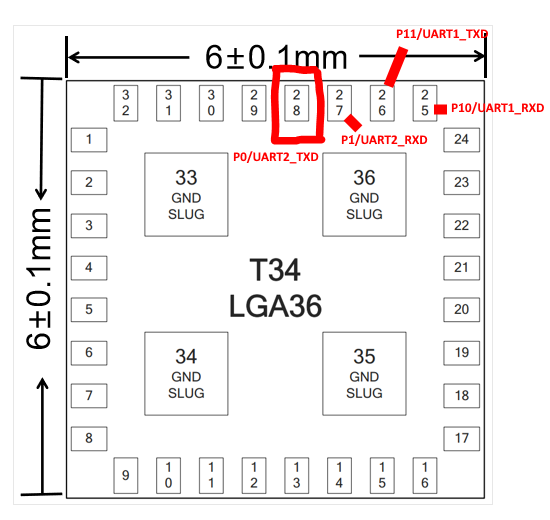
    an educated pin stab for 28 P0/UART2_TXD gives us this boot output

    Code: Text
    Log in, to see the code


    Pin diagram of T34 LGA36 chip with UART lines highlighted.Image of a PCB with a microcontroller and soldered wires.

    Added after 12 [minutes]:

    interesting

    Code: Text
    Log in, to see the code
  • #68 21117870
    p.kaczmarek2
    Moderator Smart Home
    Posts: 14444
    Help: 650
    Rate: 12414
    At least I see no RT-Thread mentions, so the key should be as usual?
    Helpful post? Buy me a coffee.
  • #69 21117908
    divadiow
    Level 38  
    Posts: 4880
    Help: 427
    Rate: 869
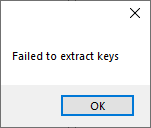
    it all looks like standard Tuya. The zipped dump in the first post gives this in Easy Flasher

    Error message stating Failed to extract keys with an OK button.

    but the user stuff is still decipherable. maybe a little tweak to Easy Flasher is all that's needed.

    Code: JSON
    Log in, to see the code


    I have not progressed to dump/flash my one yet

    Added after 2 [hours] 27 [minutes]:

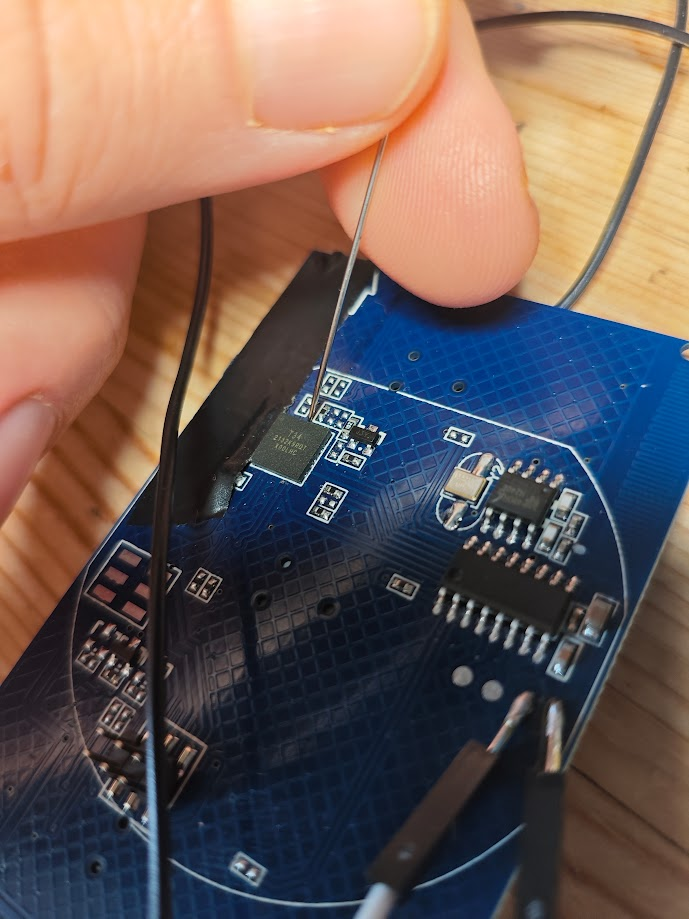
    that was a mission. USB-TTL-> sewing needles to reach P11/P10.

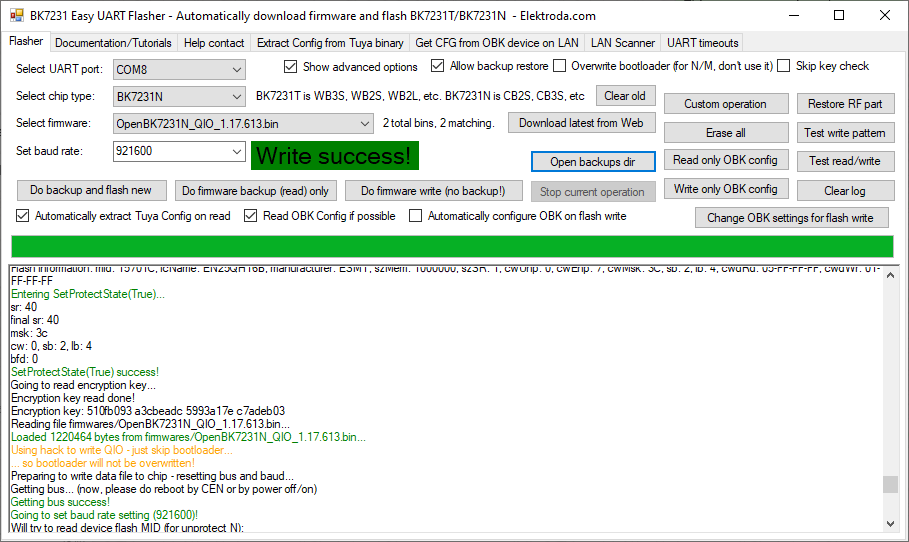
    dumped and flashed without desoldering.

    Screenshot of Easy UART Flasher program after successful flashing of BK7231N chip.

    position of needles from a few angles:

    Hands holding needles connected to a circuit board A hand holding tweezers over a circuit board with attached wires. Electronic circuit board with wires and sewing needles attached to points P11/P10. A person holding a needle touching a PCB with wiring. Needles connected to a printed circuit board

    Wi-Fi connection icon with network name OpenBK7231N_0D1DD417.

    getting the right thickness of needle was key for me. It turned out one of mine was slightly thicker than the other and wasn't making contact. If you can feel the bumps of the legs then you're OK.
    Attachments:
    • readResult_BK7231N_QIO_2024-13-6-16-26-01.bin (2 MB) You must be logged in to download this attachment.
  • #70 21118121
    p.kaczmarek2
    Moderator Smart Home
    Posts: 14444
    Help: 650
    Rate: 12414
    Do you have RF Remote? This device should still have RF working I guess. RF is connected to the SOIC chip.
    Helpful post? Buy me a coffee.
  • #71 21118224
    divadiow
    Level 38  
    Posts: 4880
    Help: 427
    Rate: 869
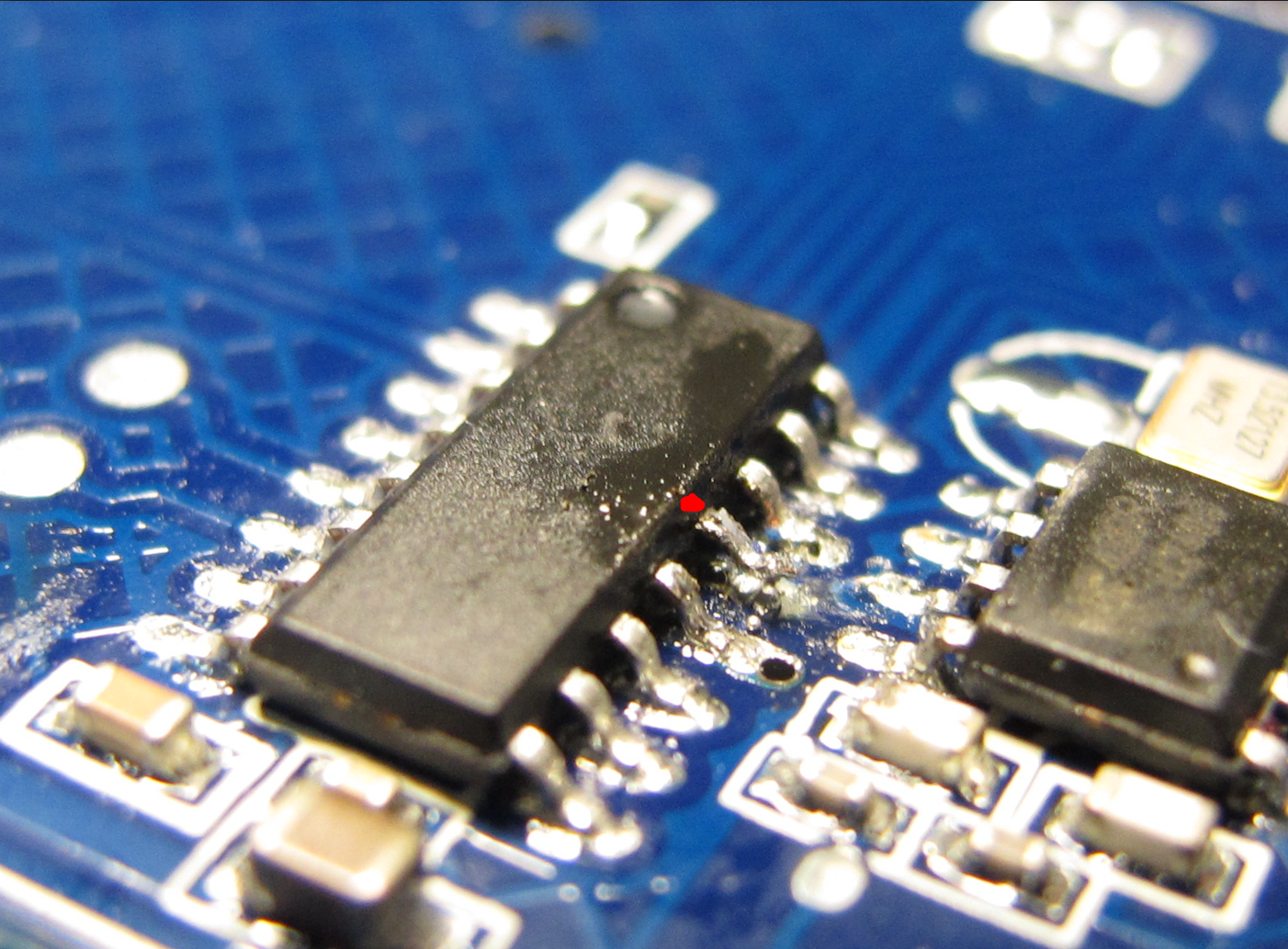
    I forgot to mention that I also lifted this pin on the MCU.

    Close-up of an integrated circuit mounted on a blue circuit board.

    it either traces to P1 or P11, not entirely sure. I'll drop it again then see if I can still dump firmware, now I have needles the right thickness.

    Close-up of a PCB with several integrated circuits and a pinout diagram.

    Added after 2 [minutes]:

    p.kaczmarek2 wrote:
    Do you have RF Remote? This device should still have RF working I guess. RF is connected to the SOIC chip.

    I have 1 RF remote. Not sure of frequency or pulse or whatever. will try it

    Added after 50 [minutes]:

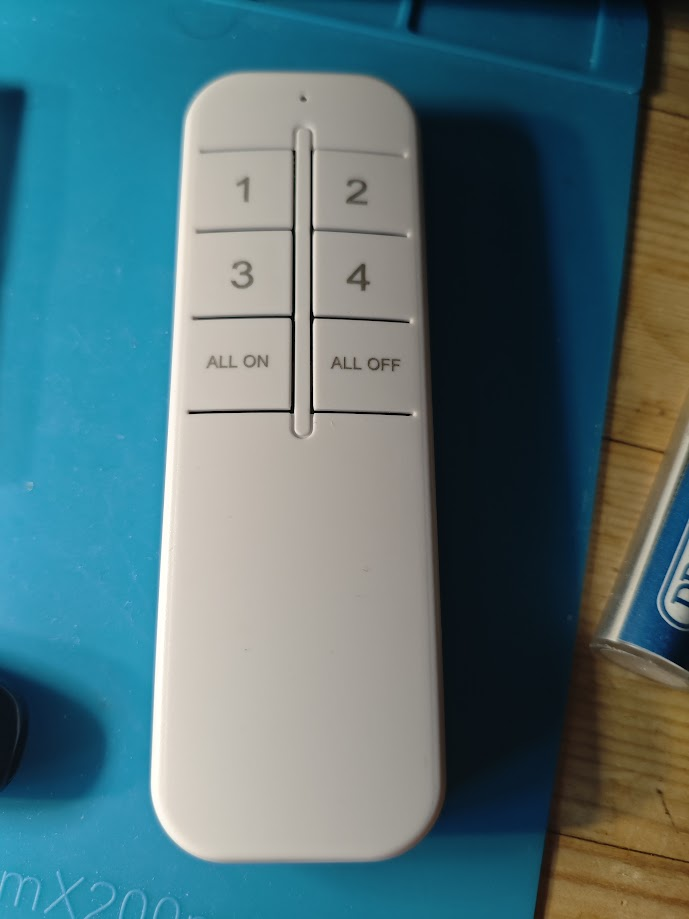
    sadly none of the remote buttons have an effect. it's one those 4CH Qiachip types

    Remote control with four numeric buttons and two function buttons.

    Bought it to try on this https://www.elektroda.com/rtvforum/topic4042000.html

    Added after 1 [hours] 39 [minutes]:

    Code: JSON
    Log in, to see the code


    The box pix shows 3 buttons, but mine is single gang. The user data json sets these pins on import. I think I'd prefer the red ring show the switch to be off, but in this setup red=on. The red LED seems to be controlled by the MCU, not the T34.


    https://github.com/OpenBekenIOT/webapp/pull/125

    Added after 1 [hours] 40 [minutes]:

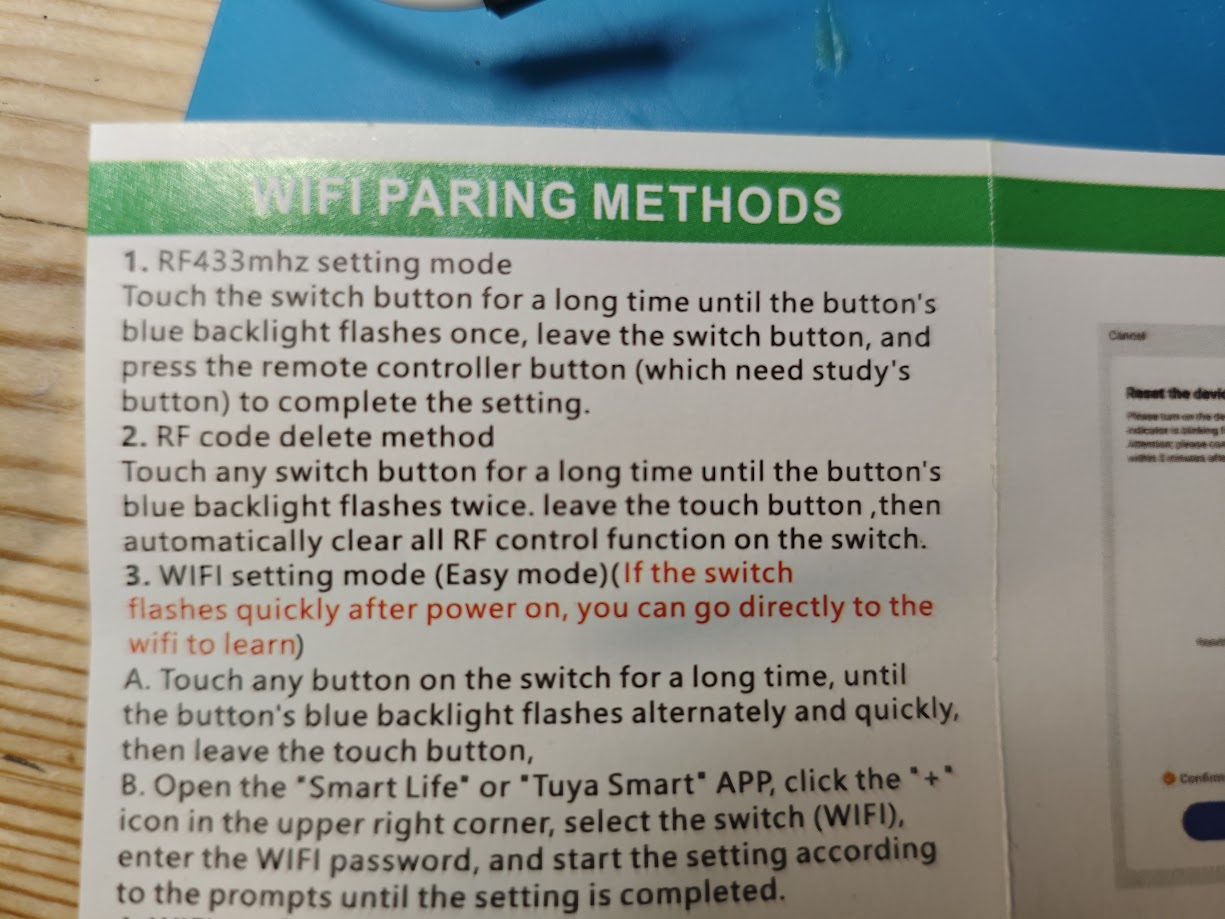
    oh look WiFi pairing instructions for an RF switch.
  • #72 21127058
    Pete0815
    Level 7  
    Posts: 34
    Help: 1
    Rate: 3
    Hi

    just received 4pcs. of 1 Gang Switches and I expected CB2S to be inside but now there is T34 :(

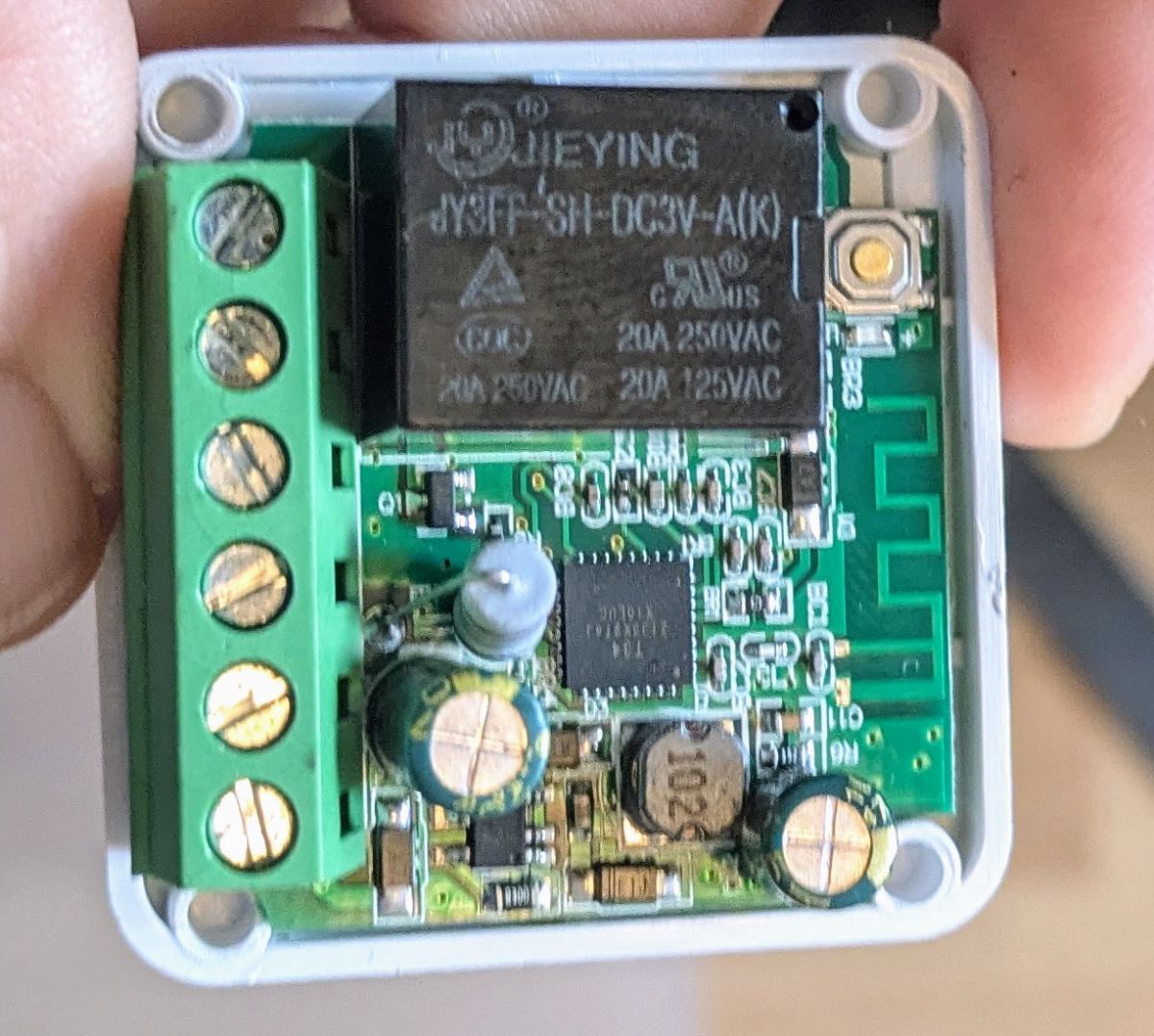
    Interior of an electrical switch with visible electronic components.

    I have 858 hot air gun and used it for replacing damaged USB-C ports and figured out not easy to take care of swiming SMD components.

    So far no special tape here to use.

    Can you advise if it´s worth givin it a try just using the Air gun for <60 sec. with some flux to desolder T34 but not damaging or displacing other components?
    T34 is looking very circled by other components in my case/ for this type of switch.
    Thx!
  • #73 21127062
    divadiow
    Level 38  
    Posts: 4880
    Help: 427
    Rate: 869
    those legs look nicely exposed, unlike some T34s. I'd go with the sewing needle method.
  • ADVERTISEMENT
  • #74 21127139
    p.kaczmarek2
    Moderator Smart Home
    Posts: 14444
    Help: 650
    Rate: 12414
    I've just somehow got that switch, nice. Someone must have ordered one for me, do you know anything, @divadiow ? Thank you. I've briefly tested it with my RF remote and it indeed works, procedure is to hold the button and then click RF remote button. There is no audio signal when pairing.


    Helpful post? Buy me a coffee.
  • #75 21127146
    divadiow
    Level 38  
    Posts: 4880
    Help: 427
    Rate: 869
    p.kaczmarek2 wrote:
    do you know anything, @divadiow ?

    I may do ;)

    thanks for testing RF.
  • #76 21127163
    p.kaczmarek2
    Moderator Smart Home
    Posts: 14444
    Help: 650
    Rate: 12414
    Thanks again, this may be a good idea for a youtube video. Still, first I need to decide what kind of flashing method would be the best here? Probably just try soldering the tiny wires to the pads... or the needles. I don't think showing the hot air method is a good idea, not many people have access to that kind of equipment.
    Helpful post? Buy me a coffee.
  • #77 21127172
    divadiow
    Level 38  
    Posts: 4880
    Help: 427
    Rate: 869
    The T34 legs are so concealed though on these types for soldering, but I guess anything is possible.
  • #78 21127247
    Pete0815
    Level 7  
    Posts: 34
    Help: 1
    Rate: 3
    divadiow wrote:
    ... but I guess anything is possible.


    Even having a hot air solder station in place, makes me think about using it because many things can go wrong for an inexperienced user.

    Don´t want to make any advertisement but I don´t have needle probe jig nor a 3d printer.

    Can you say if for the T34 these needel/clamps can work?

    https://de.aliexpress.com/item/10050059364367...pcDetailBottomMoreOtherSeller%7Cquery_from%3A

    Because based on my picture I can see each pin and have access to it when it´s solderes at the pcb.
  • #80 21127398
    rufus4
    Level 11  
    Posts: 65
    Rate: 9
    Pete0815 wrote:
    Can you say if for the T34 these needel/clamps can work?

    There is no free part of the legs on a T34 to hook in with anything.
    The needle technique from @divadiow would be the way to go.
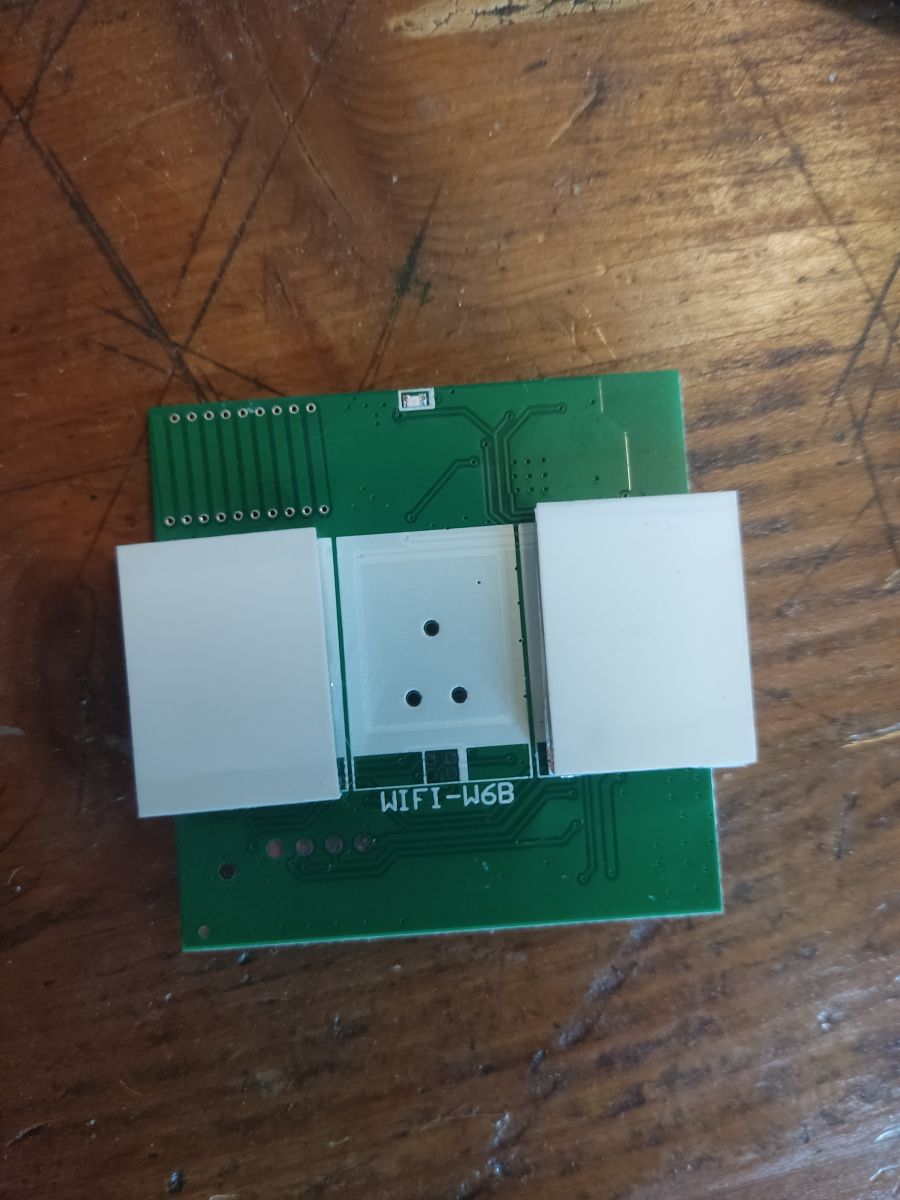
    With the heatgun I would desolder the relay, the big resistor and the two condensators with a soldering iron first. And the clamp bar maybe better as well. Otherwise you have to use a to hight temperature or heat up for a to long time. Results in risk of damage the chip or risk of melting the parts arround.
  • #81 21127454
    Pete0815
    Level 7  
    Posts: 34
    Help: 1
    Rate: 3
    rufus4 wrote:
    Pete0815 wrote:
    Can you say if for the T34 these needel/clamps can work?

    There is no free part of the legs on a T34 to hook in with anything.
    The needle technique from @divadiow would be the way to go.

    Thanks. Now also found this topic which is exactly my device.
    https://www.elektroda.com/rtvforum/topic4051203.html
    VCC and GND are soldered but as expected I´m struggeling to place the needels.
    Just when I thought they are in place, I used some glue to hold them in place. So far this did not work and I got red messages in the flashing tool (1.1.6
    ) or it completly crashed. Guess the needles (RX/TX) are not well positioned but lost some glue on the pcb which is now similar to an isolation :(

    Guess I´ll give the hot air station a try.
  • ADVERTISEMENT
  • #82 21127461
    Dave_S
    Level 1  
    Posts: 1
    I received two of these Tuya 2 gang touch switches with a nasty T34 chip inside recently.
    Thanks to the good information on this thread I have openbeken running on it.
    Thanks to @johnypean for the template that works on my 2 gang switch even though the board layout is slightly different to his,my board looks exactly like @divadiow 3 gang.
    Thanks also to the devs,without this firmware I would be forced to use Chinese servers !
    Is there a way to point openbeken to a local NTP server on my network ?
    None of my IOT devices have internet access but would like to sync their time with my private NTP server.
  • #83 21135586
    gregmarfaing
    Level 7  
    Posts: 16
    Help: 2
    Rate: 3
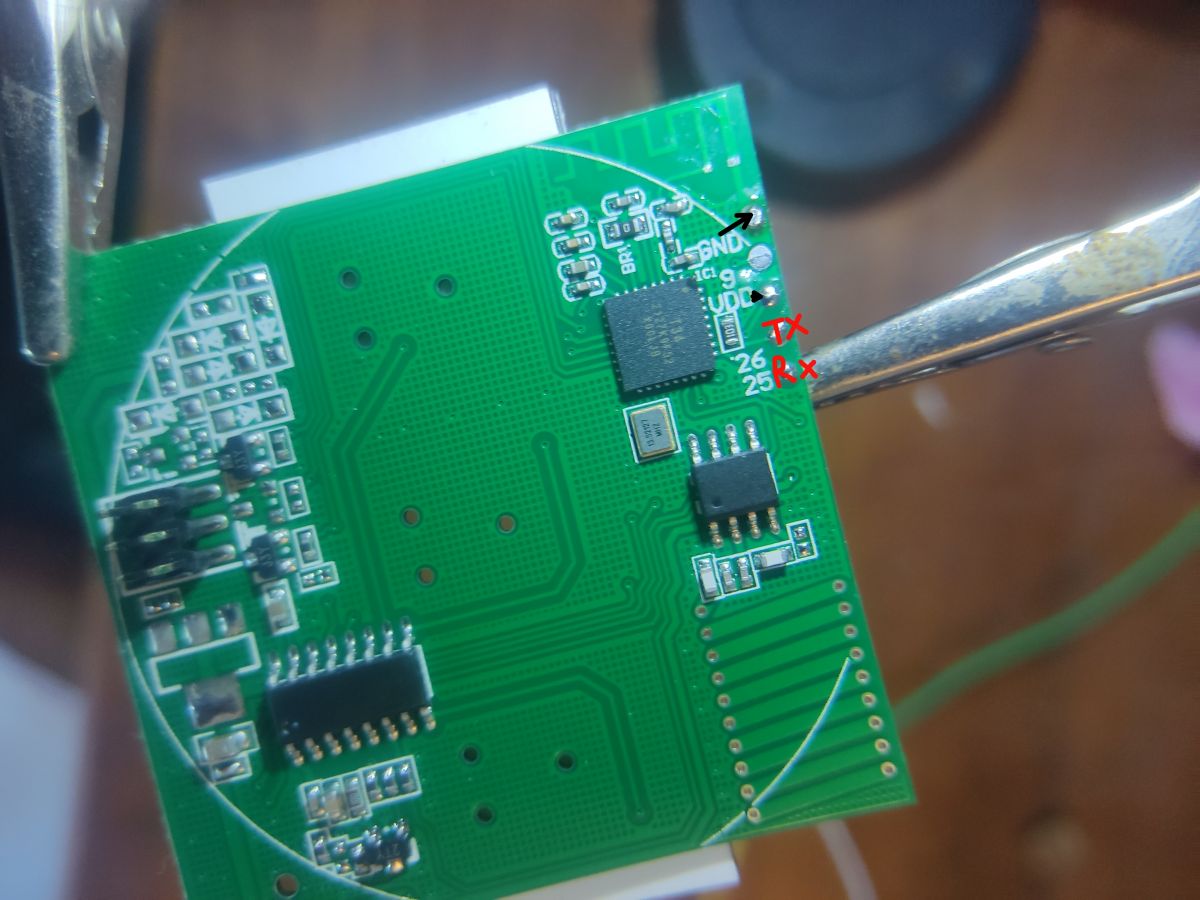
    I bought a similar one from ali to replace an esp8285 variant and it came with a t34 but i was pretty lucky and the pcb got easy flashing points
    Green PCB module with white plastic buttons labeled WIFI-W6B on a wooden surface. PCB board with marked TX and RX points.
    flashed it and it works flawlessly , here is the template :
    {
      "vendor": "Tuya",
      "bDetailed": "0",
      "name": "wifi 2 Gang Wall switch ",
      "model": "Wifi-W6B",
      "chip": "BK7231N",
      "board": "T34",
      "flags": "0",
      "keywords": [
        "T34",
        "W6B"
      ],
      "pins": {
        "7": "WifiLED_n;56",
        "8": "Btn;1",
        "9": "Rel;2",
        "16": "Btn;2",
        "17": "Rel;1"
      },
      "command": "powersave 1",
      "image": "https://obrazki.elektroda.pl/1549683800_1719574436.jpg",
      "wiki": "https://www.elektroda.com/rtvforum/topic_YOUR_TOPIC.html"
    }
  • #84 21135629
    p.kaczmarek2
    Moderator Smart Home
    Posts: 14444
    Help: 650
    Rate: 12414
    Dave_S wrote:

    Is there a way to point openbeken to a local NTP server on my network ?

    Of course, you can set any server with ntp_setServer command.
    https://github.com/openshwprojects/OpenBK7231T_App/blob/main/docs/commands.md
    Helpful post? Buy me a coffee.
  • #85 21326143
    dgel27
    Level 8  
    Posts: 19
    >>21117908 Hi, i have board most similar lake yours, but different component placement.
    In my board the Rx from T34 connected to resistor, so 1 needle is less :) The 4 pads also have different positions. the 2 of them - VCC and GND, the 2 others come to "unmarked" MCU, that i think served RF encodings touch buttons, and maybe T34 programming.
    I think it have be way to program T34 via these pads, at least for production. The chineese guys have to change at least their config for 1,2 or 3 gangs in the switch. I don't belive they program T34 for different configurations before assembly.

    Edit:
    My board seems exactlly as @dhanushkadx , the pads plased on the buttons side.
    I found, that in both modules, my, @dhanushkadx , @CameronDev and @divadiow have pins, that in regular works connected to buttons via some MCU,
    the 2 "special" pads, connected to same MCU's legs (in my case the pins 5 and 6 of MCU).
    But in some "special" modes, the buttons used P22,P23 that is JTAG TDO and TDI of T34.

    @p.kaczmarek2 maybe you know some way to program chip via JTAG? At least, it will be easier to connect to MCU's pins, instead with needles to T34.
    And if found way to program via 4 PCB points (i think it JTAG via MCU) it will be exellent.

    Other ways it seems Tuya go to produce more smaller and smaller modules with harder to connect to it..

    Is any way to found how to use these pins for programming? Or impossible?

    Thanks!
  • #86 21351950
    dwygaming
    Level 1  
    Posts: 1
    >>21135586 Hello :)

    How did you shorten with CEN ? I got the module connected, 3.3 and GND ok, But I can t pass the "reboot device" step, when I disconnect 3.3 from uart the COM3 disappear/ flasher sends an error.

    Any help appreciated :)
  • #87 21351976
    p.kaczmarek2
    Moderator Smart Home
    Posts: 14444
    Help: 650
    Rate: 12414
    What do you mean by "3.3V from UART"? 3.3V pin from UART can't provide enough current, check out our flashing tutorials here:
    https://www.youtube.com/@elektrodacom
    for example, that one:


    Here is a screen capture from this vid:
    Connection schematic with USB to TTL converter and 3.3V LDO with reset instructions.
    Helpful post? Buy me a coffee.
  • #88 21486220
    kalikum
    Level 5  
    Posts: 9
    Rate: 1
    Thanks for the thread, it has been very helpful.

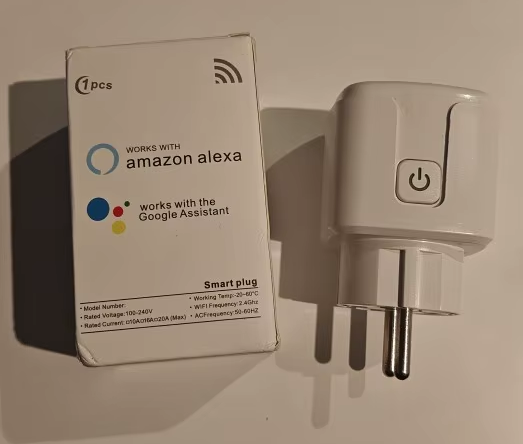
    A few days ago I install tasmota on several wifi smart sockets bought in Aliexpress with ID T34 2132K9RQT X00LHC directly welding according to the information of this thread.

    Smart plug and box with Works with Amazon Alexa and Google Assistant information.

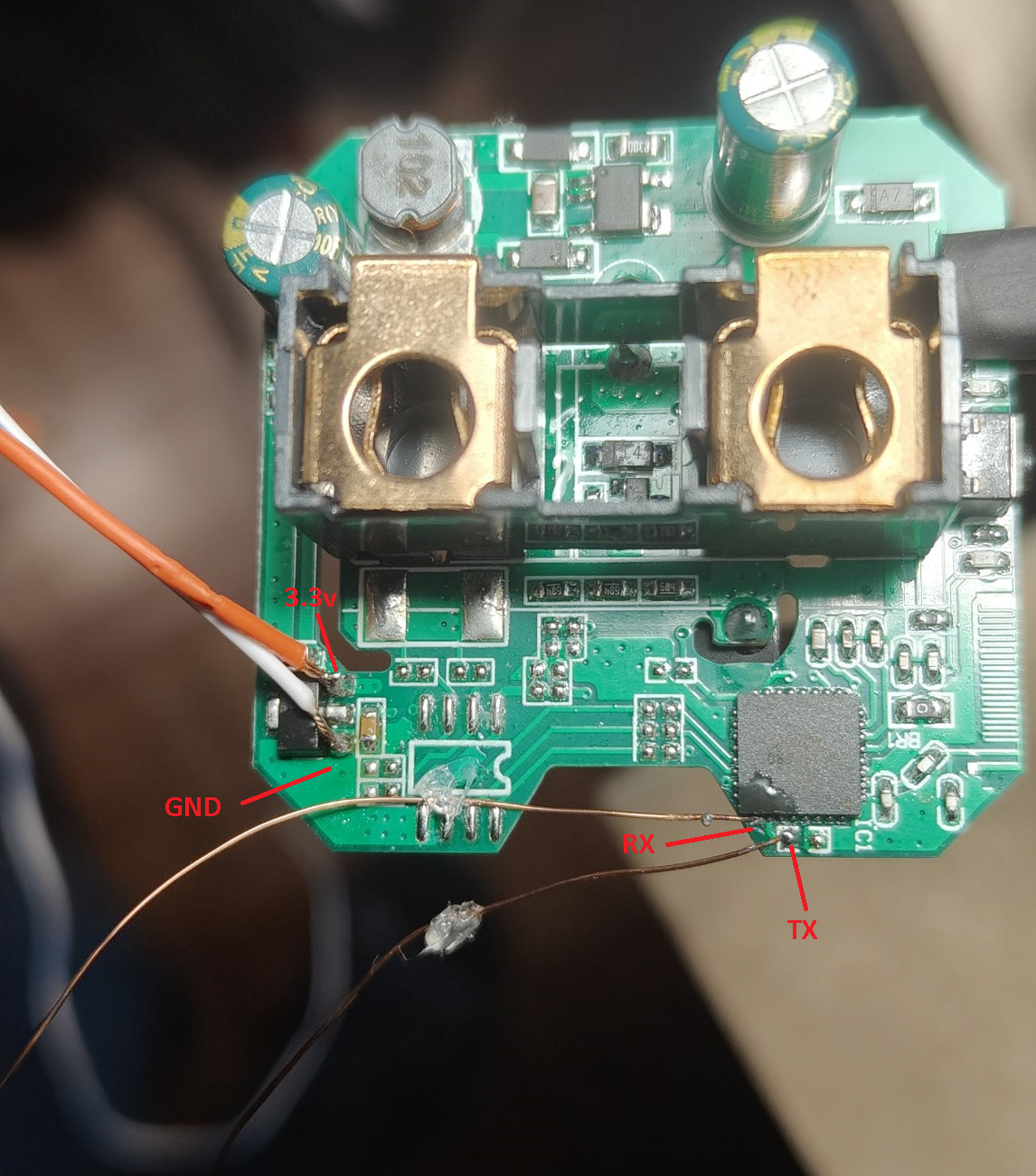
    Here the photo of how I did:

    Close-up of a circuit board with labeled 3.3V, GND, RX, and TX ports and connected wires.

    It is a very simple device, these are the details to be able to use the relay and the external button:

    pins
    24: Rel;1
    26: Btn;1
    28: WifiLED;0
    
    command: startDriver NTP


    Thank you very much for the information and for sharing it with everyone. <3

    PD: I hope my post is not at the wrong place
  • #89 21486299
    p.kaczmarek2
    Moderator Smart Home
    Posts: 14444
    Help: 650
    Rate: 12414
    Thank you and good job on flashing that!

    I've also received this plug and decided to create a separate guide: https://www.elektroda.com/rtvforum/forum51.html
    Helpful post? Buy me a coffee.
  • #90 21486326
    kalikum
    Level 5  
    Posts: 9
    Rate: 1
    Thank you!!!!

    I had not seen it before, everything is very well documented, awesome.

    Mine has no consumption chip.
📢 Listen (AI):

Topic summary

✨ The discussion focuses on the teardown and flashing process of Tuya generic WiFi wall light switches based on the BK7231N chip and T34 board, particularly 3-gang and 2-gang variants. The T34 chip is in a QFN package with no accessible programming pads, requiring desoldering for flashing with OpenBeken firmware. Users share detailed methods for desoldering and resoldering the T34 chip using hot air guns (temperatures around 350-480°C), flux, and soldering techniques, emphasizing the difficulty due to tiny pads and risk of PCB damage. Alternatives like needle probes for direct serial connection are discussed but often limited by concealed pads. Flashing is done via UART or SPI using FTDI232RL or CH340G-based USB-TTL adapters, with baud rates up to 921600. Some users report success without grounding the CEN pin by interrupting 3.3V supply to enter flash mode. Firmware extraction challenges include missing or manually created JSON configs. The devices often include additional components like BL0937 power measurement chips and WF480RA RF transceivers for remote control, sometimes unadvertised. Community members provide pin mappings for relays, buttons, and LEDs, and share templates for OpenBeken configuration. PowerSave mode and local NTP server support in OpenBeken are also mentioned. The discussion includes warnings about the complexity of flashing T34 devices, recommending caution and skill in SMD rework. Some users note differences in PCB versions, with older white-box versions having accessible TX/RX pads. Overall, the thread serves as a comprehensive resource for hardware hacking and firmware replacement on T34-based Tuya switches.
Generated by the language model.

FAQ

TL;DR: At 480°C and 921600 baud, one expert conclusion was: "Bridge CEN is not needed." This FAQ helps OpenBeken users flash hard-to-access Tuya T34/BK7231N wall switches, recover pin maps when config extraction fails, and avoid common UART, power, and LED pitfalls on 1–3 gang boards. [#21007722]

Why it matters: These Tuya switches can look identical at purchase time, yet one version may flash from exposed pads while another requires chip removal, needles, or pogo-pin probing.

Method Hardware access Risk level Proven result in thread
Hot-air chip removal Full T34 desolder High Worked, but described as "not for the faint of heart"
Needle / sewing-needle UART Touch hidden pins in-circuit Medium Successful dump and flash without desoldering
Pogo-pin probe rig Weighted vertical probes Medium Used to flash multiple T34 devices quickly
Exposed factory pads Direct board pads Low Some later boards flashed easily from pads

Key insight: The hardest part is usually not OpenBeken itself. It is gaining stable electrical access to T34 UART, then keeping power, contact pressure, and baud rate stable long enough to read or write flash.

Quick Facts

  • One 3-gang T34 switch shipped with Tuya firmware 1.3.10, blocked Cloudcutter, and had four board pads where only 3.3 V and GND were identified as useful for power, not direct flashing. [#20968165]
  • Reported hot-air settings ranged from 400°C to 480°C, with one successful T34 removal taking under 60 seconds and another user running the fan at maximum speed. [#21049685]
  • Successful direct flashing reports used 921600 baud and also 230400 baud on similar T34 boards, but unstable setups produced read or write failures even after a nominally successful erase. [#21007722]
  • One buyer paid 1.87 euro per switch on 2024-03-18, which explains why some users still accepted the extra rework needed for T34 packages. [#21008716]
  • A cheap $50 hot-air station could fail at 450°C, while a $400 station removed the same part at 350°C; the temperature number alone was not a reliable benchmark. [#20975908]

How do you flash a Tuya T34/BK7231N wall light switch with OpenBeken when the module has no exposed programming pads?

You flash it by either removing the T34 or reaching its hidden UART pins in-circuit. 1. Open the switch by prying off the glass front and unclipping the board. 2. Expose UART by hot-air desoldering the QFN T34 or by touching RX/TX with needles or pogo probes. 3. Dump first, then write OpenBeken with a BK7231N-compatible tool and restore the board carefully. One successful 3-gang case needed full T34 removal because no programming pads reached the chip. [#20968165]

Why does Tuya config extraction sometimes fail on T34 firmware dumps with 'no json start found', and how can you recover the pin mapping manually?

It fails because the dump can contain Tuya data that the extractor does not parse cleanly, even though the configuration still exists in flash. You can recover the mapping by reading decrypted strings or boot logs and matching relay, button, and LED pins manually. On one 3-gang dump, the author rebuilt the map by inspection and published P8 as WiFi LED, P14/P26/P28 as relays, and P22/P23/P24 as buttons. That gives a working template even when automatic extraction fails. [#20968165]

What is the CEN pin on a T34 or BK7231N, and how is it used during flashing?

CEN is a control pin used to reset or enable the chip during entry to flashing mode. Early attempts grounded it because that was thought necessary, but later successful T34 flashes showed it was not required. A direct report stated, "Bridge CEN is not needed," and flashing started by interrupting 3.3 V on pin 8 instead. That makes CEN optional in this thread’s T34 cases, not a mandatory wire for every setup. [#21007722]

What is the BL0937 chip in Tuya smart plugs and switches, and why does it matter for OpenBeken PowerSave settings?

"BL0937 is an energy-measurement IC that reads electrical parameters, uses timing-sensitive signals, and appears in some Tuya plugs and switches, which makes aggressive MCU sleep settings more sensitive than on simple relay-only boards." It matters because one OpenBeken maintainer said PowerSave is fine on devices without BL0937, but BL0937 devices may need a different PowerSave approach. A 2025 plug example without BL0937 ran cooler after PowerSave, while BL0937 cases were called out as exceptions. [#21486413]

Which hot air settings work best for desoldering and resoldering a T34 QFN chip without frying the PCB or blowing away nearby SMD parts?

No single temperature works best; station behavior matters more than the number on the display. The safest thread-backed practice was: 1. Use Kapton tape on nearby parts. 2. Use a narrow nozzle and the lowest setting that actually melts solder on your station. 3. Verify on scrap boards before touching T34. Reported successful settings ranged from 400°C to 480°C, but a maintainer showed that 350°C on different stations produced very different real temperatures and heating times. [#21050033]

When flashing a T34, why might interrupting 3.3V or briefly making and breaking the TX connection work better than grounding CEN?

It can work better because the chip often enters the bootloader on a power-state transition or a momentary valid UART event, not from a permanent CEN short. One T34 user flashed successfully by interrupting 3.3 V on pin 8, and another later discovered that briefly lifting and re-touching the TX probe triggered communication. Those reports point to timing and contact quality as the real issue on hidden-pin T34 boards. [#21636218]

What OpenBeken pin configuration works for the Tuya Generic Touch Light Switch 3 Gang with T34 and BK7231N?

A proven 3-gang OpenBeken mapping is P8 = WifiLED;55, P14 = Rel;1, P22 = Btn;3, P23 = Btn;2, P24 = Btn;1, P26 = Rel;2, and P28 = Rel;3. The same thread also shared an ESPHome layout using P22/P23/P24 for buttons, P28/P26/P14 for relays, and P8 as an inverted status LED. That configuration came from a firmware dump and manual reverse-mapping after extractor failure. [#20968165]

How can you flash a T34 directly in-circuit with needles, pogo pins, or trace access instead of removing the chip?

You can do it by contacting the hidden UART points mechanically and avoiding full chip removal. 1. Solder stable 3.3 V and GND first. 2. Touch RX and TX with sewing needles, pogo probes, or accessible traces. 3. Start the flasher, then adjust contact pressure or re-touch TX until the bus syncs. One user dumped and flashed a concealed-leg T34 entirely in-circuit with sewing needles, and another later flashed multiple boards using vertical pogo-pin rods resting by weight. [#21117908]

BK7231GUIFlashTool vs hid_download_py: which is better for backing up and flashing T34/BK7231N devices?

Neither was presented as universally better; the thread treats them as complementary. BK7231GUIFlashTool is convenient for guided UART flashing, while hid_download_py was suggested when readout problems persisted and users needed an alternative path. One maintainer explicitly recommended trying the Python tool after UART read issues, alongside timeout tuning and shorter wires. In practice, the better choice in this thread was the one that matched your adapter, wire quality, and board behavior on that specific T34. [#21031906]

Why does a freshly flashed T34 switch sometimes fail to start the OpenBeken WiFi AP even though the write process reports success?

The usual cause is not the firmware file alone; it is unstable flashing, bad contact, or a partial write that still looked successful during the session. One 2025 case erased and wrote sectors, but the switch never entered AP mode after five power cycles, the WiFi LED flashed weakly once, then stayed bright blue, and even writing the original backup back failed at sector 0x11000. That pattern points to corrupted flash contents or unreliable electrical access during programming. [#21619518]

What causes UART flashing read or write errors on T34 boards, and how do wire length, baud rate, power supply quality, and USB-TTL adapters affect reliability?

Long wires, unstable 3.3 V, noisy supplies, weak USB-TTL adapters, and mismatched baud rates all cause failures. The thread gave concrete fixes: shorten wires, tune UART timeouts, try 115200 to 921600 baud, and avoid relying on the UART adapter’s 3.3 V pin for full module power. One user fixed repeated read errors simply by changing the lab supply, while others reported old adapters failing and FTDI232RL or CH340G working better. Enough current matters, especially once Wi-Fi starts. [#21032083]

How do you configure the WiFi LED on T34-based wall switches so it turns off after connecting instead of staying bright blue all the time?

Set the LED pin to the opposite WiFi LED polarity. A 2026 report solved the always-on blue LED by changing the original setting from WifiLED_n to WifiLED. Another 2025 ESPHome example used an inverted GPIO output on P7, but that could also change button backlight behavior. The simplest OpenBeken fix in this thread was to try WifiLED versus WifiLED_n on the same LED pin until the post-connect state matches your hardware. [#21810549]

What’s the difference between T34, CB2S, and CB3S Tuya modules when choosing a smart switch that is easier to reflash?

T34 is the risky choice when the board hides UART and exposes no usable pads. The thread repeatedly warned against buying T34-based switches because flashing often required chip removal, needles, or rework. By contrast, older stock in white boxes and some CB2S-based units were reported with accessible TX/RX pads, making them much easier to reflash. One buyer even advised looking for white-box stock specifically to avoid T34 trouble. [#21009070]

Which USB-to-UART adapter is more reliable for T34 flashing, CH340G or FTDI232RL, and why do some adapters fail on these boards?

Both CH340G and FTDI232RL can work, but the thread gave FTDI232RL a slight edge for stability on difficult boards. One user used an FTDI232RL-based red adapter successfully and said CH340G also works, while another failed with older adapters and had to switch hardware before flashing succeeded. Adapters fail when they provide noisy power, insufficient current, or marginal UART timing. The chip choice matters less than clean 3.3 V, solid contact, and a converter that handles the board reliably. [#21049770]

How could you program or access a T34 through alternative pins like JTAG or board-side MCU pads when RX and TX are hard to reach?

The thread did not provide a confirmed JTAG flashing method for T34. One later analysis noted that some board-side pads appear to reach a small companion MCU and that T34 pins P22 and P23 map to JTAG TDO and TDI in normal operation, but this stayed a hypothesis. The only proven alternatives in the thread were UART through hidden legs, exposed traces, removed companion parts, or board pads that happened to break out power and serial. Treat JTAG access here as unverified. [#21326143]
Generated by the language model.
ADVERTISEMENT