logo elektroda
logo elektroda
X
logo elektroda

Making a DIY, "Poor Man's" LN882H development board with 7 segment display out of scrap

p.kaczmarek2 2550 2

TL;DR

  • A scrap-based LN882H “poor man’s” development board was built from an old satellite tuner to test OpenBeken on the new Lighting Semi platform.
  • The tuner’s RF, HDMI, and old MCU were removed, then the LN882H module was wired to 3.3V, the HD2015 display controller, IR receiver, extra LED, and header pins.
  • OBK’s unified "TMGN" driver handled the HD2015 7-segment display, and the board routes out 5V, GND, 3.3V, A0, TX, RX, A1, B9, B3, BOOT, and LED.
  • A quick test showed the display worked well, and the finished board can drive sensors, relays, potentiometers, and Home Assistant via OBK channels.
  • The metal cover was replaced with a printed case because it could reduce WiFi range and would be hard to cut.
Generated by the language model.
ADVERTISEMENT
📢 Listen (AI):
  • Modified satellite tuner with LED display
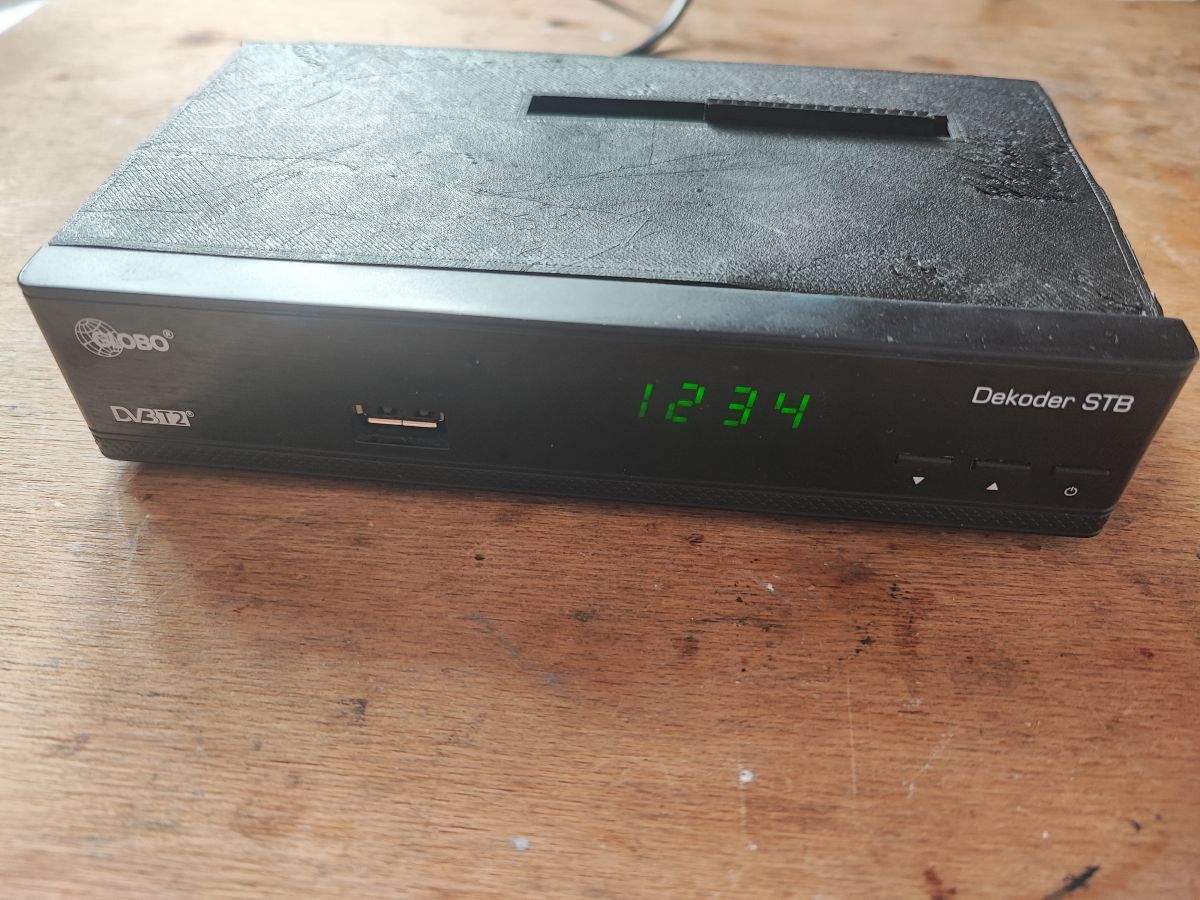
    OpenBeken has been recently ported to LN882H platform, and I have received few such WiFi modules from our readers, so it was a good time to think about some kind of "dev board" for this new Lighting Semi platform. The modules I received were unfortunatelly not in TYWE3S/ESP12 format, so I was not able to just place them on NodeMCU, that's why I decided to take a slightly different path. And that path was.... an old sat tuner "hack"!

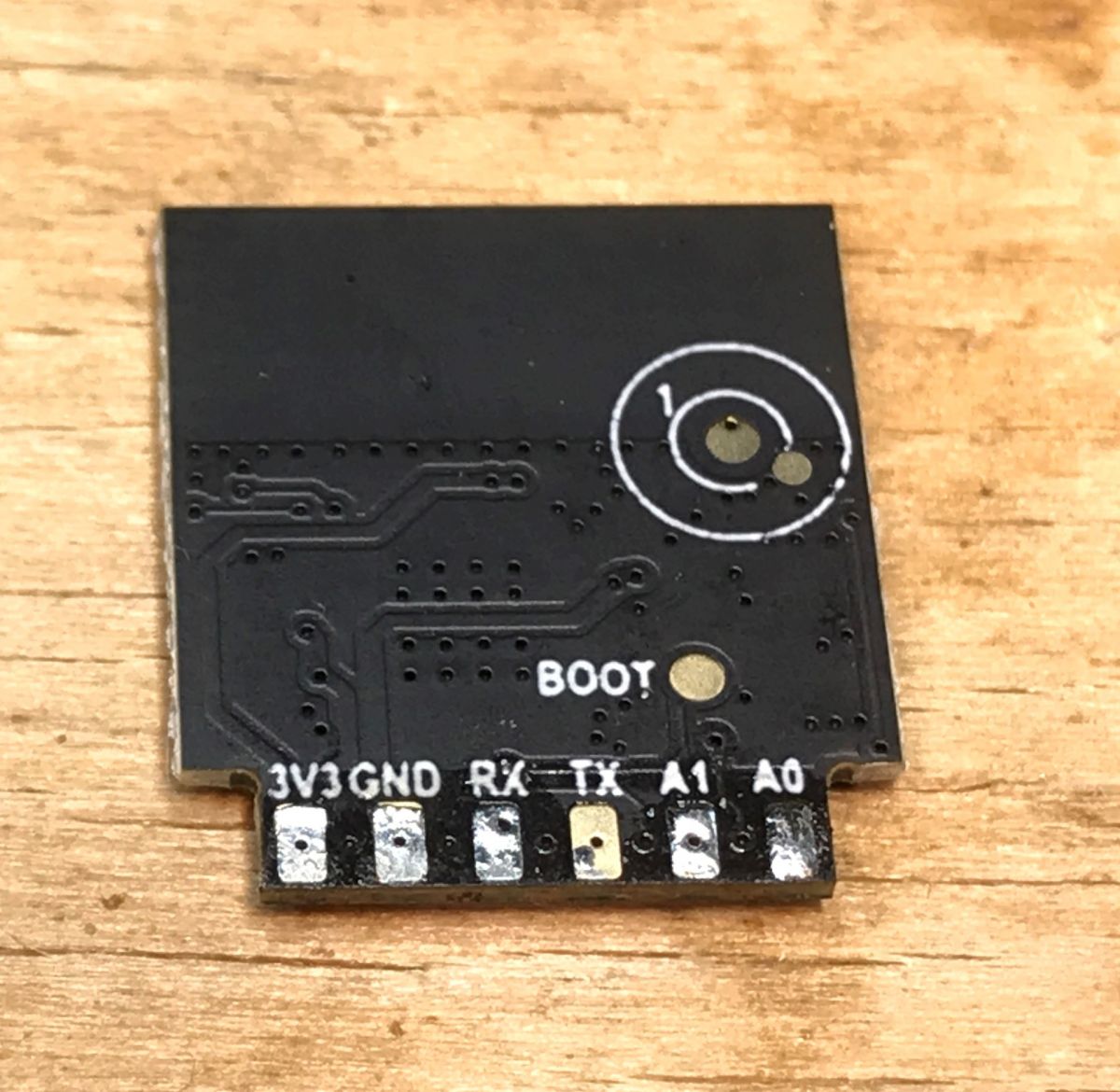
    A typical LN882H module looks somewhat like this:
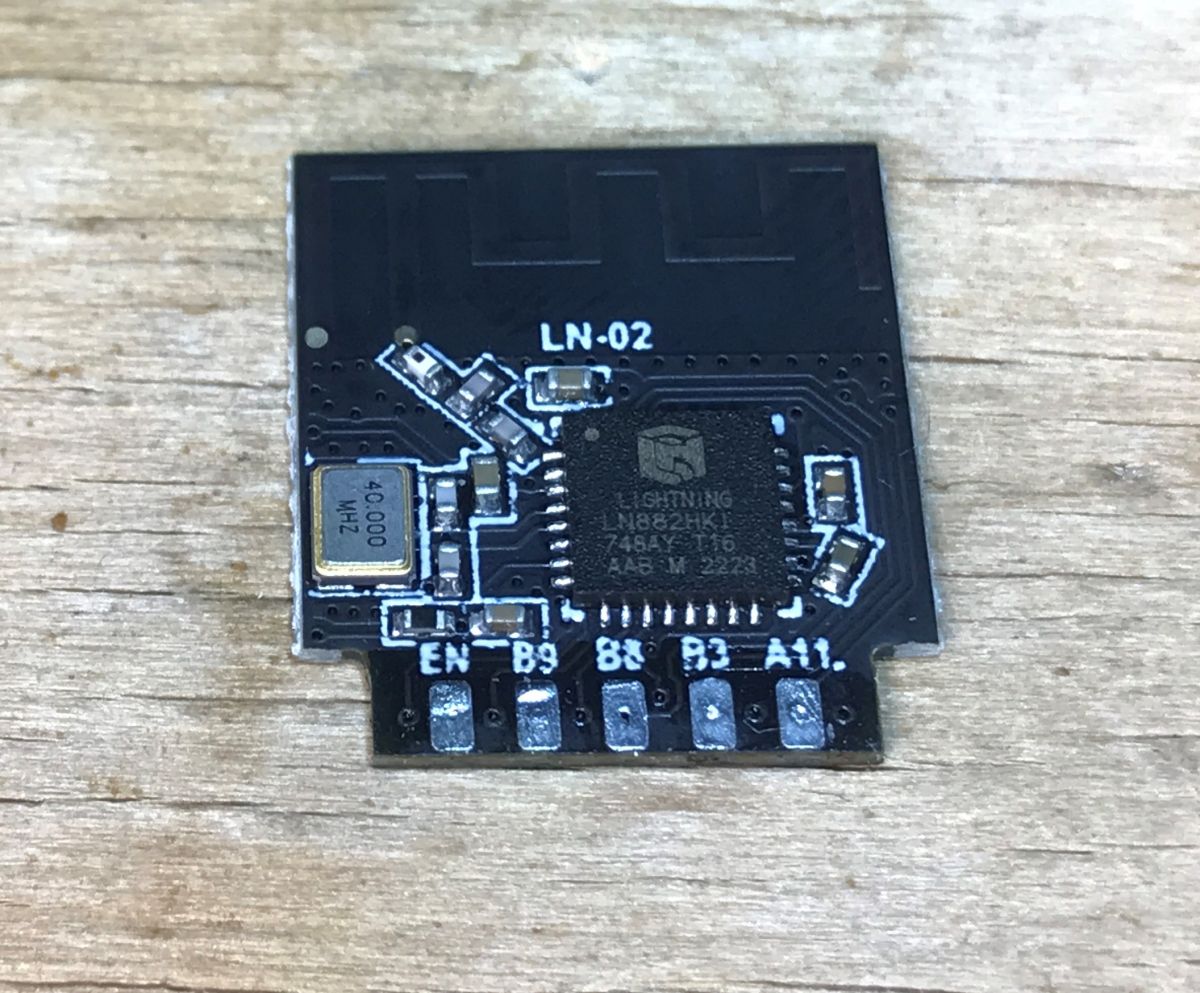
    WiFi module with Lightning LN882H chip on a wooden surface. LN882H module with visible pads and pin labels.
    It requires only 3.3V to work, but for ease of development purposes, some extra peripherals like buttons can be also useful.
    That's why I decided to use old sat tuner, the one that I have already described in the past, see related topics:
    Running the HD2015 display/button controller after reverse engineering, comparison with TM1650
    Salae 24MHz logic analyzer for 10$ - analysis of an unknown LED display protocol

    My first step was to remove the not needed parts - I have removed RF and HDMI circuits. SCART will be also removed soon:
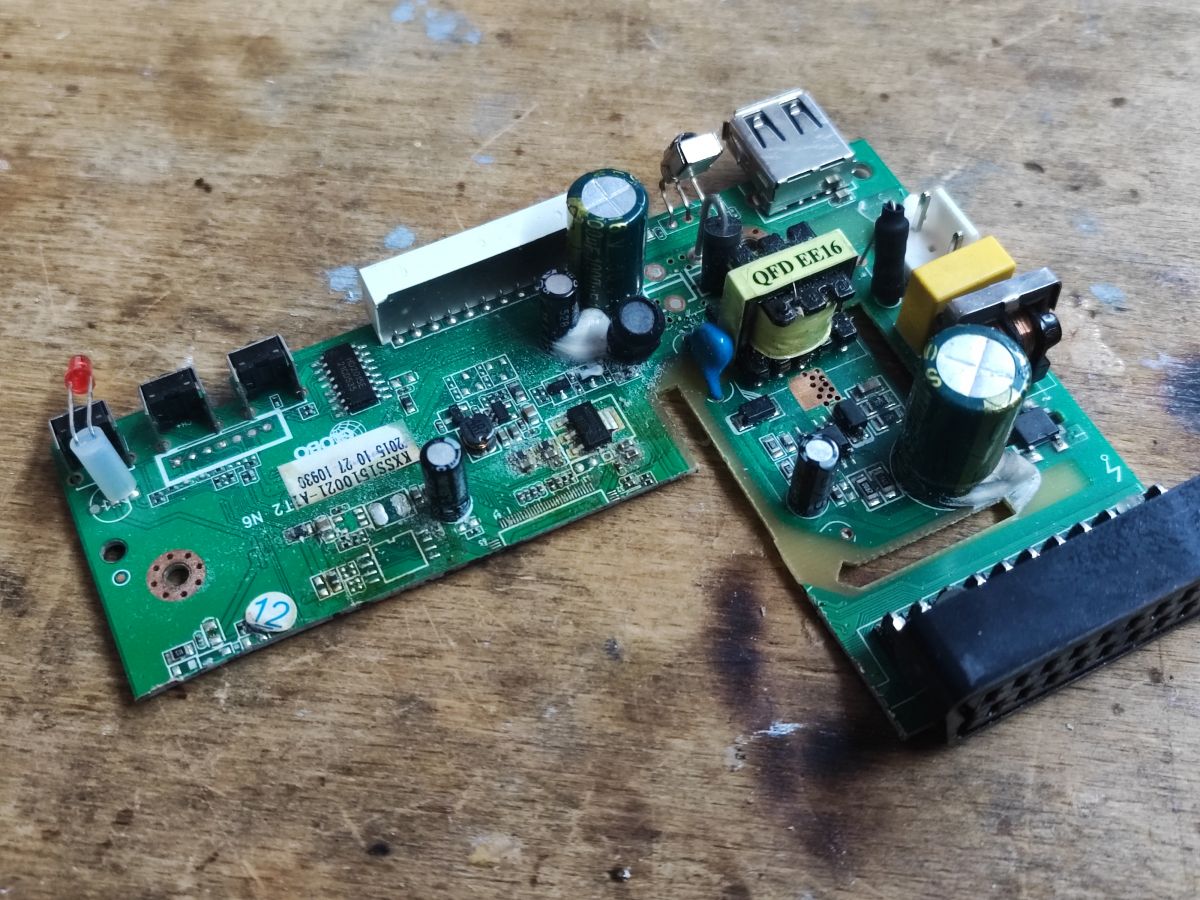
    Two pieces of a modified circuit board on a wooden table.
    I have also removed the old MCU.
    Then I checked if the board is still working. Of course, 3.3V is still present. This is good, because 3.3V willbe needed for WiFi module.
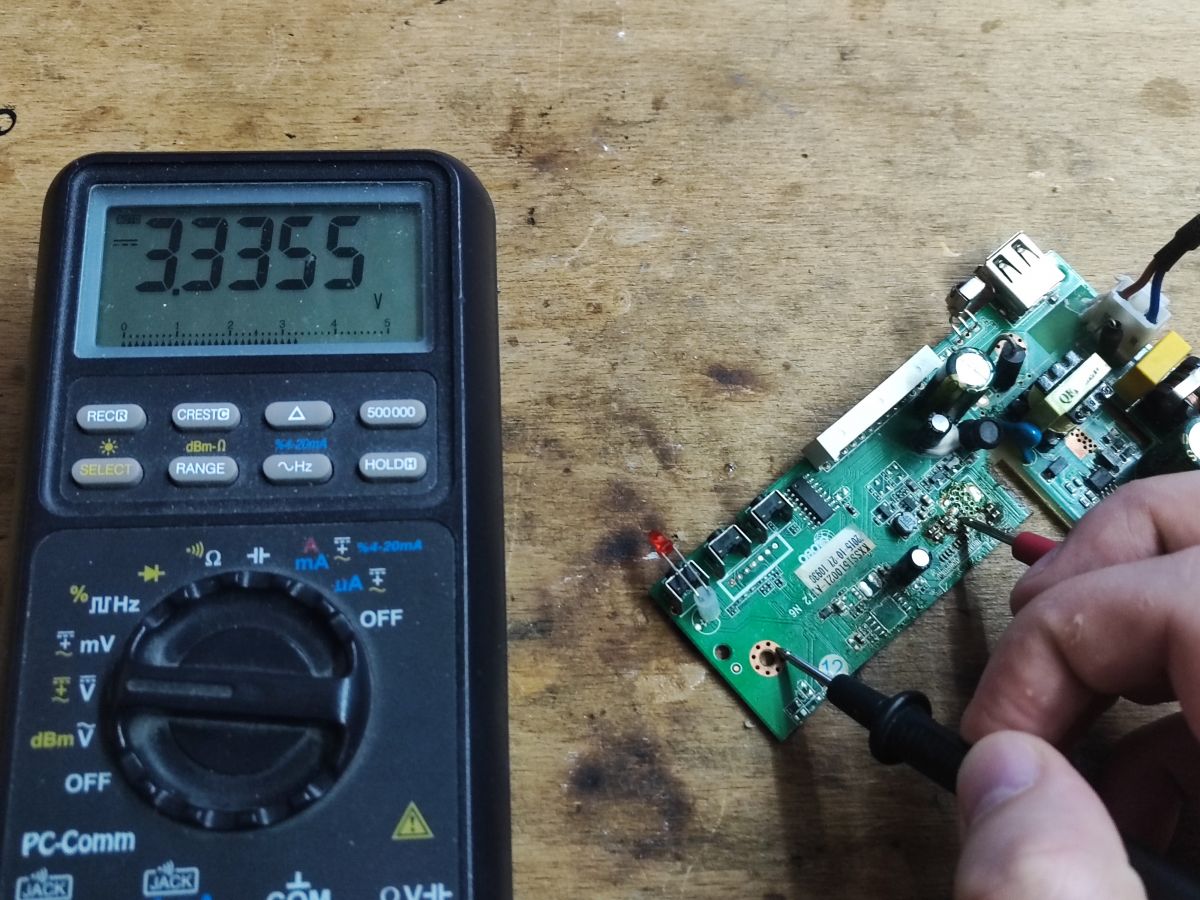
    Voltmeter and circuit board during voltage measurement
    Cutting board is messy and may introduce some shorts, so extra caution is needed. I have also cleaned the board after desoldering.
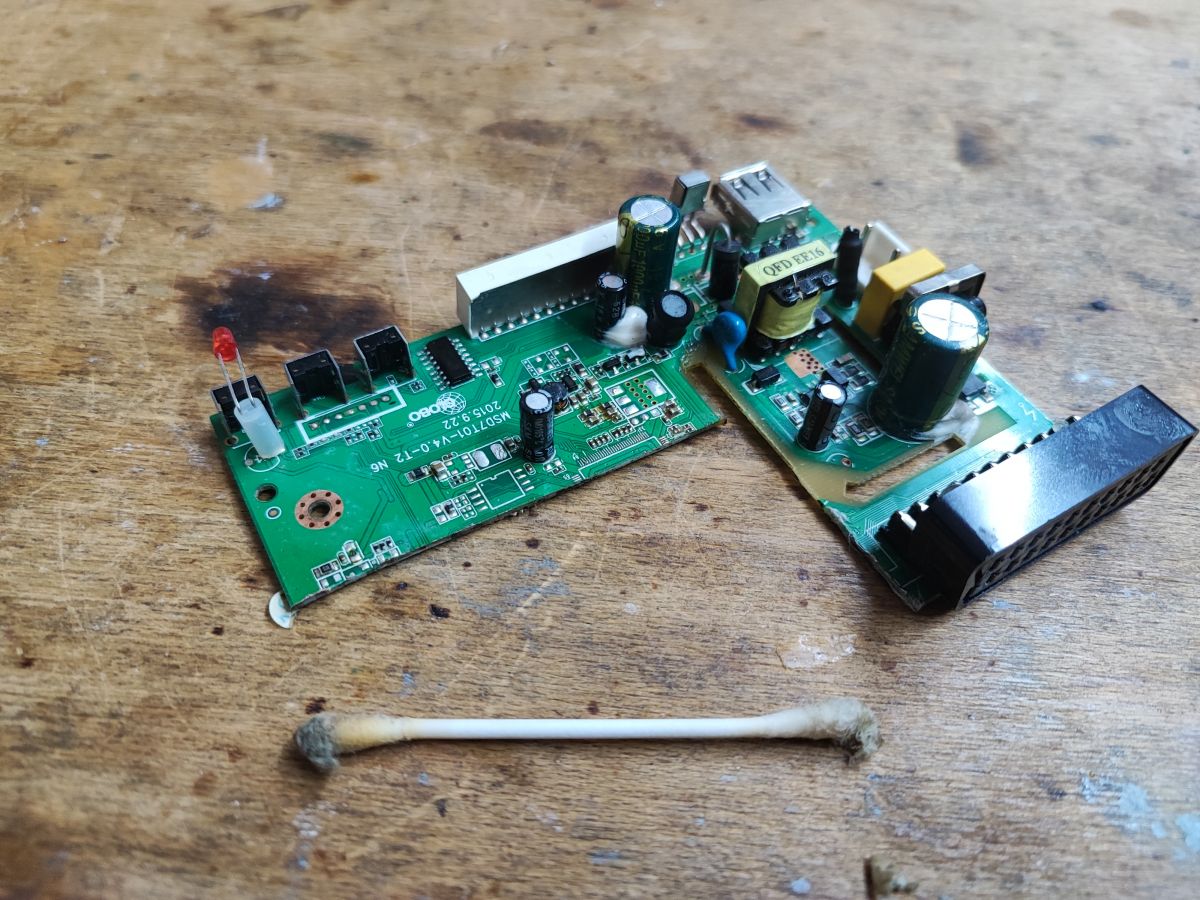
    Dismantled and modified satellite tuner board on a wooden table, with several removed components and the SCART removed.
    Finally, it was the time for some soldering. This step requires some patience. You also must be extra careful to avoid misconnecting the wires.
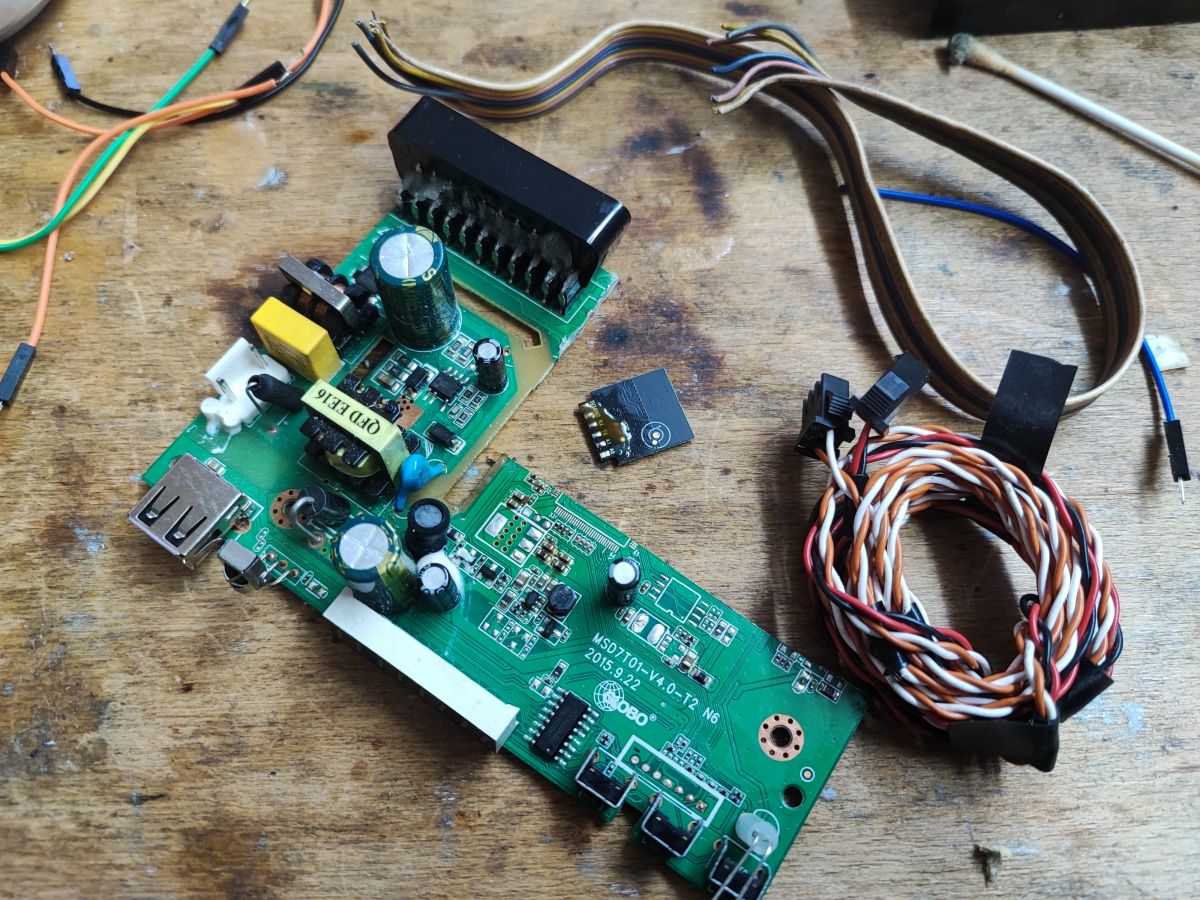
    Modified satellite tuner board with electronic components and cables.
    In my case, I decided to connect GND and 3.3V to the pads of old 1.8V LDO regulator, which I removed earlier. The 3.3V on this board comes from a step down converter, and step down is fed by 5V from main-powered flyback power supply.
    So, soldering time:
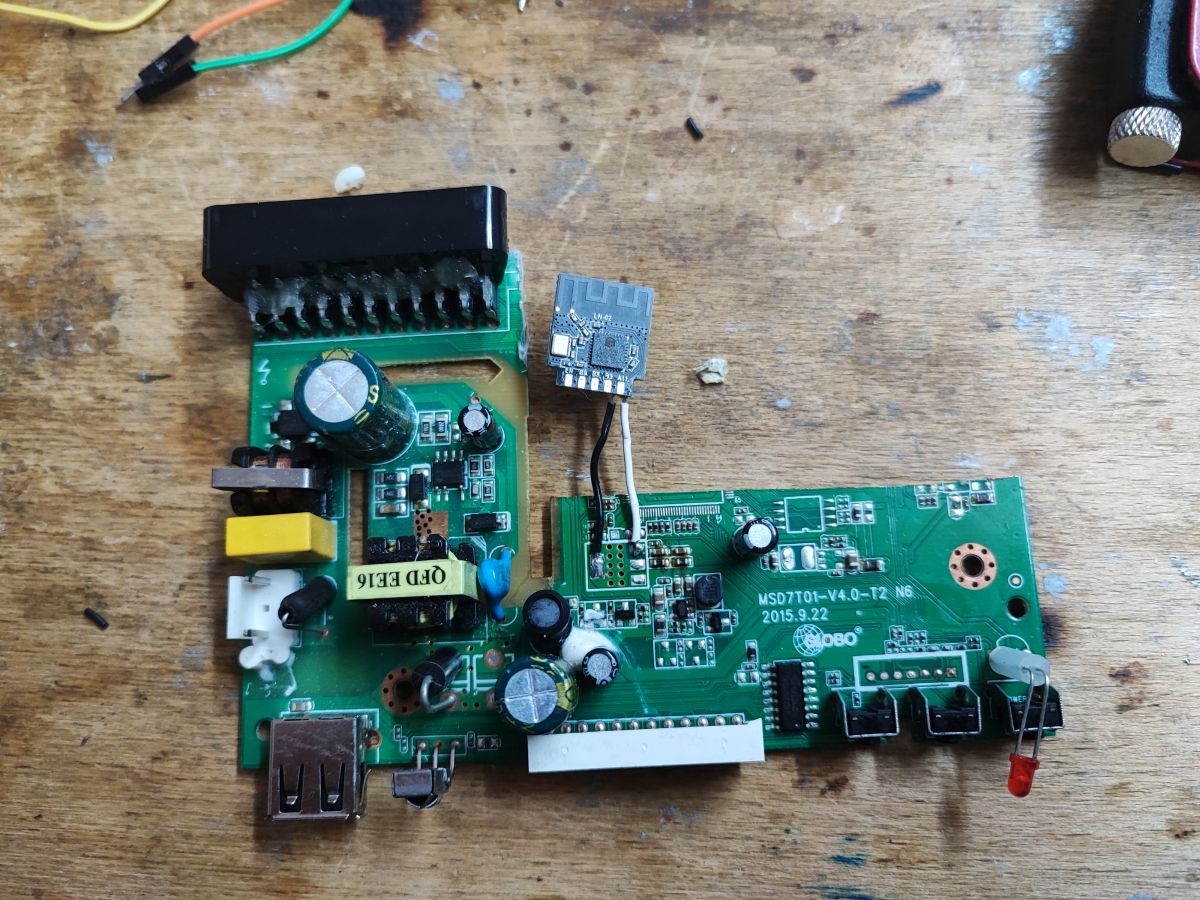
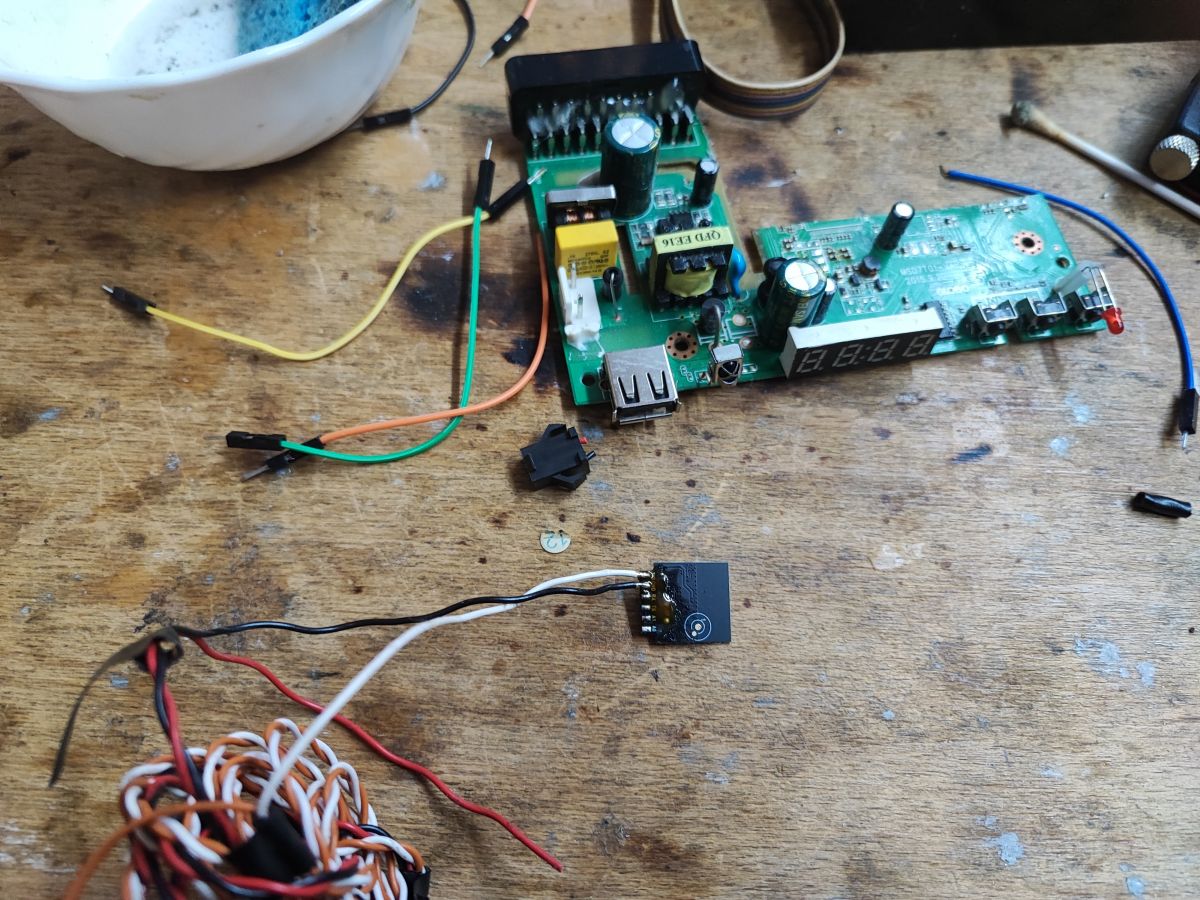
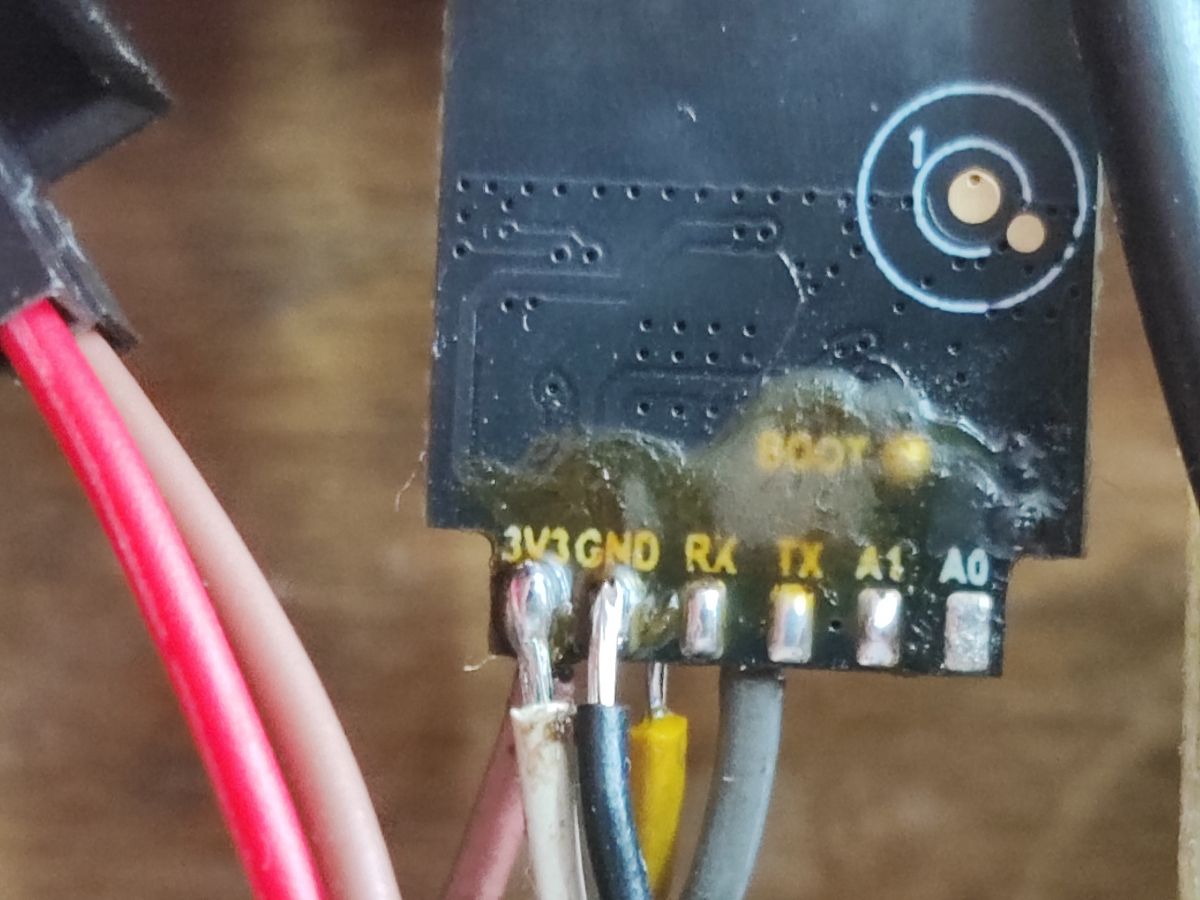
    Circuit board with soldered LN882H module and wires on a wooden table. Electronic board with soldered wires on a wooden table.
    Using wire colors can help to remember their roles, white is 3.3V, black is ground.
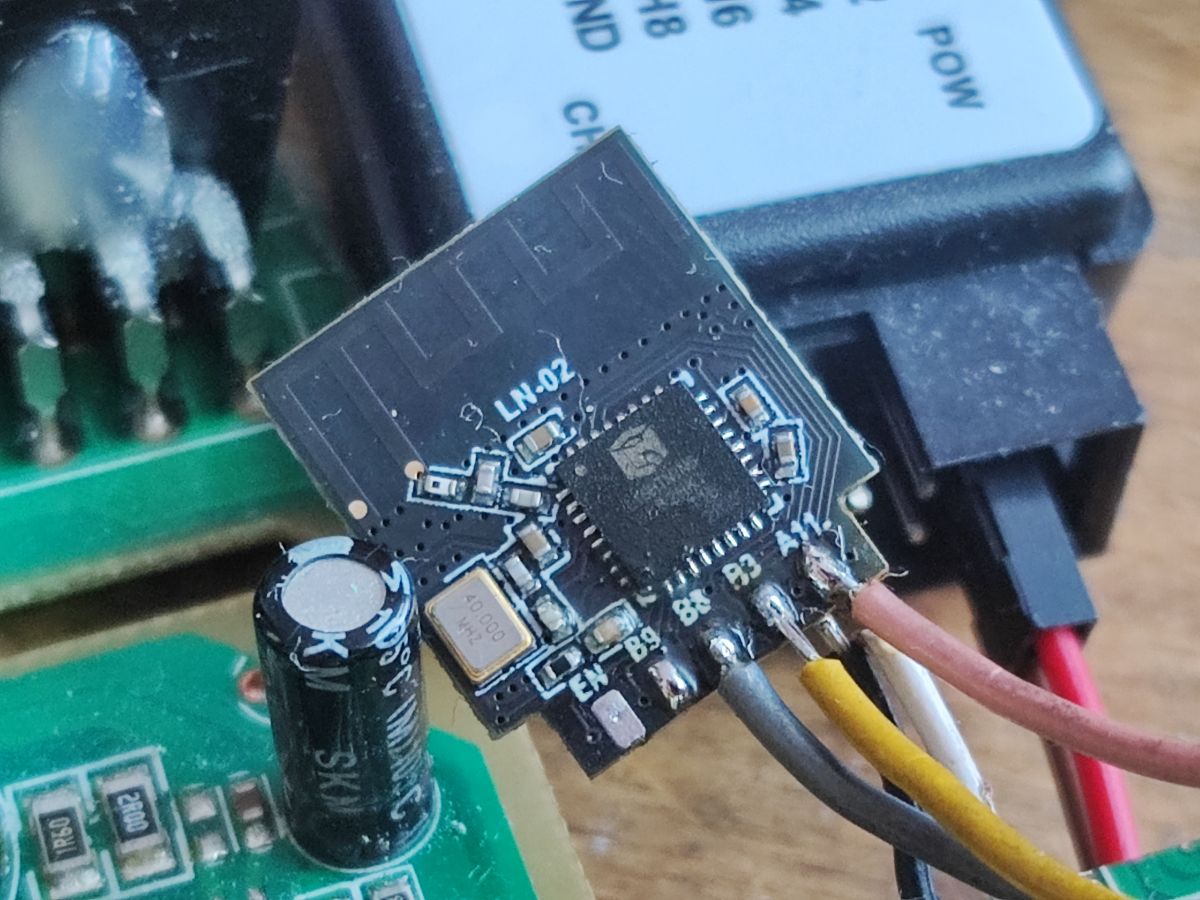
    Then I soldered wires to HD2015 7-segment LED display controller, which is already supported by OpenBeken:
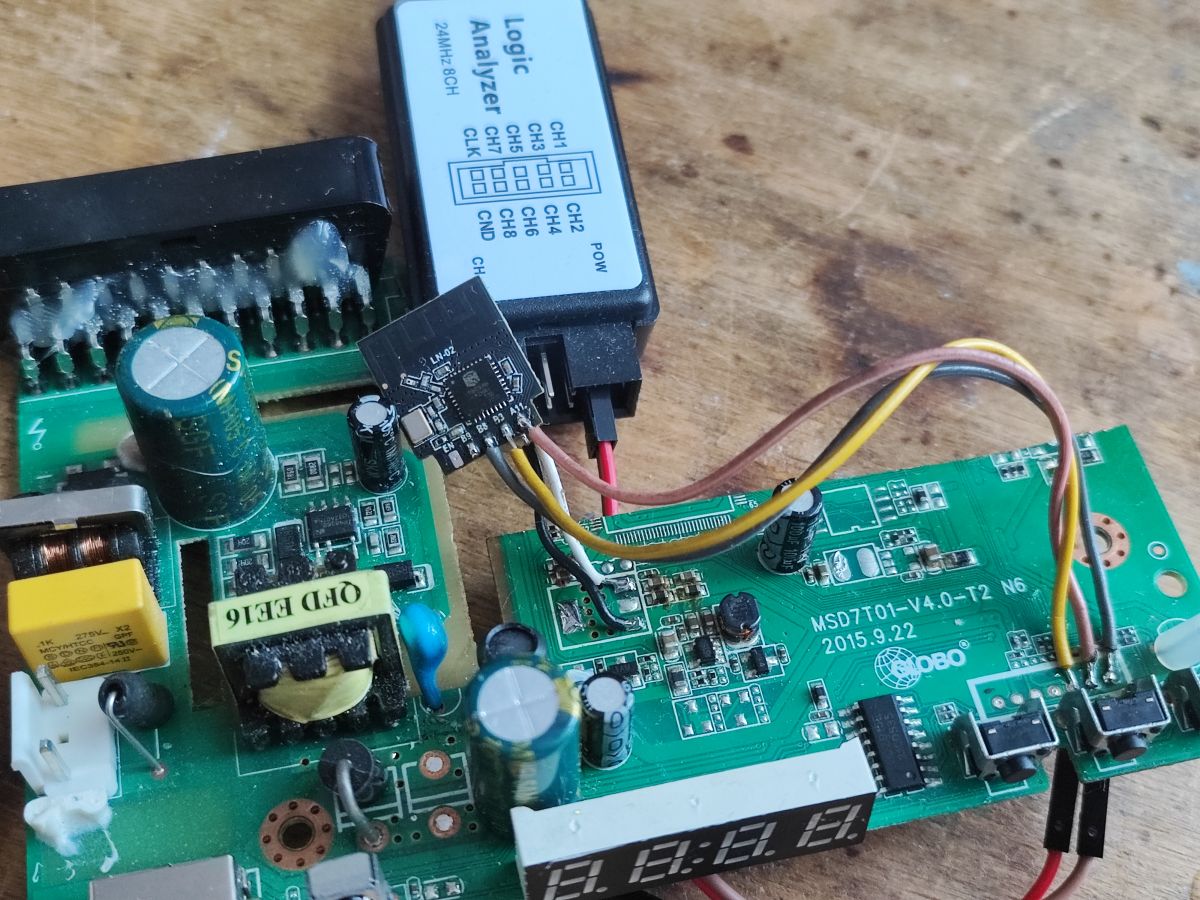
    Photo of a modified board with LN882H WiFi module and LED display Close-up of an LN882H WiFi module connected to a circuit board with wires. Close-up of a circuit board with soldered wires.
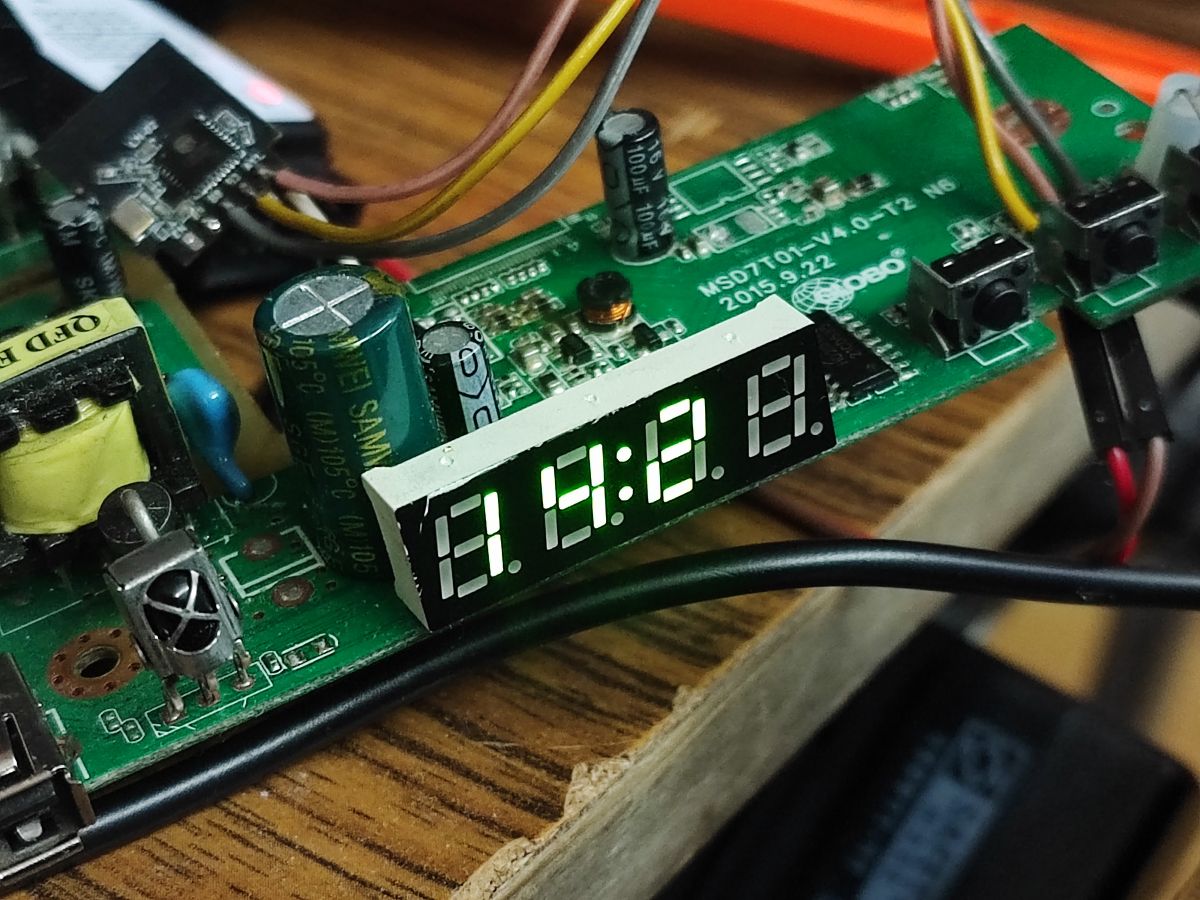
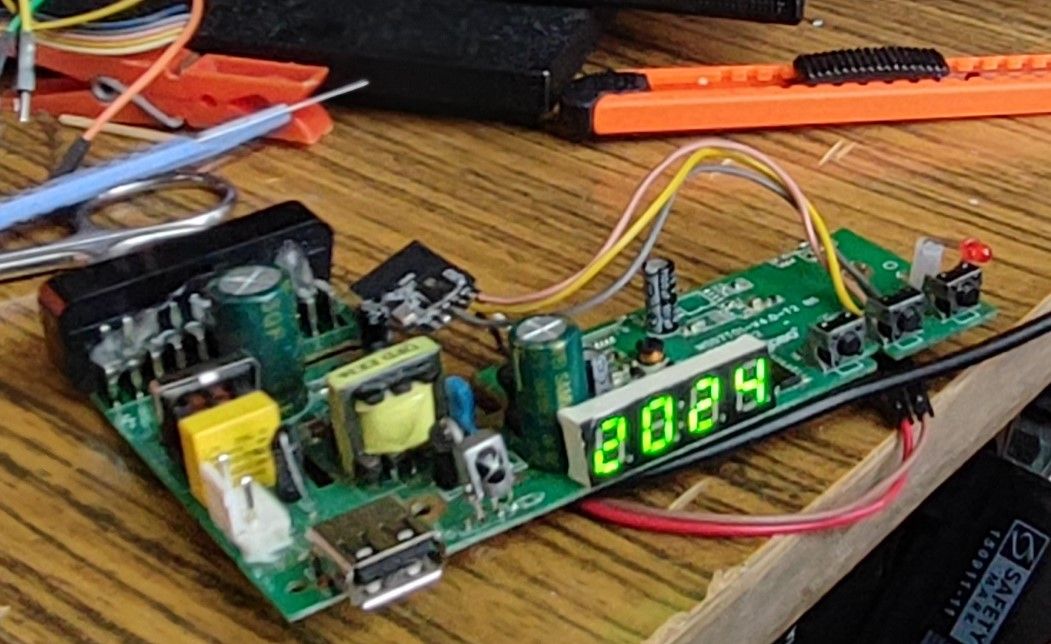
    A quick test (after enabling necessary driver in OBK online build) has shown that it indeed works quite well:
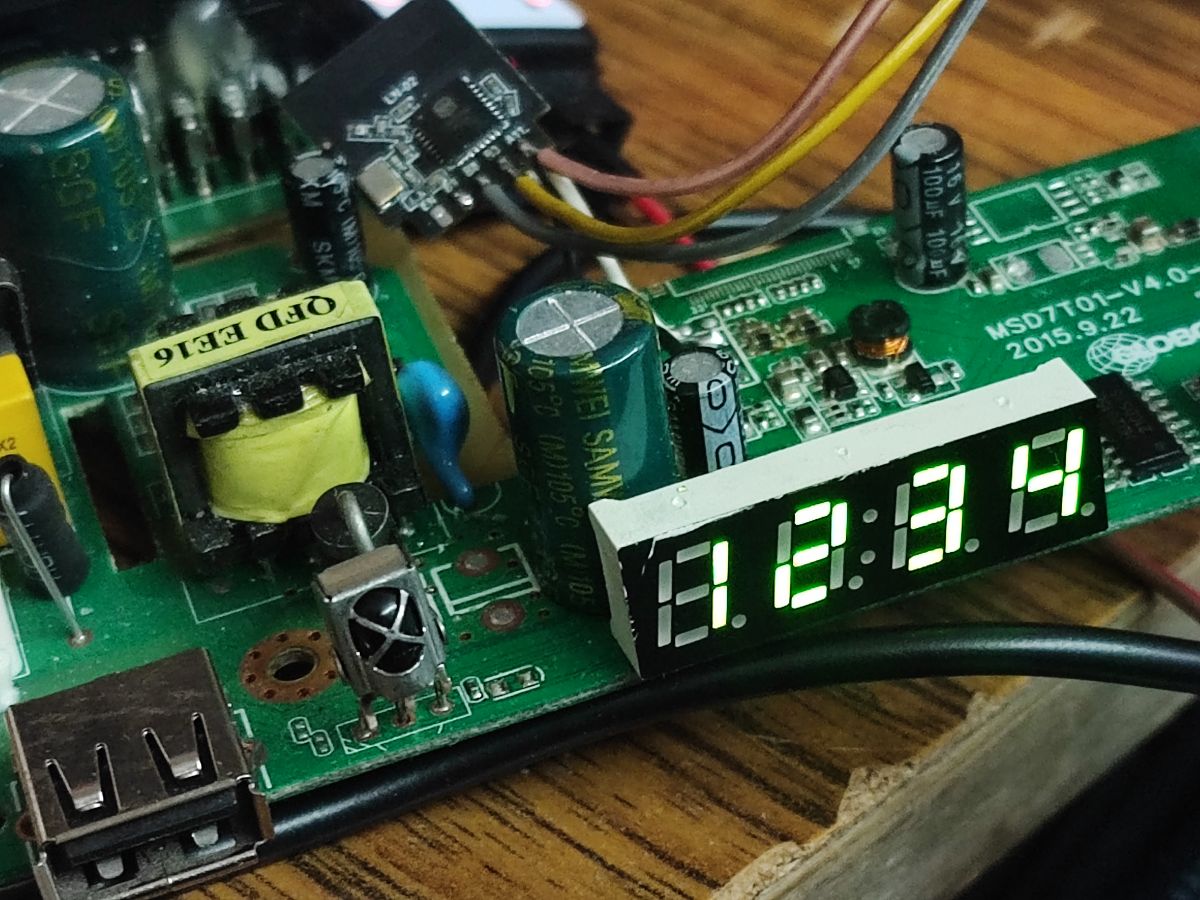
    Modified satellite tuner board with a connected LED display. Board with LED display and electronic components
    OBK provides an united "TMGN" driver for such displays, that can draw numbers and some letters:
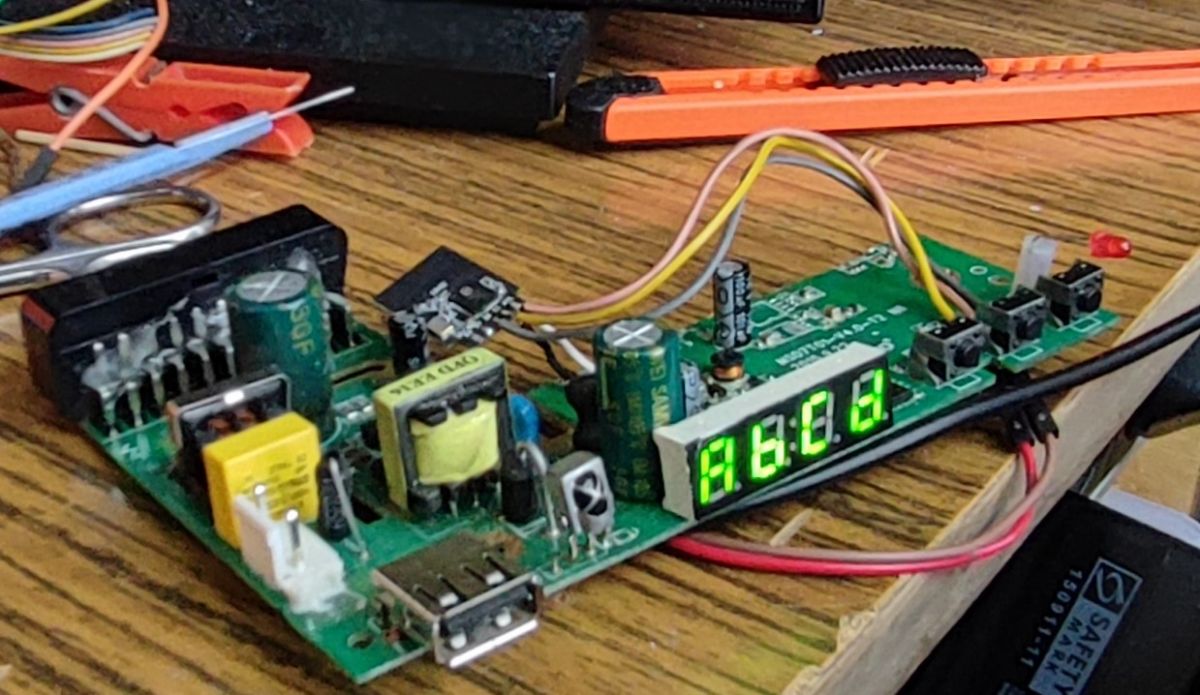
    Modified old satellite tuner with an LED display. Modified satellite tuner with LED display.
    Display works, so it's time for the next part.
    I have decided to also connect the IR receiver and extra LED, which is not controlled by HD2015:
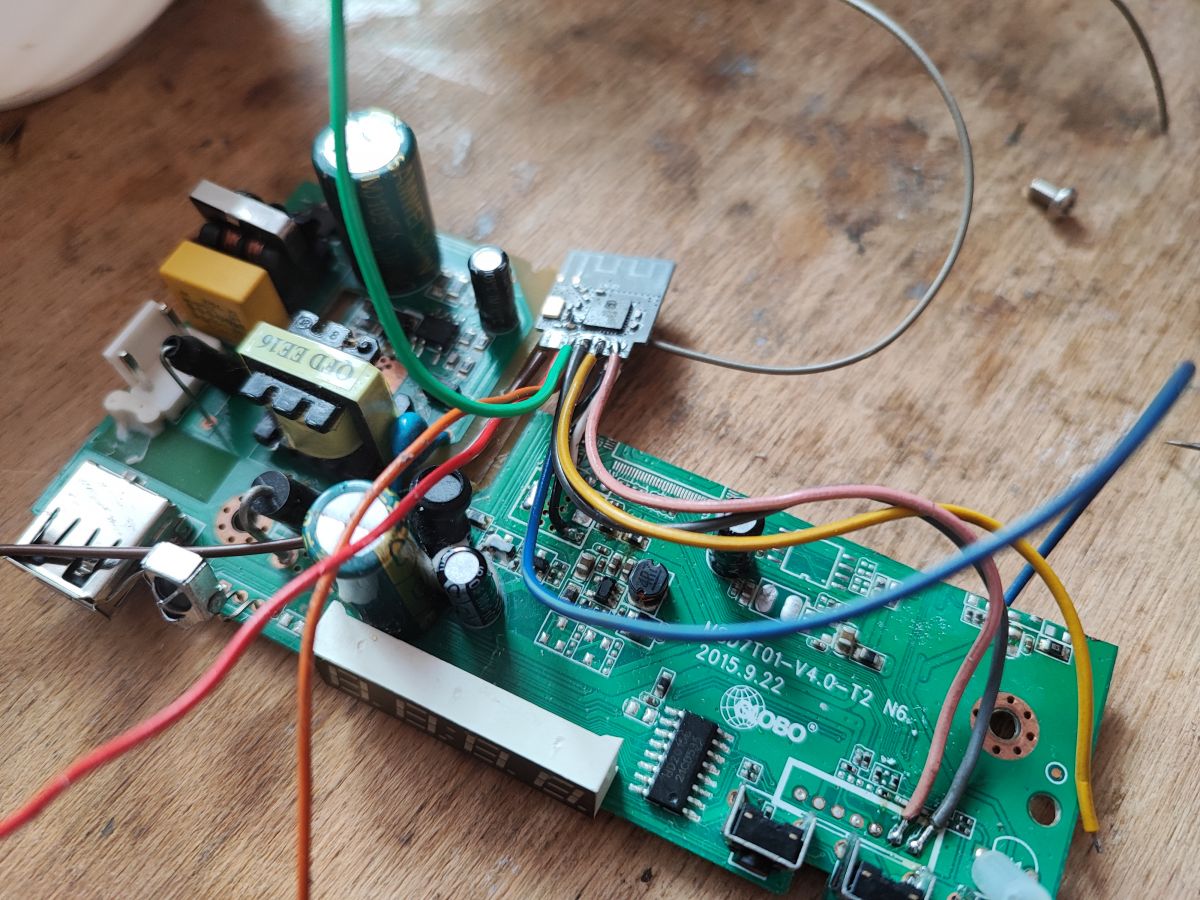
    Circuit board with wires connected at various points.
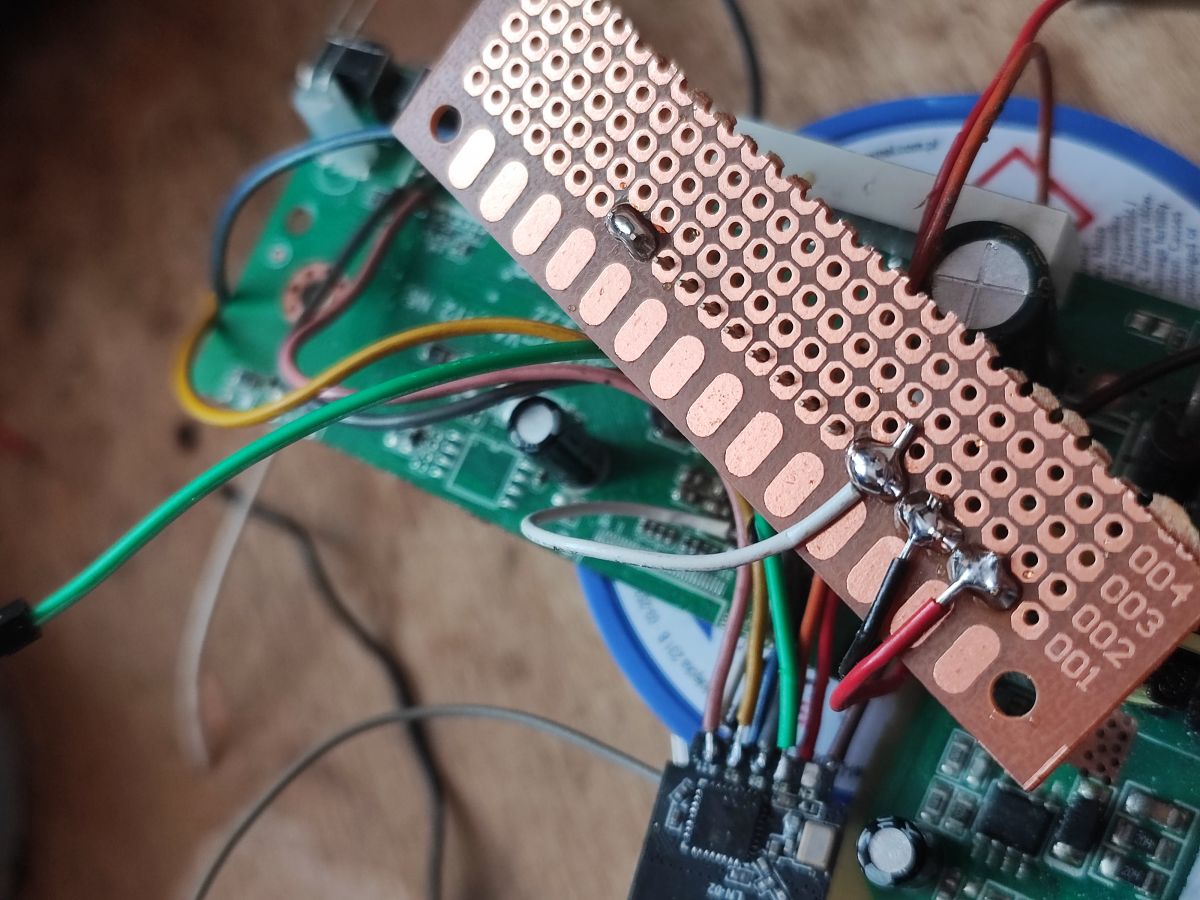
    Finally, I have routed the remaining pins out, to the female goldpin header:
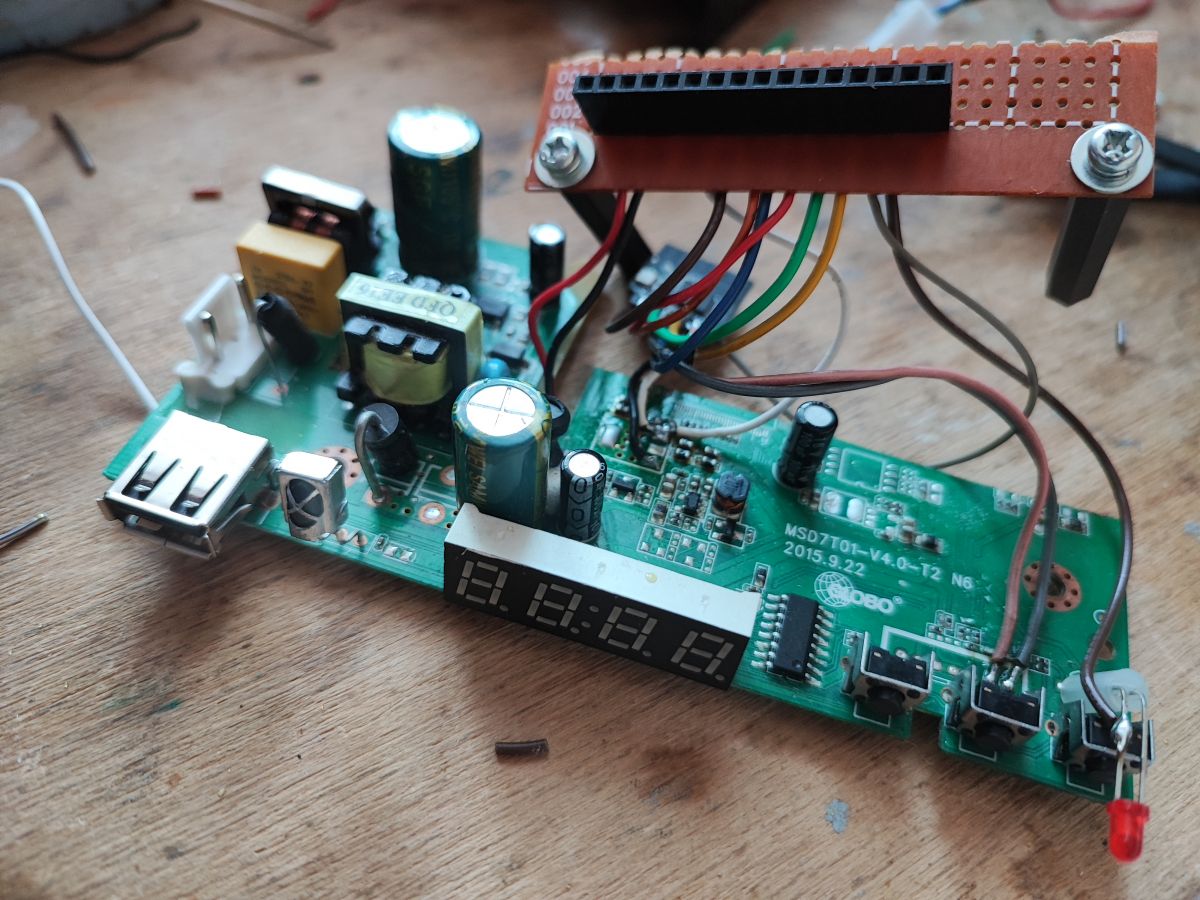
    Circuit board with attached wires, LED display, and USB port. Printed circuit board with soldered wires
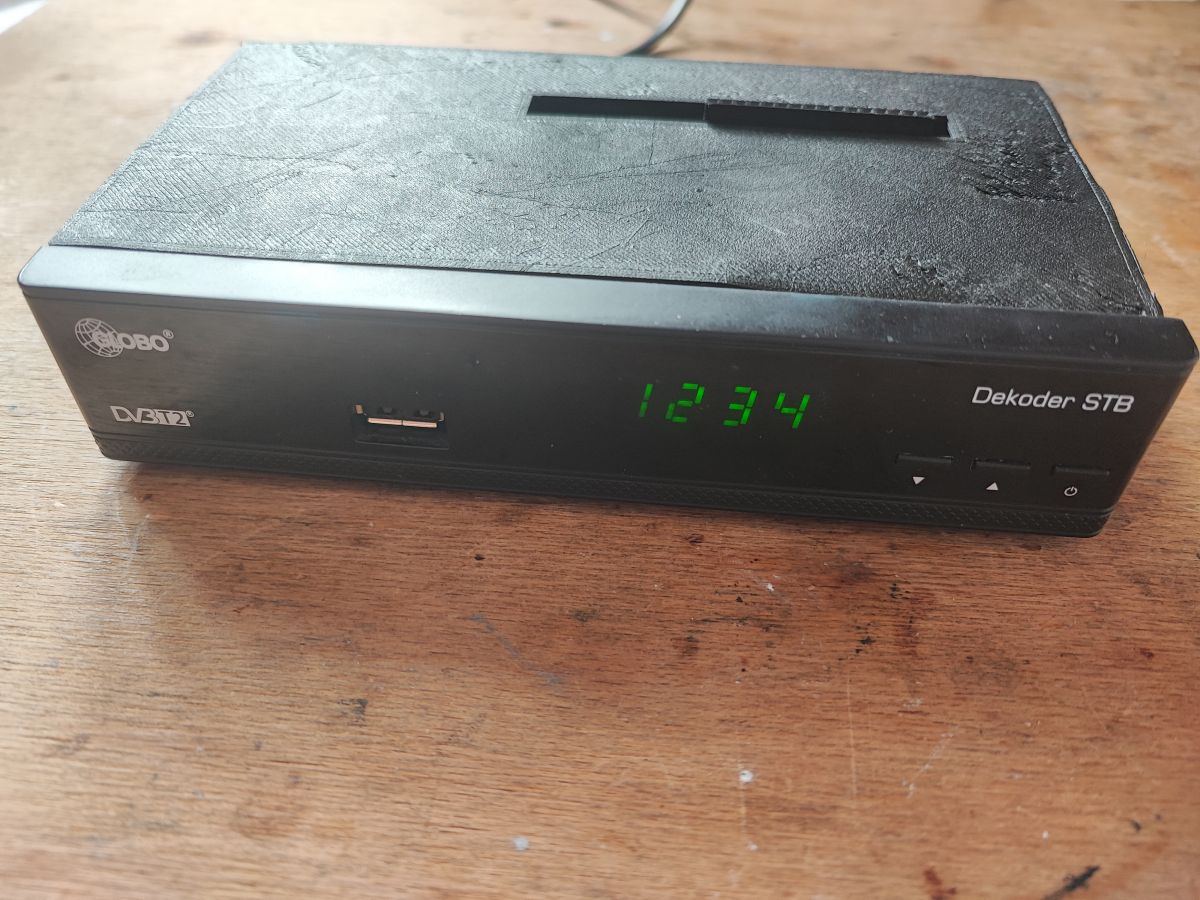
    The last thing was to put everything together in the case. I couldn't use metal cover, it could have reduced the WiFi range. Futhermore it would be hard to cut that. That's why I have printed a replacement:
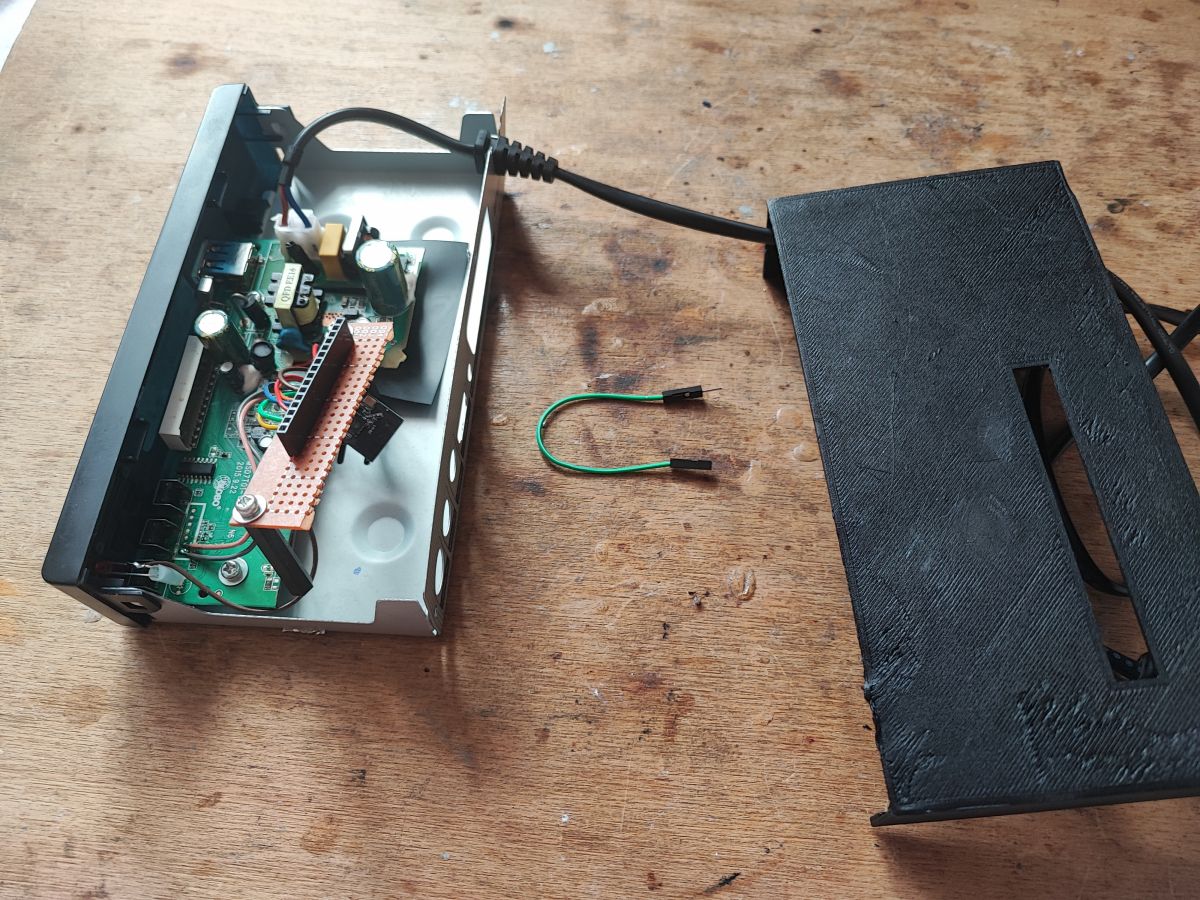
    Open case of a modified satellite tuner with visible circuit board and wiring on a workbench.
    Satellite tuner with a green display showing the numbers 1234.
    Of course, I have written down the GPIO of my new "dev board":
    
    5V
    5V
    GND
    GND
    3.3V
    3.3V
    A0
    TX
    RX
    A1
    B9
    B3
    BOOT
    LED
    GND
    GND
    

    As you can see, all necessary flashing signals are routed out, but still, they should not be required. OTA works good on OpenLN882H. I have also routed out power (both 3.3V and 5V) and ground wires, and some of the GPIO.

    I have already made some experiments with my new "dev board" and it works very well. Now I can easily test OpenLN882H, connect sensors like DHT11, BME280, shift registers, relays, potentiometers and much more. This is certainly more handy than just a bare TYWE2S-form module with no peripherals at all... and of course - it's possible to easily pair it with Home Assistant, thanks to OBK channels system.

    Soon I may try to make some sample projects on that. Do you have any ideas what should I make? This display could be very useful...

    Cool? Ranking DIY
    Helpful post? Buy me a coffee.

    About Author
    p.kaczmarek2
    Moderator Smart Home
    Offline 
    p.kaczmarek2 wrote 14348 posts with rating 12259, helped 649 times. Been with us since 2014 year.
  • ADVERTISEMENT
  • #2 21138995
    Anonymous
    Level 1  
  • #3 21139016
    p.kaczmarek2
    Moderator Smart Home
    You can also do the same with an Arduino, for example. You take an old piece of hardware, check how it works, and often it's not only the power supply that comes in handy, but also the display, buttons or there IR receiver, etc.
    Here I did a similar idea but just on an Arduino:
    7 segment tuner display, running from Arduino, sliding register .
    Helpful post? Buy me a coffee.
📢 Listen (AI):

FAQ

TL;DR: Re-using a satellite tuner board turns scrap into a $0 dev-kit: one user reused 100 % of the original 3.3 V rail and saved about €15 on a commercial breakout [Elektroda, p.kaczmarek2, post #21137975] “Display works” [Elektroda, p.kaczmarek2, post #21137975] OBK OTA flash avoids manual wiring.

Why it matters: You can prototype LN882H Wi-Fi projects fast, cheap and eco-friendly.

Quick Facts

• LN882H supply: 3.3 V ±5 % [Elektroda, p.kaczmarek2, post #21137975] • Board reuses tuner PSU delivering 5 V→3.3 V buck stage [Elektroda, p.kaczmarek2, post #21137975] • HD2015 7-segment controller already supported by OpenBeken 1.18+ [OBK Docs] • 24 MHz logic analyser clone costs ≈ US$10 [Elektroda, p.kaczmarek2, post #21137975] • Printed ABS cover avoids up to −40 % Wi-Fi loss seen with metal lids [Elektroda, p.kaczmarek2, post #21137975]

Why repurpose a satellite tuner PCB instead of buying a dev-kit?

The tuner already provides a regulated 3.3 V rail, buttons, IR receiver and a 7-segment display, eliminating extra breakout costs (~€15) and reducing e-waste [Elektroda, p.kaczmarek2, post #21137975]

Which power rails do I need to expose?

Route 5 V (for buck), 3.3 V (for LN882H and peripherals) and GND. The author soldered white wires to 3.3 V and black to GND pads of a removed 1.8 V LDO for clarity [Elektroda, p.kaczmarek2, post #21137975]

How do I connect the HD2015 display driver?

Solder CLK, DAT and STB lines from HD2015 to any free GPIO; OpenBeken’s unified “TMGN” driver then renders digits and some letters [Elektroda, p.kaczmarek2, post #21137975]

What is the quickest way to flash OpenBeken on LN882H?

Use OTA:
  1. Power the module in AP-mode.
  2. Upload the .bin via the OBK web page.
  3. Reboot and verify version. No UART lines are required if OTA is working [Elektroda, p.kaczmarek2, post #21137975]

Which extra peripherals are available on this DIY board?

Routed header exposes A0, A1, B9, B3, BOOT, an on-board LED, 5 V, 3.3 V and GND, plus the IR receiver line [Elektroda, p.kaczmarek2, post #21137975]

What tools and materials are essential?

You need a fine-tip soldering iron, flux, multimeter, side-cutters, scrap wire, 24 MHz logic analyser clone (≈ US$10) for signal tracing and a 3D printer for a plastic top cover [Elektroda, p.kaczmarek2, post #21137975]

What can go wrong during conversion?

Cutting the PCB can leave conductive debris causing shorts; always clean afterwards. A metal case can cut Wi-Fi range by ~40 % so replace it with plastic [Elektroda, p.kaczmarek2, post #21137975]

Can I do something similar with Arduino?

Yes. The author previously drove the same tuner display using an Arduino and shift registers, showing the method is platform-agnostic [Elektroda, p.kaczmarek2, post #21139016]

How do I attach sensors like BME280?

Use the routed 3.3 V, GND and assign SDA/SCL on free GPIOs. OpenBeken auto-detects I²C sensors; channels appear in Home Assistant after reboot [Elektroda, p.kaczmarek2, post #21137975]
Generated by the language model.
ADVERTISEMENT