logo elektroda
logo elektroda
X
logo elektroda

FTY A9 WiFi Mini Camera 2024 Variant Details and Photos: 1mb Taixin TXW817-810, Black PCB [817_V1.3]

divadiow 2247 26

TL;DR

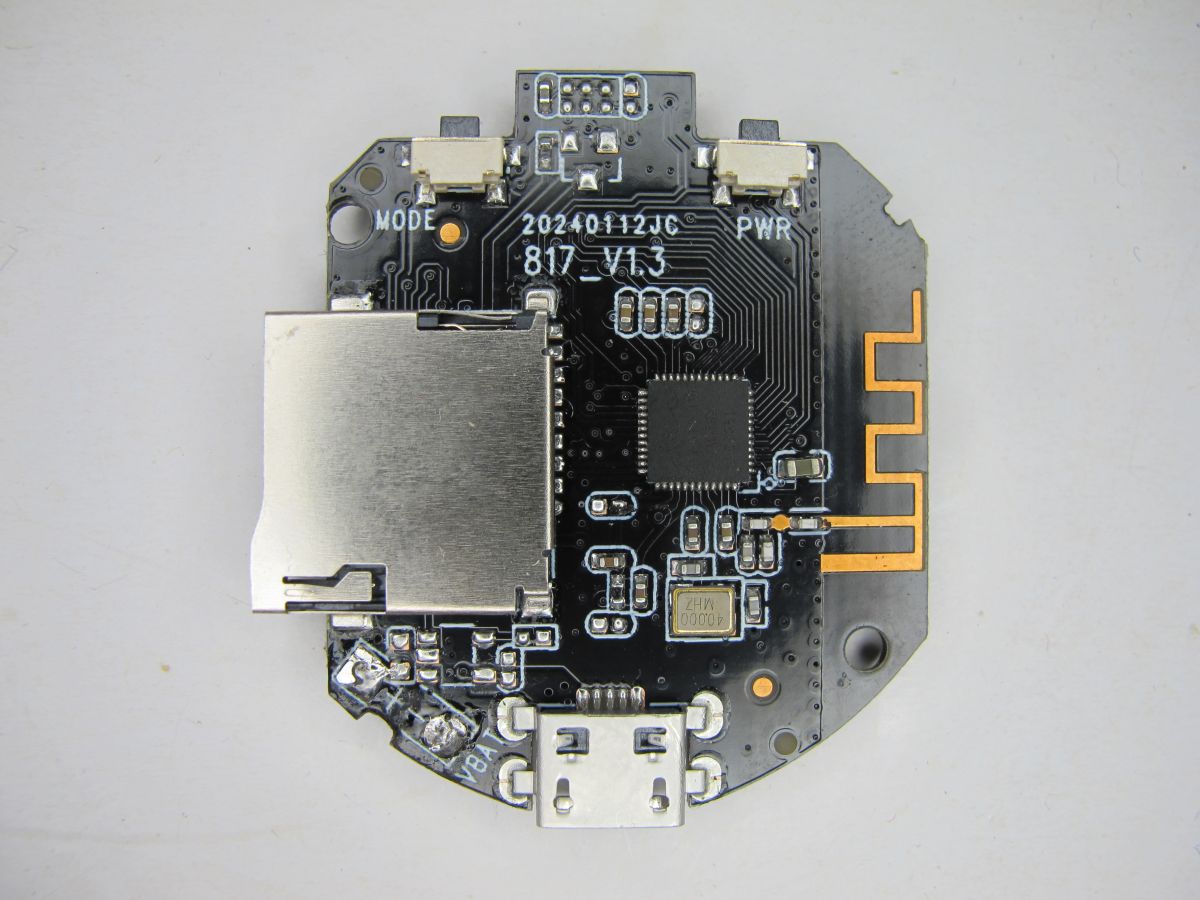
  • A Feb 2024 FTY A9 WiFi Mini Camera variant uses a Taixin TXW817-810 MCU and a black PCB marked 20240112JC 817_V1.3.
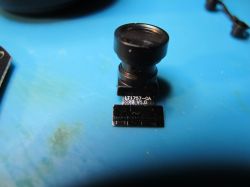
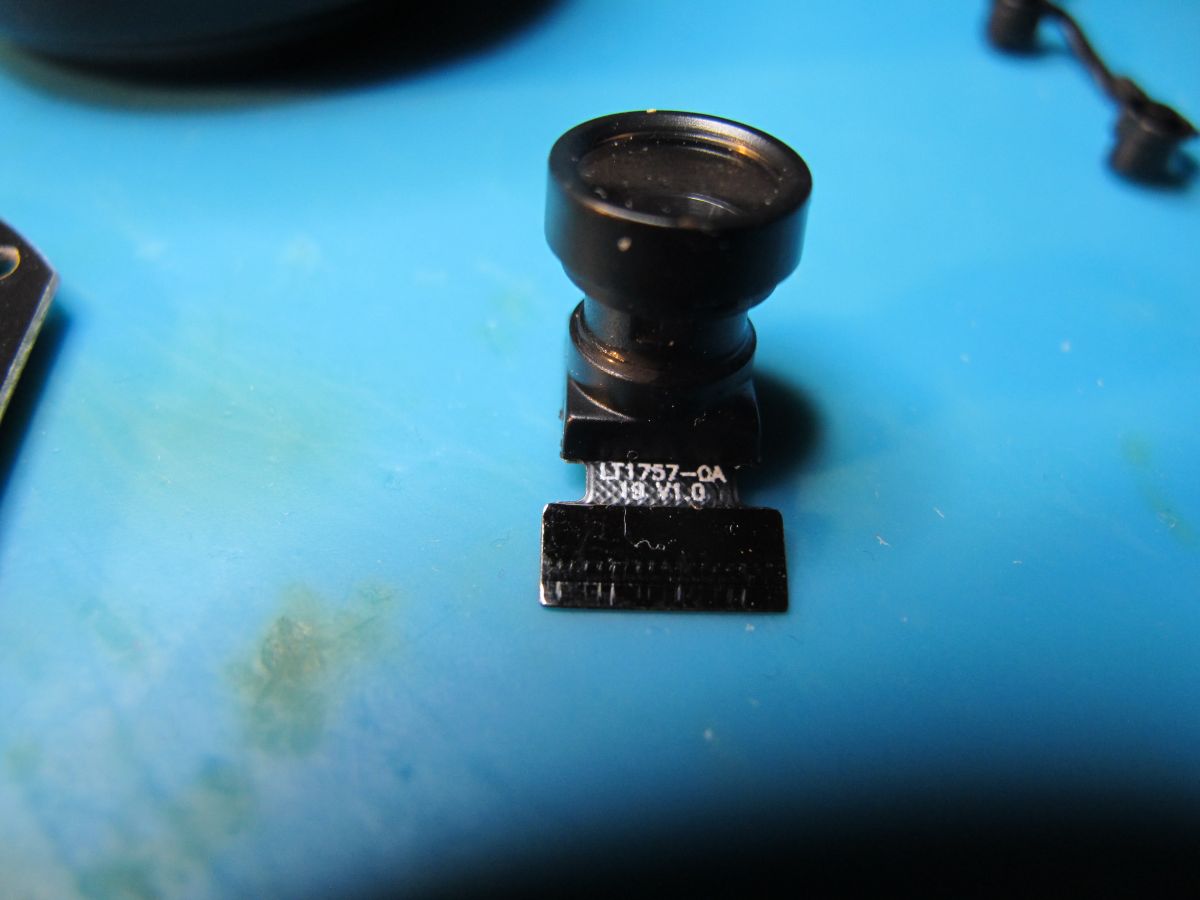
  • Inside, it pairs the QFN48 TXW817-810 with a 640x480 SuperPix SP0A19 sensor, identified as LT1757-OA-10 V1.0.
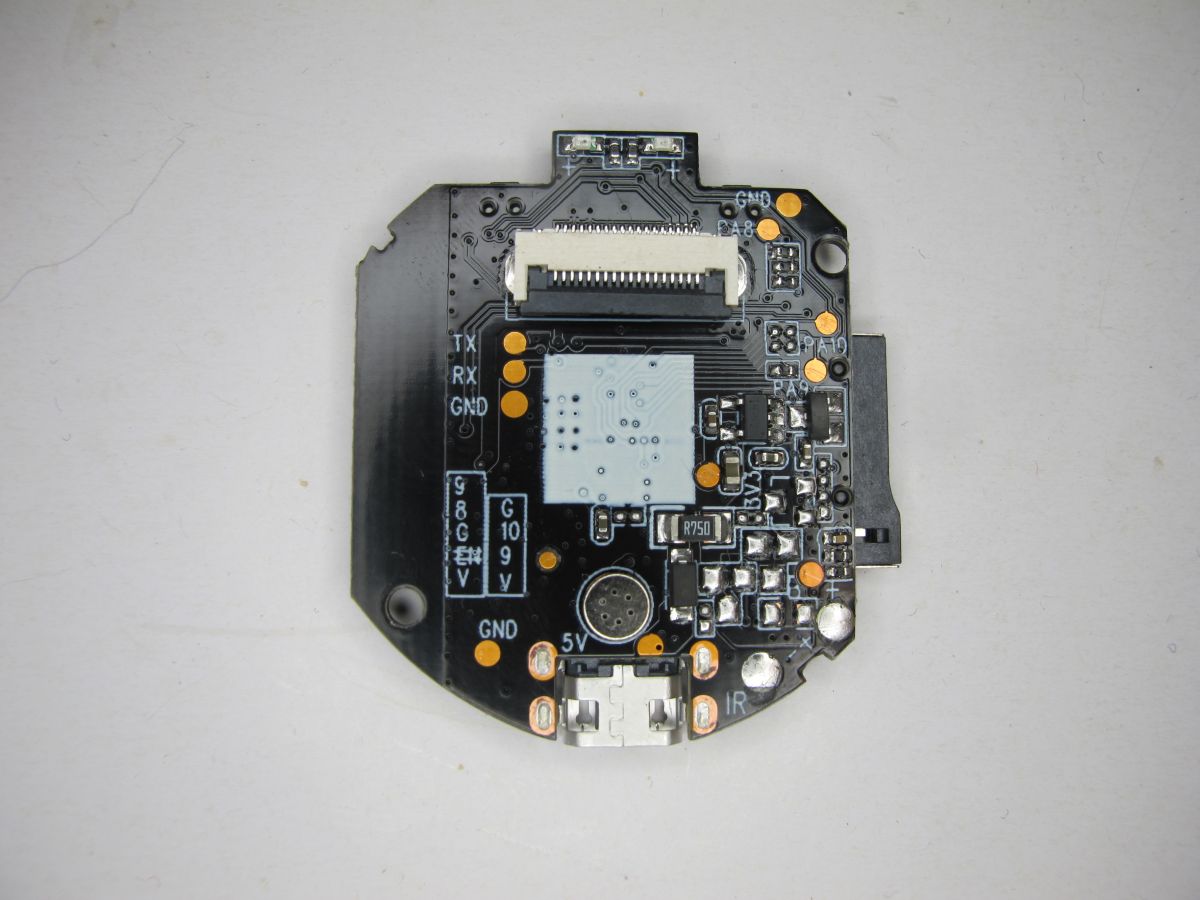
  • DebugIO (PA9) and DebugCLK (PA10) are correctly labelled, enabling a 1 MB firmware backup with C-SKY Flash Programmer.
  • The camera is detected by ftycampro, HD IOT Camera, and YsxLite, and cam-reverse enables local use without cloud.
  • PA10 shares the blue LED, so timing is critical because GPIO switching quickly interrupts the boot-time debug window.
Generated by the language model.
ADVERTISEMENT
📢 Listen (AI):
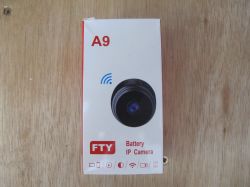
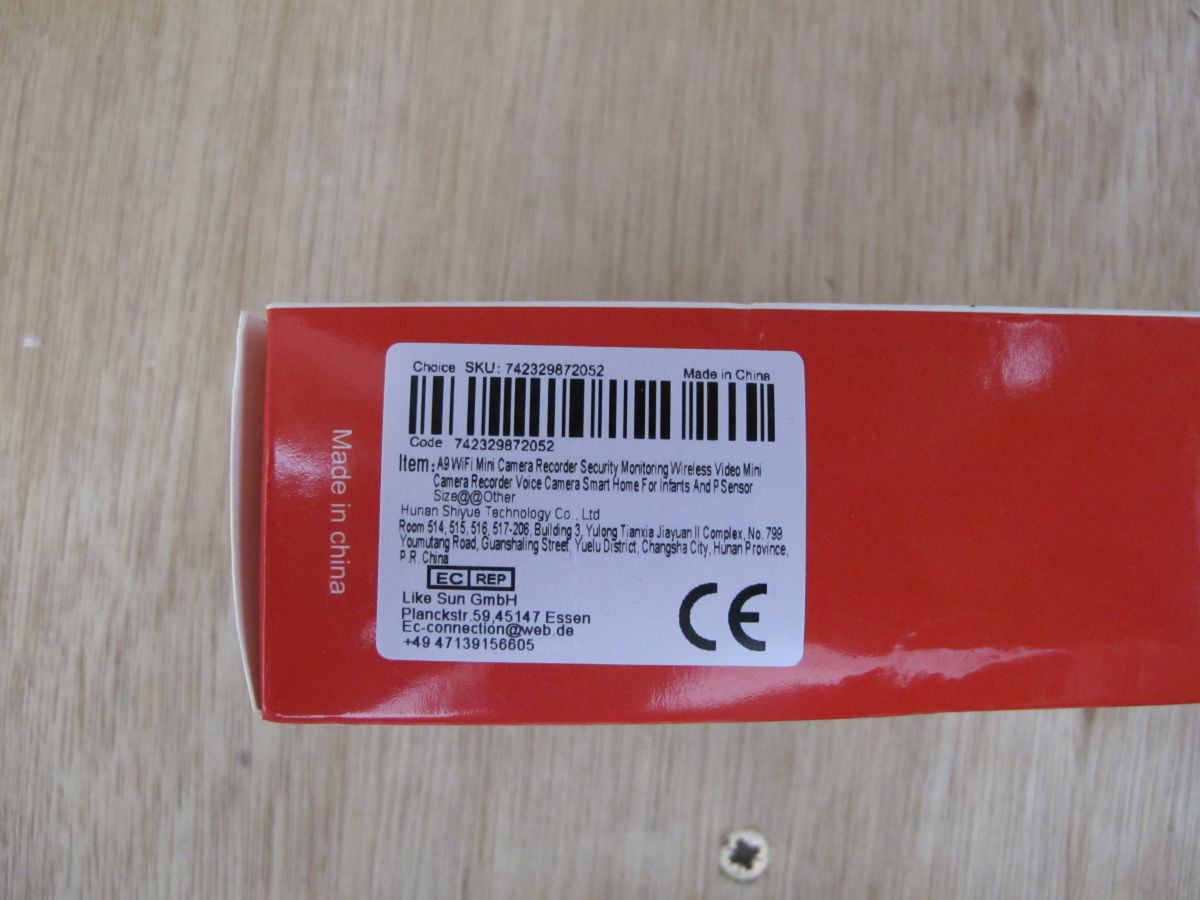
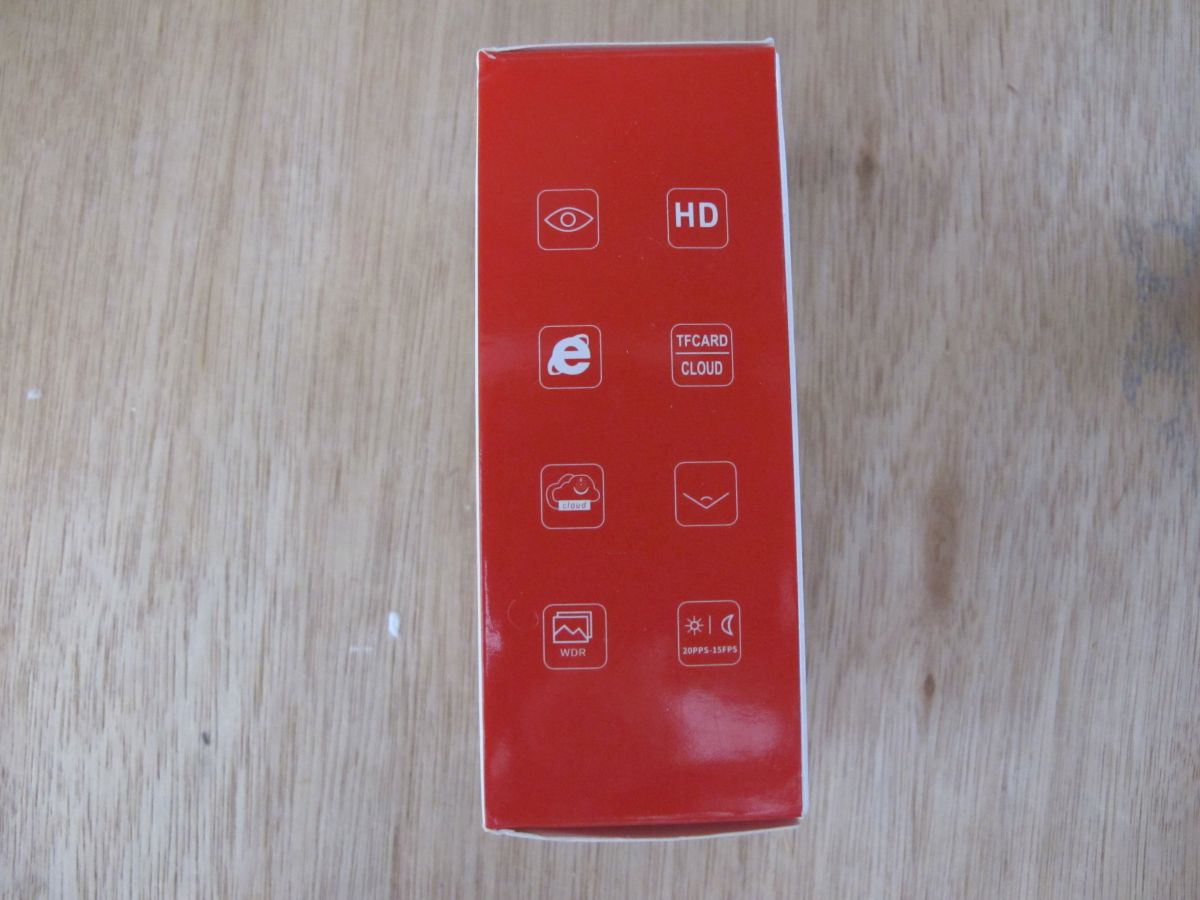
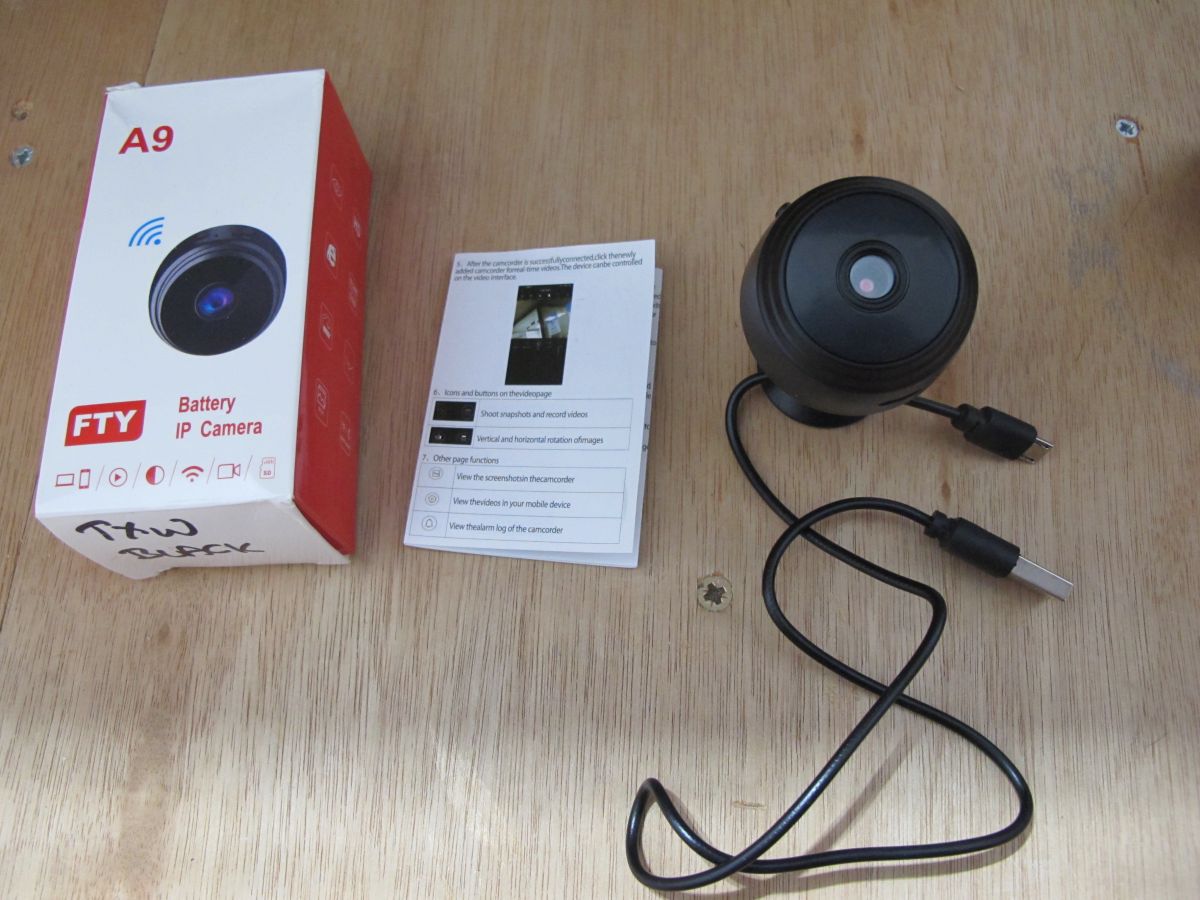
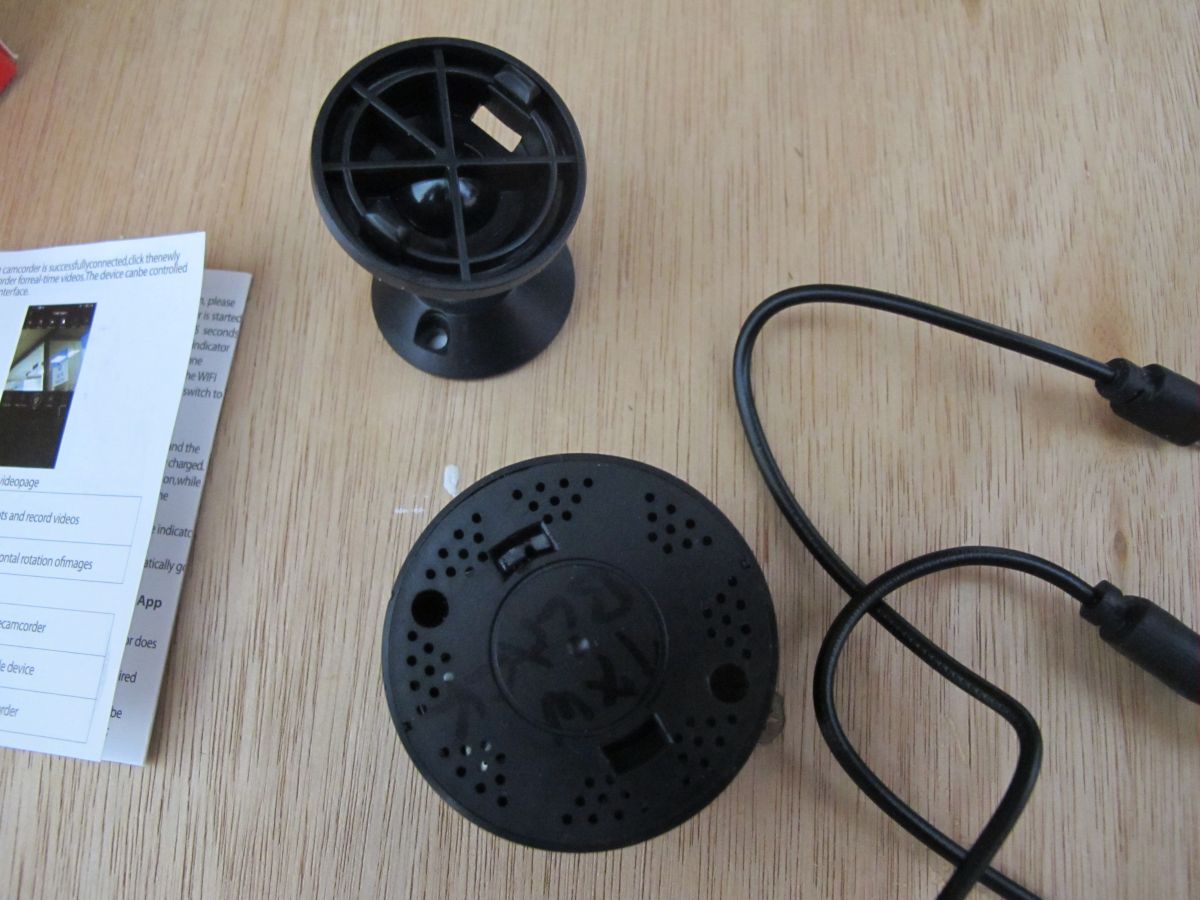
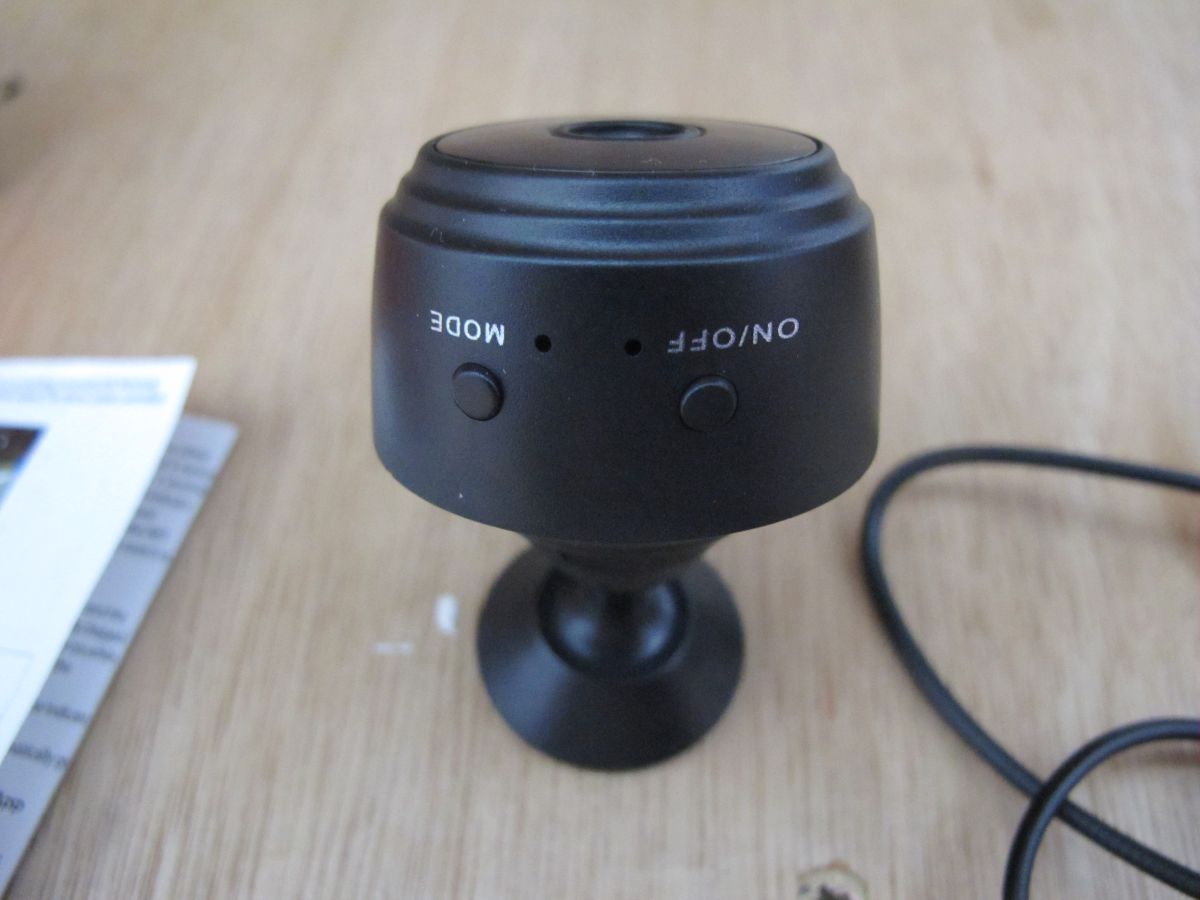
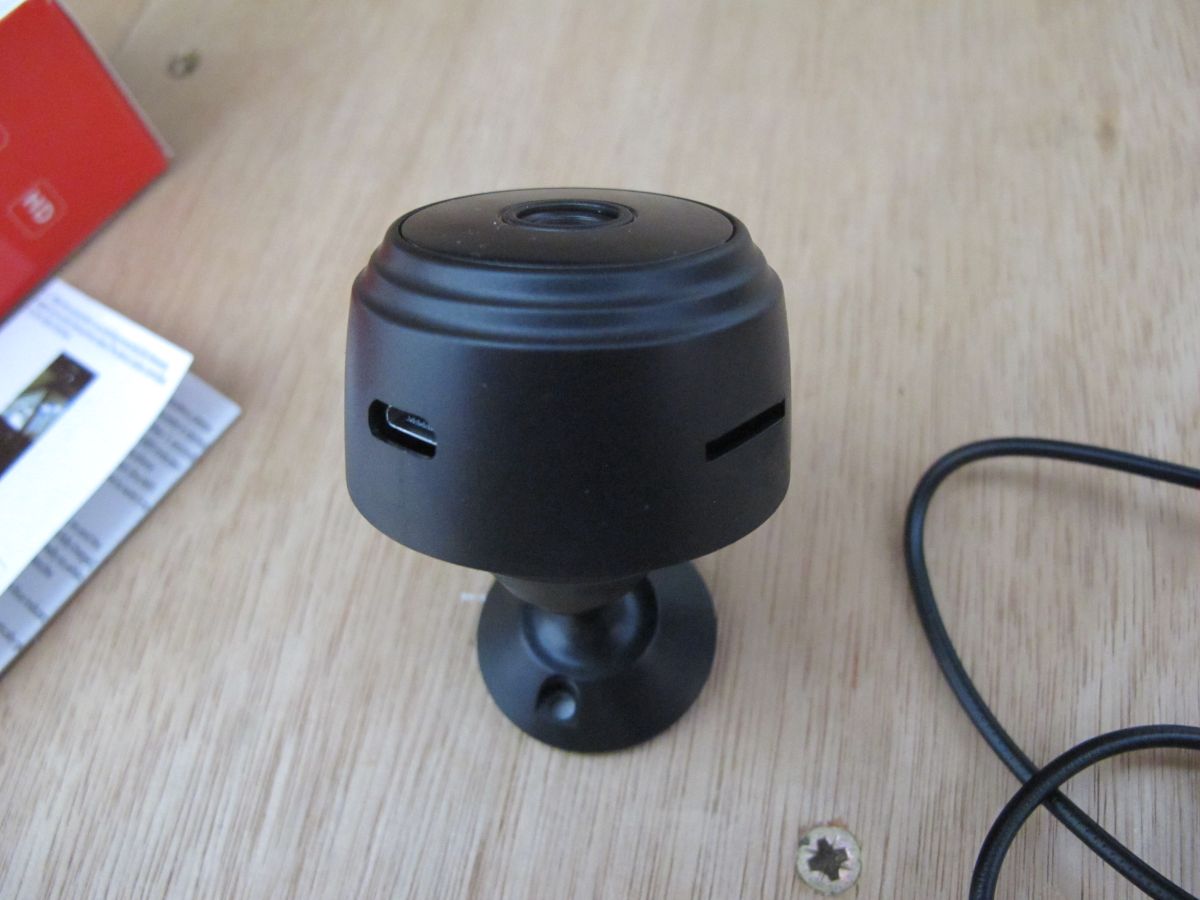
  • Another FTY A9 camera variation. This was bought in Feb 2024 and I no longer have record of where from exactly - Ali Express for sure. Not seen this posted anywhere I don't think, so here's some info:
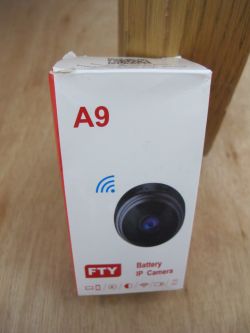
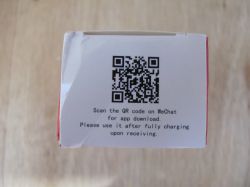
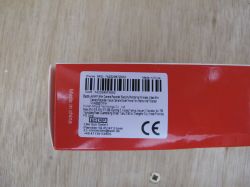
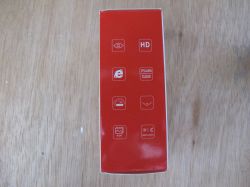
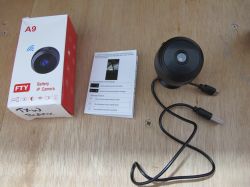
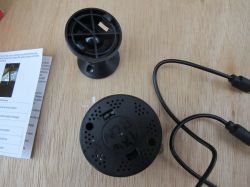
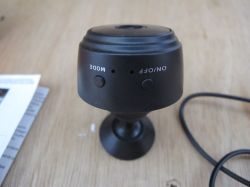
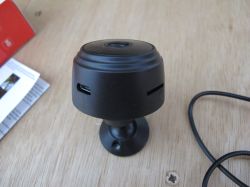
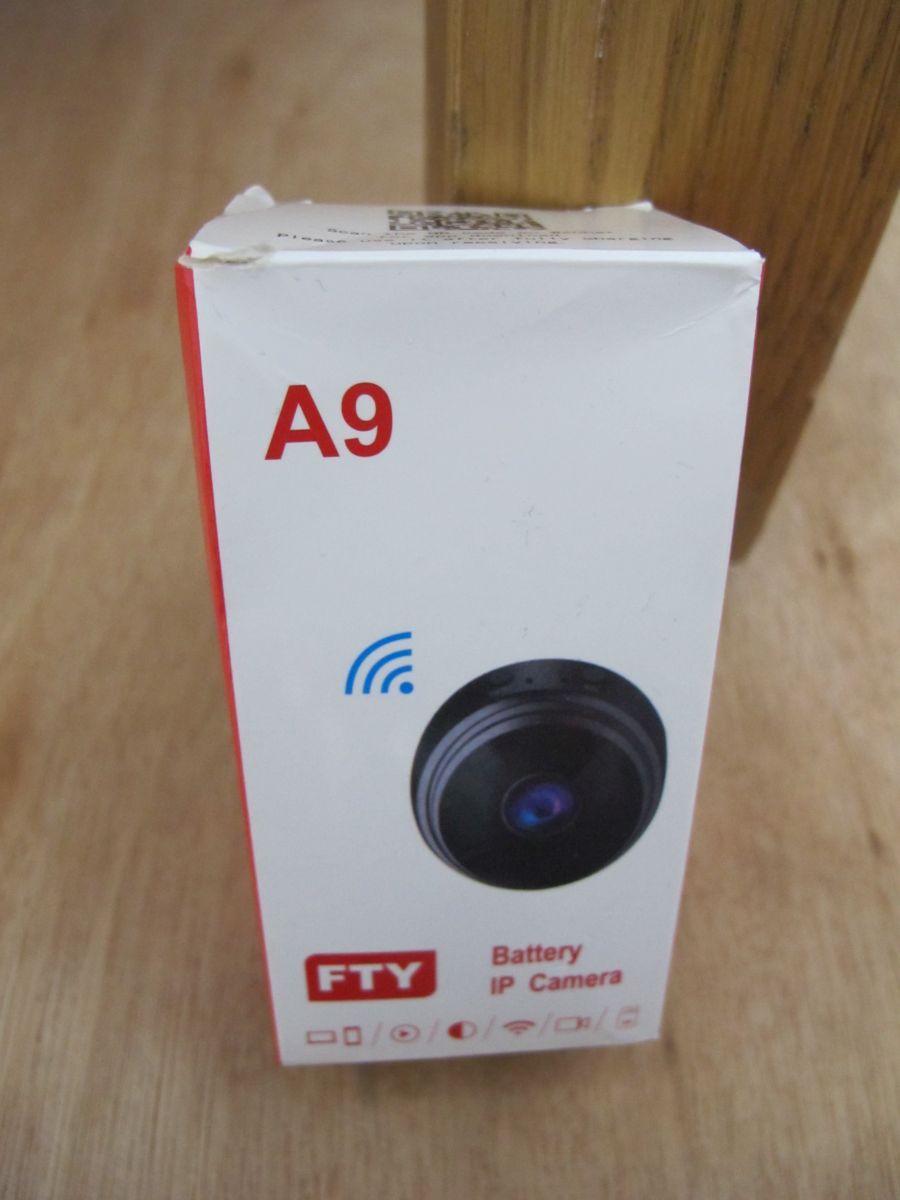
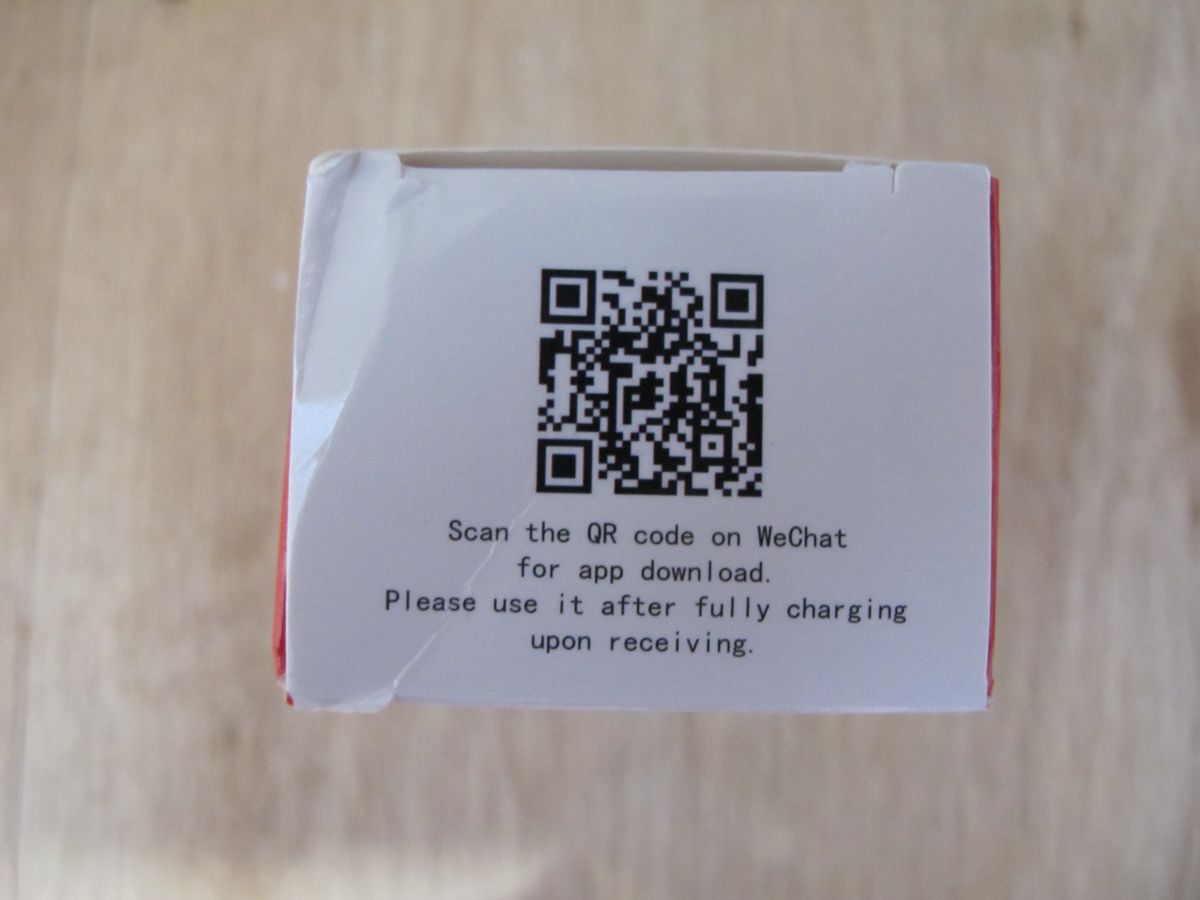
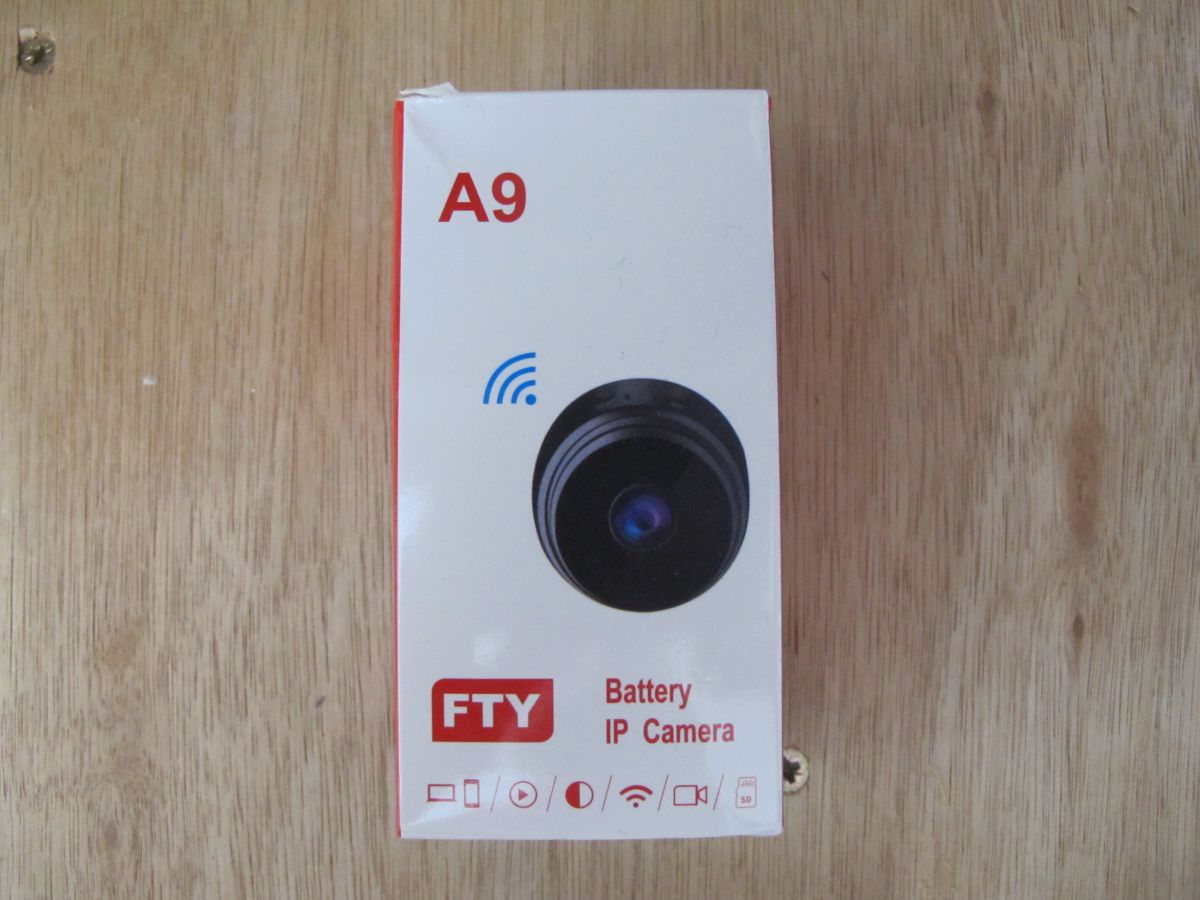
    Packaging of the A9 IP camera lying on a wooden surface. A QR code and instructions in English on a white box against a wooden background. Packaging of an FTY A9 battery IP camera on a wooden surface. Label on a red box with details about the A9 WiFi Mini Camera. Red packaging side with icons and feature symbols, placed on a wooden background. Small IP camera with box, user manual, and USB cable on a wooden surface. Small black camera or spy camera with cable, stand, and manual on a wooden table. Black security camera on a stand, top view. A black security camera on a stand, placed on a wooden surface.

    Choice SKU: 742329872052
    Item: A9 WIFI Mini Camera Recorder Security Monitoring Wireless Video Mini Camera Recorder Voice Camera Smart Home For Infants And P Sensor

    Hunan Shiyue Technology Co. Ltd
    Room 514,515,516, 517-208. Building 3, Yulong Tianxia Jiayuan II Complex, No. 799 Youmutang Road, Guanshaling Street, Yuelu District Changsha City, Hunan Province, PR China

    AP SSID broadcast is FTYC535866GRDBZ

    I don't know which battery it came with as I have several in a pile from a few cams.
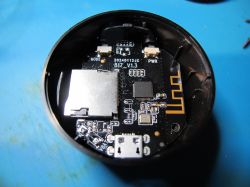
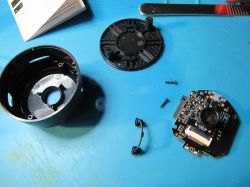
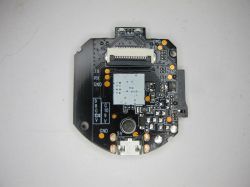
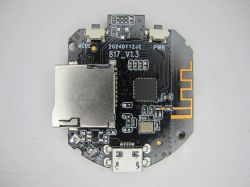
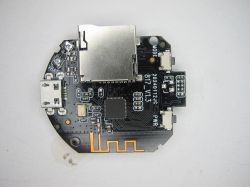
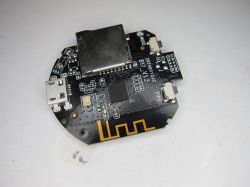
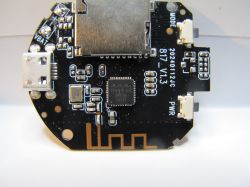
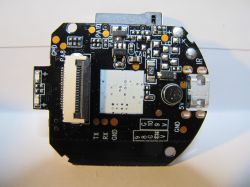
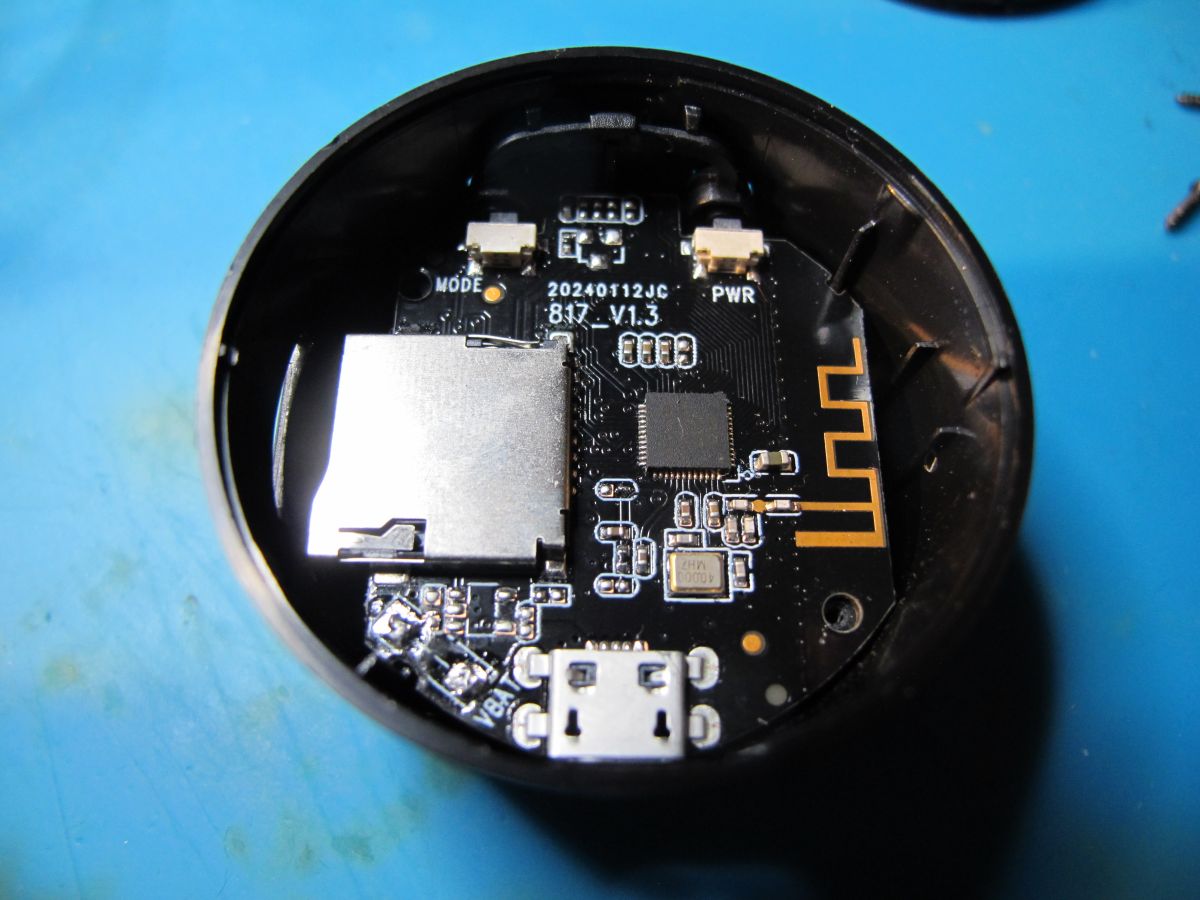
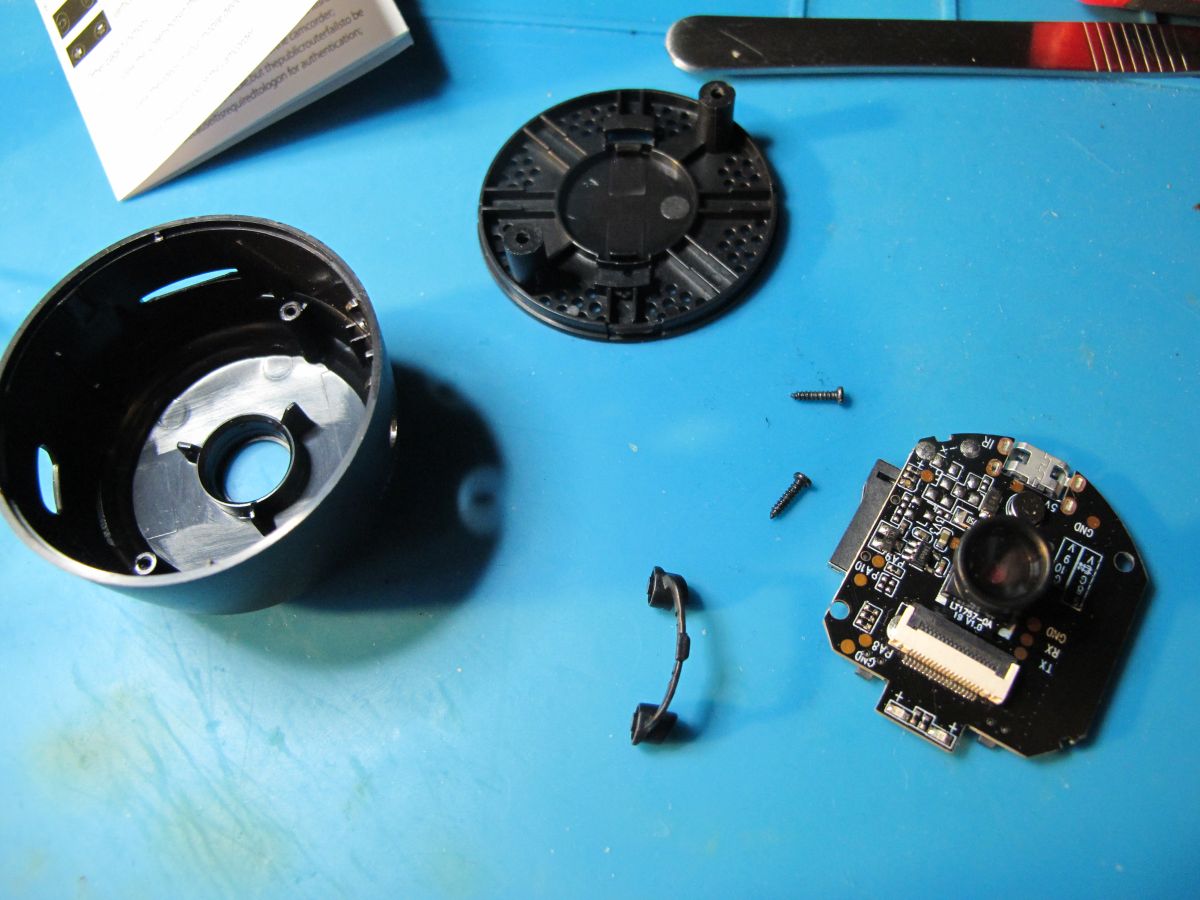
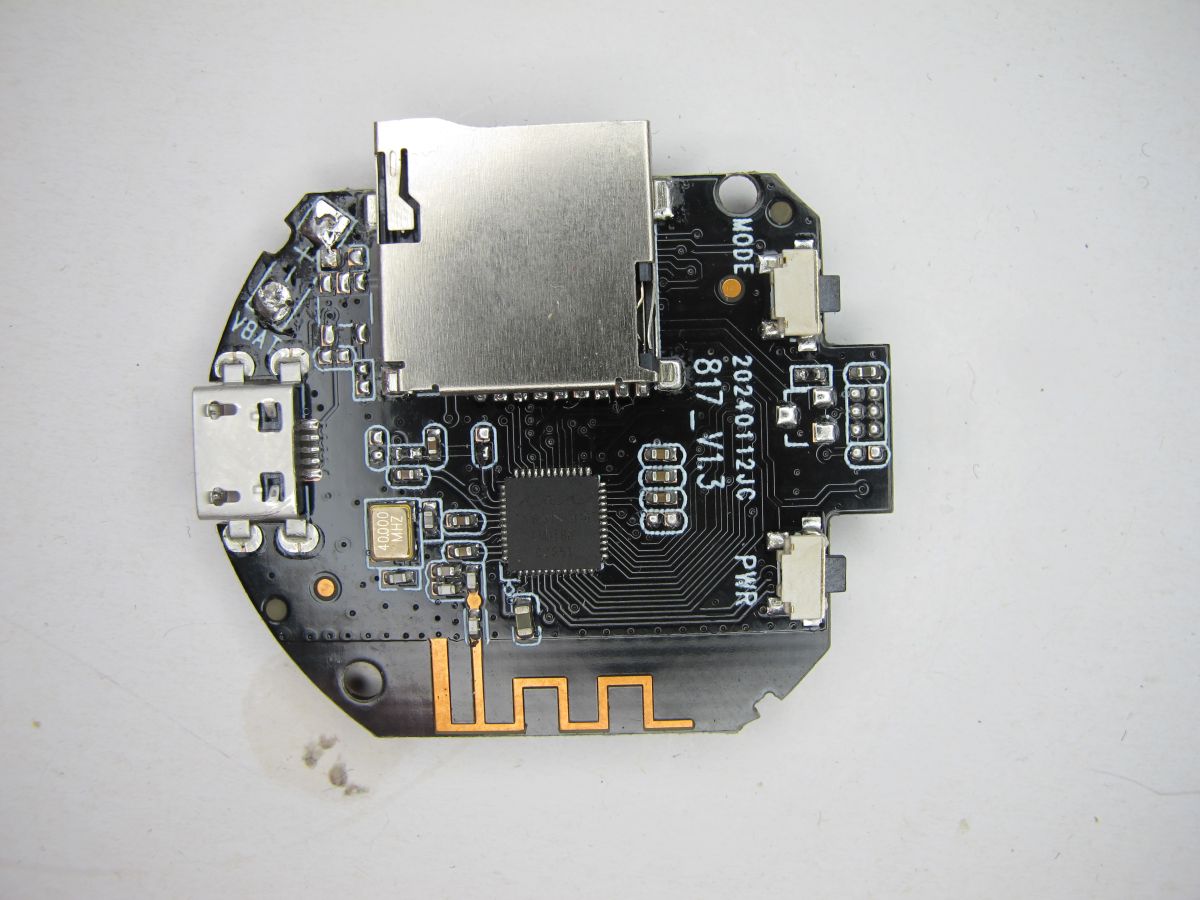
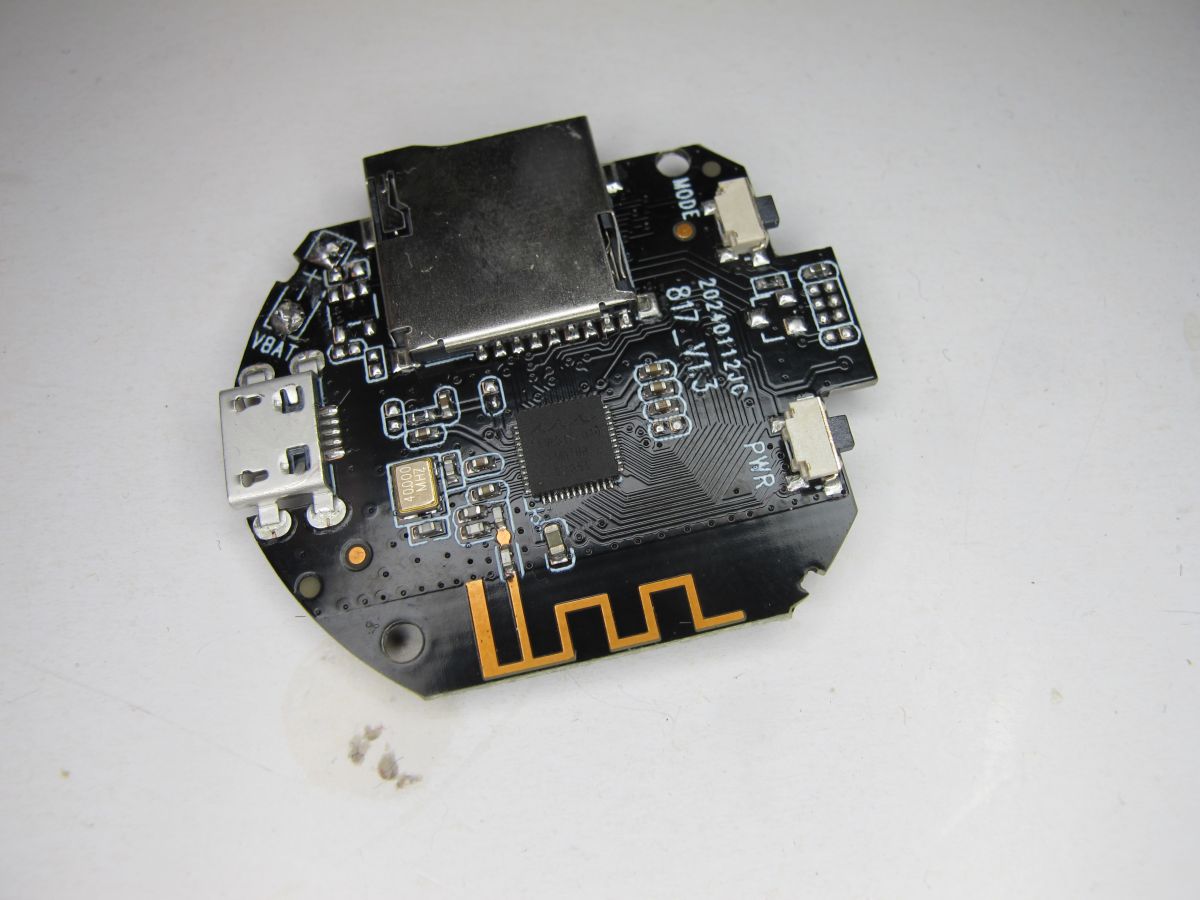
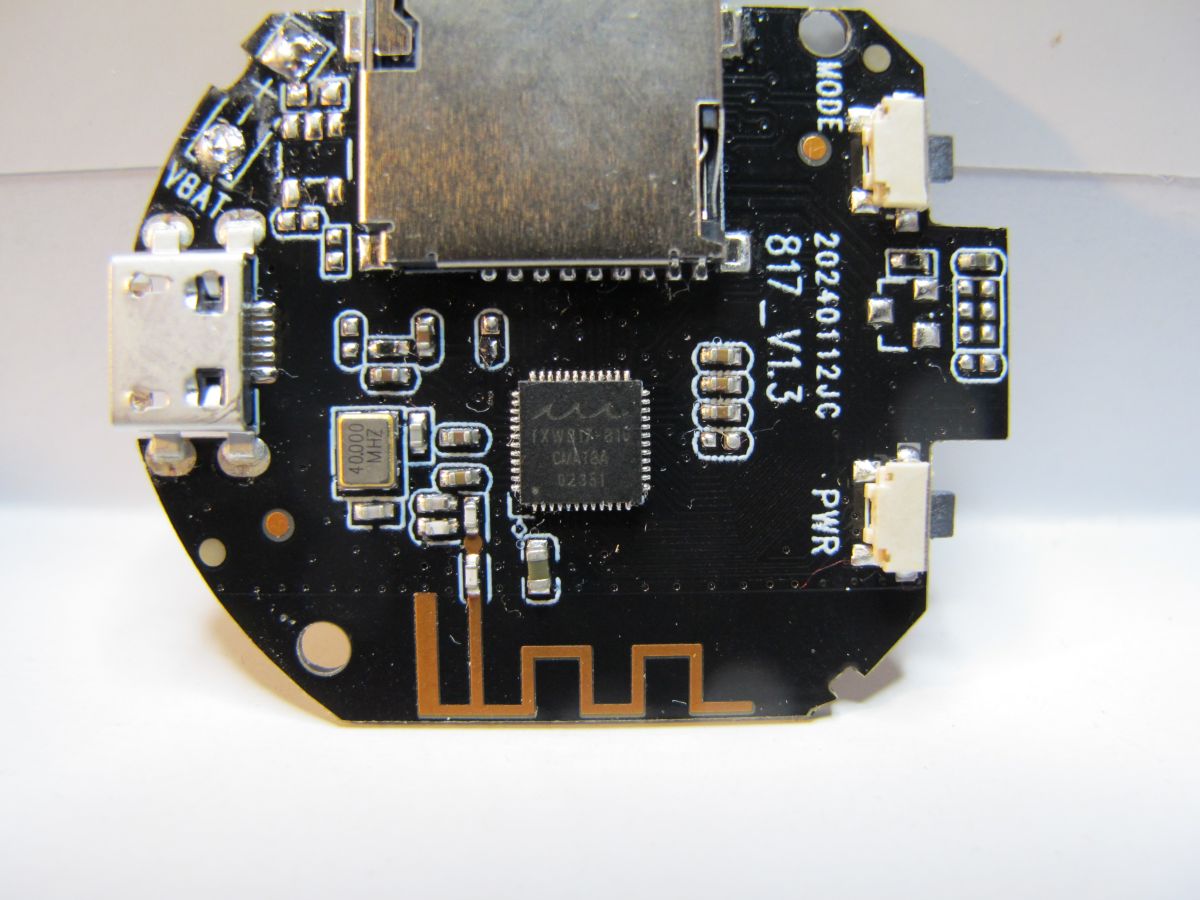
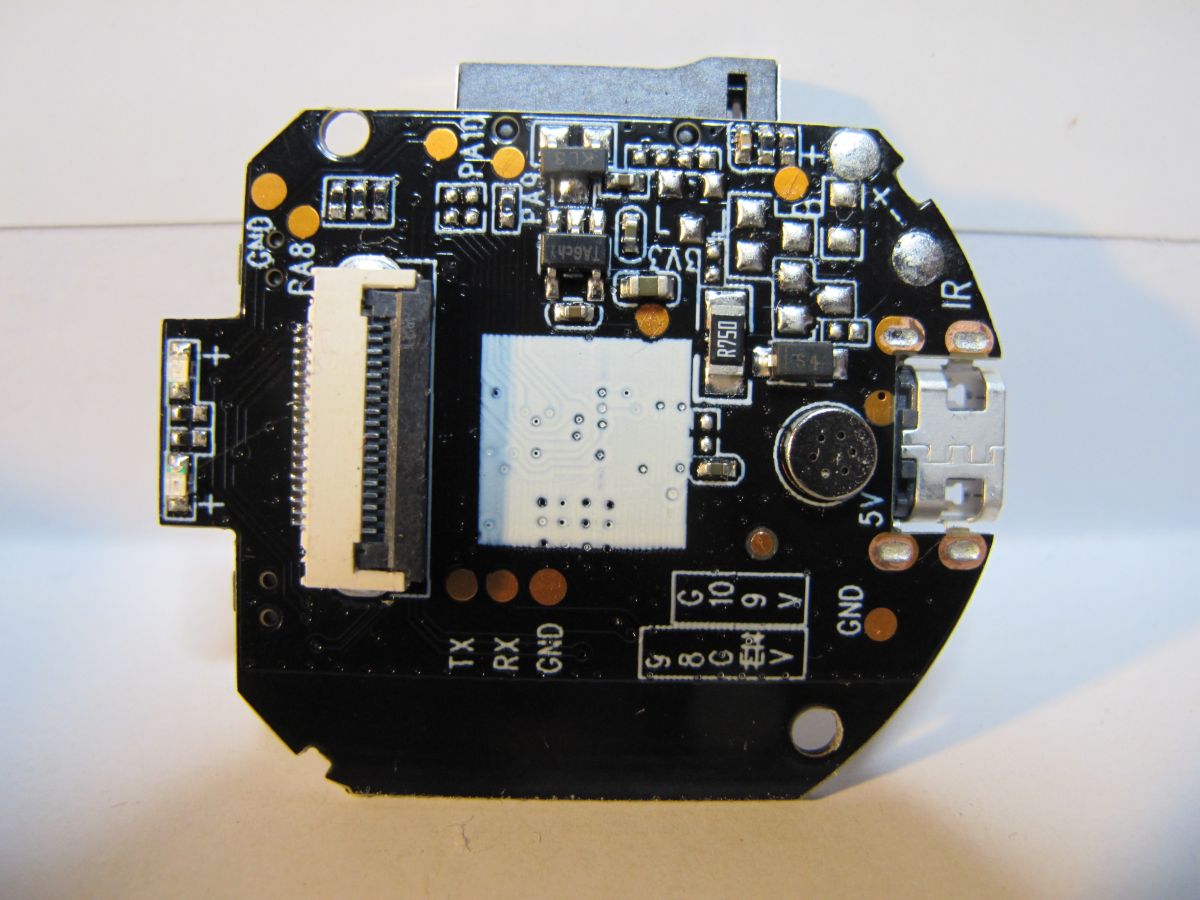
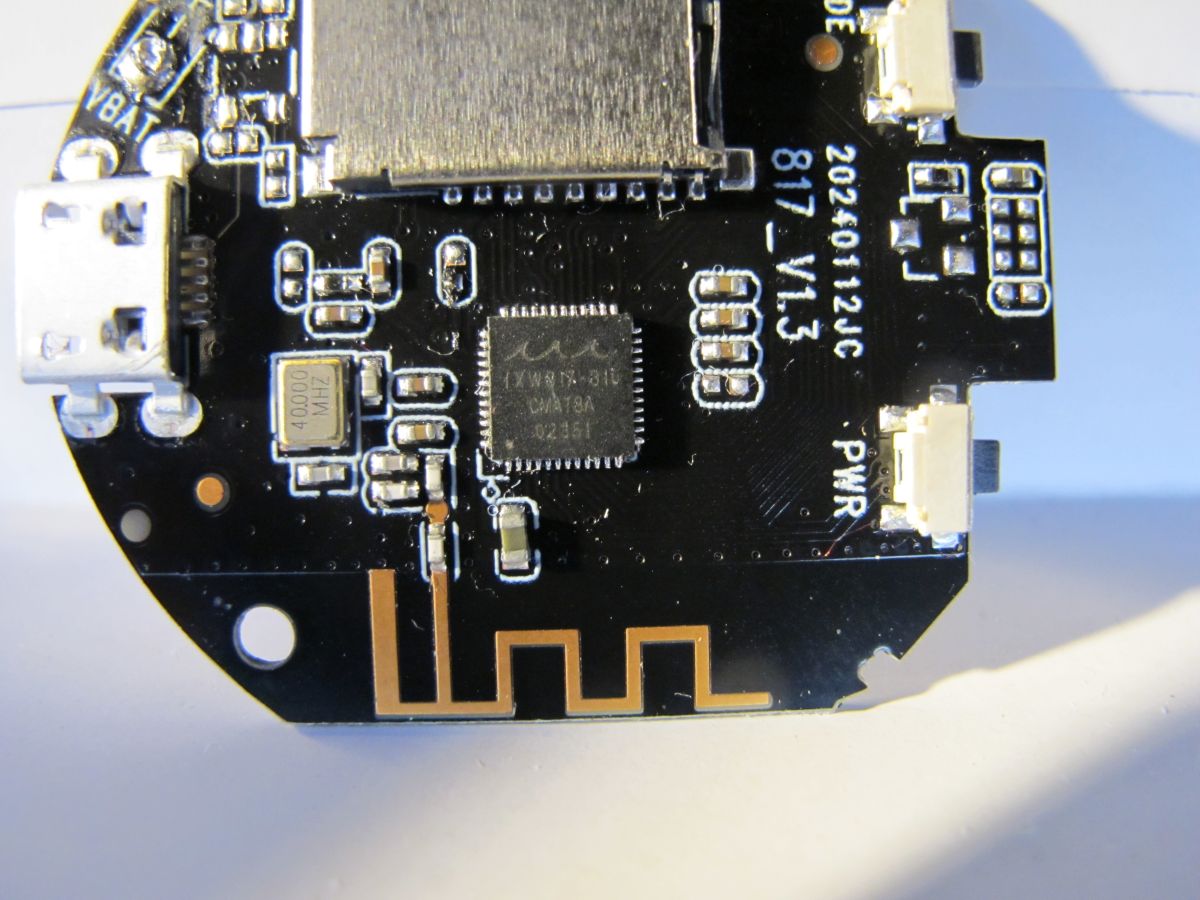
    Inside of a round electronic device showing a PCB with a micro USB port and a microSD card slot. Disassembled camera with electronic circuit board, lens, and casing parts on a blue surface. Small modular camera placed on a blue surface. Printed circuit board with various electronic components and connectors. Printed circuit board with microSD slot, micro USB port, electronics, and antenna. A round printed circuit board with a micro USB port, a microSD card slot, and electronic components. Round printed circuit board with micro USB port, microSD slot, and built-in antenna. Close-up view of a round printed circuit board with a micro USB port, electronic components, and conductive traces. Printed circuit board with various electronic components and connectors. Close-up of a round printed circuit board with electronic components, micro USB port, and PCB antenna.

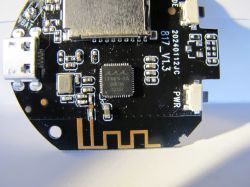
    MCU is the popular QFN48 Taixin Semi TXW817-810 - eg https://www.elektroda.com/rtvforum/topic4121456.html
    cam sensor is a 640x480 SuperPix SP0A19 (LT1757-OA-10 V1.0) also included in the XF16 cam module ID parade https://www.elektroda.com/rtvforum/topic4121965.html
    PCB markings: 20240112JC 817_V1.3

    from RX pad at 921600 baud
    Code: Text
    Log in, to see the code

    For once DebugIO (PA9) and DebugCLK (PA10) are correctly labelled so a backup can be taken with those - see topic C-SKY Flash Programmer with STM32 CK-Link Lite: Reading/Writing to Taixin TXW817-810 MCU for firmware backup instructions. BUT note that PA10 is shared with the blue LED so almost immediately the GPIO switches to flashing the LED. Precise timing is required to catch the firmware before it boots far enough to change GPIO function. In the T-Head Debugging Server once connected:

    Code: Text
    Log in, to see the code


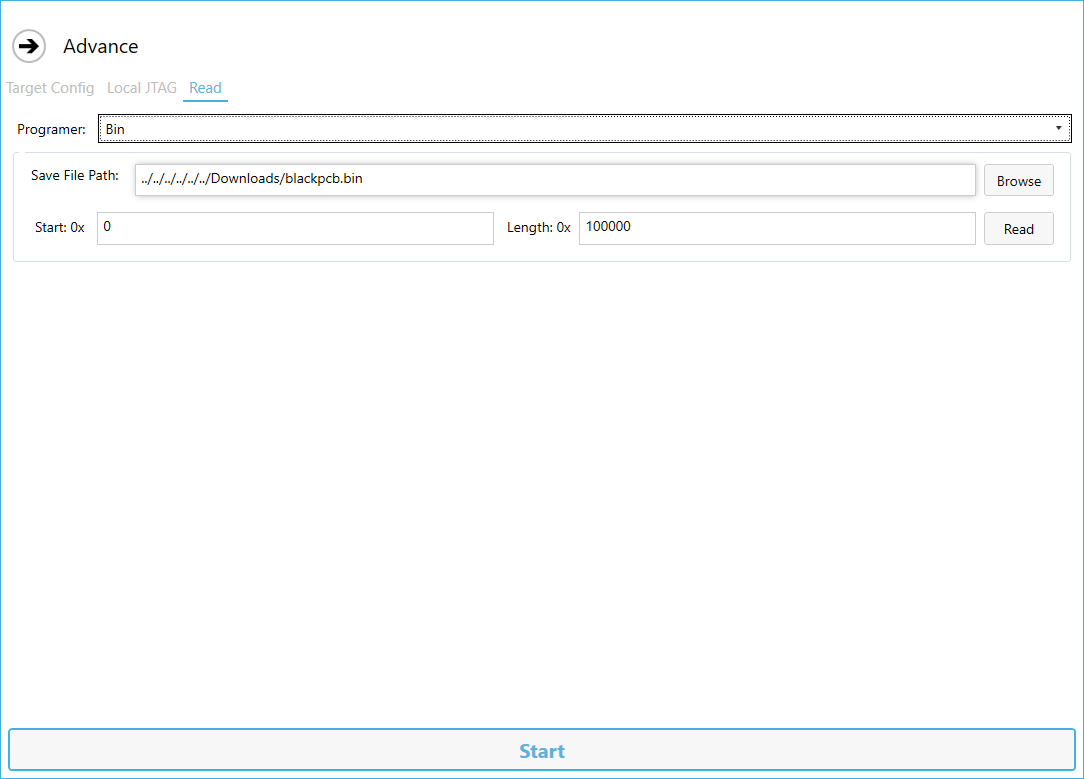
    and 1mb dump with C-SKY Flash Programmer
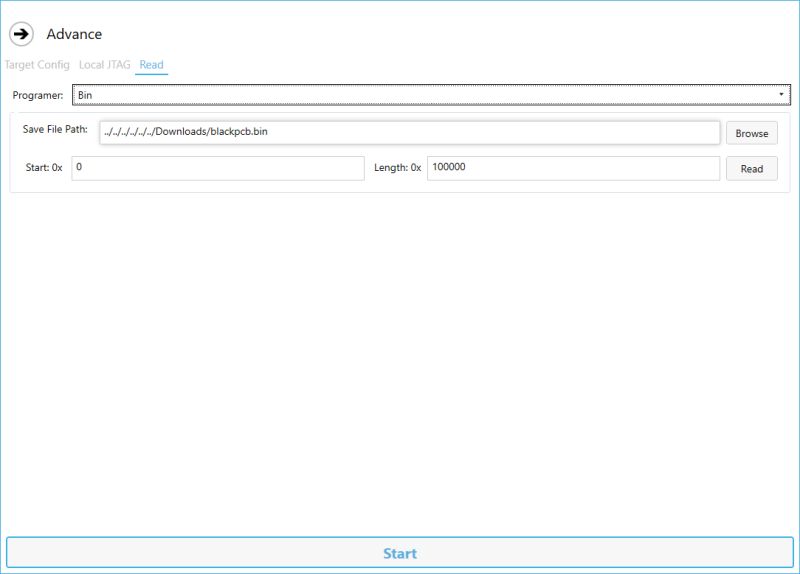
    Screenshot of a program window for memory reading via JTAG with read mode and binary file path selected.

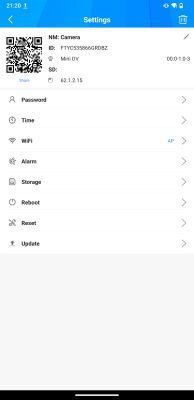
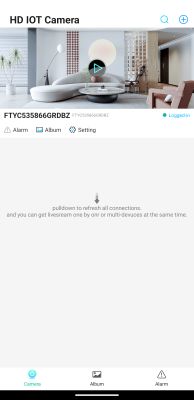
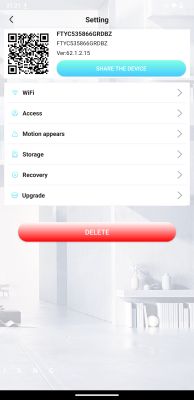
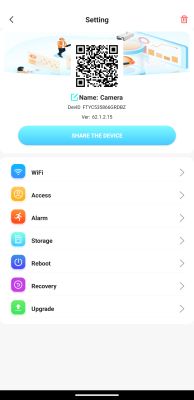
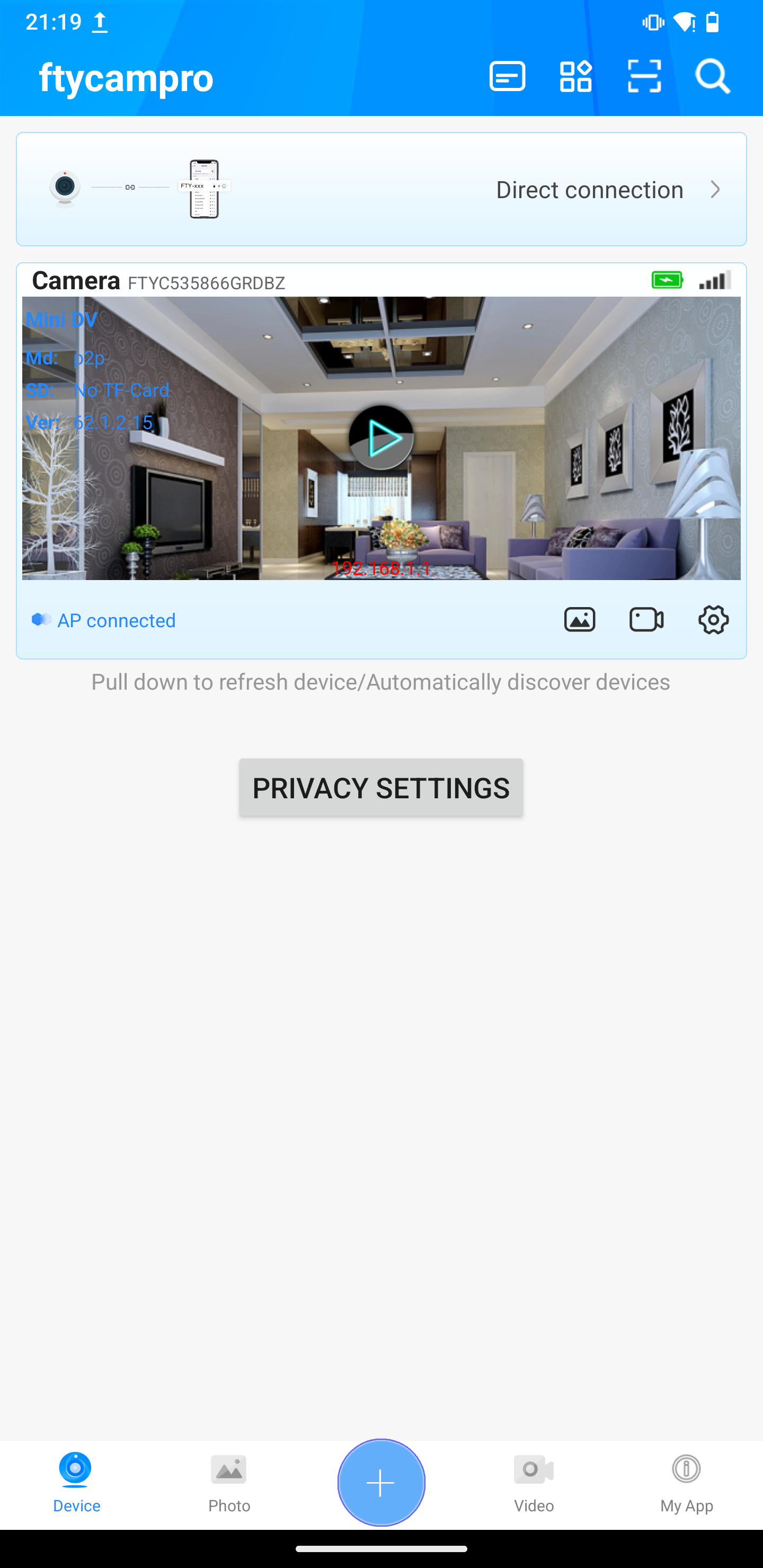
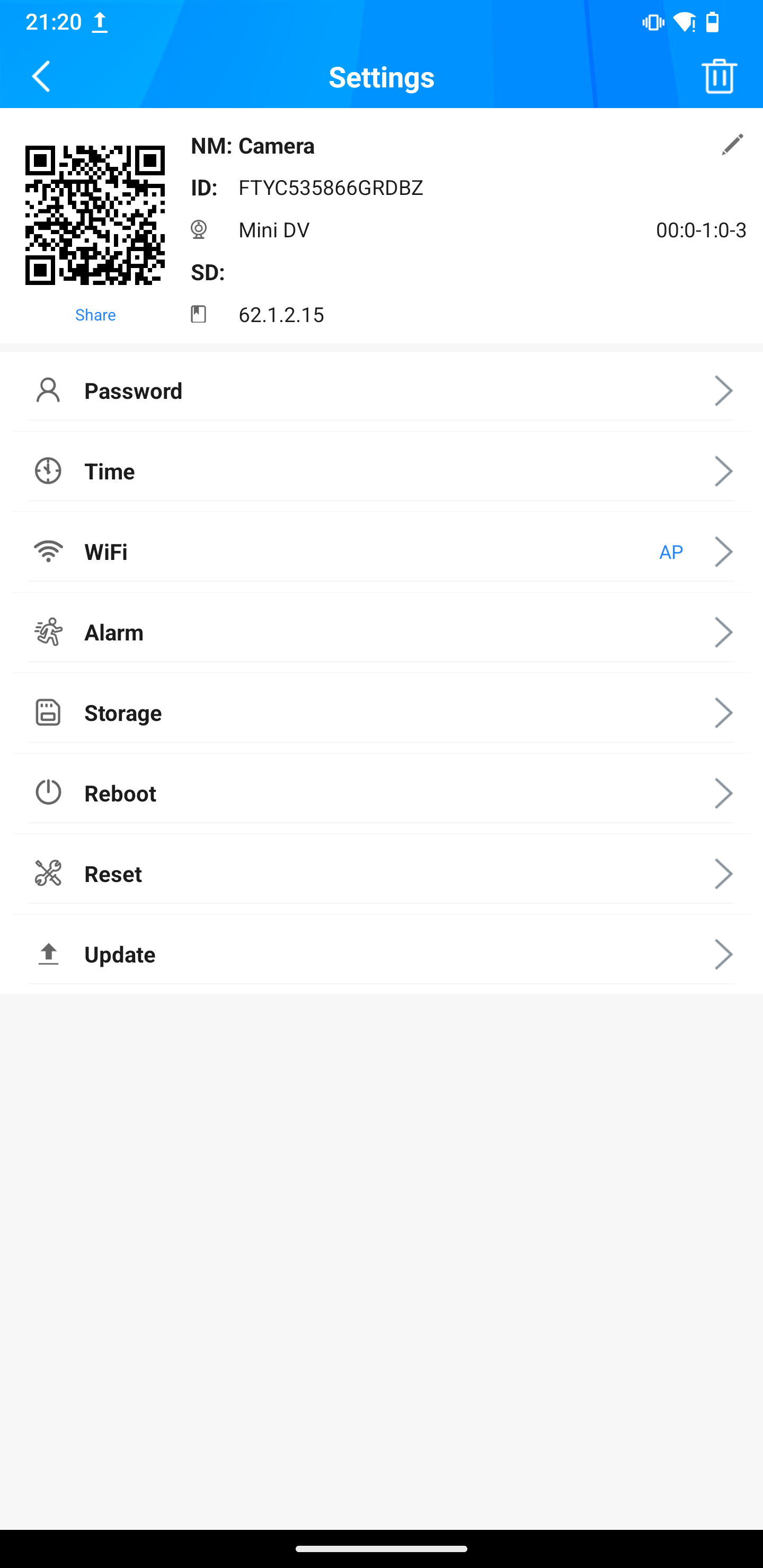
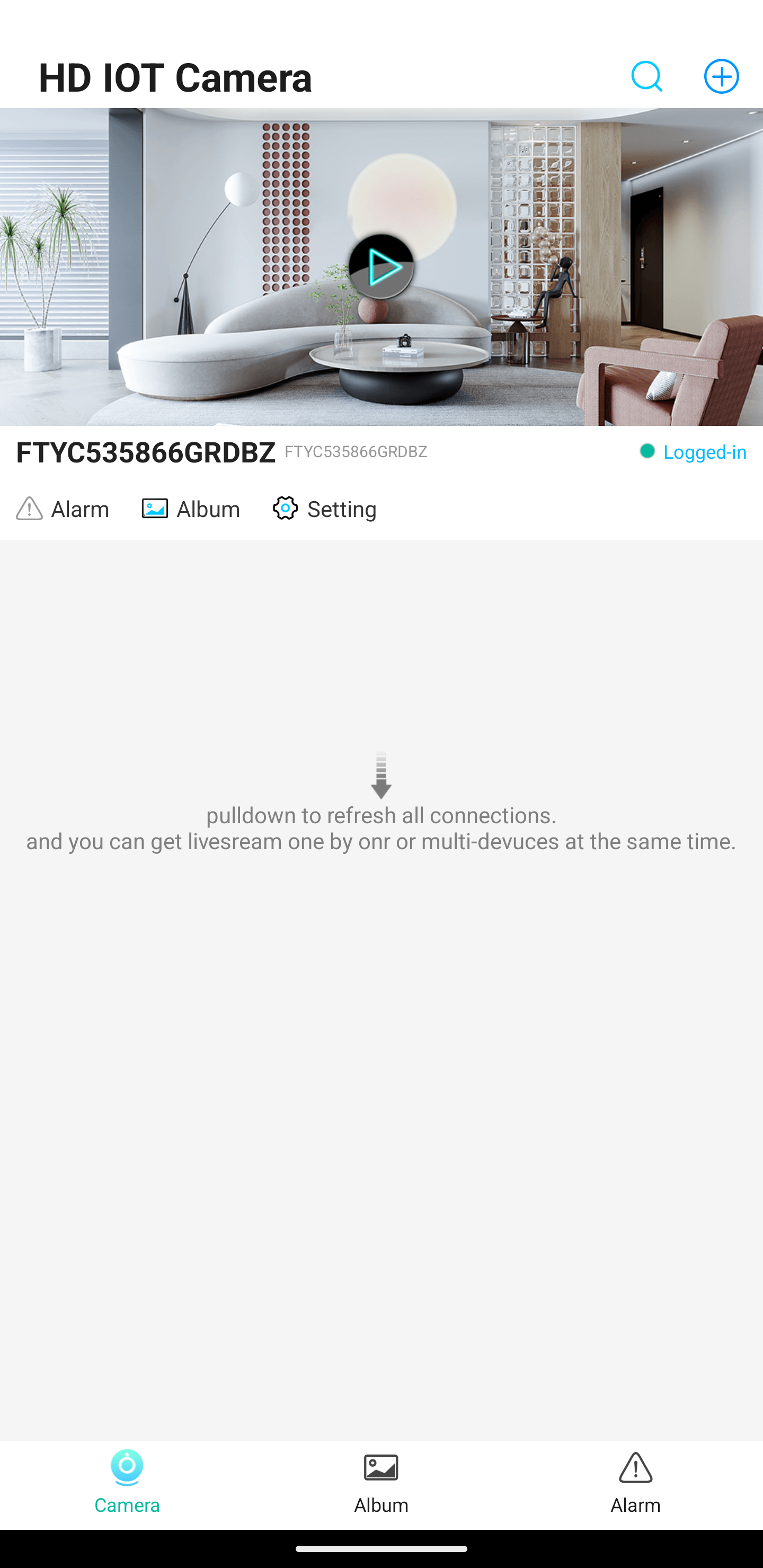
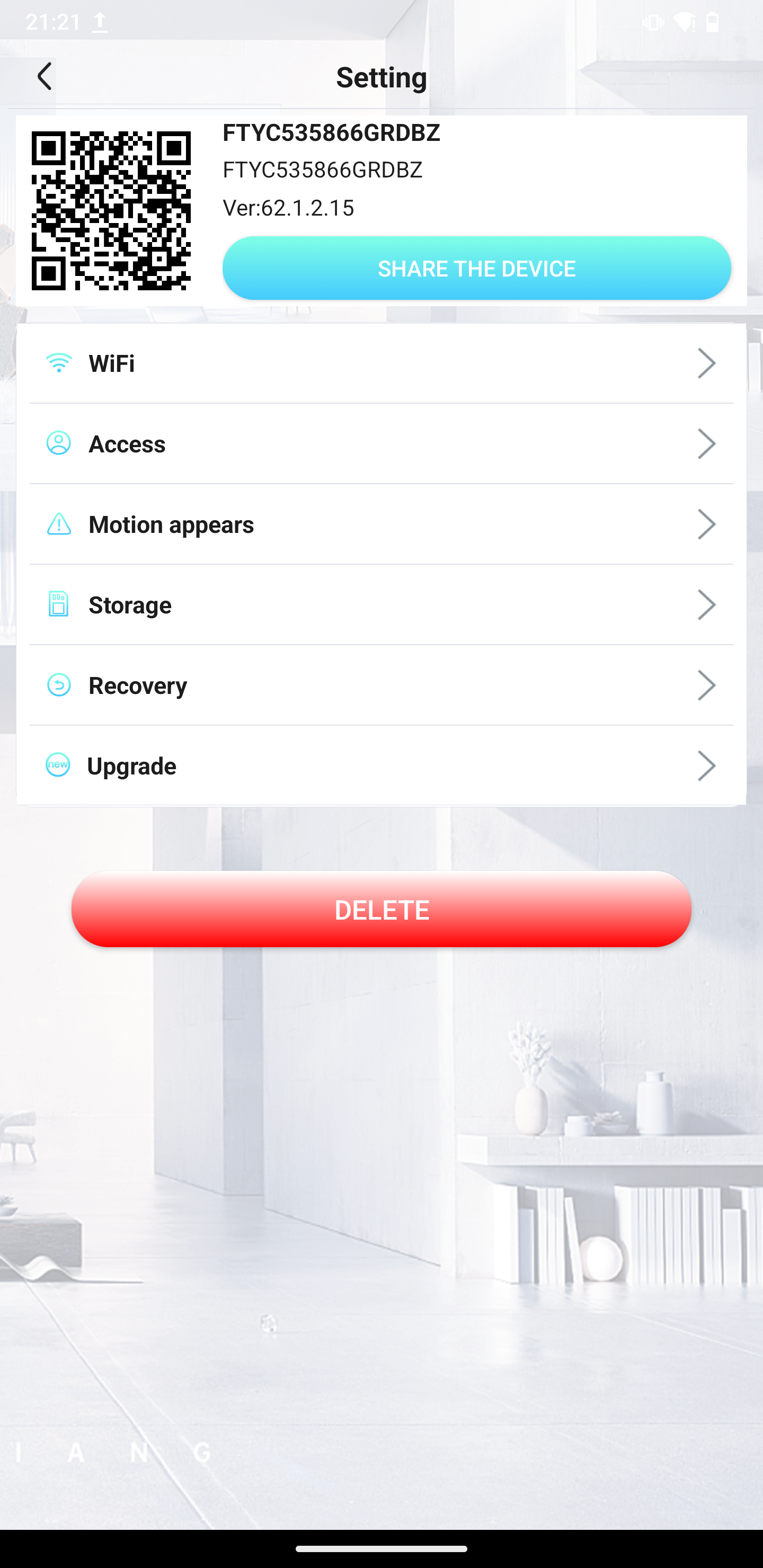
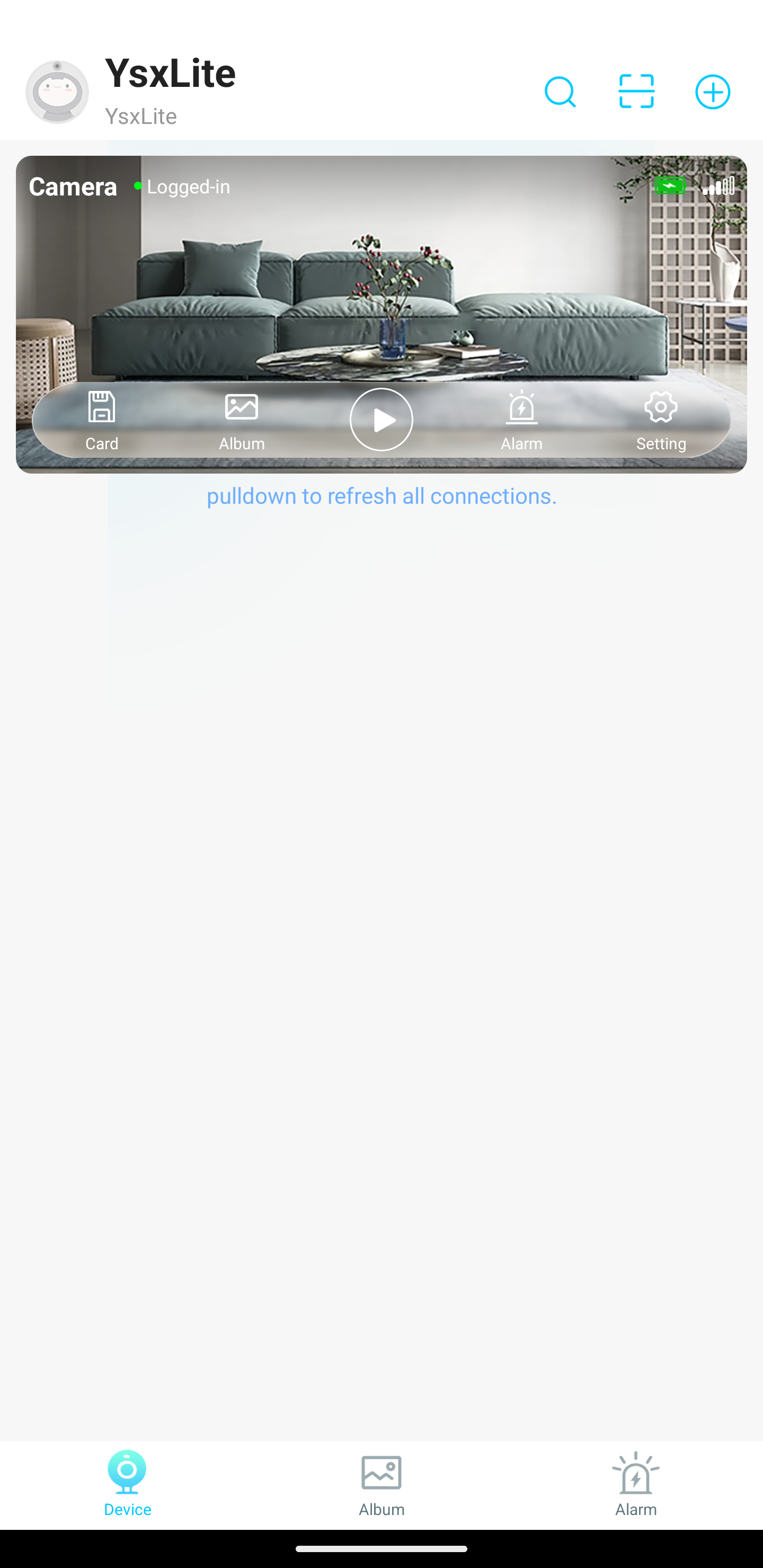
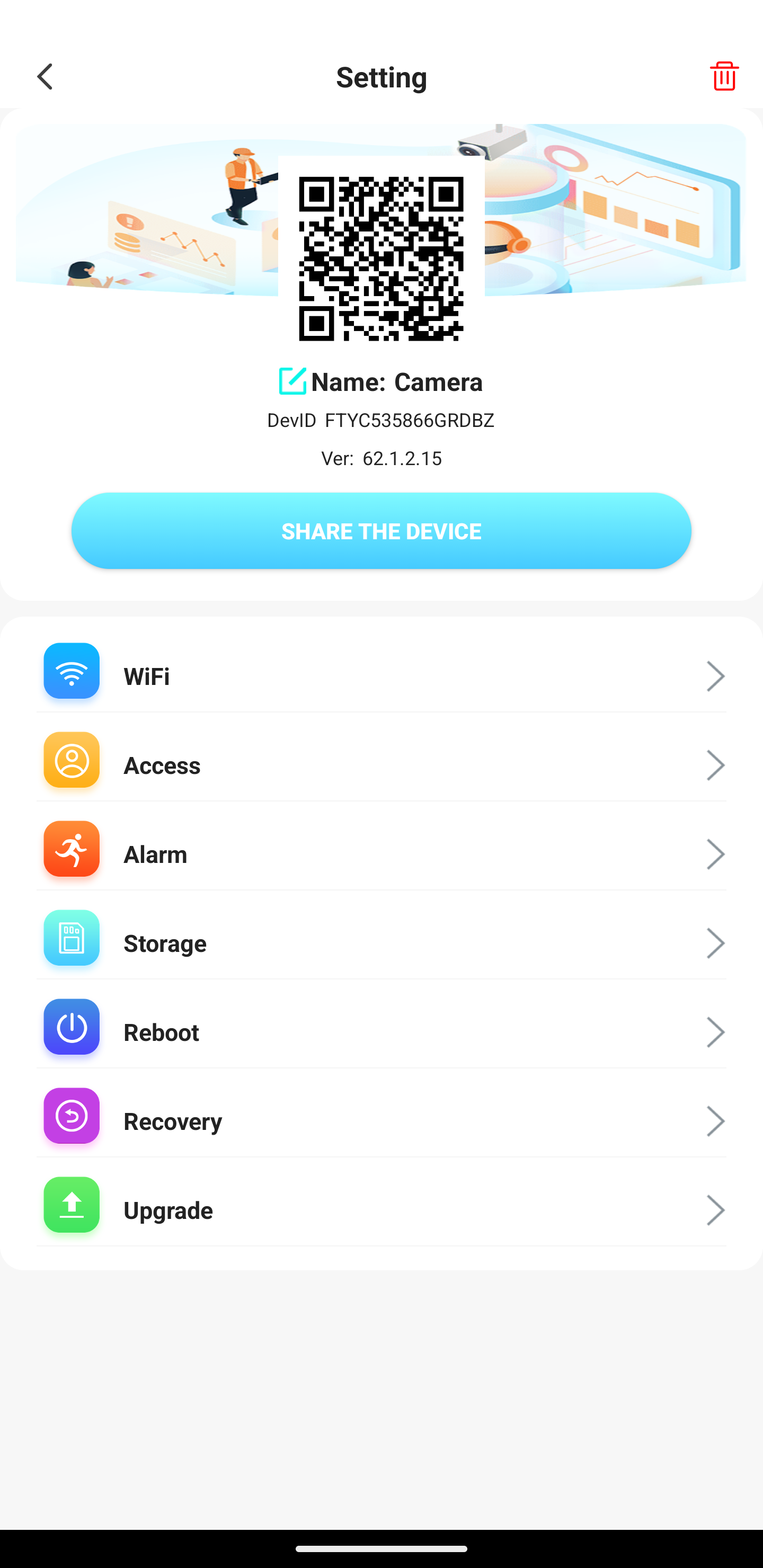
    Cam is detected by ftycampro, HD IOT Camera and YsxLite apps
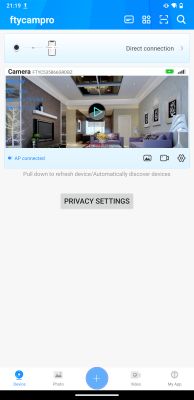
    Screenshot of a mobile surveillance app showing a live camera view of a living room. Settings screen of a Mini DV camera app with a visible QR code and configuration options.
    HD IOT Camera app interface showing a live view of a modern living room. Device settings app screen with configuration options, a QR code, and a Delete button.
    Screenshot of the YsxLite app showing a camera view of a modern living room with a gray sofa and coffee table. Camera settings screen in a mobile app, showing a QR code and device management options.

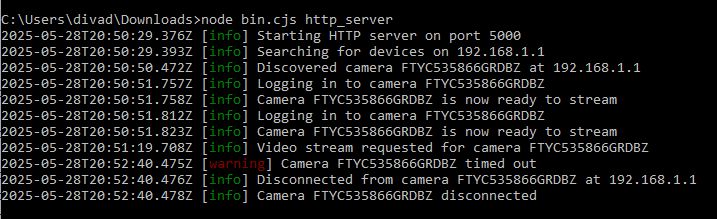
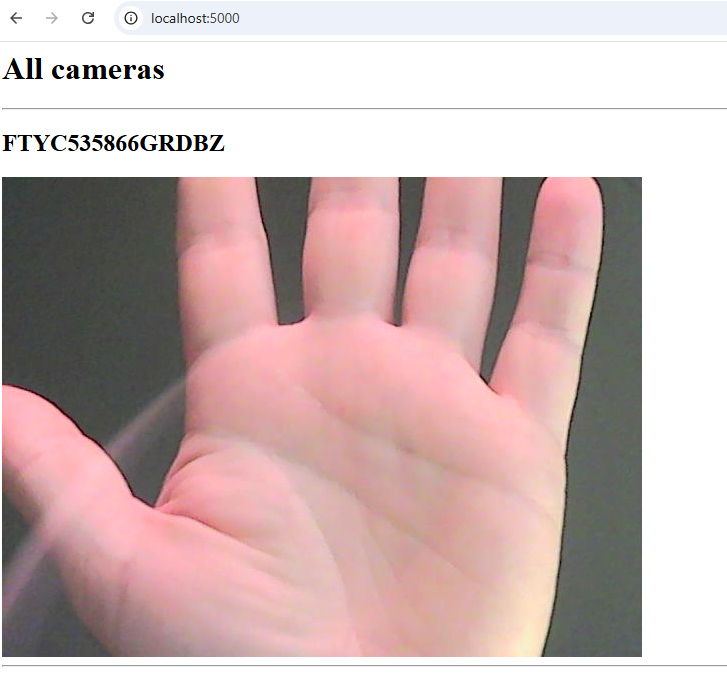
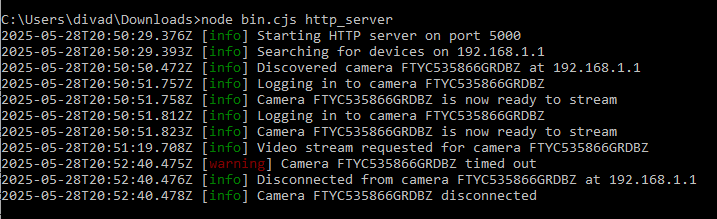
    Cam can also be used locally, without cloud, thanks to cam-reverse - Elektroda guide.
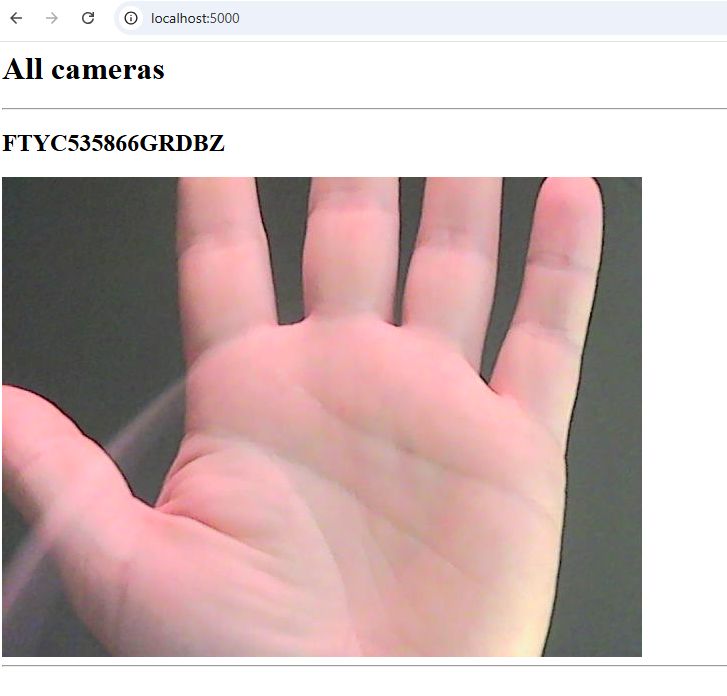
    The image shows an open hand with fingers spread against a dark background.
    Console with HTTP server logs from Node.js, showing connection attempts with a network camera.

    firmware backup https://github.com/openshwprojects/FlashDumps...mits/e57a7e16df4ff4e363fb132997489dfce9250607


    adding this image for device list
    FTY A9 WiFi Mini Camera 2024 Variant Details and Photos: 1mb Taixin TXW817-810, Black PCB [817_V1.3]

    Cool? Ranking DIY
    About Author
    divadiow
    Level 38  
    Offline 
    divadiow wrote 4833 posts with rating 851, helped 420 times. Live in city Bristol. Been with us since 2023 year.
  • ADVERTISEMENT
  • #2 21651027
    insmod
    Level 31  
    Posts: 1353
    Help: 160
    Rate: 425
    Do you still have it?
    I remember you used a different one in dev thread.
  • #3 21651038
    divadiow
    Level 38  
    Posts: 4833
    Help: 420
    Rate: 851
    yes. there might be another variation or two too. I have only tried on that X6 PCB to date. Also want to try on the TXW816 Otoscope

    Added after 1 [minutes]:

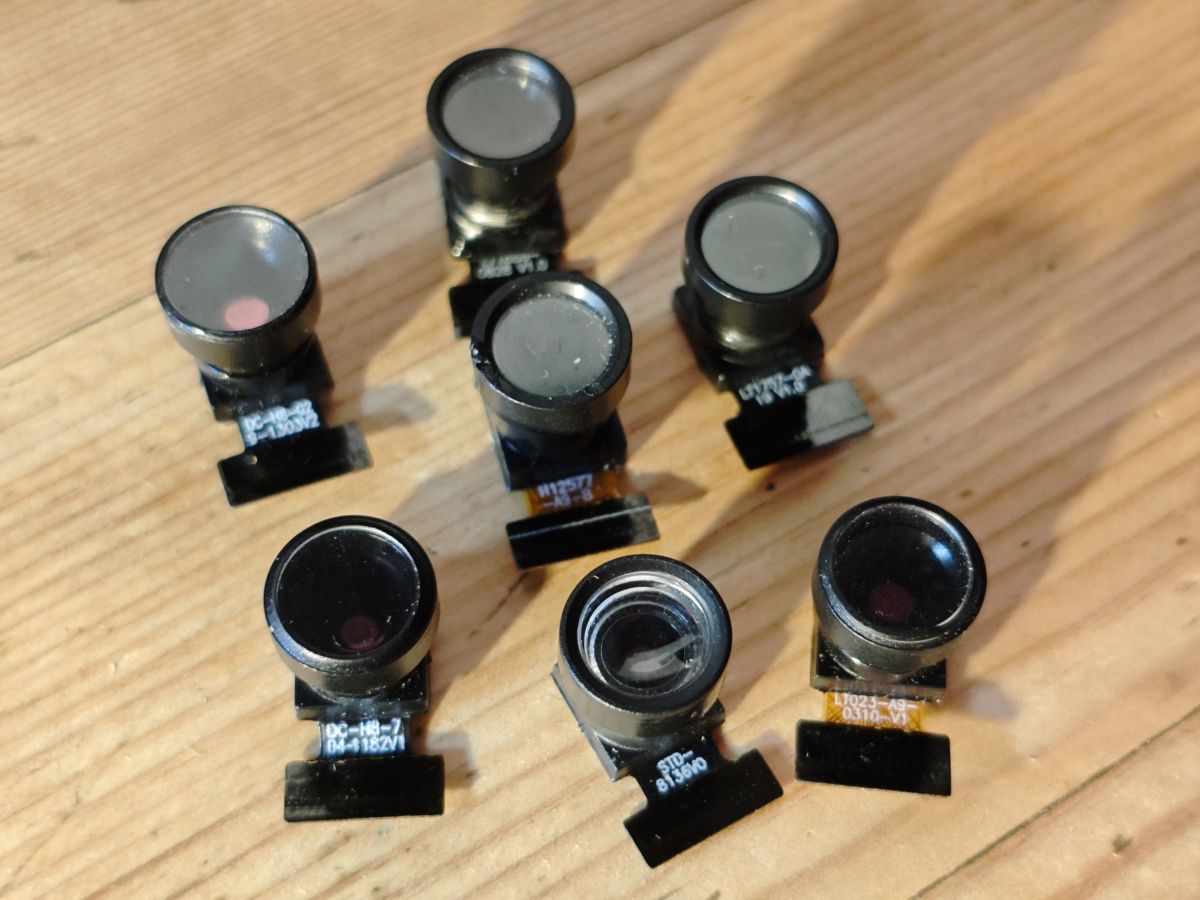
    and to see what might be involved in adding more cam drivers. One of the cams is a Hynix HI704 which I don't see a driver for in the Taixin SDK. The other Otoscope user looks like his came with a HI708
  • #4 21651045
    insmod
    Level 31  
    Posts: 1353
    Help: 160
    Rate: 425
    That might not necessarily mean that it's not supported (even though it most likely isn't).
    I have one GC0310 camera - and it worked, even though there is no mention of it in SDK.
    (Init sequence for GC0310 (https://www.elektroda.com/rtvforum/topic4121965.html) looks like GC0312 (https://github.com/NonPIayerCharacter/OpenTXW81X/blob/main/sdk/lib/bus/iic/sensor/sensor_gc0312.c))
  • #5 21651049
    divadiow
    Level 38  
    Posts: 4833
    Help: 420
    Rate: 851
    OK sure.

    here's another, my first https://www.elektroda.com/rtvforum/topic4033757.html#20946310

    Added after 2 [minutes]:

    insmod wrote:
    (Init sequence for GC0310 (https://www.elektroda.com/rtvforum/topic4121965.html) looks like GC0312 (https://github.com/NonPIayerCharacter/OpenTXW81X/blob/main/sdk/lib/bus/iic/sensor/sensor_gc0312.c))

    that would explain why both worked at this stage when I think only one of the drivers was defined

    https://www.elektroda.com/rtvforum/topic4033757-30.html#21646042
  • #6 21688413
    divadiow
    Level 38  
    Posts: 4833
    Help: 420
    Rate: 851
    and now for OpenTXW817

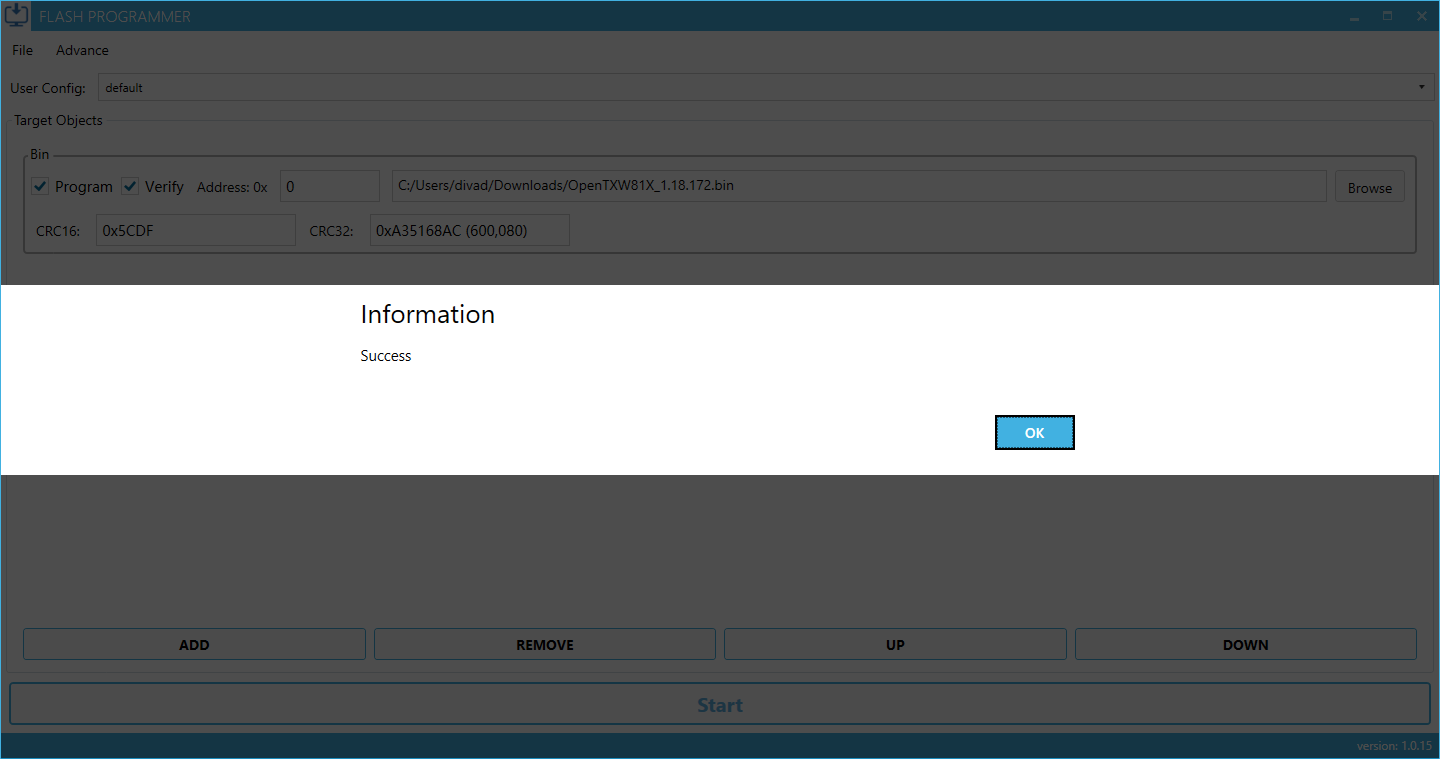
    Information: Success message after successful firmware flashing

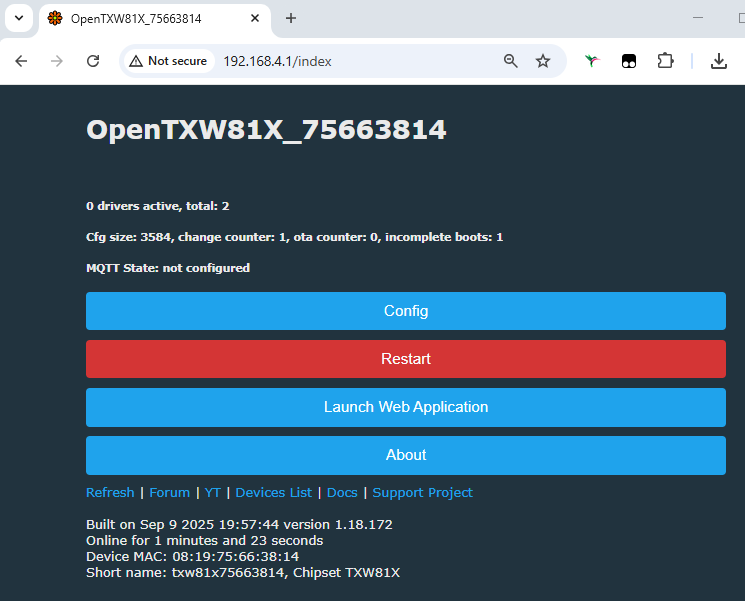
    AP joined and browsed to at 192.168.4.1 after initial boot

    OpenTXW81X web interface at 192.168.4.1 with configuration options

    Code: Text
    Log in, to see the code


    not yet got any modules detecting/streaming an image, log as txwcam is started with the sensor this shipped with (below), the SuperPix SP0A19 LT1757-OA-10 V1.0

    Code: Text
    Log in, to see the code


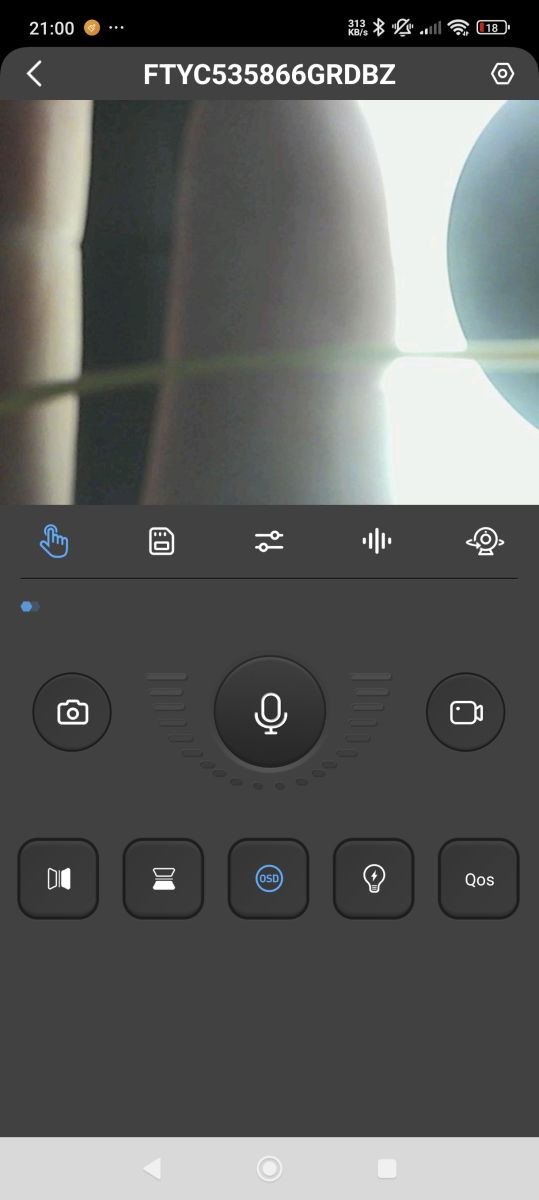
    the mic seems be OK when rtsp streaming. I'll flash back factory to be sure connector on PCB is OK.

    Added after 25 [minutes]:

    damnit. the connector seems OK.

    Camera app interface with microphone enabled and blurred lens view

    don't tell me these things have multiple pins to choose from on the TXW817 chip 😡
  • ADVERTISEMENT
  • ADVERTISEMENT
  • #8 21688442
    divadiow
    Level 38  
    Posts: 4833
    Help: 420
    Rate: 851
    I guess maybe they do. I was expecting some to work https://www.elektroda.com/rtvforum/topic4033757-30.html#21646042

    Seven small camera modules lying on a wooden surface

    Added after 1 [minutes]:

    >>21688440

    ooh ok.

    Added after 44 [minutes]:

    negative

    https://github.com/openshwprojects/OpenBK7231...ivadiow:OpenBK7231T_App:refs/heads/opentxw81x

    Added after 10 [hours] 30 [minutes]:

    been playing quite a bit as you may see from commits. no joy yet.

    most pins do seem to be routed somewhere. awkward for multimeter tracing is that the IC is on the opposite side to the cam connector
    Attachments:
    • FTY A9 WiFi Mini Camera 2024 Variant Details and Photos: 1mb Taixin TXW817-810, Black PCB [817_V1.3] chip.jpg (6.85 MB) You must be logged in to download this attachment.
  • #10 21688807
    insmod
    Level 31  
    Posts: 1353
    Help: 160
    Rate: 425
    I see that after PB_8/9 no other pin combinations are checked.
    Remove it from array and check again?

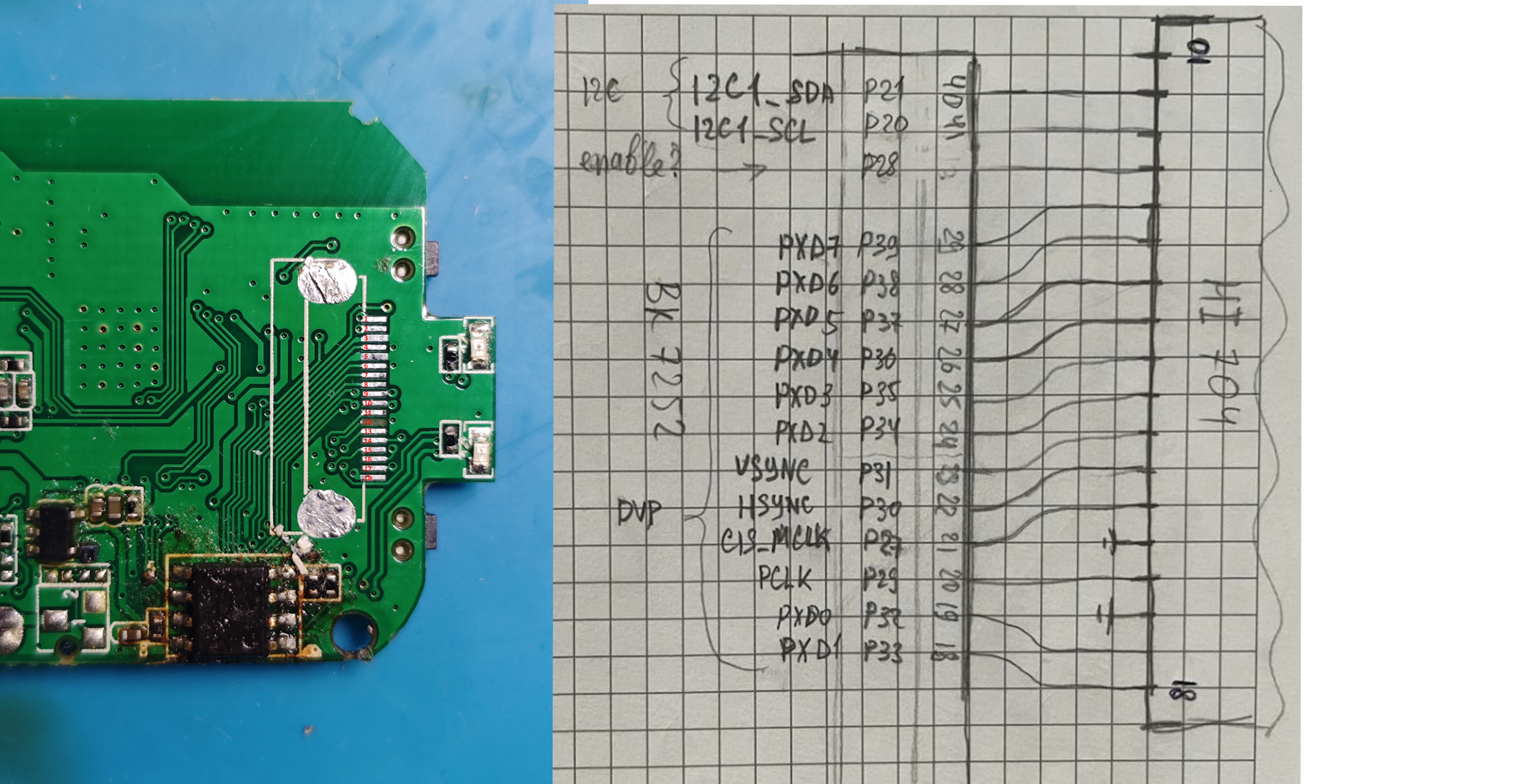
    Did you attempt to trace it? Camera pinout is known (https://github.com/daniel-dona/beken7252-opencam/issues/9)
  • #11 21688831
    divadiow
    Level 38  
    Posts: 4833
    Help: 420
    Rate: 851
    insmod wrote:
    Remove it from array and check again?

    will do, if I can get back to the working scanner code ;o

    insmod wrote:
    Did you attempt to trace it? Camera pinout is known (https://github.com/daniel-dona/beken7252-opencam/issues/9)


    negative. not yet. mostly because of:

    divadiow wrote:
    most pins do seem to be routed somewhere. awkward for multimeter tracing is that the IC is on the opposite side to the cam connector


    but I'm sure I could get a thin wire on SDA right at the end. surely.

    I am aware of that diagram yes, and started one time to map it out in my own head and check it against a cleared XF16 PCB. Don't know why I didn't finish

    PCB with pins and a handwritten pinout diagram for HI704 to BK7252
  • ADVERTISEMENT
  • #12 21691354
    divadiow
    Level 38  
    Posts: 4833
    Help: 420
    Rate: 851
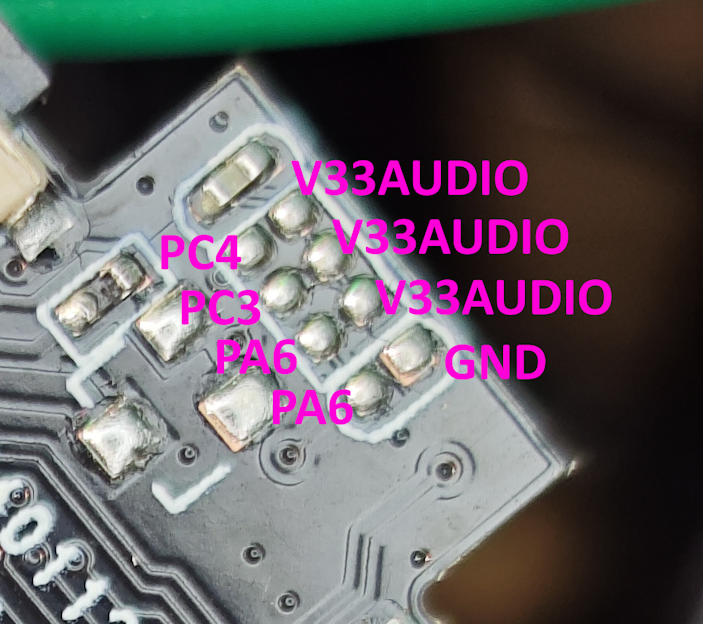
    oh my days. finally. Should have spent more time probing what other test pad looking things are on the PCB.

    these work
    Code: Text
    Log in, to see the code


    Close-up of PCB with labeled pins: PC4, PC3, PA6, GND, and V33AUDIO

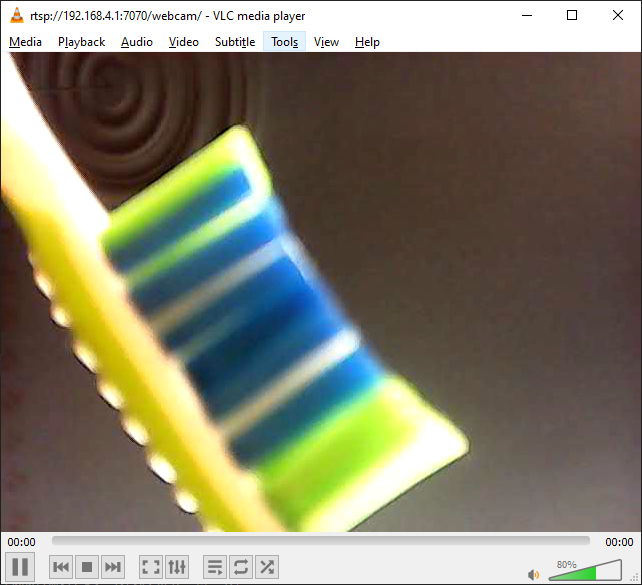
    Close-up of a toothbrush head with colorful bristles

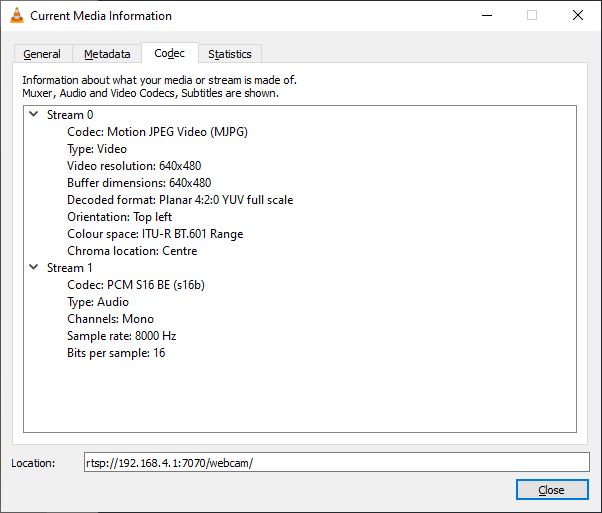
    VLC window showing stream info for 640x480 video and mono PCM audio at 8000 Hz

    mic remains default

    Added after 5 [minutes]:


    startdriver txwcam
    Code: Text
    Log in, to see the code


    Added after 1 [minutes]:

    so that scanner thing before finding PB8/9 was a load of bunk

    Added after 18 [minutes]:

    I think we should have it print something more informative about the sensor it matches when starting driver

    Added after 32 [minutes]:

    Code: Text
    Log in, to see the code


    Code: Text
    Log in, to see the code


    https://github.com/divadiow/txw81xcam/compare...b2949b08e241c4c2c0a9d1ebe843299f3c816ab3970db

    Added after 10 [hours] 46 [minutes]:

    as useful as that may appear though, this GC0310 appears to init with the GC0312 TXW driver

    FTY A9 WiFi Mini Camera 2024 Variant Details and Photos: 1mb Taixin TXW817-810, Black PCB [817_V1.3]

    Code: Text
    Log in, to see the code


    Added after 8 [minutes]:

    and others that were seen to be GC0328 (for eg) on XF16 are not detected by TXW despite there being a GC0328 driver defined. I'll see if I can try to make new drivers with different init tables to see if any of these unknown modules can be made to work.
  • #13 21692238
    insmod
    Level 31  
    Posts: 1353
    Help: 160
    Rate: 425
    >>21691354
    Is DVP_PDN pin required?

    Added after 16 [minutes]:

    Hm, and does softi2c scan in OBK works? (without camera init ofc)
  • #14 21692256
    divadiow
    Level 38  
    Posts: 4833
    Help: 420
    Rate: 851
    insmod wrote:
    Is DVP_PDN pin required?

    actually, no.
    https://github.com/divadiow/OpenBK7231T_App/actions/runs/17778112136

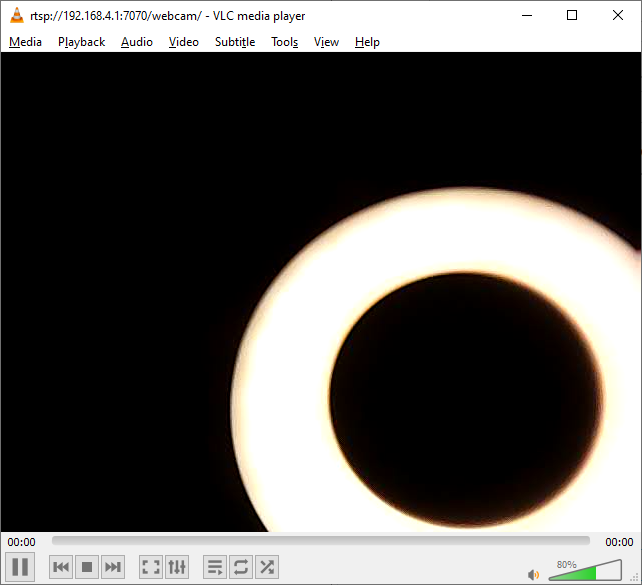
    Bright circular light ring on black background, partial view of the ring.

    insmod wrote:
    Hm, and does softi2c scan in OBK works? (without camera init ofc)


    will try, assuming i2c driver builds and works. some kind of detection ability would be good

    Added after 7 [minutes]:

    have your new cams arrived yet?
  • #15 21692263
    insmod
    Level 31  
    Posts: 1353
    Help: 160
    Rate: 425
    >>21692256
    Nope, not even close.
    ETA is 4 days to 2 weeks. It's still in China.
    I believe it may take even longer than 2 weeks.
  • #16 21692269
    divadiow
    Level 38  
    Posts: 4833
    Help: 420
    Rate: 851
    insmod wrote:
    Nope, not even close.

    :(

    insmod wrote:
    Hm, and does softi2c scan in OBK works? (without camera init ofc)

    FTY A9 WiFi Mini Camera 2024 Variant Details and Photos: 1mb Taixin TXW817-810, Black PCB [817_V1.3]

    you just get the megalist on soft scan

    Code: Text
    Log in, to see the code


    is i2c2 still attached before txwcam runs?

    FTY A9 WiFi Mini Camera 2024 Variant Details and Photos: 1mb Taixin TXW817-810, Black PCB [817_V1.3]

    Added after 3 [minutes]:

    oh

    Code: Text
    Log in, to see the code


    Added after 11 [minutes]:

    OK, so that was with a HI704 sensor so no working driver. switched to known working cam and now no result from softscan.

    this is boot (with added info code) of working cam

    Code: Text
    Log in, to see the code


    Added after 3 [minutes]:

    pick a different cam it won't match and init and we do get a scan result again

    Code: Text
    Log in, to see the code


    Added after 45 [minutes]:

    in other news I seem to have a working HI704 driver. Detects and gives image anyway

    FTY A9 WiFi Mini Camera 2024 Variant Details and Photos: 1mb Taixin TXW817-810, Black PCB [817_V1.3]

    Code: Text
    Log in, to see the code


    need to compare colours tomorrow maybe in daylight with XF16 or whatever pcb/firmware it came with from factory
    Attachments:
    • sensor_hi704.zip (1.83 KB) You must be logged in to download this attachment.
  • #18 21692372
    divadiow
    Level 38  
    Posts: 4833
    Help: 420
    Rate: 851
    insmod wrote:
    What are your init bytes for HI704?

    Code: C / C++
    Log in, to see the code


    I see other tables around for HI704, so not sure which work/best yet.

    Added after 3 [minutes]:

    eg
    https://gist.github.com/Apache02/089760cbc51f2c4add65b92265d07e27#file-camera_intf-h
    and attached from Tuya Rockchip rk3308 SDK
    Attachments:
    • hi704.zip (14.75 KB) You must be logged in to download this attachment.
  • #20 21692383
    divadiow
    Level 38  
    Posts: 4833
    Help: 420
    Rate: 851
    oic. driver file attached to previous post, but:

    Code: C / C++
    Log in, to see the code


    Added after 19 [minutes]:

    what you thinking? good, bad, could be better? 😁

    Added after 22 [minutes]:

    insmod wrote:
    Configurable i2c pins via softsda and softscl


    seems to work
    FTY A9 WiFi Mini Camera 2024 Variant Details and Photos: 1mb Taixin TXW817-810, Black PCB [817_V1.3]

    Spoiler:
    [122084]mmpool3: align=4
    [122084]custom mem sram:59980
    JPG start
    [122086]csi_test start,iic init
    [122087]iic init finish,sensor reset & set sensor clk into 6M
    hgdvp_set_baudrate:clock:480000000
    [122091]set sensor finish ,Auto Check sensor id
    [122091]SID: ff, 9b, 42, 43,0
    [122092]SID: ff, a0, 42, 43,0
    [122093]SID: ff, bb, 66, 67,f0
    [122094]SID: ff, 10, 42, 43,f1
    [122094]SID: ff, 9d, 42, 43,f0
    [122095]preset table num:2
    [122095]SID: c0, c0, 62, 63,0
    [122096]id =c0 num:5
    [122096]Auto Check sensor id finish
    [122097]mclk:24000000MHz
    hgdvp_set_baudrate:clock:480000000
    [122097]init:18074280 u8Addrbytnum:1,u8Databytnum:1
    [122098]SENSER....init
    Error:HTTP:TCP Client is disconnected, fd: 4
    [122162]init table num:468
    [122163]SENSR ident ok:640*480
    [122163]csi init start --
    [122164]csi set size ====>640*480
    [122164]csi dvp_size_set
    [122164]csi IRQ init
    [122165]dvpirq_register:1 1801f1c0 1801f1c0
    [122165]dvpirq_register:0 1801f1ac 1801f1ac
    [122166]vppirq_register:0 1801f018 1801f018
    [122166]vppirq_register:1 1801efcc 1801efcc
    [122167]vppirq_register:2 1801f014 1801f014
    [122167]vppirq_register:3 1801f17c 1801f17c
    [122168]vppirq_register:4 1801f190 1801f190
    [122168]vppirq_register:5 1801f004 1801f004
    [122169]vppirq_register:6 1801eff4 1801eff4
    [122169]vppirq_register:7 1801efdc 1801efdc
    [122170]csi IRQ init finish,start get data
    [122174]audio power on
    [122177]auadc power on
    [122178]audio efuse aubias_sel_vref100_vdd: 2
    [122178]audio efuse aubias_sel_vcmau_vdd: 11
    [122179]audio efuse aubias_sel_vcc27au_vdd: 0
    [122179]audio ic aubias_sel_vref100_vdd: 2
    [122180]audio ic aubias_sel_vcmau_vdd: 11
    [122180]audio ic aubias_sel_vcc27au_vdd: 4
    port:7070 fd:4
    [122183]set_video_track:362
    [122184]set_video_track source->track[t]:0 rtp:20025034
    [122184]live audio_ex:20024F58
    [122185]set_video_track:362
    [122185]set_video_track source->track[t]:0 rtp:200256C8
    Info:MAIN:Started txwcam.


    if assignment is wrong it'll freeze here at driver start requiring power cycle

    Code: Text
    Log in, to see the code
  • #21 21692958
    insmod
    Level 31  
    Posts: 1353
    Help: 160
    Rate: 425
    >>21692383
    Did you check HI704 on XF16?
    If image colours are fine on TXW, can you open a pull req with it and extended logging?
  • #22 21692966
    divadiow
    Level 38  
    Posts: 4833
    Help: 420
    Rate: 851
    sadly no, hell work day. will asap

    Added after 3 [hours] 15 [minutes]:

    poor test. different angles, different subjects in frame. real pain getting images out of YsxLite and FTYpro apps.

    XF16 driver on right. HI704 /TXW on left (VLC screenshot). XF16/FTY ended up being a screenshot of the image on phone :/

    FTY A9 WiFi Mini Camera 2024 Variant Details and Photos: 1mb Taixin TXW817-810, Black PCB [817_V1.3]
  • #23 21693152
    insmod
    Level 31  
    Posts: 1353
    Help: 160
    Rate: 425
    >>21692966
    While XF16 image looks better to me, TXW is still good enough.
  • #24 21693170
    divadiow
    Level 38  
    Posts: 4833
    Help: 420
    Rate: 851
    Can always add and tweak later I guess. A proper comparison required for this and future drivers
  • #25 21693990
    divadiow
    Level 38  
    Posts: 4833
    Help: 420
    Rate: 851
    more logging, HI704 driver https://github.com/NonPIayerCharacter/OpenTXW81X/pull/1

    missing mbedtls makefile made it in there too by accident

    SoftSDA PC_4
    SoftSCL PC_3

    startdriver txwcam
    Spoiler:
    [124837]mmpool3: align=4
    [124838]custom mem sram:59980
    JPG start
    [124839]csi_test start,iic init
    [124839]iic init finish,sensor reset & set sensor clk into 6M
    hgdvp_set_baudrate:clock:480000000
    Error:HTTP:http_fn_cmd_tool: len 18
    [124843]set sensor finish ,Auto Check sensor id
    [124843]SID: id=0xff expect=0x9b addr8={0x42,0x43} addr7=0x21 reg=0x00
    [124845]SID: id=0xff expect=0xa0 addr8={0x42,0x43} addr7=0x21 reg=0x00
    [124846]SID: id=0xff expect=0xbb addr8={0x66,0x67} addr7=0x33 reg=0xf0
    [124848]SID: id=0xff expect=0x10 addr8={0x42,0x43} addr7=0x21 reg=0xf1
    [124849]SID: id=0xff expect=0x9d addr8={0x42,0x43} addr7=0x21 reg=0xf0
    [124850]preset table num:2
    [124850]SID: id=0xff expect=0xc0 addr8={0x62,0x63} addr7=0x31 reg=0x00
    [124851]SID: id=0xff expect=0x3a addr8={0xdc,0xdd} addr7=0x6e reg=0xfc
    [124853]SID: id=0xff expect=0x03 addr8={0xdc,0xdd} addr7=0x6e reg=0xfd
    [124854]SID: id=0x00 expect=0x26 addr8={0x60,0x61} addr7=0x30 reg=0x0a
    [124855]SID: id=0xff expect=0x77 addr8={0x42,0x43} addr7=0x21 reg=0x0a
    [124856]SID: id=0xff expect=0x76 addr8={0x42,0x43} addr7=0x21 reg=0x0a
    [124857]SID: id=0xff expect=0x76 addr8={0x42,0x43} addr7=0x21 reg=0x0a
    [124858]SID: id=0xff expect=0x37 addr8={0xdc,0xdd} addr7=0x6e reg=0xfc
    [124860]SID: id=0xff expect=0x12 addr8={0x36,0x37} addr7=0x1b reg=0xfffb
    [124861]SID: id=0xff expect=0x70 addr8={0x36,0x37} addr7=0x1b reg=0xfffb
    [124862]SID: id=0xff expect=0x70 addr8={0x36,0x37} addr7=0x1b reg=0xfffb
    [124863]SID: id=0xff expect=0x41 addr8={0x64,0x65} addr7=0x32 reg=0x00
    [124865]SID: id=0xff expect=0x71 addr8={0x42,0x43} addr7=0x21 reg=0x02
    [124866]SID: id=0xff expect=0xa6 addr8={0x42,0x43} addr7=0x21 reg=0x02
    [124867]SID: id=0xff expect=0x20 addr8={0xdc,0xdd} addr7=0x6e reg=0xfd
    [124868]SID: id=0x96 expect=0x96 addr8={0x60,0x61} addr7=0x30 reg=0x04
    [124869]sensor match: name=hi704 id=0x96 num=20 addr7=0x30 mclk=24000000 pix=640x480
    [124870]Auto Check sensor id finish
    [124870]mclk:24000000MHz
    hgdvp_set_baudrate:clock:480000000
    [124871]init:18075600 u8Addrbytnum:1,u8Databytnum:1
    [124872]SENSER....init
    Error:HTTP:TCP Client is disconnected, fd: 6
    [124963]init table num:678
    [124964]SENSR ident ok:640*480
    [124964]csi init start --
    [124964]csi set size ====>640*480
    [124965]csi dvp_size_set
    [124965]csi IRQ init
    [124966]dvpirq_register:1 1801f1c4 1801f1c4
    [124966]dvpirq_register:0 1801f1b0 1801f1b0
    [124967]vppirq_register:0 1801f018 1801f018
    [124967]vppirq_register:1 1801efcc 1801efcc
    [124968]vppirq_register:2 1801f014 1801f014
    [124968]vppirq_register:3 1801f180 1801f180
    [124969]vppirq_register:4 1801f194 1801f194
    [124969]vppirq_register:5 1801f004 1801f004
    [124970]vppirq_register:6 1801eff4 1801eff4
    [124970]vppirq_register:7 1801efdc 1801efdc
    [124971]csi IRQ init finish,start get data
    [124975]audio power on
    [124978]auadc power on
    [124978]audio efuse aubias_sel_vref100_vdd: 2
    [124979]audio efuse aubias_sel_vcmau_vdd: 11
    [124979]audio efuse aubias_sel_vcc27au_vdd: 0
    [124980]audio ic aubias_sel_vref100_vdd: 2
    [124980]audio ic aubias_sel_vcmau_vdd: 11
    [124981]audio ic aubias_sel_vcc27au_vdd: 4
    port:7070 fd:6
    [124983]set_video_track:362
    [124983]set_video_track source->track[t]:0 rtp:20022224
    [124984]live audio_ex:200221D4
    [124984]set_video_track:362
    [124985]set_video_track source->track[t]:0 rtp:200224D8
    Info:MAIN:Started txwcam.


    I think it should say sensor driver match instead of sensor match.

    back to trusty GC0329 to check
    Spoiler:
    [45177]mmpool3: align=4
    [45177]custom mem sram:59980
    JPG start
    [45178]csi_test start,iic init
    [45179]iic init finish,sensor reset & set sensor clk into 6M
    hgdvp_set_baudrate:clock:480000000
    Error:HTTP:http_fn_cmd_tool: len 18
    [45183]set sensor finish ,Auto Check sensor id
    [45183]SID: id=0xff expect=0x9b addr8={0x42,0x43} addr7=0x21 reg=0x00
    [45185]SID: id=0xff expect=0xa0 addr8={0x42,0x43} addr7=0x21 reg=0x00
    [45186]SID: id=0xff expect=0xbb addr8={0x66,0x67} addr7=0x33 reg=0xf0
    [45187]SID: id=0xff expect=0x10 addr8={0x42,0x43} addr7=0x21 reg=0xf1
    [45188]SID: id=0xff expect=0x9d addr8={0x42,0x43} addr7=0x21 reg=0xf0
    [45189]preset table num:2
    [45190]SID: id=0xc0 expect=0xc0 addr8={0x62,0x63} addr7=0x31 reg=0x00
    [45190]sensor match: name=gc0329 id=0xc0 num=5 addr7=0x31 mclk=24000000 pix=640x480
    [45191]Auto Check sensor id finish
    [45192]mclk:24000000MHz
    hgdvp_set_baudrate:clock:480000000
    [45192]init:180747a0 u8Addrbytnum:1,u8Databytnum:1
    [45193]SENSER....init
    Error:HTTP:TCP Client is disconnected, fd: 6
    [45259]init table num:468
    [45259]SENSR ident ok:640*480
    [45259]csi init start --
    [45260]csi set size ====>640*480
    [45260]csi dvp_size_set
    [45261]csi IRQ init
    [45261]dvpirq_register:1 1801f1c4 1801f1c4
    [45261]dvpirq_register:0 1801f1b0 1801f1b0
    [45262]vppirq_register:0 1801f018 1801f018
    [45263]vppirq_register:1 1801efcc 1801efcc
    [45263]vppirq_register:2 1801f014 1801f014
    [45264]vppirq_register:3 1801f180 1801f180
    [45264]vppirq_register:4 1801f194 1801f194
    [45265]vppirq_register:5 1801f004 1801f004
    [45265]vppirq_register:6 1801eff4 1801eff4
    [45266]vppirq_register:7 1801efdc 1801efdc
    [45266]csi IRQ init finish,start get data
    [45271]audio power on
    [45274]auadc power on
    [45274]audio efuse aubias_sel_vref100_vdd: 2
    [45275]audio efuse aubias_sel_vcmau_vdd: 11
    [45275]audio efuse aubias_sel_vcc27au_vdd: 0
    [45276]audio ic aubias_sel_vref100_vdd: 2
    [45276]audio ic aubias_sel_vcmau_vdd: 11
    [45277]audio ic aubias_sel_vcc27au_vdd: 4
    port:7070 fd:6
    [45279]set_video_track:362
    [45279]set_video_track source->track[t]:0 rtp:20022B4C
    [45280]live audio_ex:20022AFC
    [45280]set_video_track:362
    [45281]set_video_track source->track[t]:0 rtp:200231E0
    Info:MAIN:Started txwcam.
  • #27 21694089
    divadiow
    Level 38  
    Posts: 4833
    Help: 420
    Rate: 851
    interesting. sensor matched OK but no image streams if using @Apache02's init table https://gist.github.com/Apache02/089760cbc51f2c4add65b92265d07e27#file-camera_intf-h

    https://github.com/divadiow/txw81xcam/commit/2a0a45382eac96dea29796109c536624ef870b15

    Added after 4 [minutes]:

    missing terminator maybe https://github.com/divadiow/txw81xcam/commit/fcff990ea9098ef668c6265fcadd9f1e0ef1e70e

    Added after 1 [hours] 40 [minutes]:

    nope. no matter. moving onto SP0828
📢 Listen (AI):

Topic summary

✨ A new variant of the FTY A9 WiFi Mini Camera, purchased in February 2024, has been identified featuring a 1MB Taixin TXW817-810 chipset and a black PCB labeled 817_V1.3. The device is marketed as a wireless video mini camera recorder with voice capabilities, suitable for security monitoring and smart home applications such as infant monitoring and presence sensing. The SKU associated with this model is 742329872052, and it is manufactured by Hunan Shiyue Technology Co. Ltd. Detailed internal photos reveal the hardware layout and component placement, which differ from previous FTY A9 versions. This variant appears to be distributed via AliExpress, although the exact seller is not confirmed. The discussion provides visual documentation and technical identification of this specific camera iteration, contributing to the knowledge base of FTY A9 hardware revisions.
Generated by the language model.

FAQ

TL;DR: This FAQ identifies a 1 MB FTY A9 2024 variant with Taixin TXW817-810 and, as the teardown notes, "another FTY A9 camera variation." It helps buyers, reverse engineers, and OpenTXW81X users match the black 817_V1.3 PCB, find the working camera pins, and back up firmware before experimenting with local or cloud-free control. [#21563286]

Why it matters: This variant looks like other A9 cameras, but its PCB markings, UART logs, debug timing, and camera pin routing differ enough to change backup, app compatibility, and OpenTXW81X bring-up.

Option Works for this variant Access path Main limitation
Stock firmware + cloud apps Yes Vendor apps detect the camera Cloud-dependent by default
Local AP on stock firmware Yes AP mode, device shows 192.168.1.1 in logs Uses stock firmware behavior
OpenTXW81X / OpenTXW817 Yes, partially AP at 192.168.4.1 after boot Factory SP0A19 module initially gave no image
cam-reverse Yes Local, cloud-free workflow Requires reverse-engineering setup

Key insight: The breakthrough was not the first scanner hit. The camera finally worked only after using PC_3/PC_4 for I2C and leaving DVP_RESET = 255, while PA_6 for DVP_PDN turned out to be optional on this board. [#21691354]

Quick Facts

  • The identified board uses a Taixin TXW817-810 MCU, a 1 MB flash dump, black PCB, and PCB markings 20240112JC 817_V1.3. The stock camera sensor module was reported as SuperPix SP0A19, 640×480. [#21563286]
  • Stock UART output was captured from the RX pad at 921600 baud and showed hgSDK-v2.5.1.7-26745 with app build time Jan 18 2024 21:55:13. [#21563286]
  • The factory AP used SSID FTYC535866GRDBZ with password 1234abcd, and the stock network log showed IP 192.168.1.1, netmask 255.255.255.0, and Wi‑Fi channel 8 / 2447 MHz. [#21563286]
  • OpenTXW81X booted on this hardware with AP OpenTXW81X_75663814, exposed 192.168.4.1 after initial boot, and reported 5 seconds to boot-complete in the log. [#21688413]
  • The working OpenTXW81X camera configuration used PIN_IIC2_SCL PC_3, PIN_IIC2_SDA PC_4, PIN_DVP_RESET 255, and initially PIN_DVP_PDN PA_6; later testing showed DVP_PDN was not required. [#21692256]

1. How can I identify the 2024 FTY A9 WiFi Mini Camera variant with a Taixin TXW817-810, black PCB, and 817_V1.3 markings?

Identify it by four markers: the black PCB, PCB text 20240112JC 817_V1.3, the Taixin TXW817-810 QFN48 MCU, and the stock AP SSID format beginning with FTYC. The teardown also listed AliExpress Choice SKU 742329872052 and a stock camera sensor reported as SuperPix SP0A19 640×480. Those details separate it from other A9 and XF16-family variants that use different boards, sensors, or pin routing. [#21563286]

2. What is the default AP SSID and password on this FTY A9 TXW817-810 camera, and how do I connect to it locally?

The stock AP SSID is FTYC535866GRDBZ and the password is 1234abcd. Connect to that Wi‑Fi network, then browse to the device on its local AP network. The stock log shows IP 192.168.1.1 with 255.255.255.0 netmask. Under OpenTXW817/OpenTXW81X, the AP changes and local access moves to 192.168.4.1 after boot, so stock and custom firmware use different local entry points. [#21563286]

3. Which camera apps work with this FTY A9 variant, including ftycampro, HD IOT Camera, and YsxLite?

The stock camera was reported as detected by ftycampro, HD IOT Camera, and YsxLite. Those are the three confirmed apps in the thread for this TXW817-based A9 variant. They work with the factory firmware and stock cloud workflow. The same post also notes that the camera can be used locally without cloud through a separate reverse-engineered route, so app support and local support are both documented for this device. [#21563286]

4. What is DebugIO and DebugCLK on the TXW817-810 board, and how are they used for firmware backup?

They are the board’s exposed debug pads for the C-SKY interface. "DebugIO is a board-level debug data pin that carries the target communication signal, while DebugCLK is the matching debug clock pin that synchronizes reads and writes during MCU access." On this camera, they are correctly labeled and map to PA9 and PA10, which lets you attach CK-Link Lite tools and attempt a firmware readout before normal boot reassigns the pins. [#21563286]

5. How do I dump the 1 MB flash from a Taixin TXW817-810 using CK-Link Lite and the C-SKY Flash Programmer?

Use the labeled debug pads and catch the chip early in boot. 1. Connect CK-Link Lite to PA9/PA10 on the board’s DebugIO/DebugCLK pads. 2. Start the T-Head Debugging Server and confirm a CK803SG target is detected. 3. Read the flash with C-SKY Flash Programmer, which produced a 1 MB dump on this board. The thread explicitly confirms both the target ID and a successful 1 MB backup image. [#21563286]

6. Why is precise timing needed when reading firmware from PA9 and PA10 on this camera board?

Precise timing is needed because PA10 is shared with the blue LED. The board starts with debug access available, but almost immediately the firmware switches the GPIO function to LED flashing. That change can block or break the read if you attach too late. The author states you must catch the firmware before it boots far enough to repurpose the pin, which makes this board more timing-sensitive than variants with dedicated debug pins. [#21563286]

7. What is DVP_PDN in the OpenTXW81X camera configuration, and when does it matter for TXW817 camera bring-up?

DVP_PDN is the camera sensor power-down control pin. "DVP_PDN is a camera-control GPIO that forces the image sensor into or out of power-down mode, which matters when the board routes sensor standby separately from I2C and pixel data lines." On this TXW817 board, the first working setup used PIN_DVP_PDN PA_6, but later testing showed the camera still worked with DVP_PDN effectively unused, so it was not required for successful bring-up here. [#21692256]

8. How do I get OpenTXW817 or OpenTXW81X running on this FTY A9 camera and access it at 192.168.4.1?

Flash OpenTXW817/OpenTXW81X, let it boot into AP mode, join that AP, and open 192.168.4.1 in a browser. The log shows OpenTXW81X version 1.18.172, SSID OpenTXW81X_75663814, and a boot-complete message after 5 seconds. That confirms the custom firmware boots cleanly on this TXW817 board even before camera streaming is fully solved. The thread later shows the txwcam driver starting once the correct camera pins were found. [#21688413]

9. Why does OpenTXW81X detect the mic and RTSP audio but fail to produce an image with the factory SuperPix SP0A19 module?

It fails because the board’s camera wiring and sensor handling were not matched yet, even though audio initialized correctly. The log showed the mic working and RTSP audio present, but no image stream appeared with the factory SuperPix SP0A19 LT1757-OA-10 V1.0 module. The author suspected routing differences on the TXW817 board, including the possibility of different camera-related pin choices on the MCU. Later posts confirmed the real fix was finding the correct I2C and control pins, not the microphone path. [#21688413]

10. Which I2C pin assignments finally worked for the camera on this TXW817 board, including PIN_IIC2_SCL, PIN_IIC2_SDA, PIN_DVP_RESET, and PIN_DVP_PDN?

The working configuration was PIN_IIC2_SCL PC_3, PIN_IIC2_SDA PC_4, PIN_DVP_RESET 255, and PIN_DVP_PDN PA_6. With those settings, OpenTXW81X detected a matching sensor, initialized at 640×480, and started the txwcam driver. The same post later notes DVP_PDN was not actually required, but the key breakthrough was the PC_3/PC_4 I2C pair and leaving reset disabled with 255. [#21691354]

11. What caused the PB8/PB9 scanner result to be misleading, and how should I verify the real camera I2C pins on a TXW817 board?

The PB_8/PB_9 result was misleading because the scanner found an ACK, but it did not lead to real sensor detection or working image capture. The author later called that earlier scanner result “a load of bunk.” Verify the pins by combining three checks: a real sensor ID match, successful driver init, and an actual image stream. On this board, only PC_3/PC_4 passed those practical checks. Multimeter tracing and checking hidden test pads also helped confirm the real routing. [#21691354]

12. How does soft I2C scanning in OpenBK7231T_App behave before and after starting the txwcam driver, and why can it show false-positive address lists?

Soft I2C scanning can mislead you badly on this hardware. Before camera init, one scan returned a “megalist” of addresses from 0x1 upward, which is a classic false-positive pattern. After startdriver txwcam, results changed: one non-working camera showed 0x30, another unmatched case showed 0x18, and a working GC0329 setup showed no useful soft-scan result. That means soft scanning depends on bus state and driver ownership, so you must trust real sensor init logs more than raw scan lists. [#21692269]

13. GC0310 vs GC0312 vs GC0329 on Taixin TXW81x: how does sensor detection differ from driver compatibility?

Detection and compatibility are not the same thing. A module believed to be GC0310 initialized using the GC0312 TXW driver, while GC0329 matched directly with ID 0xc0 and initialized at 640×480. The discussion also notes that some modules seen as GC0328 on XF16 were not detected by TXW despite a GC0328 driver existing. One expert observation sums it up: matching an ID is useful, but a different driver can still be the one that actually produces a working image. [#21691354]

14. What init settings and sensor ID values were used to get the Hynix HI704 working on OpenTXW81X, and how good was the image quality compared with XF16 firmware?

The working HI704 identification used ID 0x96, write/read addresses 0x60/0x61, 1-byte register addressing, ID register 0x04, and a 640×480 init path. In log form, OpenTXW81X reported sensor match: name=hi704 id=0x96 addr7=0x30 mclk=24000000. Image quality was usable but not clearly superior. The comparison post says the XF16 image looked better, while TXW was still good enough for a first driver and could be tuned later. [#21693152]

15. Which local, cloud-free options exist for the FTY A9 camera, and how does cam-reverse compare with the stock cloud apps?

The confirmed local, cloud-free option is cam-reverse. The thread states this FTY A9 variant can run locally without cloud through that project, while the stock route uses apps such as ftycampro, HD IOT Camera, and YsxLite. In practice, stock apps are easier for quick setup, but cam-reverse is better if you want local control and to avoid vendor cloud dependence. For firmware-level customization, OpenTXW81X is the deeper route, but it requires pin mapping and sensor work. [#21563286]
Generated by the language model.
ADVERTISEMENT