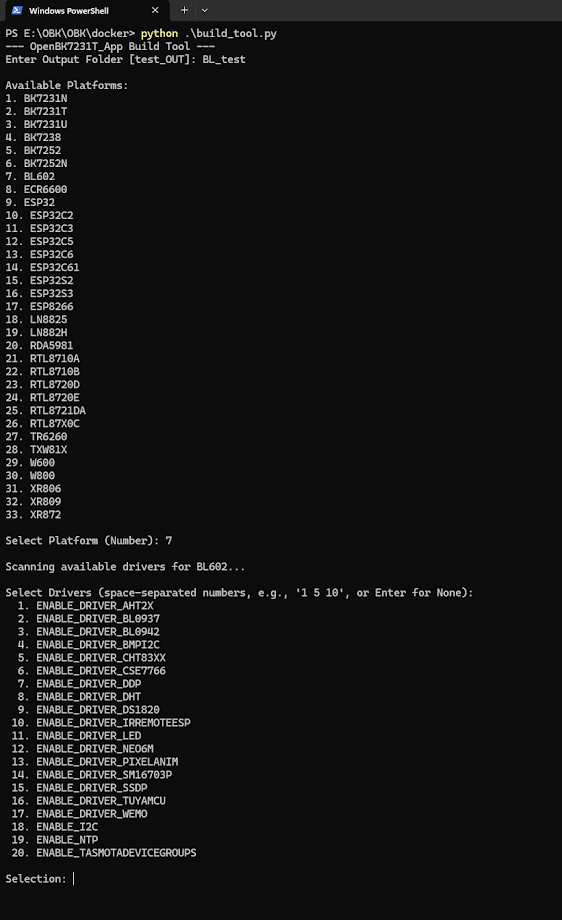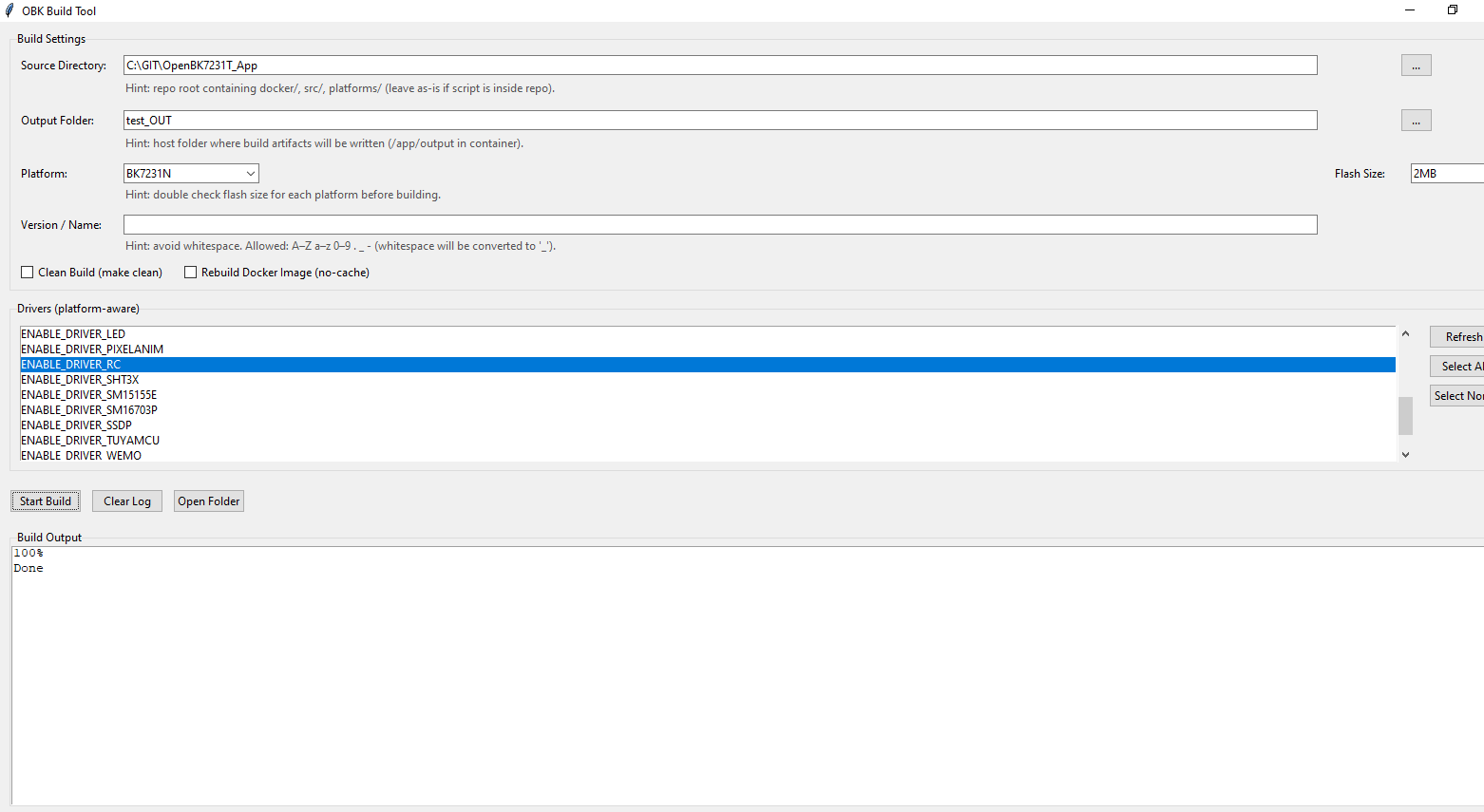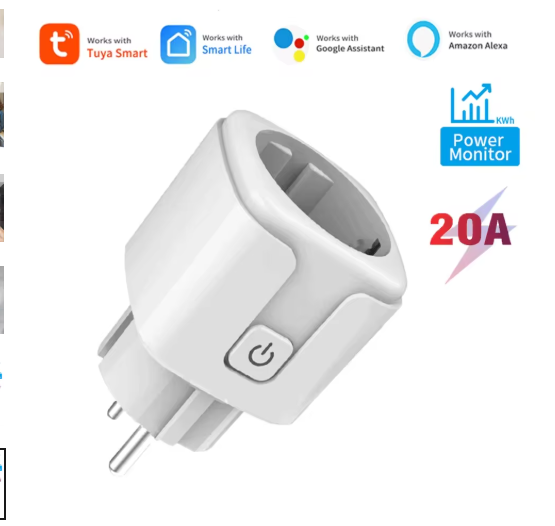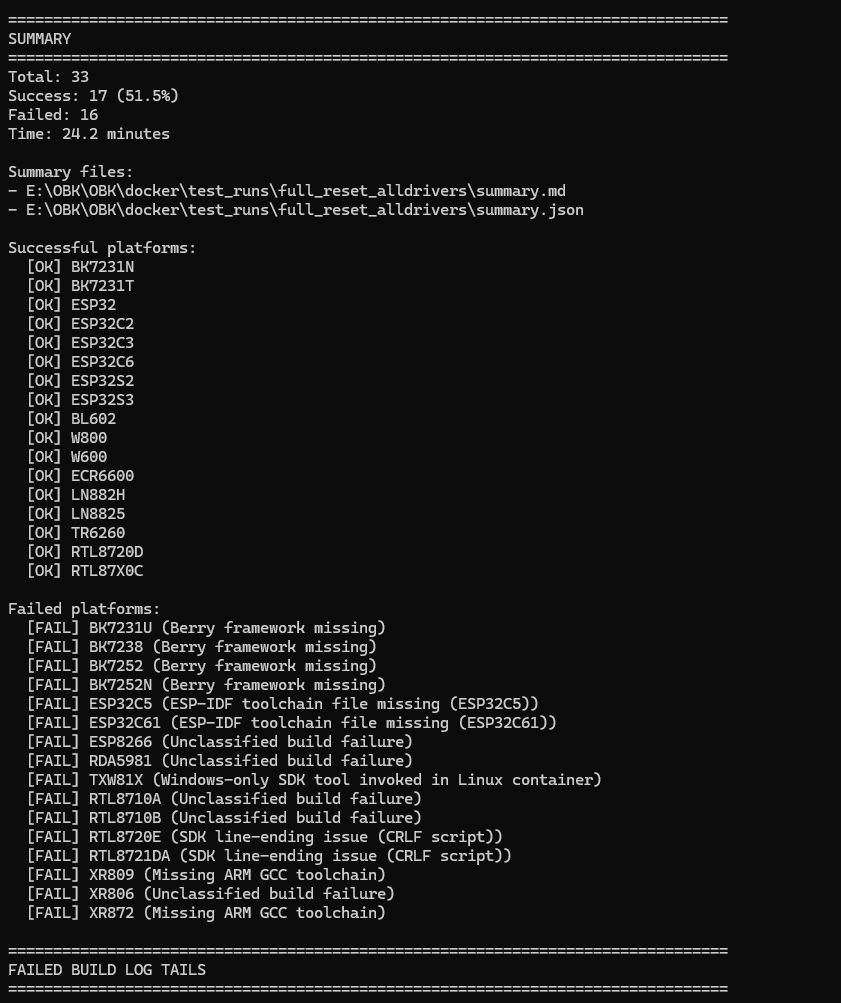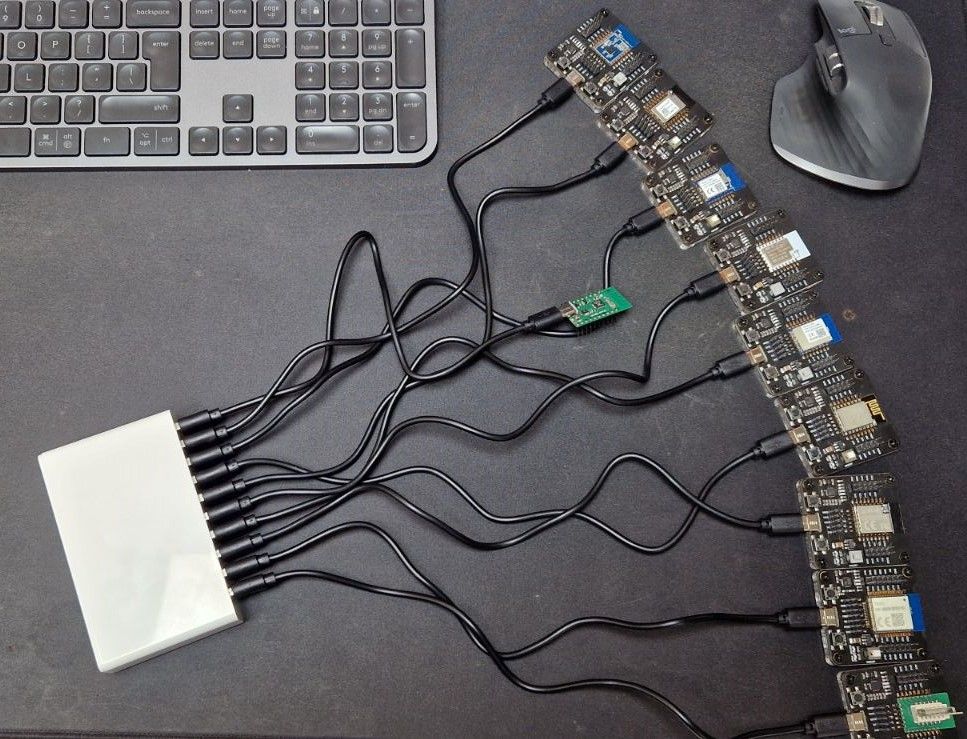
For several years, Elektroda has been developing universal, open-source software for various types of Wi-Fi-controlled building automation devices, such as relays, LED lamp and LED strip controllers (including WS2812), thermostats, energy meters, or there temperature, humidity, motion sensors. Along with the firmware, a list of supported devices and extensive documentation of their internals is created. Here I will show the status of this project as of 2025.12.31.
Why change the firmware?
Let us now consider what the overall purpose of this project is. Why change the firmware when the products already come with the manufacturer's software? Is there any point in combining? Motivations may vary, below I list the reasons in random order:
- extending functionality - after changing the firmware you can add sensors, scripts, mechanisms at will. Then you have full control over GPIO, you can add a temperature sensor to every light switch, etc., or even an IR receiver, whatever you prefer
- freedom from the cloud and potential surveillance - the reprogrammed device operates 100% locally and does not report data anywhere
- security in case of problems at the manufacturer - many devices are dependent on the cloud, so if something goes wrong at the supplier, we may end up with useless equipment. The supplier has also been known to introduce a paid subscription after the fact....
- connecting to different ecosystems and Home Assistant - not every device can be easily connected to HA or this is limited, OBK supports HA without limits
- use the device as an Arduino-style DIY platform - once the firmware is changed, any project can be realised on a supported Wi-Fi chip
- energy saving and product life extension - e.g. for LED lamps ( presentation )
Repository and project name
The project was started as firmware for BK7231 chips and christened as OpenBeken/OBK . At the moment the name has remained, but the whole thing is a multi-platform application supporting around 32 platforms.
Platforms supported as of 2025.12.31
Here is the status of platform support as of 2025.12.31. For the latest version, see GitHub .
I made the platform count according to the criterion of separate binary files. This means that e.g. the W800 / W801 is counted as one platform, because it has a common batch, and the ESP32 is counted as several platforms, because there are separate versions of C3, C6, etc.
| Platform | Family | WPA3 | OTA | GPIO | GPI Interruption | UART | PWM | ADC | Deep Sleep | WDT | SPI LED | IR | ||||||
| BK7231T | Beken | ✅¹² | ✅ | ✅ | ✅ | ✅ | ✅ | ✅ | ✅ | ✅ | ✅✅¹² | ✅ | ||||||
| BK7231N | Beken | ✅¹² | ✅ | ✅ | ✅ | ✅¹²✅ | ✅ | ✅ | ✅ | ✅ | ✅ | ✅ | ||||||
| BK7231S / BK7231U | Beken | ✅ | ✅¹ | ✅ | ✅ | ✅ | ✅ | ✅ | ✅ | ✅ | ✅✅ | ✅ | ||||||
| BK7238 | Beken | ✅ | ✅ | ✅ | ✅ | ✅✅ | ✅ | ✅ | ✅✅ | ✅ | ✅ | ✅ | ||||||
| BK7252 | BK7252 | Beken | ✅ | ⚠️¹'¹⁴ | ✅ | ✅ | ✅ | ✅ | ✅ | ✅ | ✅ | ✅✅ | ✅ | |||||
| BK7252N | Beken | ✅ | ✅ | ✅ | ✅ | ✅ | ✅ | ✅ | ✅ | ✅ | ✅ | ✅ | ✅||||||
| XR809 | XRadio | ❌ | ❌⁵ | 62705↩ | ✅ | ✅ | ✅⁸ | ✅ | ✅ | ✅ | ❌ | ❌ | ❌ | |||||
| XR806 | XRadio | ✅ | ✅ | ✅ | ✅ | ✅ | ✅✅⁸ | ✅ | ✅ | ✅ | ❌ | ❌ | ||||||
| XR872 / XF16 | XRadio | ✅ | ✅² | ✅ | ✅ | ✅ | ✅⁸ | ✅ | ✅ | ✅ | ❌ | ❌ | ||||||
| BL602 / LF686 | Bouffalo Lab | ✅ | ✅⁴ | ✅ | ✅ | ✅ | ✅⁴✅ | ❌ | ✅ | ✅ | ✅ | |||||||
| W800 / W801 | Winner Micro | ❌ | ✅ | ✅ | ✅ | ✅ | ✅ | ✅ | ✅ | ✅ | ✅❌ | ✅ | ❌ | ✅❌ | ||||
| W600 / W601 | Winner Micro | ❌ | Winner Micro | ✅ | ✅ | ✅ | ✅ | ✅ | ✅ | ❌ | ✅ | ❌ | ❌ | |||||
| LN882H | Lightning Semi | ✅ | ✅⁴ | ✅ | ✅ | ❌ | ✅ | >❗️ | ❌ | ✅ | ✅ | ✅ | ||||||
| ESP8266 / ESP8285 | Espressif | ⚠️¹³ | ✅²'⁴ | ✅ | ✅ | ✅ | ✅⁴ | ✅⁷ | ❌ | ❗️ | ||||||||
| ESP32 / C2 / C3 / C5 / C6 / C61 / S2 / S3 | Espressif | ⚠️¹³ | ✅⁴ | ✅ | ✅ | ✅ | ✅ | ❓ | ✅¹⁰ | ✅ | ❌ | |||||||
| TR6260 | Transa Semi | ❌ | ❗️³'⁴ | ✅ | ✅ | >❌ | ✅⁸ | ❌ | ❌ | ❌✅⁹ | ❌ | ❌ | ❌||||||
| RTL8711AM (Ameba1) | Realtek | ❗️ | ✅⁴ | ✅ | ✅✅ | ✅ | ✅⁸ | ✅❌ | ❌ | ✅ | ✅ | ❌ | ||||||
| RTL8710B (AmebaZ) | Realtek | ✅ | ✅⁴ | ✅ | ✅ | ✅⁸ | ❌ | ❌ | ✅ | ✅ | ❌ | ❌|||||||
| RTL8710C / RTL8720C (AmebaZ2) | Realtek | ✅ | ✅⁴ | ✅ | ✅ | ✅ | ✅⁸ | ✅➖ | ❌ | ✅ | ❌✅ | ✅ | ||||||
| RTL8720D / RTL872xCSM / RTL8720CS (AmebaCS) | Realtek | ✅ | ✅⁴ | ✅ | ✅ | ✅ | ✅⁸ | ❌ | ❌❌ | ✅ | ✅ | ❗️ | ||||||
| RTL8721DA / RTL8711DAF (AmebaDplus) | Realtek | ✅ | ✅ | ✅ | ✅ | ✅ | ✅ | ✅ | ❌ | ❌ | ✅ | ✅ | ❗️ | |||||
| RTL8720E / RTL8710ECF (AmebaLite) | Realtek | ✅ | ✅ | ✅ | ✅ | ✅ | ✅ | ❌ | ❌ | ✅ | ❌ | ✅❗️ | ||||||
| ECR6600<br> | ESWIN | ✅ | ✅ | ✅ | ✅ | ✅ | ✅⁸ | ❗️ | ❗️¹¹ | ✅ | ❌ | ❌ | ||||||
| TXW81X | Taixin | ❌ | ❗️ | ✅ | ❓ | ❌ | ❌ | ❌ | ❌❌ | ❓ | ❌ | ❌ | ||||||
| RDA5981 | RDA5981 | RDA | ❌ | ✅ | ✅ | ✅ | ✅ | 62ba66ba5f | ✅ | ❌ | ❌ | ❌ | ✅ | ➖ | ❌ |
Quote:✅ - Works
❓ - Not tested
❌ - Not implemented
❗️ - Defective / not working
⚠️ - Warning
➖ - Not applicable
Quote:¹ Success dependent on partition layout set in bootloader. SPI flash QIO firmware required for a certain OTA
² Excluding 1 MB variant
³ Implemented, but no file generation tool
⁴ No OTA HTTP, only via web application
⁵ OTA attempt crashes the device
⁶ OTA in web application is corrupted, use HTTP OTA
⁷ Software PWM - possible flickering
⁸ Note pin assignment - some PWM channels overlap
⁹ WDT configured in SDK
¹⁰ Timed sleep only, no wake-up via GPIO
¹¹ After waking up, device does not connect to Wi-Fi until power is removed again
¹² Only in _ALT builds
¹³ Must be manually enabled (CONFIG_ESP8266_WIFI_ENABLE_WPA3_SAE / CONFIG_ESP_WIFI_ENABLE_WPA3_SAE = y in sdkconfig.defaults)
¹⁴ OTA on Tuya BK7252 is not supported (the stock bootloader does nothing, the custom one does not encrypt the main - brick partition)
How is the batch uploaded?
The batch is uploaded via UART, a USB to UART converter is needed. We have our own flasher for this:
https://github.com/openshwprojects/BK7231GUIFlashTool

Once uploaded, we connect the device to our Wi-Fi and configure the GPIO. Our Flasher often knows how to auto-detect the GPIO - you don't have to guess, you don't have the problem you have with Tasmota.
And even if you did have to guess - we still have a tool that makes it easy:
GPIODoctor in OpenBeken - a convenient way to learn about GPIO roles in an IoT device [EN]
GPIODoctor in OpenBeken - a convenient way to learn about GPIO roles in an IoT device [EN]
Online and automatic OTA compilation
The project can be compiled fully online. This is used even in normal firmware development. Toolchain on the local computer is unnecessary.
More information:
System online builds OpenBeken - firmware compilation for all platforms on Github [EN]
System online builds OpenBeken - firmware compilation for all platforms on Github [EN]
In addition, we have a tool that with each compilation downloads and updates the firmware itself on the target devices:
How to programmatically access pull requests, commits and download artifacts from Github[EN] How to programmatically access pull requests, commits and download artifacts from Github?
How to programmatically access pull requests, commits and retrieve artifacts from Github? [EN]
https://github.com/openshwprojects/OBKotaTool
Windows-based simulator and automated testing
Another distinguishing feature of this project is the OBK Simulator on Windows/Linux. It is an implementation of HAL for these platforms combined with a visual schematic editor.
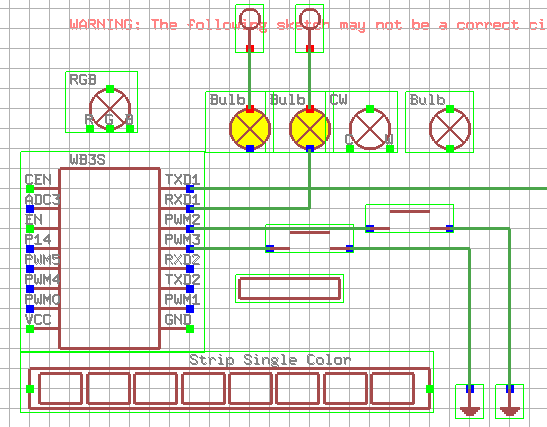
OpenBeken IoT device simulator - first early alpha version for testing [EN]
OpenBeken IoT device simulator - first early alpha version for testing [EN]
This allows you to test advanced circuits directly on your computer. Everything you need is supported - even pairing with Home Assistant, so you can connect a virtual device via MQTT.
The other obvious consequence of the Windows port is that automatic tests can be used easily:
OpenBeken automated testing on Windows and target platforms [EN]
Automatic OpenBeken tests on Windows and target platforms [EN]
These are fired up on GitHub with each compilation. If tests detect a problem, commit is flagged as incorrect.
Device list
In addition, the OBK community maintains a list of devices. Most of these are either supported or in development, although I've recently put Zigbee devices on there as well - just for information.
https://openbekeniot.github.io/webapp/devicesList.html
Devices can be grouped by platform and by description type (GPIO template or full article).
As of 2025.12.31 we have 817 devices there .
Berry scripts
OBK can be scripted Berry - of course this also works in the Simulator, so you can test without the target device. Information:
Berry scripts for various IoT platforms - OBK scripting tutorial, part 1 [EN]
Berry scripts for various IoT platforms - OBK scripting tutorial, part 1 [EN]
Fi-Fi module as hosting
OBK has LFS integrations and can host files. A REST interface is also present, so you can make your own panel in HTML and Javascript:
OpenBeken as mini HTTP hosting - writing pages in Javascript, REST API Tasmota etc [EN]
OpenBeken as mini HTTP hosting - Javascript page writing, REST API Tasmota etc [EN]
LFS supports GZIP compression for files downloaded by the browser - you can fit a lot of text that compresses really well:
Efficient hosting of a simple HTML page on a microcontroller - GZip compression in HTTP [EN]
Efficient hosting of a simple HTML web page on a microcontroller - GZip compression in HTTP [EN]
supported drivers
Here is an incomplete list of supported drivers. Many of them support several devices of this type each, so even if something is not on the list, it may still be supported.
TuyaMCU (regular and battery-powered) GirierMCU, TCA9554, DMX, PIR, PixelAnim (WS2812 animations), Drawers, HGS02, PinMutex, GosundSW2, TCL (climate control), OpenWeatherMap, Widget (HTML controls), Charts, NTP, DS3231, HTTPButtons, SimpleEEPROM, MultiPinI2CScanner, I2C, RN8209, BL0942, PWMG, BL0942SPI, HLW8112SPI, ChargingLimit, BL0937, CSE7761, CSE7766, MAX6675, MAX31855, PT6523, TextScroller, SM16703P, SM15155E, IR (infrared), RC (radio), IR2, DDPSend, DDP, SSDP, DGR, Wemo, Hue, PWMToggler, DoorSensor, ADCButton, MAX72XX_Clock, SM2135, BP5758D, BP1658CJ, SM2235, BMP280, MAX72XX, BMPI2C, CHT83XX, MCP9808, KP18058, ADCSmoother, SHT3X, SGP, ShiftRegister, AHT2X, DS1820, DS1820_FULL, HT16K33, TM1637, GN6932, TM1638, HD2015, Battery, Bridge, UartTCP, TXWCAM, DHT11, DHT12, DHT21, DHT22, Shutters (curtains).
Status as of 2025.12.31 , more will be added soon!
Additional materials
The OBK documentation is available in our repository:
https://github.com/openshwprojects/OpenBK7231T_App/blob/main/docs/README.md
For example, here is a list of drivers:
https://github.com/openshwprojects/OpenBK7231T_App/blob/main/docs/drivers.md
A lot of loose material on OBK is in our tutorial section:
https://www.elektroda.pl/rtvforum/forum517.html
Some of the material is in the form of videos - e.g. on YouTube:
https://www.youtube.com/@elektrodacom
Summary
Shown firmware is fully open source, free, and supports 32 platforms at this point. It is uploaded via the UART, although detailed instructions depend on the platform in question. It allows the device in question to be free from the cloud, freely scripted and programmed, and linked to Home Assistant.
The firmware has many drivers (sensors, communication protocols, LED controllers, etc.) and integrations (DDP, DMX, Tasmota Device Groups).
In addition, the whole thing has numerous facilities to facilitate development and testing, such as online testing and compilation, a simulator on Windows, or there tools for automatic OTA from a given PR (pull request - change proposal) on GitHub.
If you want to support the project, feel free to:
https://paypal.me/openshwprojects
Do you have suggestions as to what interesting sensors or peripherals can still be supported and supported? Or do you know of any other useful platforms?
Special thanks to @insmod, @divadiow , @DeDaMrAz , @max4electrode for their huge contribution to the project!
Cool? Ranking DIY Helpful post? Buy me a coffee.