logo elektroda
logo elektroda
X
logo elektroda

Internet radio and audio file player on ESP32-S3

MAJSTER XXL 226482 2414
ADVERTISEMENT
Treść została przetłumaczona polish » english Zobacz oryginalną wersję tematu
📢 Listen (AI):
  • #1981 21785085
    ejcon
    Level 16  
    Completely redesigned analyser and Equalizer 16 applied
    ESP-ADF shows a better way
    The best solution for the ESP32-S3:
    IIR biquad
    fixed-point Q31
    16 bands
    ±16 dB
    Check how FLAC and AAC work I look forward to your suggestions.
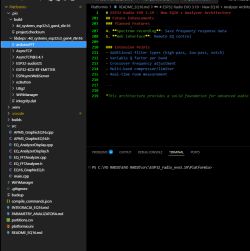

    [env:4d_systems_esp32s3_gen4_r8n16]
    platform = espressif32
    board = esp32-s3-devkitc-1
    framework = arduino
    
    build_flags = 
        -D CORE_DEBUG_LEVEL=0
        -D ARDUINO_USB_CDC_ON_BOOT=0
        -D BOARD_HAS_PSRAM
        -mfix-esp32-psram-cache-issue
    
    board_build.arduino.memory_type = qio_opi
    board_build.f_flash = 80000000L
    board_build.flash_mode = qio
    board_upload.flash_size = 16MB
    ; Zmień partycje na domyślną jeśli huge_app.csv nie istnieje
    board_build.partitions = default_16MB.csv
    board_build.mcu = esp32s3
    board_build.f_cpu = 240000000L
    
    ; Enable PSRAM
    board_build.psram_type = opi
    board_build.arduino.psram_size = 8MB
    
    monitor_speed = 115200
    upload_port = COM9


    lib_deps = 
    	arduinogetstarted/ezButton@^1.0.6
    	olikraus/U8g2@^2.36.5
    	https://github.com/schreibfaul1/ESP32-audioI2S#3.4.3
    	https://github.com/tzapu/WiFiManager.git
    	ESP32Async/ESPAsyncWebServer @3.7.7
    	ESP32Async/AsyncTCP @3.4.1
    	https://github.com/kosme/arduinoFFT
    	https://github.com/schreibfaul1/ESP32-KCX-BT-EMITTER.git
    
    ; https://github.com/schreibfaul1/ESP32-KCX-BT-EMITTER/tree/main/src/KCX_BT_EMITTER_Library
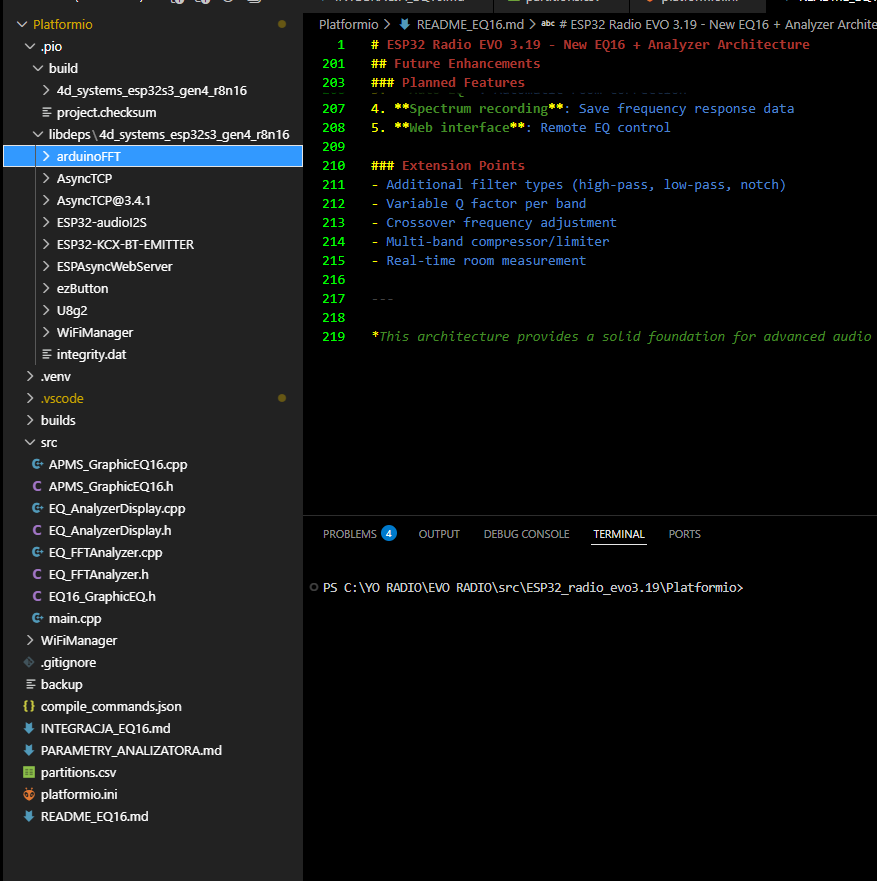


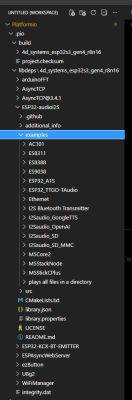
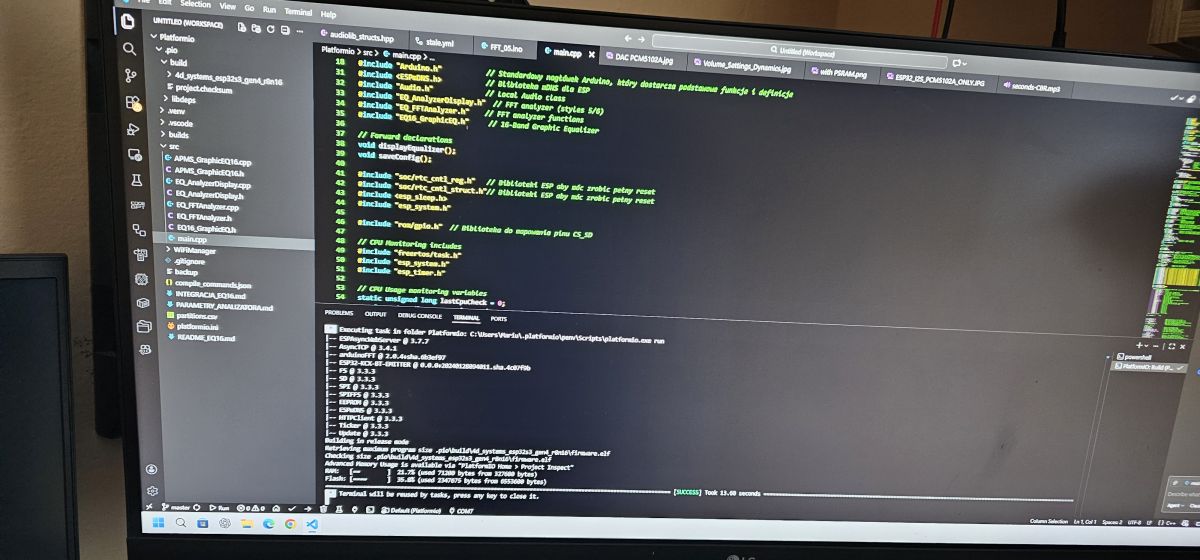
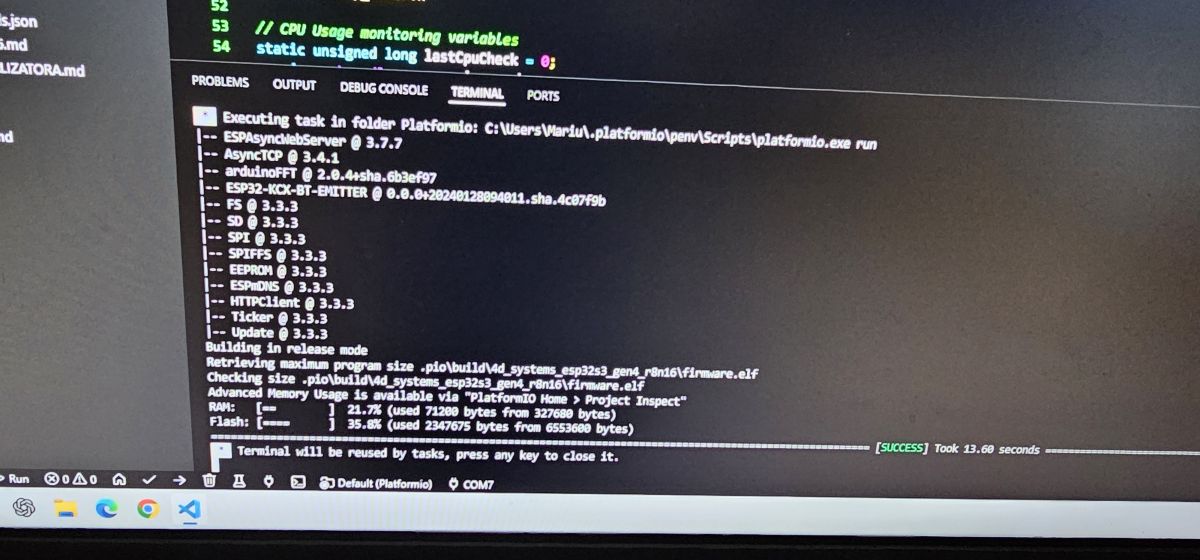
    Screenshot of an ESP32 project with EQ16 analyzer and PlatformIO interface


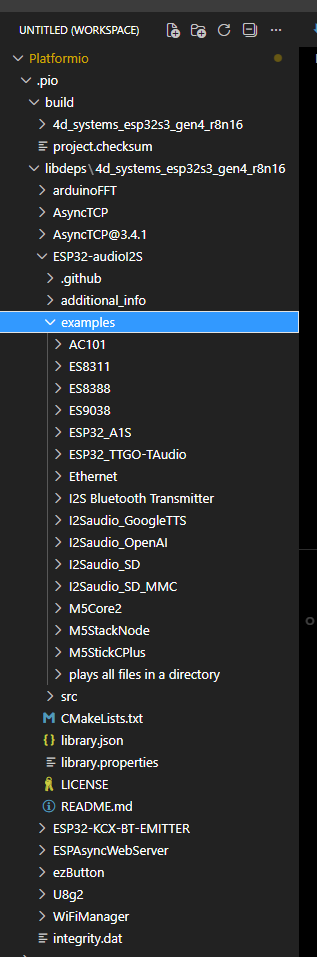
    Project tree in PlatformIO showing ESP32-S3 audio library examples
  • ADVERTISEMENT
  • #1982 21785247
    kula350
    Level 12  
    This kind of error:
    E:1Arduino_ESP~~New_tuner~~ESP32_radio_evo3-mainESP32_radio_evo3-mainESP32_radio_evo3.19Arduino_ESP32_radio_evo3.19.48main.cpp: In function 'setup()::<lambda(AsyncWebServerRequest*)>':
    E:\1Arduino\1ESP\~~Nowy_tuner\~~ESP32_radio_evo3-main\ESP32_radio_evo3-main\src\ESP32_radio_evo3.19\Arduino\ESP32_radio_evo3.19.48\main.cpp:9115:44: error: call to 'AsyncWebServerRequest::pathArg' declared with attribute error: ERR: pathArg() requires -D ASYNCWEBSERVER_REGEX and only works on regex handlers
    9115 | String presetStr = request->pathArg(0);
    | ^
    exit status 1

    Compilation error: 'class Audio' has no member named 'setGraphicEQ16'
  • #1983 21785261
    simw
    Level 27  
    kula350 wrote:
    Compilation error: 'class Audio' has no member named 'setGraphicEQ16'

    I have the same
    Code: C / C++
    Log in, to see the code
  • #1984 21785356
    terminux
    Level 23  
    I can't compile any version either.
    I am now focusing on the V2 version and I get this message all the time:


    C:C:³³³³³³³³: no matching function for call to 'Audio::getBitRate(bool)'
    2482 | bitrateString = audio.getBitRate(true);
    | ~~~~~~~~~~~~~~~~^~~~~~

    c:c:uint32_t Audio::getBitRate()'
    138 | uint32_t getBitRate();
    | ^~~~~~~~~~


    C:\Users\Sekcja\Documents\radio\V2\ESP32_radio_player_v2-main\ESP32_radio_v2\ESP32_radio_v2.ino:3479:15: error: 'class AudioBuffer' has no member named 'changeMaxBlockSize'; did you mean 'getMaxBlockSize'?
    3479 | audioBuffer.changeMaxBlockSize(16384); // method call on audioBuffer object // is default 1600 for mp3 and aac, set 16384 for FLAC
    | ^~~~~~~~~~~~~~~~~~
    | getMaxBlockSize

    Found multiple libraries in "HTTPClient.h"
    Used: C:³³³³AppData³³³ LocalArduino15³³³ packages³³³hardware³³³ 3.3.3³³³ libraries³³HTTPClient
    Unused: C:UsersAppDataLocalArduino15librariesHTTPClient
    exit status 1

    Compilation error: no matching function for call to 'Audio::getBitRate(bool)'


    What can I do with this to get it to compile properly?
  • ADVERTISEMENT
  • #1985 21785438
    robgold
    Level 23  
    >>21785356 Writing v2 you compile an old version of the Major, my ?
  • #1987 21785460
    ArturAVS
    Moderator
    The spectrum analyser works "sluggishly". Maybe it should be scaled up to a logarithmic scale? One more thing, volume with "digital" regulation. I would add a mechanised potentiometer control (with drive). The equipment would benefit a bit from this. I'm reading the development of the topic, and so I'm slowly trying to get it up and running. I have everything in place, lack of the urge unfortunately....
  • ADVERTISEMENT
  • #1988 21785481
    simw
    Level 27  
    ArturAVS wrote:
    Maybe it should be rescaled to a logarithmic scale?

    He is already rather logarithmic.
    Code: C / C++
    Log in, to see the code


    ArturAVS wrote:
    I would add a mechanised potentiometer control (with drive).

    Volume control via the PCM1502 is not sufficient?
  • #1989 21785485
    ArturAVS
    Moderator
    @simw Such a rotating "scoop" would be cooler.
  • #1990 21785489
    simw
    Level 27  
    ArturAVS wrote:
    @simw Such a rotating "scoop" would be nicer.

    But for this encoder you can get yourself a branch :)
    I don't quite understand why there is still a motor-controlled potentiometer there, but who can forbid a rich man :)
  • #1991 21785502
    efi222
    Level 21  
    ArturAVS wrote:
    The spectrum analyser, somehow works so "sluggishly".

    In my opinion, the power of the MCU is already lacking. So "by eye" it's about 15fps.
    With the load of this MCU, that's still not bad.
    simw wrote:
    I don't really understand why there is still a motor-controlled potentiometer there,

    Design of the device is an important issue :)
  • #1992 21785518
    simw
    Level 27  
    efi222 wrote:
    Design of the device is an important issue

    And the encoder with the big knob, isn't that the "design"?
  • #1993 21785541
    efi222
    Level 21  
    Perhaps I have expressed myself badly. I will elaborate in that case:
    Design and operation of the device. ;)
  • #1994 21785616
    ejcon
    Level 16  
    ArturAVS wrote:
    The spectrum analyser, somehow "sluggishly" working. Maybe it should be scaled up to a logarithmic scale? One more thing, volume with "digital" regulation. I would add a mechanised potentiometer control (with drive). The equipment would benefit a bit from this. I'm reading the development of the topic, and so I'm slowly trying to get it up and running. I've got everything, lack of the urge unfortunately...

    On which standard ?
    On Flac does it slow down a lot?
    On normal ?
    You need to work on the dynamics on Flac .Write how the sound on Flac strongly clips On equalizer 16 and how on 3 switching on and off eqalizer 000 3x0 switches types ęq
  • #1995 21785650
    terminux
    Level 23  
    robgold wrote:
    >>21785356 Writing v2 you compile the old version of the Major, my ?


    I'm downloading the v2 version from the link on the first page which I think is the Majatra version.
  • #1996 21785669
    DJCheester
    Level 27  
    terminux wrote:
    robgold wrote:
    >>21785356 By writing v2 you are compiling an old version of the Major, my ?


    I download the v2 version from the link on the first page which is probably the Majatra version.


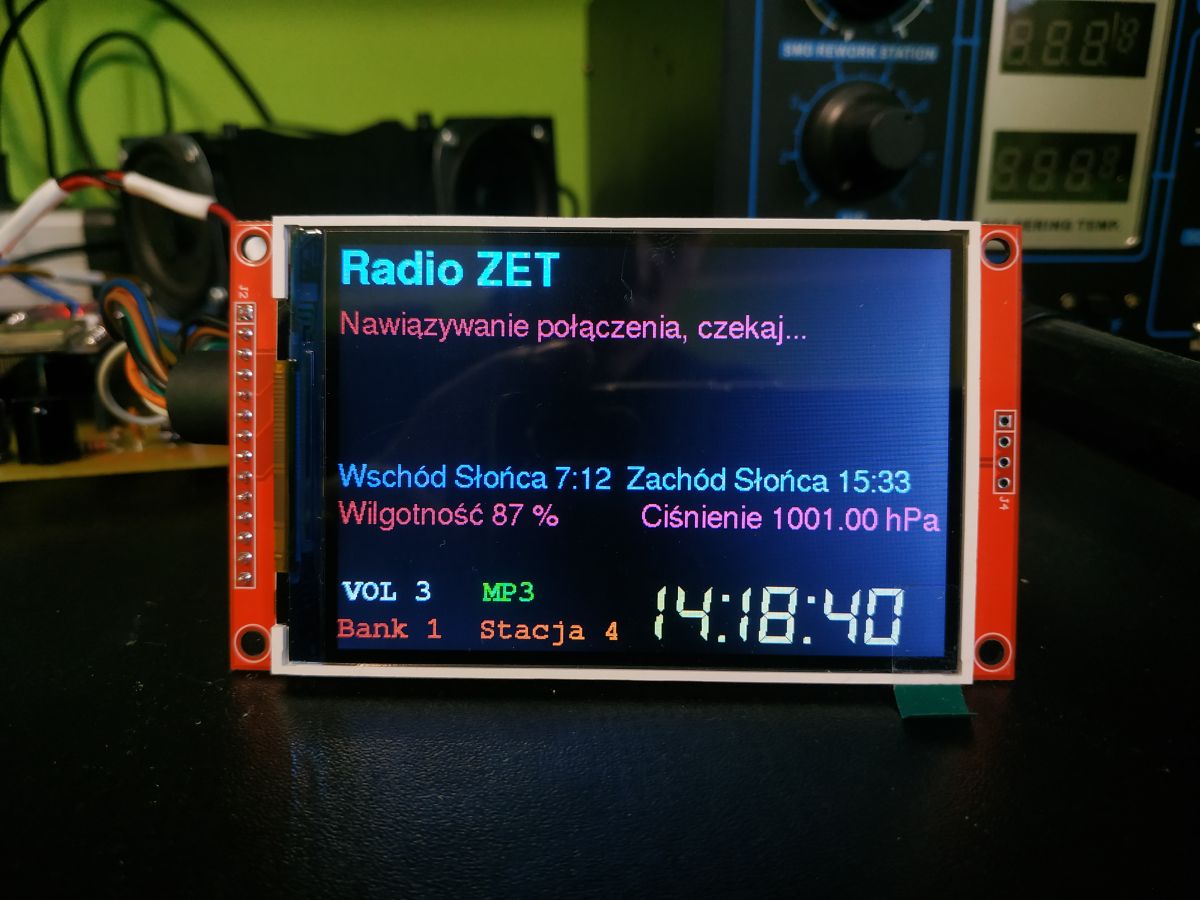
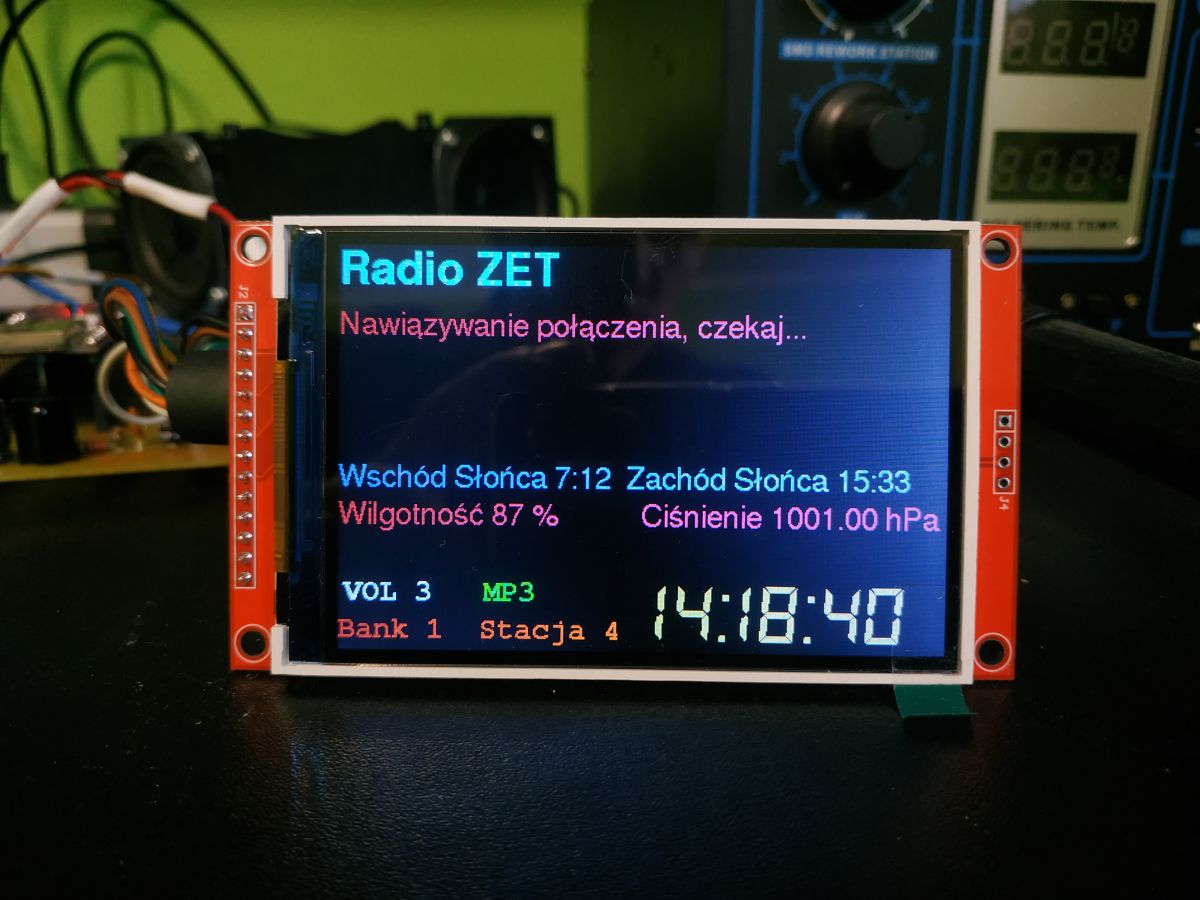
    This is a very outdated version, the author himself no longer supports it, he now has V3 with a colour LCD like this.

    Color LCD showing weather and radio info in an electronics workshop background

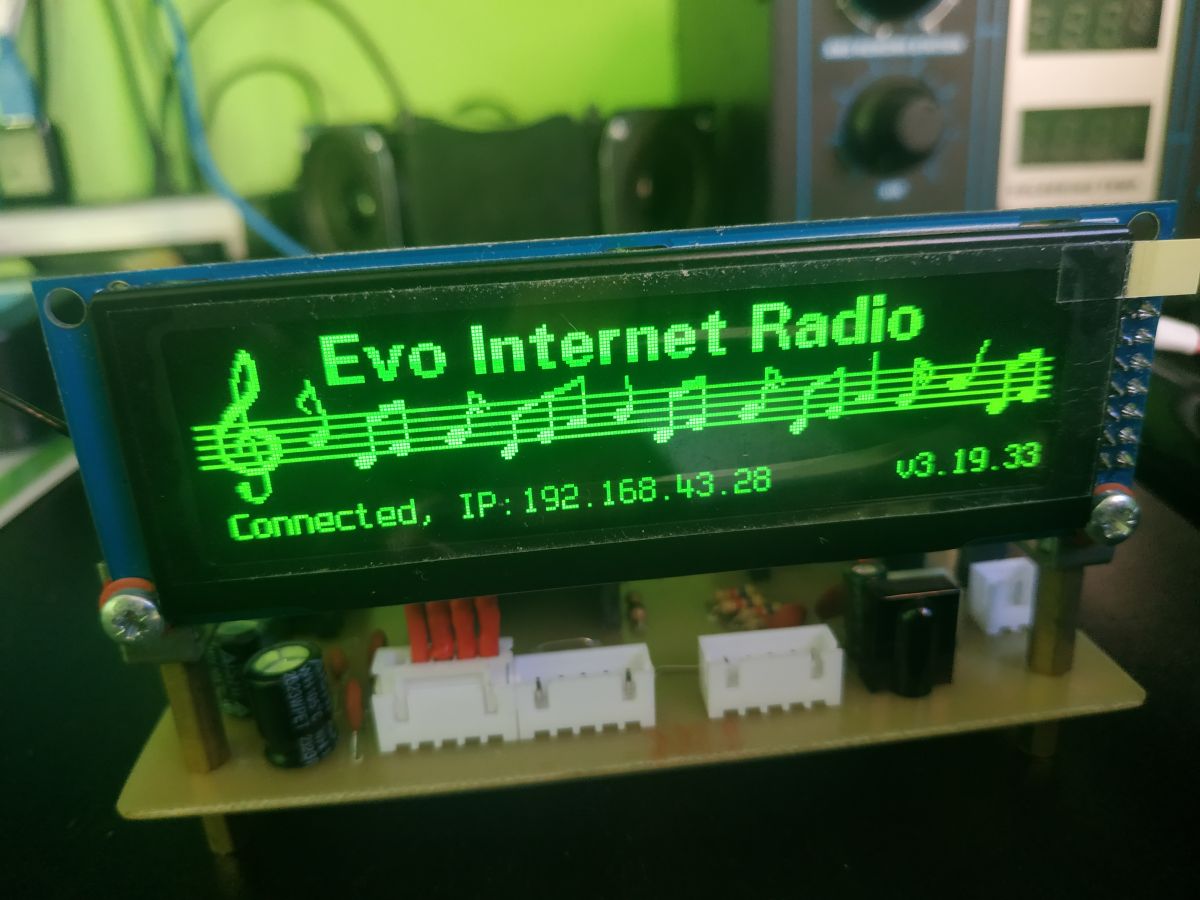
    And Robgold's version on a mono OLED display such a version.

    Close-up of Evo Internet Radio device with a green monochrome LCD display.

    Virtually everything but the ESP has changed since the V2 version.

    Greetings ...
  • #1997 21785672
    robgold
    Level 23  
    >>21785650 To compile such an old version you must (preferably under Platformio) create a project into which you download all the old libraries from that time including ESP core and Audio. Otherwise nothing will work. The audio library is in constant development and a few things have changed in it (just how the stream information is passed on) so it won't work with the latest libraries.

    Added after 1 [hour] 23 [minutes]:

    @ArturAVS I read your message and I don't believe it....really you would want to go back to an "analog" knob in a digital device and pull that signal all over the cabinet ? Well no....really not ;) The encoder works fine and if you miss the resolution (which will happen if you integrate an amp) there is an option in the Evo to switch from 0-21 to 0-42 scale - should help.

    The one encoder has an "all in one" option that is volume control, station list, bank switching and power off/on. I don't think I can fit any more in there.
    Of course, there is the option of adding a DAC and amplifier in one (something from the TI stable), in which case "volume" control can be delegated to the amplifier.
  • #1998 21785763
    DJCheester
    Level 27  
    A knob controlled by a motor is good for my grandfather's Schneider tower from 85, that's where I wanted the radio to end up, but those were the times of the rightful past, for new projects, especially digital, it makes no sense, except visually.
    I have such a knob in my stereo, but it's always analogue crackles, the only plus is a smooth range of changes, but in the modern world nothing is done on potentiometers, everything is rather encoders, remote controls. I'm talking about home equipment here.

    Regards...
  • #1999 21785842
    efi222
    Level 21  
    robgold wrote:
    Encoder works fine

    Yes. But only spinning, Pressing the encoder for the weight of this radio without holding it down is impossible.
    DJCheester wrote:
    but in the modern world nothing is done on potentiometers all rather encoders

    Etam. I have a Denon amp a few years old and the knob is motor driven.
  • #2000 21785882
    robgold
    Level 23  
    >>21785842 Stick it as "legs" with rubber bumpers from Casto or LM. It works brilliantly, I have it on a metal Panasonic radio housing and nothing slips.

    And as for the "motorised knob", if you have everything analogue in this amplifier and maybe one input as digital, then 90% of the signals fly analogue. It is natural to use a potentiometer because there would be no way to give the user information about the volume level without a display and here the position of the knob gives such information.
  • ADVERTISEMENT
  • #2001 21785890
    rysin
    Level 12  
    You can always read the potentiometer on the ADC and spin the branch with the remote control.
  • #2002 21785913
    kula350
    Level 12  
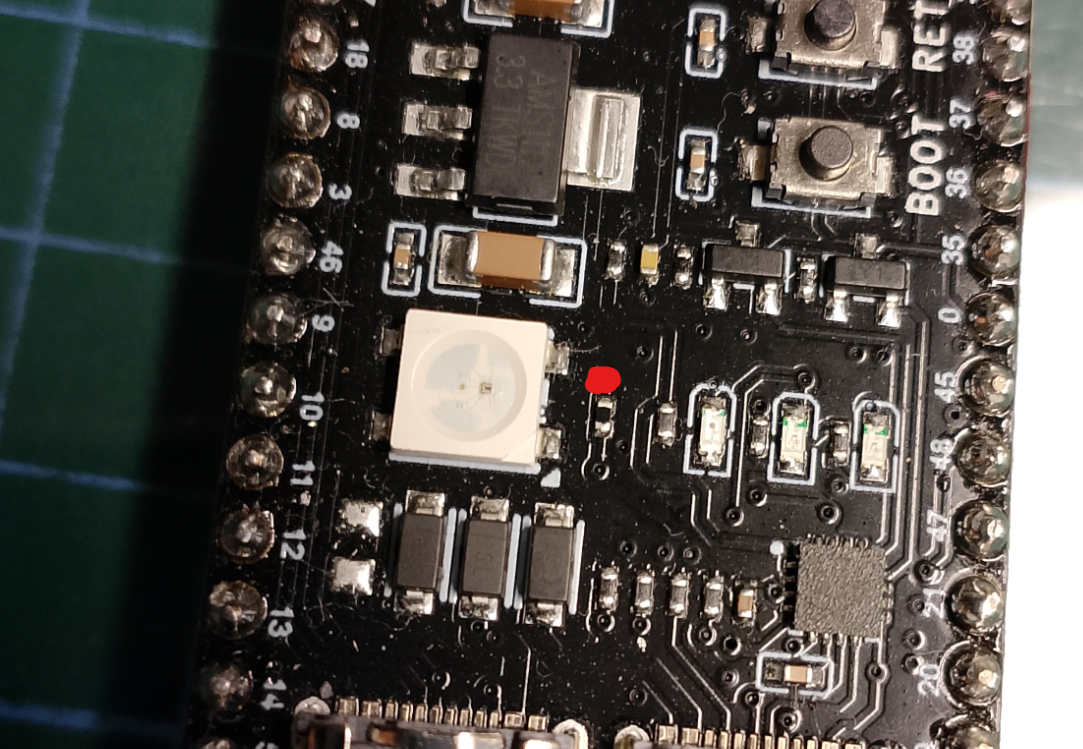
    Hello. tell me how to disable the RGB diode in ESP32-S3 radio version v3.19.48? It is very disturbing.
    Emoji with a black eye and stars spinning around its head
  • #2003 21785967
    DJCheester
    Level 27  
    There is a 0 Ohm resistor above the diode you need to remove it, on some PCBs from ESP it is signed as RGB

    Greetings ...
  • #2004 21785977
    slaslo
    Level 18  
    In terms of the RGB diode, there are also sometimes jumpers brazenly soldered, and it also happened that the pads were connected by a micro-path and you have to use a scalpel and make a cut.
  • #2005 21785983
    DJCheester
    Level 27  
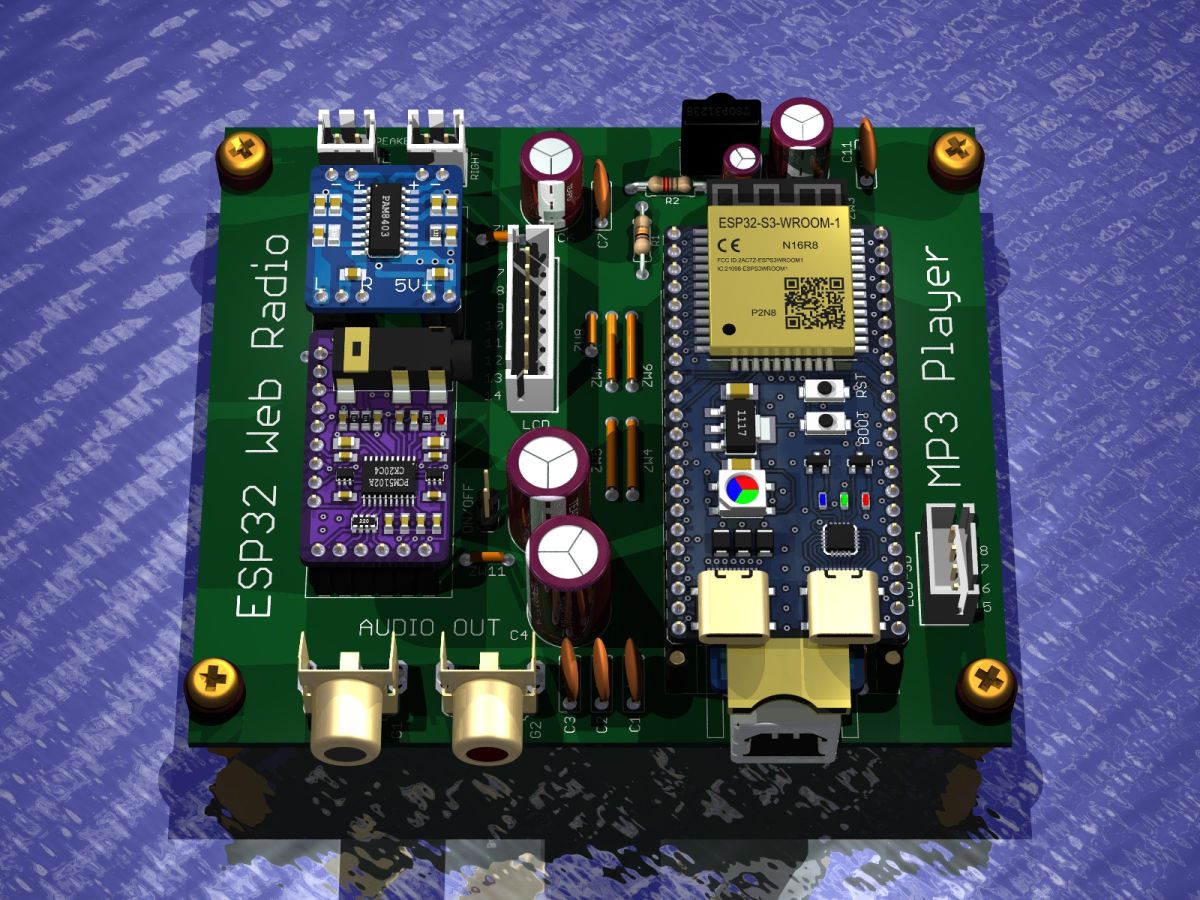
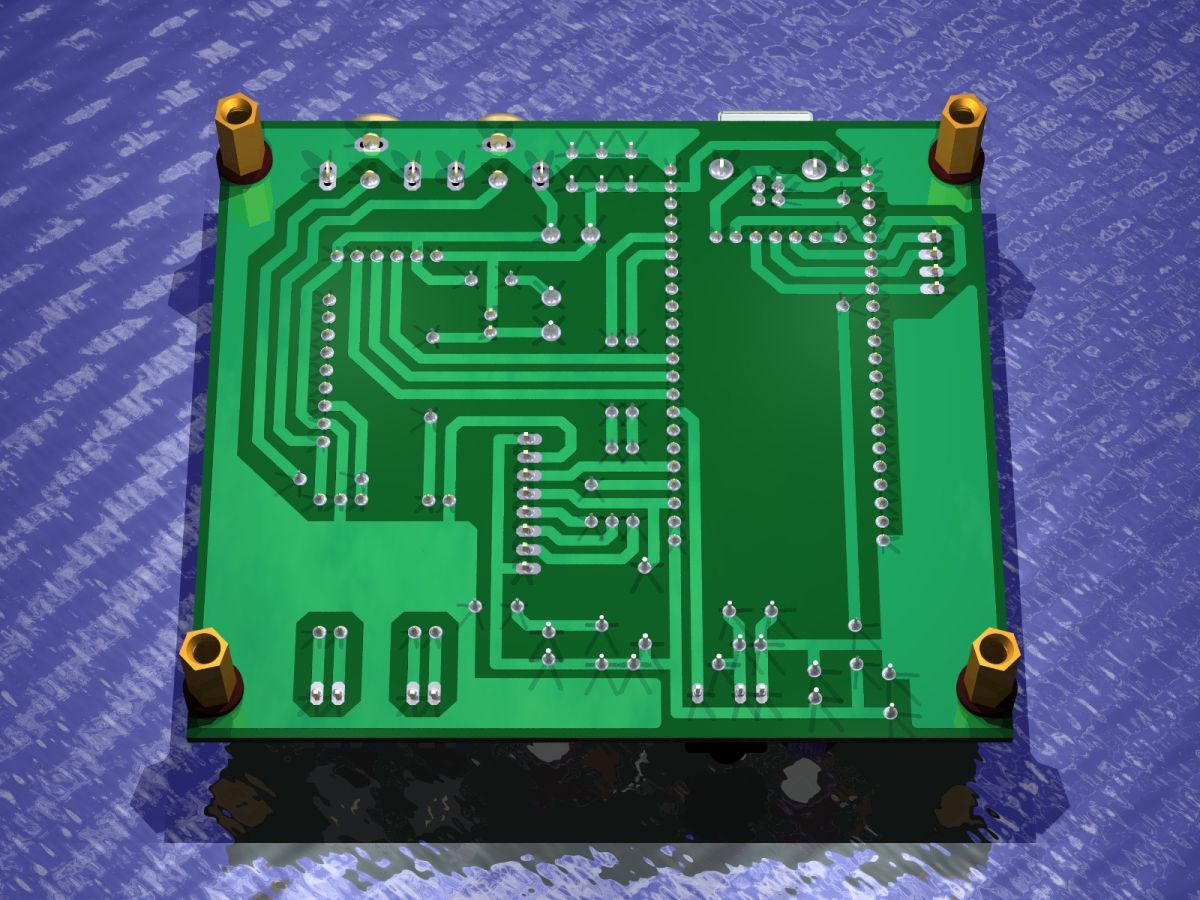
    Hello, as I am getting enquiries about a PCB for a Majster v3 radio with colour LCD.

    I am posting the project files, pdf file for thermal transfer, and gerber files for china production.

    I have in mind this project and this soft

    https://github.com/sarunia/ESP32_internet_radio_v3

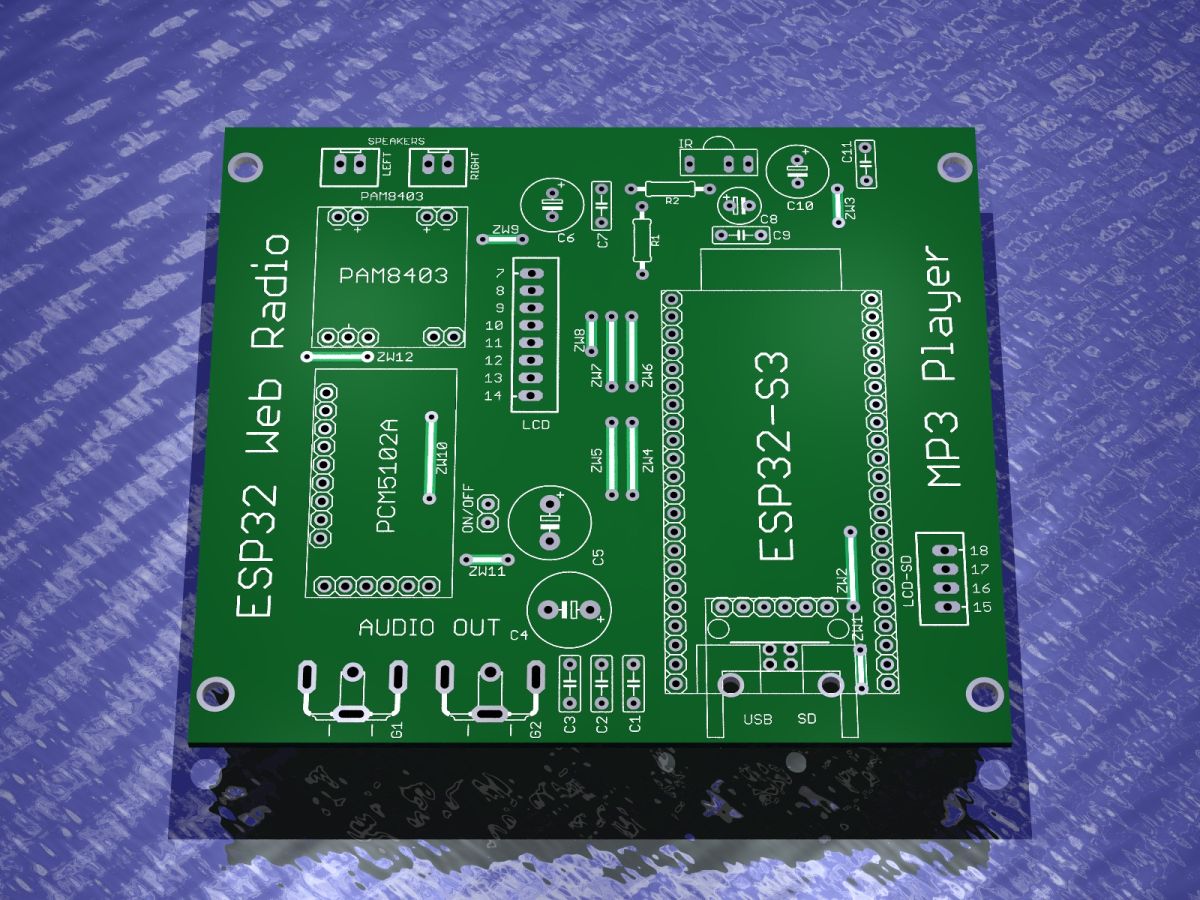
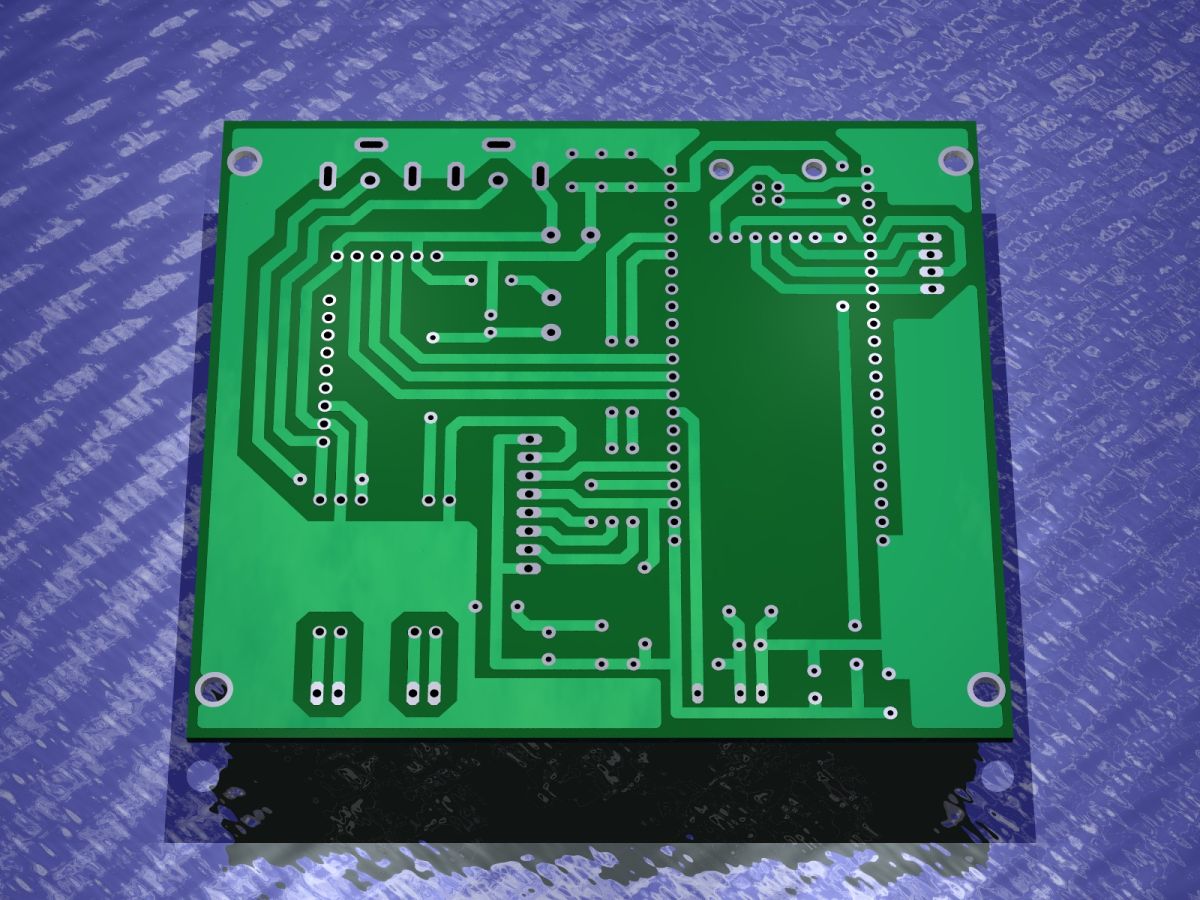
    The pins on the PCB coincide with the declarations in the script.

    Green ESP32 PCB with labels for LCD, ESP32-S3, amplifier, and audio output modules
    Bottom side of green PCB showing traces and mounting holes for components.

    Board prepared for ready-to-use goldpin modules

    PCB with ESP32 module, PAM8403 amplifier and RCA audio output connectors
    Bottom view of green PCB showing traces, pinholes, and four metal standoffs in corners

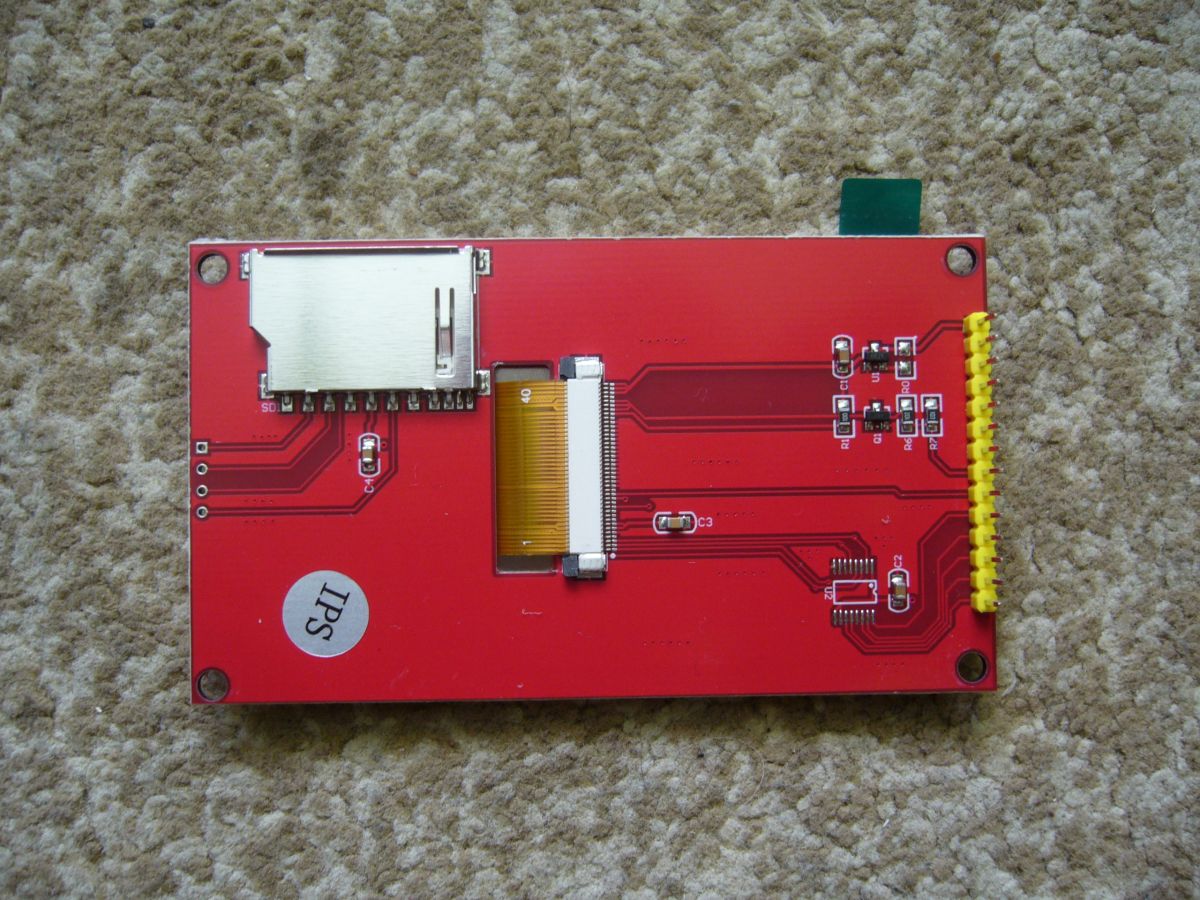
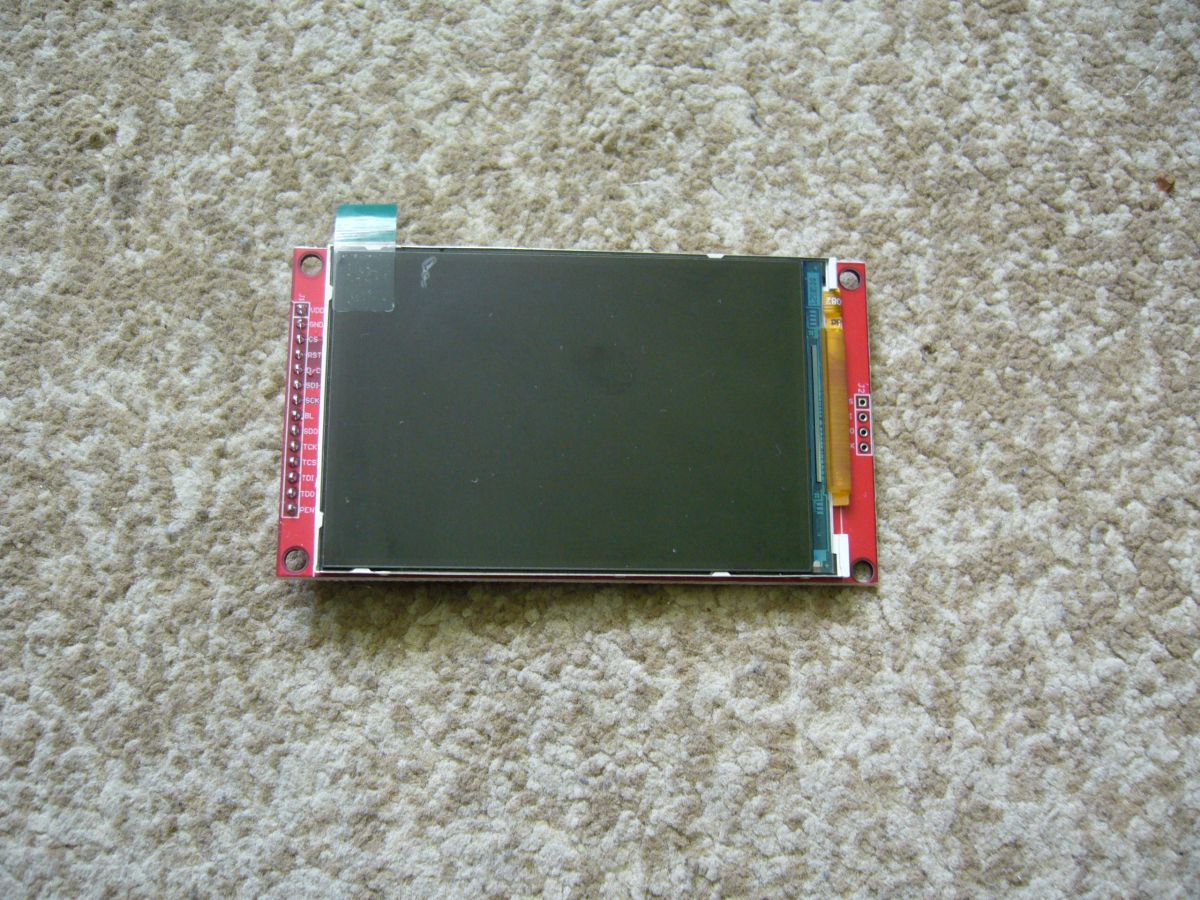
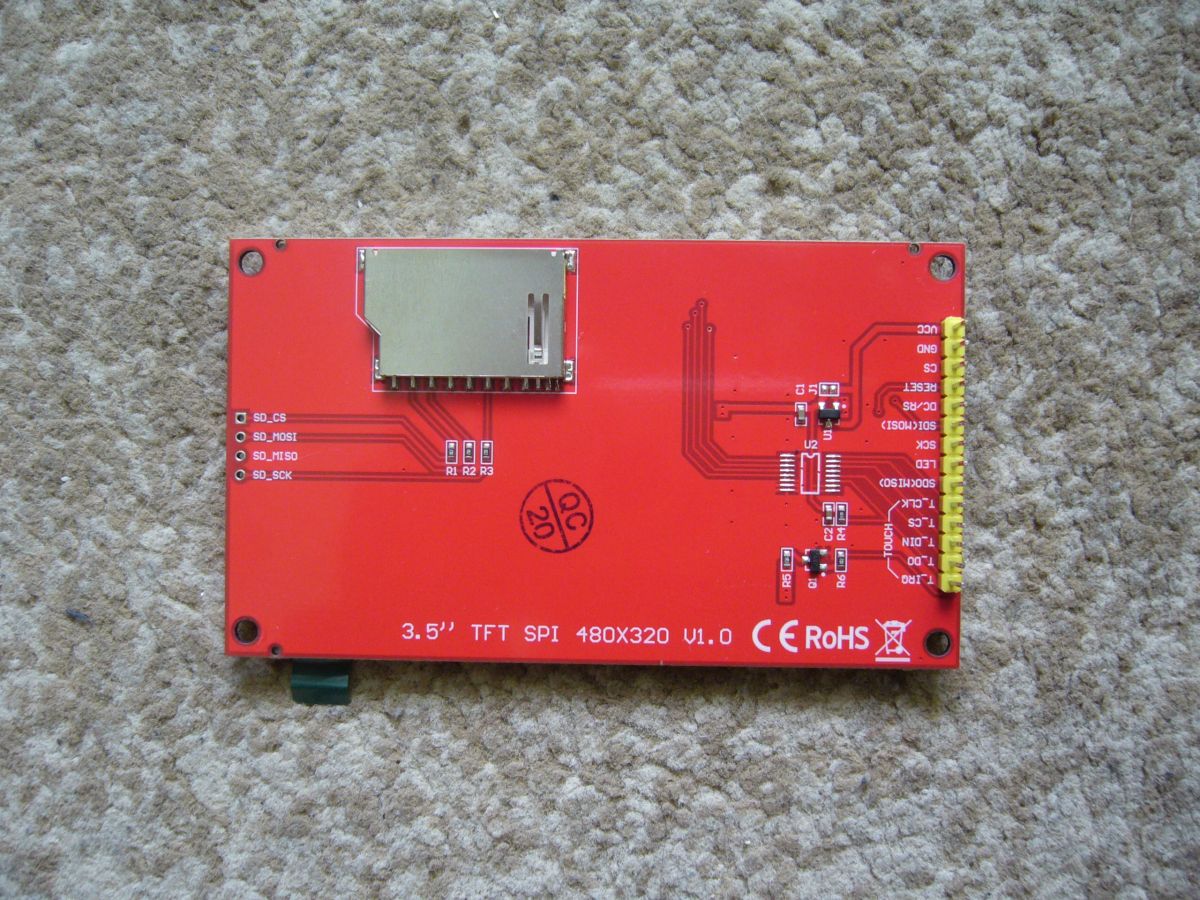
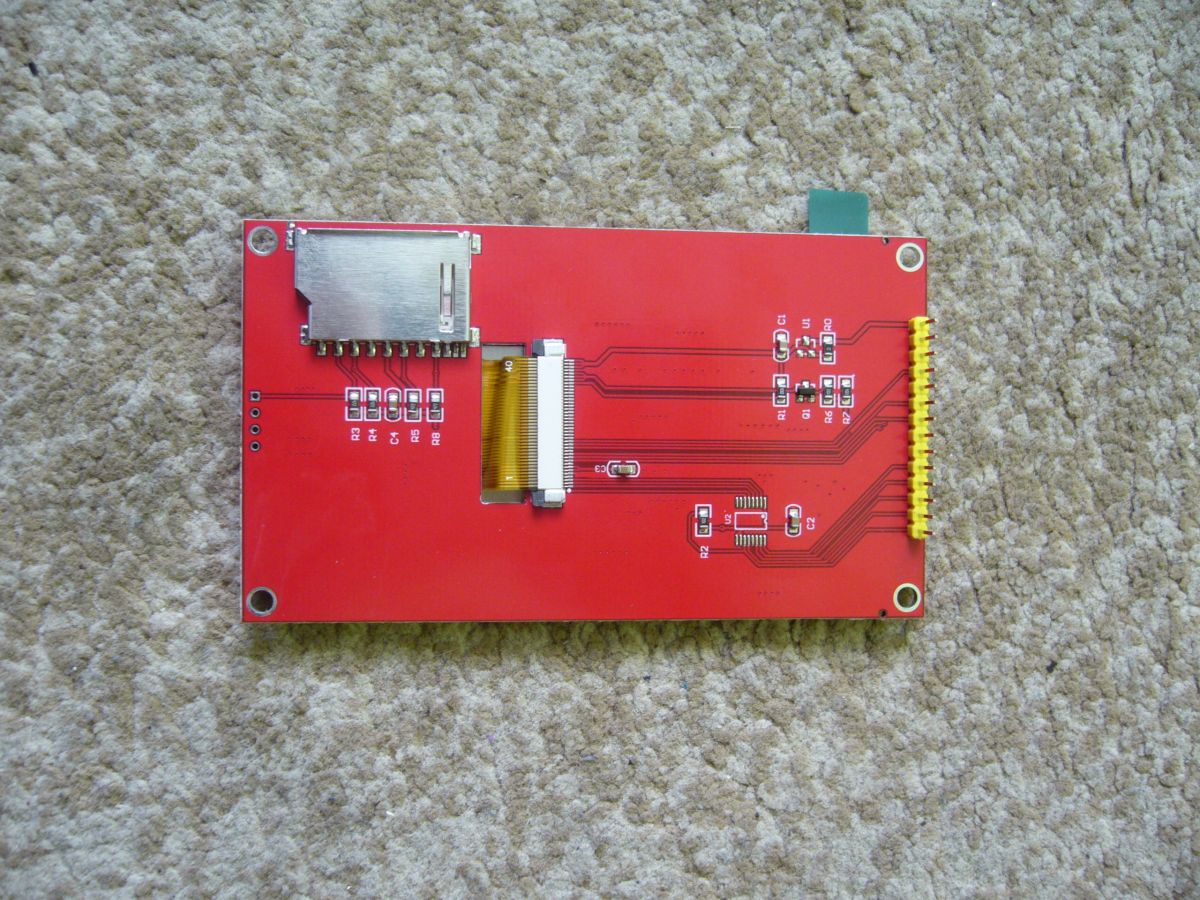
    Brief description of the JST connectors or LCD with pin descriptions under a dedicated LCD - 3.5 inch and 4 inch of this type works.

    Red LCD module with SD card slot, FPC connector, and yellow pin header
    3.5-inch color LCD screen on red PCB with labeled signal pins

    The second JST connector called LCD SD is used to use the SD card module mounted on the display. Simply connect.

    There are different versions of the display - the one shown at the top has no resistors at the SD card pins so will work fine.

    Red 3.5'' TFT SPI board with SD slot and pin header on a carpet background
    Red LCD display module with SD card reader lying on a carpet

    In the case of those at the top, the resistors at the SD card slot must be removed for the reader to work. Depends on the type of display, need to compare.

    Gerber loads correctly on the JLCPCB website, I didn't order these boards, the design checked works for me - I prototyped using thermal transfer.

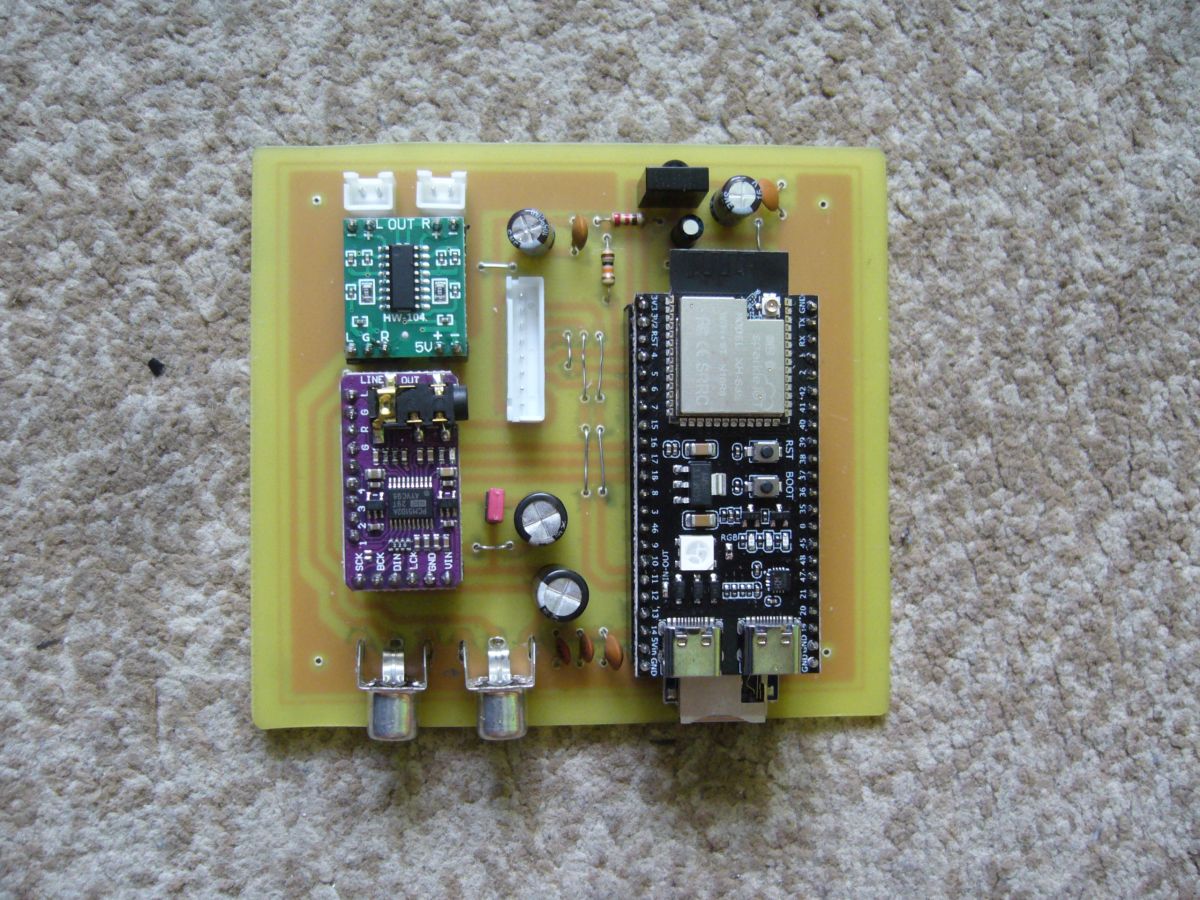
    Assembled PCB with ESP32, PAM8403 amplifier module, and RCA connectors

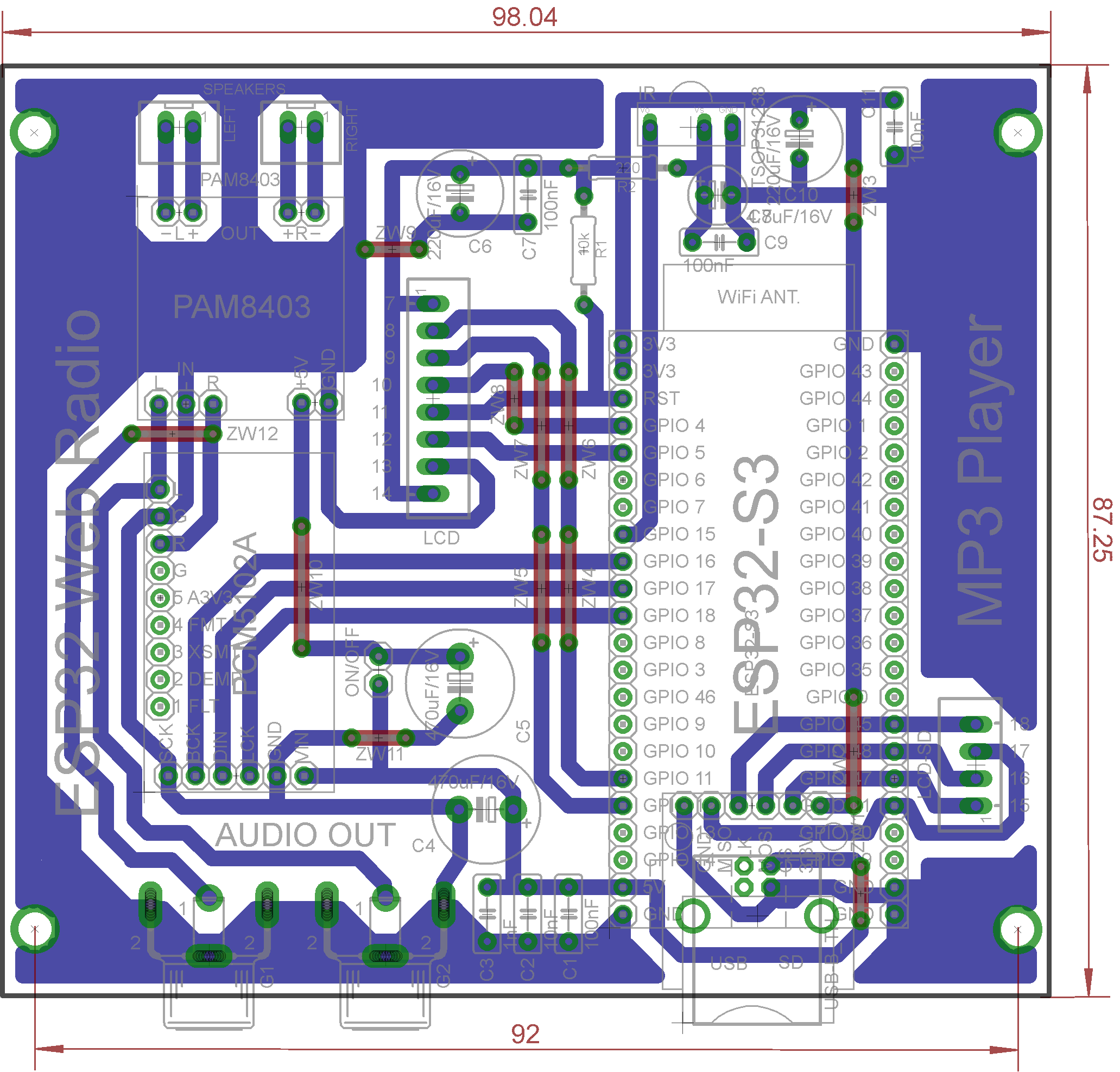
    For the thermal transfer, it is necessary to make the jumpers marked in the view below.

    Projection view of ESP32 PCB with traced paths and labeled pin headers.

    When ordered from china, the jumpers are made on the outer layer.

    In the project I used a cheap PAM8403 stereo amplifier, it can be unassembled and receive the signal directly from the chinch sockets, however if someone would like to make a radio for themselves, e.g. for the kitchen, such an amplifier will be enough to drive two small speakers.

    The uSD card module is designed under the ESP module, it is best to buy a module with unsoldered pins, in the standard they give a length of 12mm - I suggest to buy a longer one, i.e. 18mm available at auctions, then the ESP module will be higher above the board and the uSD card module beautifully fits under the ESP module.

    And the issue of the antenna - some people wrote that the antenna should be designed differently, however, in my case, such solutions work and the radios play, if someone will be strongly disturbed by this on sale ESP32 S3 modules with an antenna socket - you can buy such a module and the antenna for this and either glue further on the antenna board or using the socket to expose outside the antenna screwed under the SMA socket.

    So much for design issues.

    Regards

    Moderated By Felini:

    Attachment removed at user's request, supposed to contain errors.
    Link to post with corrected attachment - https://www.elektroda.pl/rtvforum/topic4041603-2040.html#21802641

  • #2006 21785992
    DJCheester
    Level 27  
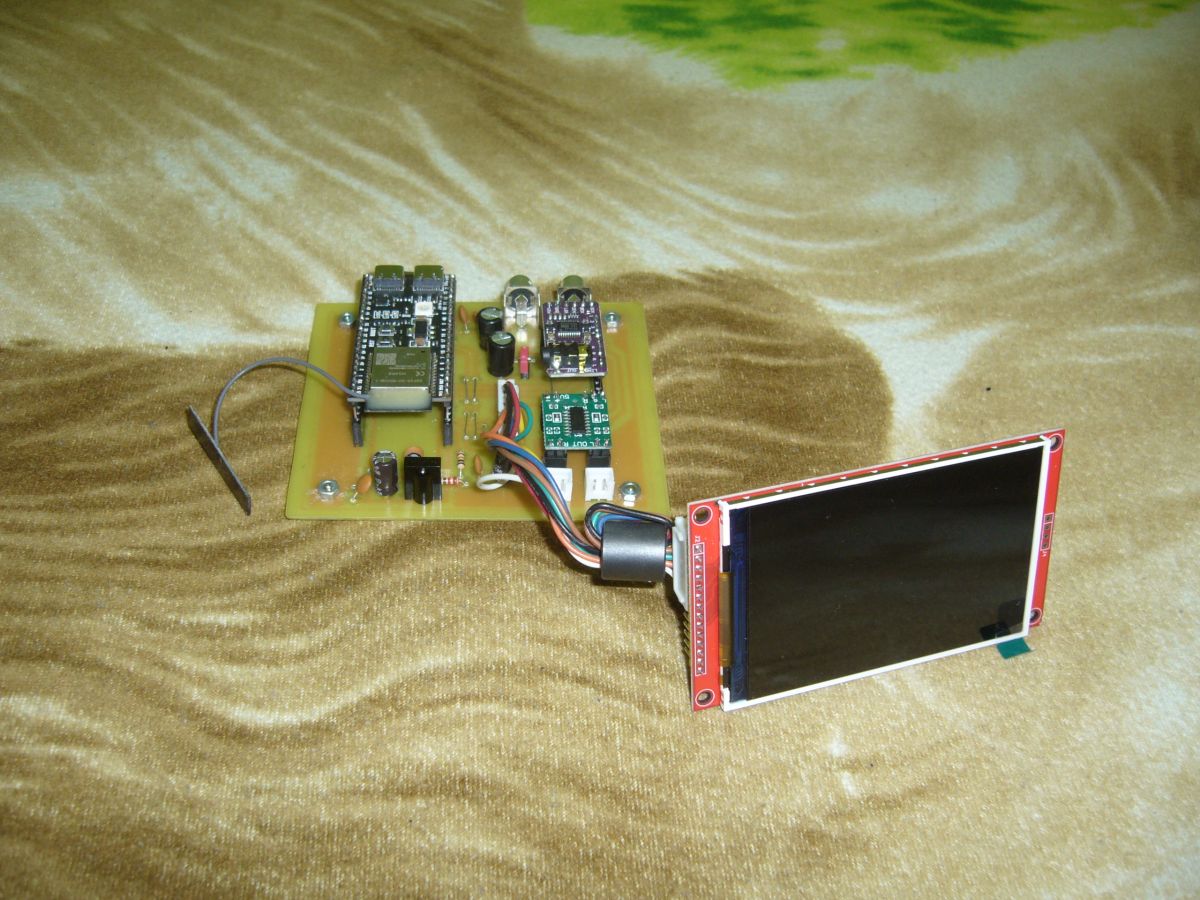
    Well the finished looks like this ;)

    Prototype board with ESP32 module and connected TFT display

    Color display shows weather data, radio info, and a digital clock.

    Greetings ....
  • #2007 21786078
    kula350
    Level 12  
    >>21785977 >>21785967 Actually. I cut the path between the RGB and the resistor with the end of a knife. Thanks for the hint as it wk.... me. Close-up of a PCB with a cut trace between an RGB LED and a resistor
  • #2008 21786115
    MAJSTER XXL
    Level 29  
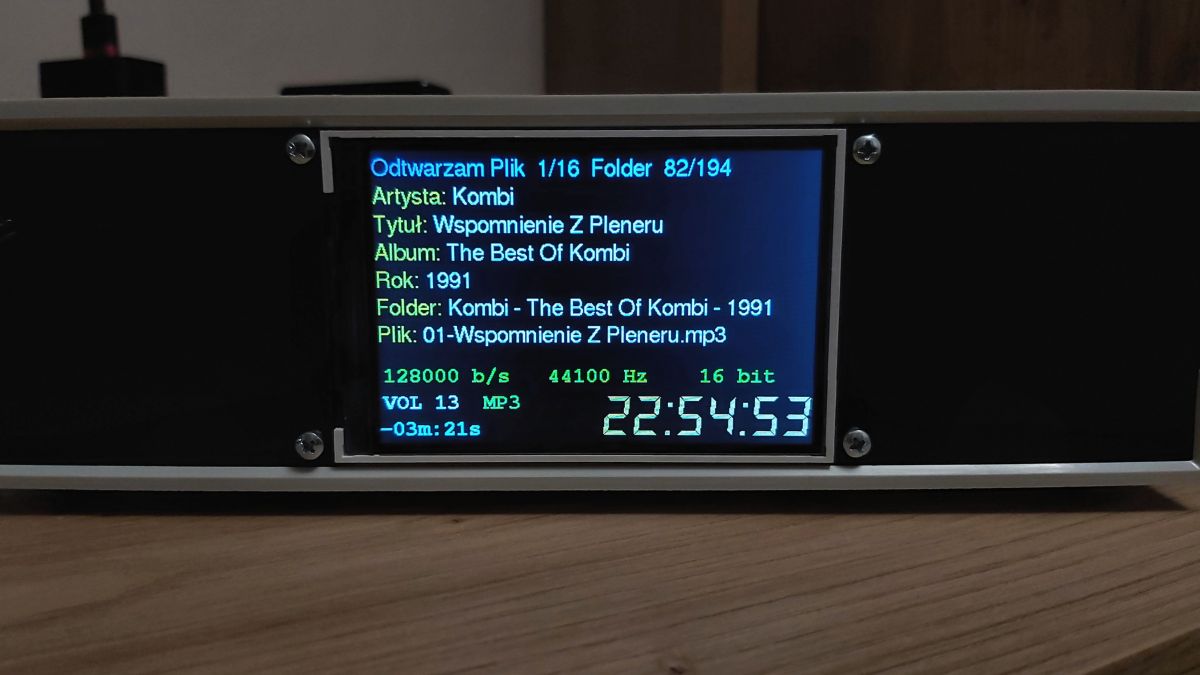
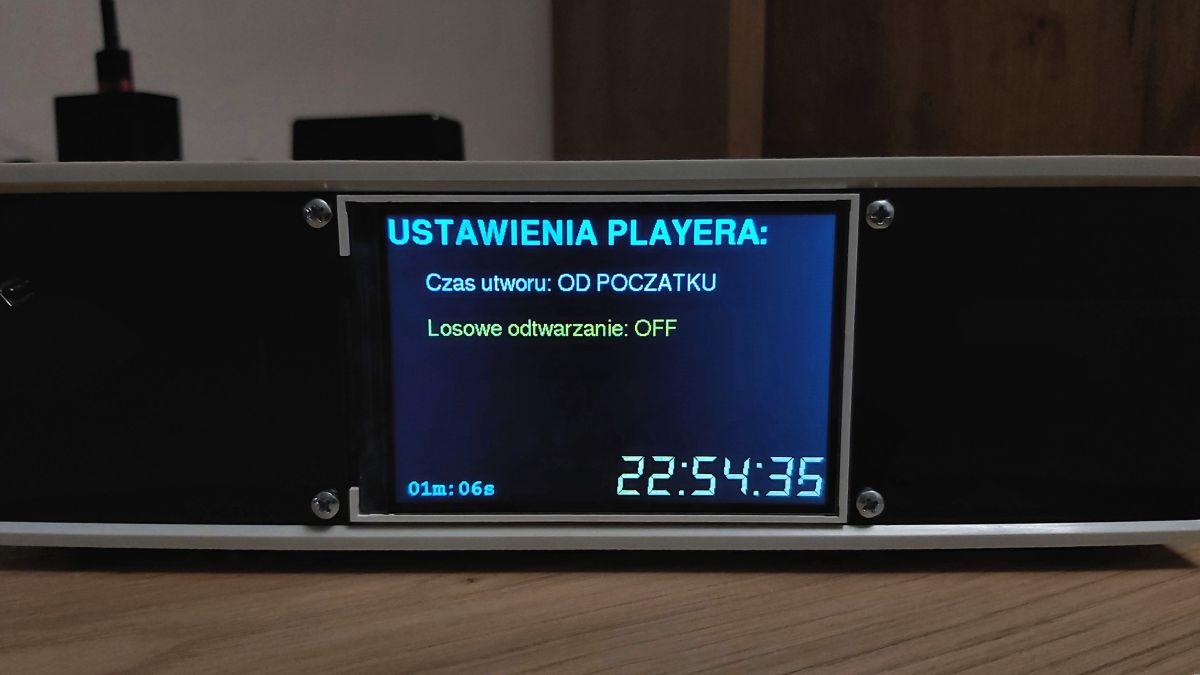
    I have made a second menu, this time for the audio file player. In the settings, there are options to toggle the display of the time of a song from the beginning or from the end (I'm currently practising on MP3 files) and to enable/disable random playback of files from the current folder. I calculate the duration of an MP3 track with a fixed bitrate based on its size in bytes and its bitrate, which is the number of bits played per second. I first convert the file size from bytes to bits (multiplying by 8) and then divide this value by the bitrate in bits per second. The result of this operation gives the total duration of the song in seconds. The time counting code still needs to be refined, because some mp3s count incorrectly, I will collect the time for flac files using a different method, because the audio library returns the number of seconds for the loaded file.
    Below are screenshots of this menu in action, the code is available at a known location.

    Audio player screen displaying MP3 track info and playback time
    Settings menu of an audio player showing playback time and shuffle mode options
  • #2009 21786134
    kula350
    Level 12  
    >>21785977 >>21785967 You can also disable RGB on the radio by adding the following code:


    //NP
    #define RGB_PWR 48 //Set RGB LED pin on ESP32 S3, other pin set.
    //NP

    void setup() {
    //NP
    pinMode(RGB_PWR , OUTPUT); //Set pin to output
    //NP
    }
    void loop() {
    //NP
    #ifdef RGB_BUILTIN
    digitalWrite(RGB_BUILTIN, LOW); // Turn off the RGB LED
    #endif
    //NP
    }
  • #2010 21786285
    efi222
    Level 21  
    MAJSTER XXL wrote:
    Timecounting code still needs to be refined as some mp3s miscount,

    They most likely have a variable (dynamic) bitrate.
📢 Listen (AI):

Topic summary

The discussion centers on the development of an internet radio and audio file player based on the ESP32-S3-WROOM-1 module, featuring a custom-designed prototype PCB with OLED display and user controls including rotary encoders and buttons. Key challenges addressed include pin spacing discrepancies in the ESP32-S3 module footprint, integration of Wi-Fi connectivity with dynamic station list updates, and handling of Polish character encoding on the OLED display. The project uses Arduino IDE (version 2.3.2) with ESP-IDF support and requires enabling PSRAM. Audio playback supports MP3, AAC, and FLAC streams, with the ESP32-audioI2S library recommended over the incompatible Audio library. Users reported issues with SPI MISO pin assignment causing bootloader conflicts, resolved by reassigning MISO to pin 35. The project incorporates WiFiManager for network configuration, EEPROM and SD card storage for saving last played station and settings, and includes plans for tone control via an external KA2107 equalizer and a CS8673 amplifier module. Problems with encoder input stability and memory limitations for Bluetooth A2DP on ESP32-S3 were noted. The community suggested alternatives like KaRadio and ESP32-MiniWebRadio projects. Debugging tips include serial terminal logs for HTTP errors and flash memory erasure to resolve boot loops. The project is open-source on GitHub, encouraging forks and modifications. Additional features under development include browser-based updates, directory navigation, and potential audio recording to SD card.
Summary generated by the language model.
ADVERTISEMENT