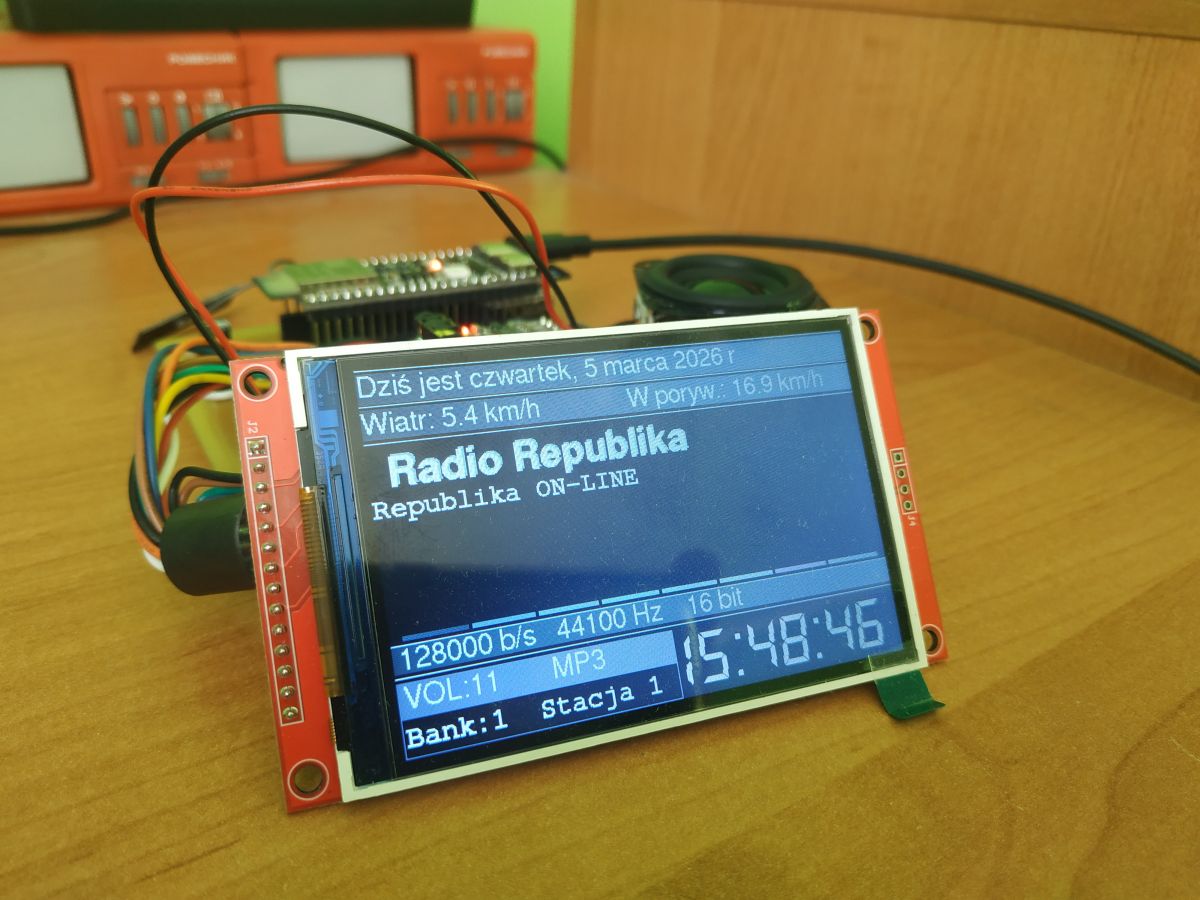
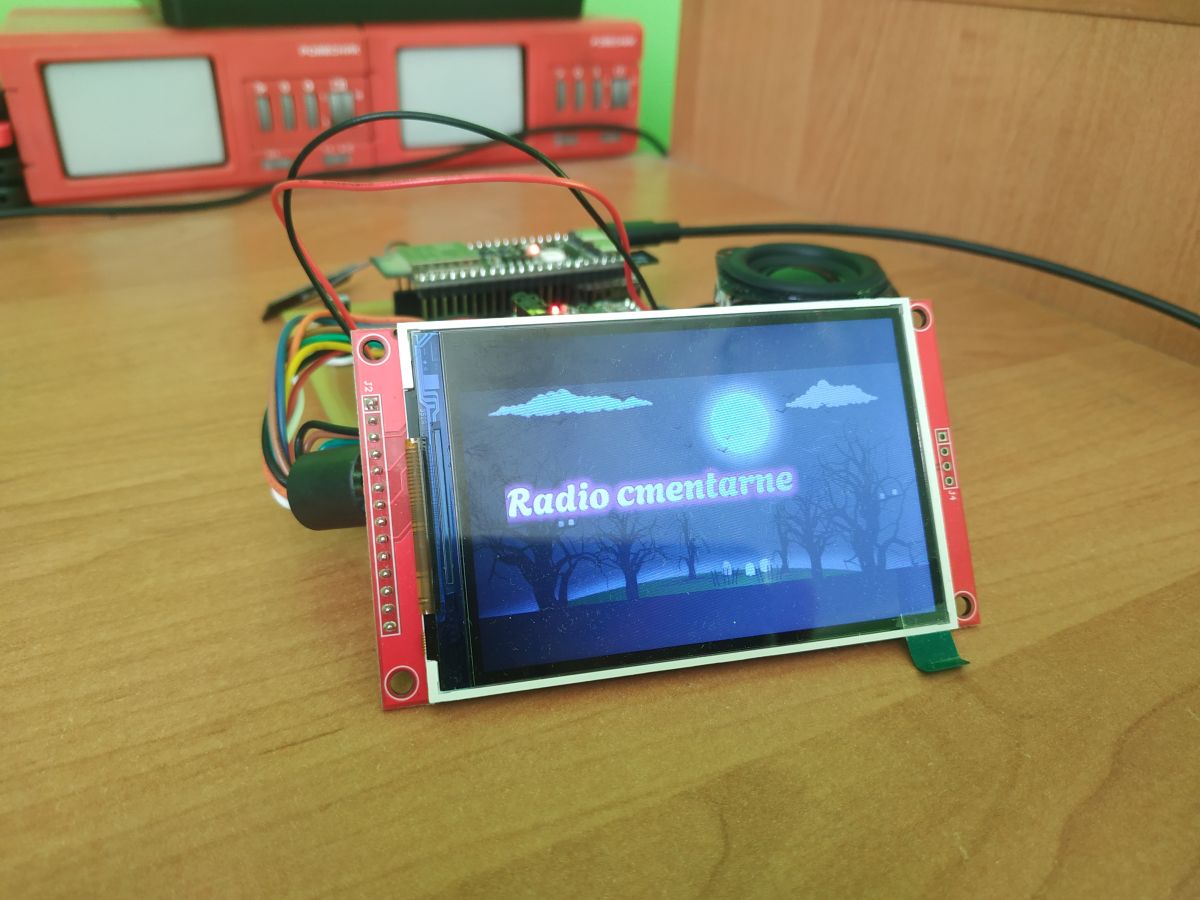
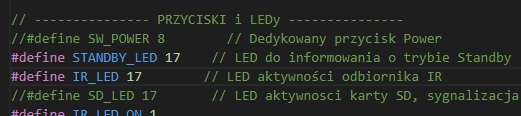
In your code I suggest you add the lines under IPS
Code: Arduino
Log in, to see the code
Greetings....
Added after 7 [minutes]:
supsak wrote:
Nevjem, assz to u mne dzivne dzala, unless it is mosze dzalacz bialy vysvjetlacz....
And what else would be good, that it would be in menu-setting to set the LINE OUT... signal for power amplifier.
I suggested to Robold to add option Speakers ON/OFF in web settings, and hardwarer to add some pin where in option Speakers OFF state on line is low what in connection with logic inputs of amplifiers like PAM8610 or TPA3110 or similar will give disconnection of speakers. And with Speakers ON only a low state when the mute is activated. Or when the radio is in the POWER OFF state.
As for the level of the PAM8403 actually for the station from 2-6 volume is enough with my PCBs, in future versions I will add a resistive divider to limit the audio signal on the L and R inputs of the amplifier.
I committed a crime on @MAJSTER XXL, I admit it. Thanks for the code, the work you put in. Based on your design I have adapted to my needs. This is not fixing or crashing your project I brought it to the state I would like to have. And I have. But your design is released to the world for people, maybe my redesign for the worse will be useful to someone. Here it is:
// -------------------------------------------------------------------------------------
// Modification from MajterXXL - Kula350 (Francis W.) Majetr always knows better and does.
// -------------------------------------------------------------------------------------
// Cut out RSS - I didn't need it because I can see poorly
// I got rid of the mp3 recording to SD card, although at first I converted and it recorded.
I have a question about recording this MP3 how long can you record on SD and does it not give errors what is the load on the CPU ? you wrote that you checked the recording
Volume range and lwIP buffer settings for ESP32-S3
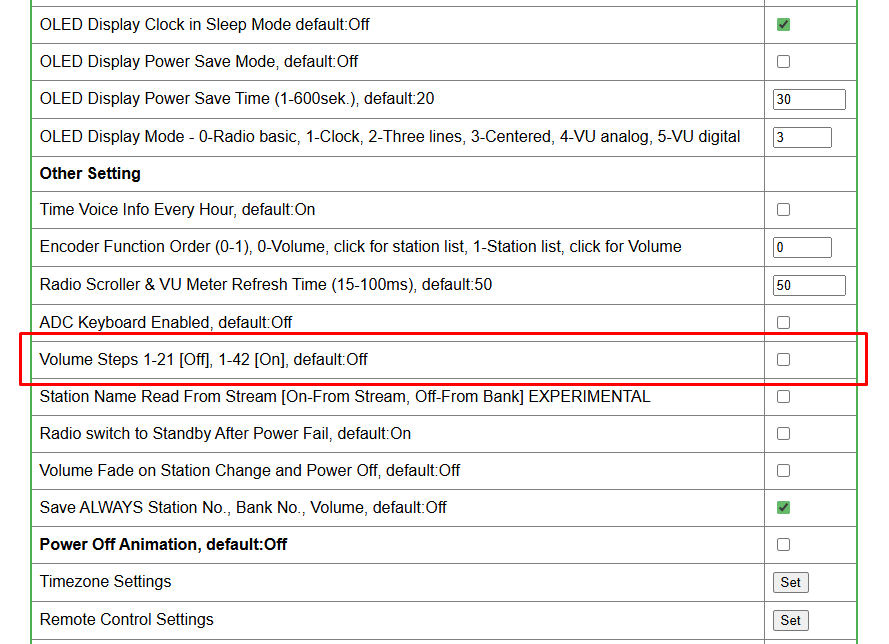
>>21853751 And have you tried changing the volume range in the settings ? There is a special option when the radio is working with an amplifier to extend the control range from 0-42 instead of 0-21.
Also, it won't be long now. Version 3.20.xx is already on the new audio library and it already has logarithmic control. That is to say, it adjusts the initial range by a very small degree and only at the end of the volume scale does it take "big steps". This is why some people might think that the previous volume 10 is not the same as volume 10 on the new library.
Added after 38 [minutes]:
>>21851397 Hevet, I don't know why this is terribly secret knowledge because no one anywhere provides their own sdkconfig In the latest compilation (the so called settings5 and this one will most likely be made permanent) the changes are:
With these settings there are no problems with FLAC files, I also send myself some debug information via wifi and esp is fine. It is important to remember that more does not mean better. We have limited resources, lwIP shares many of them. I left the priority of the shuffle at 18; Wolle has it raised to 20.
Suggesting GPIO-controlled 5 V cutoff for PAM8403 at mute/off
Czech, yes I tried ... but with this change I have a very strong sound ..., bruczanje v gloszniki v stopnu 1-6.... potem jusz z vjeksou glosznosczou to brzecenje /probably from przetvornici vyswjetlacza / is not hearable. Also the buzzer is very audible at "mute", or at "OFF" of the radio where the clock is showing ... where the switch is connected to this section on 5 V constant.
ustavjenje v stopni 1-21/offf/ for mne is take better....
Also in front of vzmjacznacz , or on vyjscze LINE OUT I added trzimre 100kohm on doregulovanje budzenja vzmjacznaca.
I have regulated the volume in such a way that I have a sound in degrees 0-2..then it disappears.
Maybe it would be good to configure some GPIO... with ESP32 that would at MUTE or at radio OFF state disconnect the 5V supply to PAM 8403- memory. Only my poznanje...
@robgold thanks a lot. I found some instruction in Hungarian for yoradio, the settings are different, for practice I tried to do with your settings, seemingly everything went through correctly, compiled, but FLACs don't work properly. Did you do according to some kind of instructions? I'm using your settings2 files for now.
https://github.com/VaraiTamas/yoRadio/blob/main/Lib_tools/esp32_tcp_buffer_lib_rebuild.md
Vstavilem , but still it is the same -brzecenje but when I look on the board with PCM line out is GND and power supply is the same. GND is common to main board and it is probably bypass, this resistor there then in GND power supply is unknown
As for the board itself, interference only occurs when the radio connects to wifi then in my case the OLED inverter is slightly audible when it is mute (because the PAM amplifier is powered all the time) with normal radio operation there is no audible hum or interference.
To improve this situation you could try giving a 100uh choke in series and a capacitor on the power supply of the OLED itself.
I'm also struggling with that slight buzz at volume 1. It's not that easy A separate power supply for the amp and a separate one for the radio works best.
I subscribe to the thread for an additional output from the esp32 which would give a signal for the relay to switch on the amp when the radio is switched on. Unfortunately now when switching the radio off with the remote the amp is still running and you can hear that slight buzz.
Unfortunately, now when turning off the radio using the remote control, the amplifier is still running and you can hear this slight buzzing.
Change the type of amplifier. From class D, to class A, AB for example. Any amplifier in class D, will "sap" the power supply. Such are their (amplifiers') charms.
OLED supply isolation to reduce audio interference
The interference occurs depending on how many and how brightly lit pixels you have on the OLED display. In the display, the inverter manages to generate 14V with great difficulty, and to make things funnier it does so with 3.3V and not 5V.
A solution commonly used in audio equipment is to simply isolate the power supply already at the power supply stage and generate these approximately 15-18V for the OLED in the power supply itself. Therefore, it is ideal to have a 24V switching power supply and then to reduce this voltage linearly to 15-18V for the OLED, and with small converters to 5V and 3.3V. If you have the space for large heatsinks, you can also do all this with linear regulators, but losses, especially at 3.3V, will be very high.
Here it doesn't matter whether you have a class A, AB or D amplifier. Class D is very good here, it is just a matter of correct routing of the power supply and possibly cutting off the amplifier in power OFF mode. Unfortunately, everyone has their own application for this radio, some have an amplifier, others have a line-out, others have added a digital output. Everyone has to adapt the design individually. If there is enough GPIO, I will add one #MUTE output for amplifiers.
I wanted to run and test the Kuli350 soft today as long as the compilation went through without a problem and the upload too, but unfortunately the remote control cannot be defined in a simple way - it's a pity that there are no buttons defined in one place just the codes are hard-pressed throughout the sketch.
Code: Arduino
Log in, to see the code
This is such a downside to the software, as I am currently ill so I don't have the head to look it up and figure it out right now.
In addition, the soft probably for the LCD IPS version because I now have a TN and here the colours are missing
And the logo as for me black humour but this is my opinion.
Greetings ...
New audio library, equalizer, and IR learning mode updates
Hello,
i uploaded on GitHub the new soft 3.20.04, what's new ?
Link
NEW AUDIO LIBRARY The version from 3.20.xx runs on the new audio library 3.4.4.
The rest of the libraries as in the code:
ESP32 CORE 3.3.7 + own FLAC libs
AsyncTCP 3.4.10
Async WebServer 3.10.0
Audio i2s lib 3.4.4x
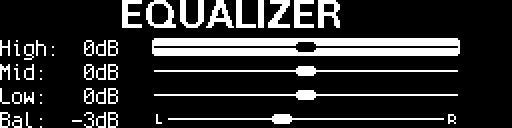
NEW EQUALIZER SETTINGS Due to changes in the audio library, the equalizer setting ranges have changed. We now have a range of -12dB to +12dB. In addition, I have added the missing balance setting (here we have a range of -16dB to +16dB). All settings are saved to memory (by pressing OK on the remote control) and read out at start-up.
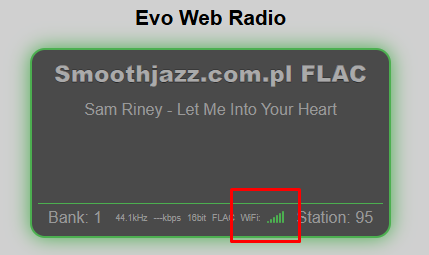
WIFI - WEB INDICATOR I have added a WiFi signal indicator to the website screen (also visible in the Android app on the phone).
It comes in handy if you can't see the radio display. Besides, from a distance of 3-4m it's hard to see anything so small on the OLED.
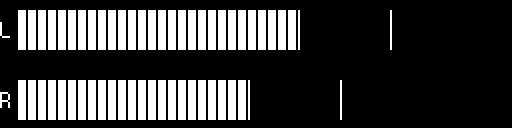
VU indicators I have definitely corrected the problem with the so called "backtracking" of the VU indicators in case of a strong audio signal of the station.
In addition, I recommend to correct yourself the peak_hold release value in the library. The author has done some smoothing of the value in the audio library only,
the author has added some smoothing to the values in the audio library, only that Evo already had this functionality, which makes the indicators appear, on some stations, to show values close to the maximum most of the time.
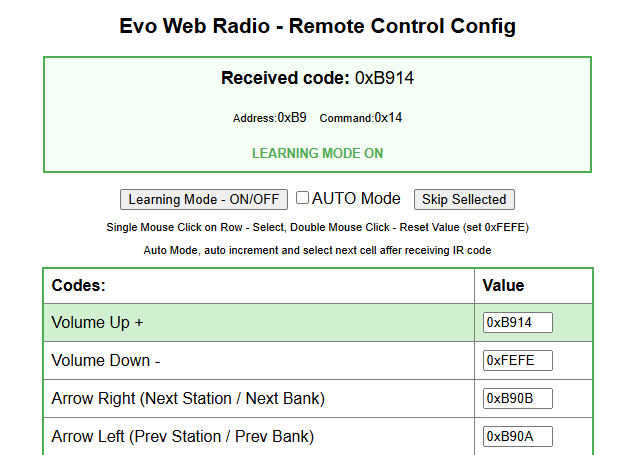
PILOT IR There is a new option in the menu (Menu -> Settings -> IR remote control settings) that allows any remote control to be trained in the NEC standard.
How does this work? We click on "Learning Mode On" and the first cell marked "Volume Up" lights up, we press the button on the remote control which is to be responsible for this function and after a while we see its code in the Value cell.
If we activate the "AUTO Mode", after picking up the correct code, the script goes to the next button by itself.
If you double-click a cell, the so-called out-of-range value (0xFEFE) is entered, meaning that no button will be assigned to the function.
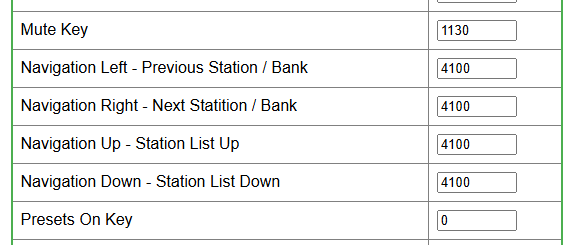
ADC KEYBOARD I have extended the functionality of the keyboard with the possibility to train "arrows", i.e. we can call up a list of stations, jump by 10
and switch to the next station. Exactly the same as what is on the IR remote control. In addition, I have changed to more "human" names of the buttons in the ADC tab
PRESETS The PRESETS option on the radio has arrived. This option is set in the configuration menu and saved to the settings file.
When enabled, the buttons on the remote from 0-9 ( and also on the ADC keypad) cause switching between the first 10 stations from a given bank.
1 - is Station one of the currently selected bank, 2 - is Station two, 0 - is Station ten. Convenient solution if we implement radio into housing after some tuner.
Note As of this version, the button on the Kenwood rc-406 remote control marked FM+ (the so-called Right Bank+) has changed its functionality. Now it is a Presets / Tuning switch
The button marked AM- (i.e. Bank-) has the function of calling up the Bank Menu, the banks are switched with the arrows (as it was before).
LED Standby The standby LED has an additional function. As in equipment from e.g: Marantz, Denon it flashes during start-up, when the radio has already opened the preset bank and starts playing stream the LED goes out. If for some reason we do not have a WiFi connection, the LED will start flashing quickly to inform us of the problem. Apart from this, the standard function of the standby LED is that it lights up when the radio enters power OFF mode.
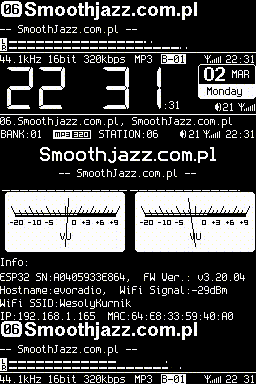
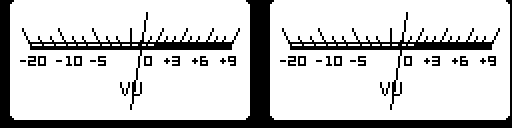
NEW VU METER SCREENS - MODE 4 and 5 These screens have new analogue VU indicators and a digital VU indicator (two wide lines)
Additional features For those who want to play around with integrating TI's TAS series amplifiers into the source code, TI's TAS5805 amplifier can be initialised over I2C. It is like the TPA3110 only integrated immediately with a very good DAC. You no longer need a separate DAC. The output is about 23W per channel with a 24V supply.
AUTOSTORAGE For those who want to use automatic memory selection, you can now choose whether you want it to be an SD card, the built-in flash memory type "LittleFS" or the "SPIFFS" type. Just remember that SIPFFS and LittleFS are not compatible and such a change means the loss of saved data. This is important for those who have their own stations stored in memory banks.
Have a nice reception !
Added after 21 [minutes]:
CHANGE BANK ORGANISATION
The content of bank15 (all Christmas streams) disappears - it is copied to the file bank15_Christmas.txt
The contents of Bank15 will be filled with FLAC 16 and 24bit streams from Bank17 and in the near future I will exclude (move the Bank17.txt file) to the archive.
The interference occurs depending on how many and how brightly lit pixels you have on the OLED display. In the display the inverter manages to generate 14V with great difficulty and to make it more fun it does so with 3.3V and not 5V.
That's right when I test ran the radio on my PCBs with the tape from the display removed and the radio only gives audible noise on the PAM8403 amplifier when the radio is already playing and there is no noise in the speakers when MUTE is selected.
Added after 1 [minute]:
robgold wrote:
It doesn't matter whether you have a class A, AB or D amplifier. Class D is very good here it is simply a matter of getting the power supply right
The tracks and ground routing on my PCB's does not cause interference or hum, if there is any I suggest you have a look at the power supply to the radio or the chassis if it is a metal chassis.
>>21855219 If you unplugged the tape from the display (I assume you unplugged the PCB side not the OLED side - so as not to create an antenna from the SPI bus) then there should be silence at all. If you can hear something then it means that you still have the SPI bus "sowing" somewhere on the PCB.
If I have enough GPIOs I will add one #MUTE output for the amps.
And it would be useful to have a programmable Mute in websetting.
In the setting settings the option SPEAKERS ON/OFF with checkbox
When SPEAKERS OFF / GPIO in low state (active Standby /Mute mode in power amplifiers like TPA PAM etc.
When SPEAKERS ON /GPIzo in high state when volume is different from zero / low state when volume is zero or mute option activated on radio.
I would see it like this.
Greetings....
Added after 1 [minute]:
>>21855222
Only when the loading bank strip from LittleFS is flying
After that there is perfect silence as the radio plays or there is a mute.
Greetings ...
Added after 51 [seconds]:
Obviously the tape from the OLED unplugged from the PCB 😀
Added after 1 [minute]:
But it's only a moment when you hear something from the speaker it doesn't bother me at all, now when the radio is playing without the OLED it's silence perfect.
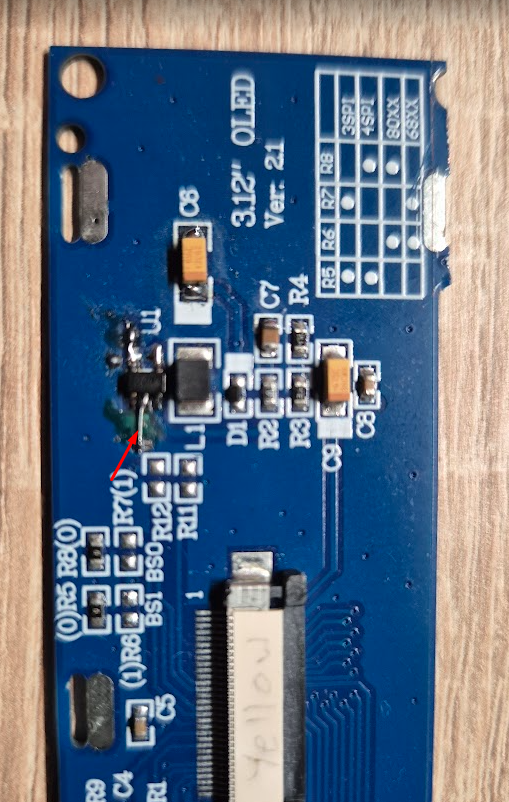
>>21855227 Resistor 1-2.2Ohm into the ground of the OLED inverters, additionally with 10 Ohm into the ground of the DAC and with such a "prosthesis" there is complete silence. Of course, this will gently lower the voltage on the inverter, but it solves the problem 100% at my place almost every Evo has such a modification because for me this "buzzing" of the inverter is unacceptable. The next PCB will have a better power supply made for this OLED.
I will take these additional components into consideration as I modify the PCB thanks.
Regards...
Added after 7 [minutes]:
Question is the resistor to ground the OLED of the whole display i.e. pin 2 unzip and insert resistor ? Did you cut a path on the OLED somewhere near the inverter ?
@robgold thanks for the next soft version, FLACs work much better than on previous versions. I found one problem with the Power Save Mode function (i.e. turning off the display after a set time). For a very long time (I don't remember since which software version the problem appeared) this function doesn't work properly.... it hardly ever happens that it actually works and the display switches off. If you could take a look at what's going on there in the code in your spare time, that would be great.
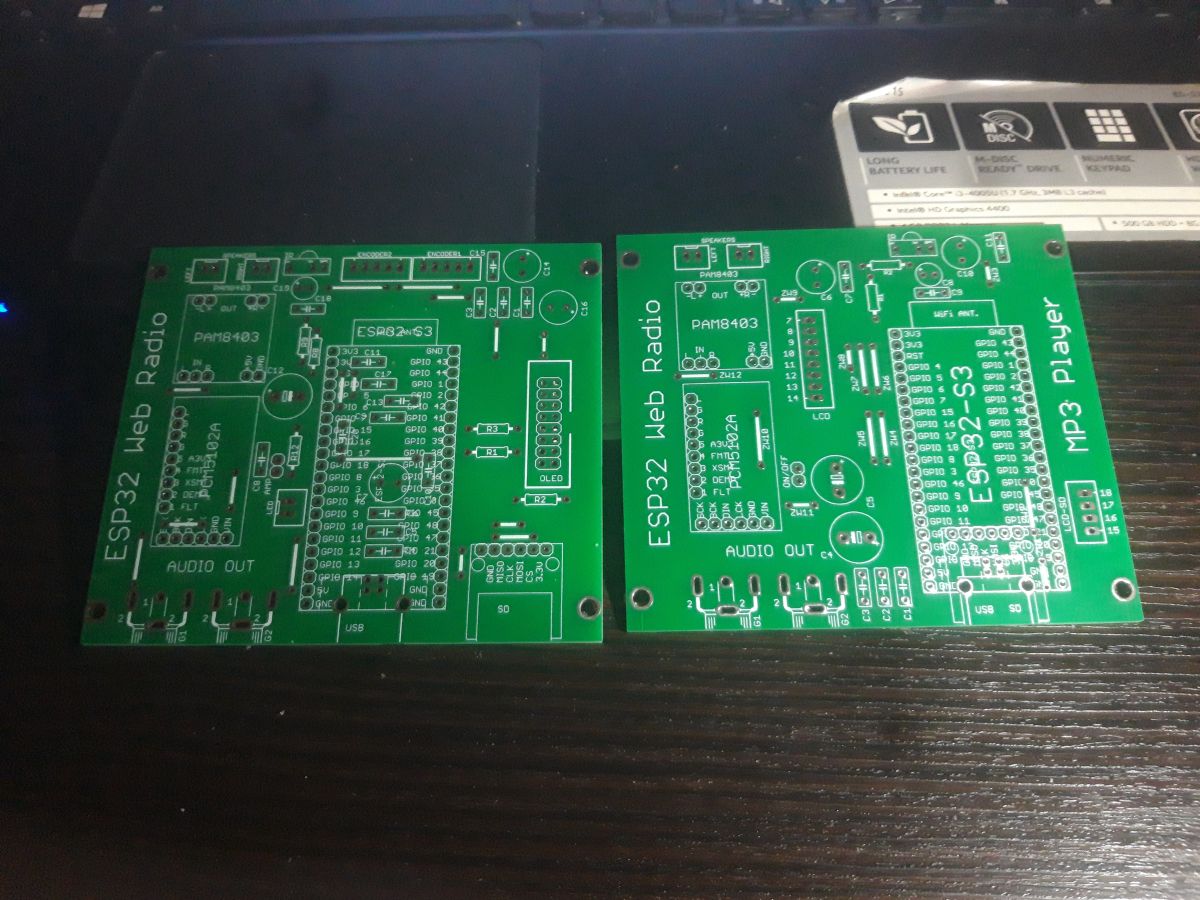
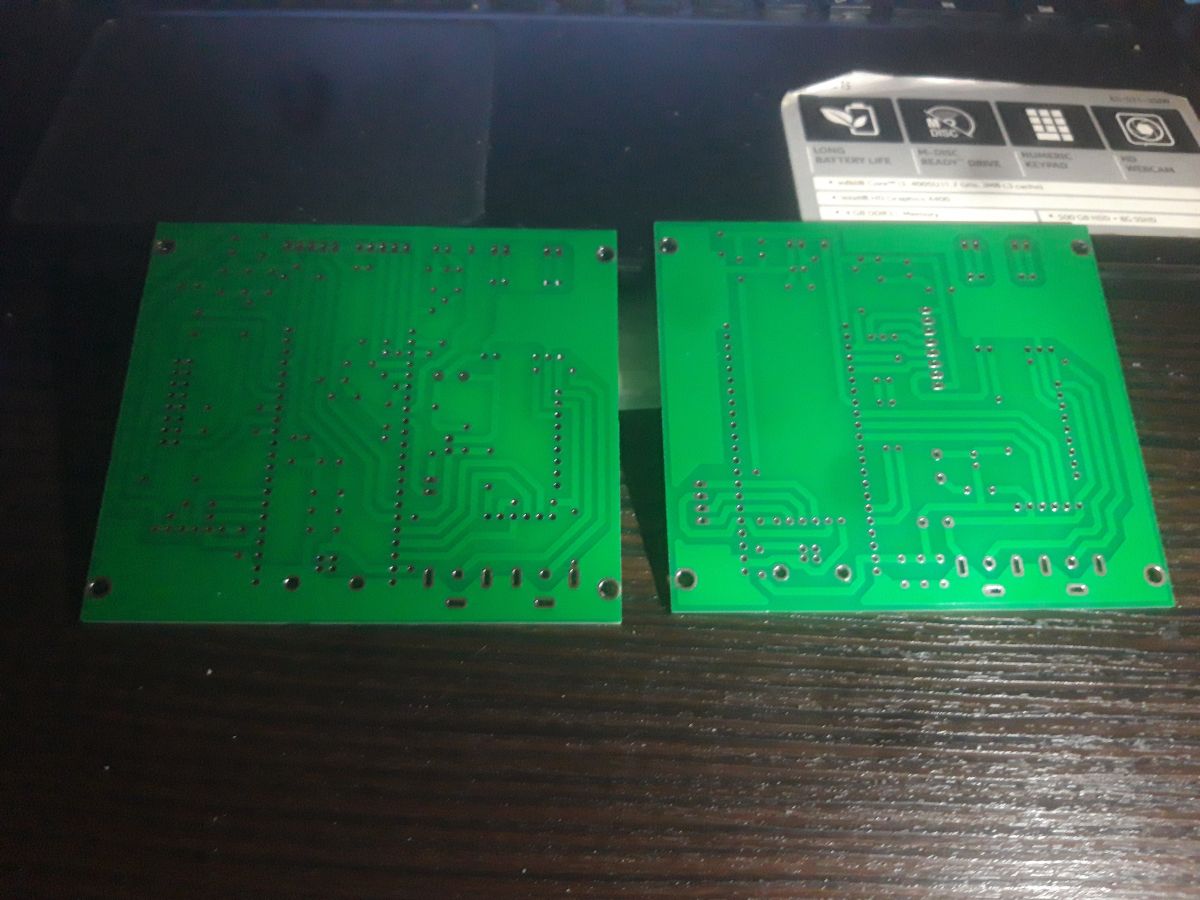
Hi Robgoldze, this is a plate I recognise ... it is a product of "DJChester", I do not think it is badly designed
For me and I think for other professionals it would be very useful if you would program one GPIO...to control an amplifier, or any relay..., which would control the power supply of a PAM..., or other circuit. And in case of MUTE or STASBY it would switch off the power supply..
Hello hope your health is ok now. Thanks a lot for the update. The smooth jazz is laughing in FLAC really smooth. The buttons for the ADC keyboard do the job because unfortunately my Technics is quite light and pressing the encoder was moving the gear hehe and now that there are arrows it takes care of it. I'll be honest I haven't had time to go through the code but I noticed that the functionality of the power button which worked with 3.19.70 has escaped me, has anything changed in the pins ? I also noticed a positive change because in version 3.19.70 as the link nibmial streams the radio restarted o and now it just waits for your decision which seems to me a better solution. I noticed an interesting thing that some streams in FLAC return the speed immediately after linking and some only display the speed after some time. This is not a problem I'm just asking out of curiosity. Thanks again for your work the code is great. Best regards
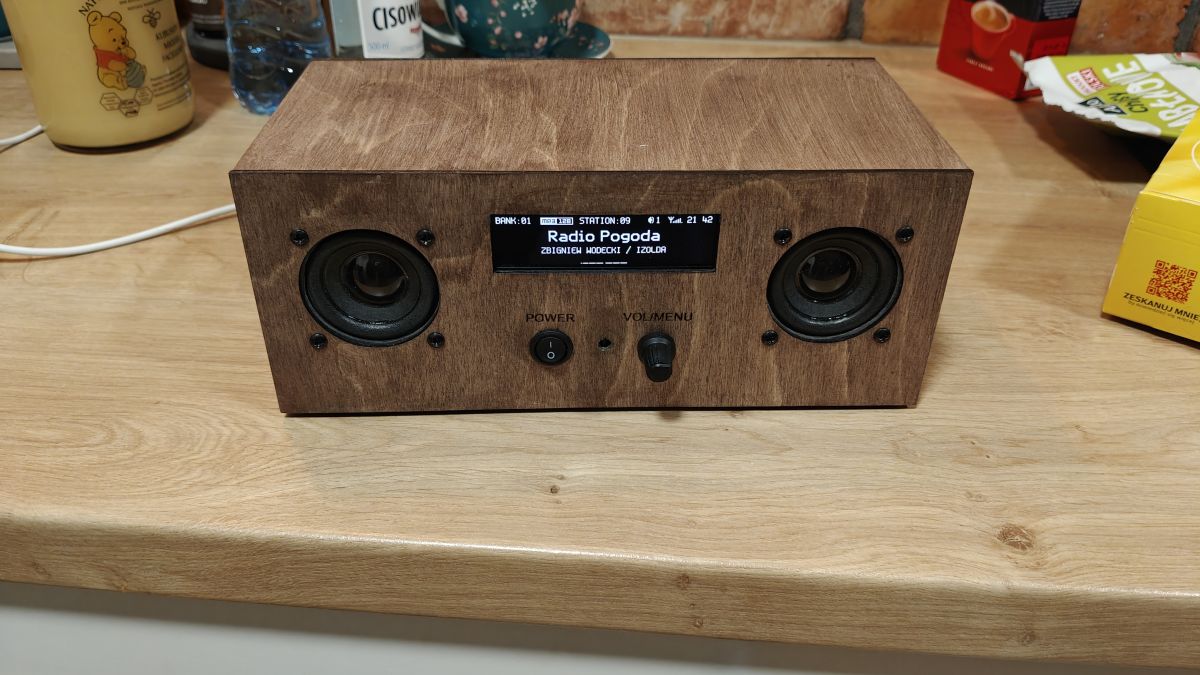
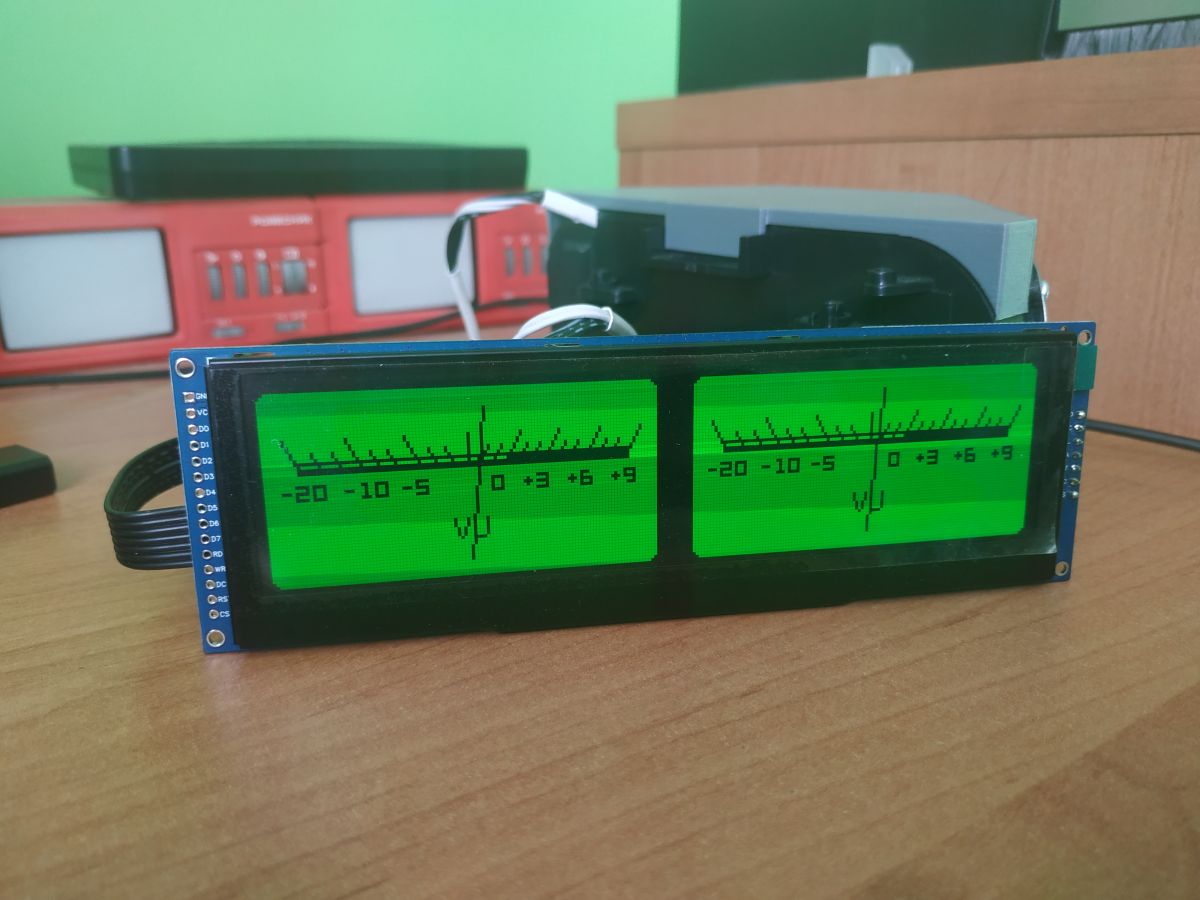
And on a 5.5 inch OLED it's just fabulous, you can see from a distance like the real thing.
Only now a yellow OLED would probably be best suited to this.
>>21855663 The Power SW function is still there only in the finished BIN is disabled. Probably because this GPIO is shared with the i2c bus I used for the TAS amplifier and probably disabled. Switch on and recompile the soft.
As a quick note, I found this photo of the board I use for rework and measurements. The resistor is mounted in place of this wire jumper. I recommend to start with a 10 Ohm resistor in the DAC power supply ground circuit only in the second place messing with the OLED. Especially that here you need to be careful, because you can beat the 2.7V stabiliser (there are three power sources on the PCB: 2.7V, 3.3V and 14V)
@DJCheester the effect of these VUs is even better if you raise the voltage on this large OLED from these 14V to 16-18V. He shines very poorly with this inverter on the PCB. The only thing it has thanks to this is a very long life because as they count in the documentation 100 000h to the loss of 50% of brightness when not exceeding 15V.
The effect of these VUs is even better when you raise the voltage on this large OLED from these 14V to 16-18V. He shines very poorly with this inverter on the PCB. The only thing it has thanks to this is a very long life, because as they count in the documentation 100 000h to the loss of 50% of brightness when not exceeding 15V.
I don't mind, it is supposed to shine gently s not like an incandescent bulb, it is a photo in a bright room the sunlight outside the window, at night it will be just enough.
And from a distance you can't see the pixels so the effect is cool.
Discussion of a DIY internet radio and SD-card audio player built on an ESP32-S3 with an OLED display, rotary encoders, buttons, and a front-panel interface. The project uses Wi‑Fi to download station lists from GitHub/public stream databases, supports MP3 and later AAC/FLAC playback, displays metadata including Polish characters via a modified font table, and stores settings such as station/bank selection and volume. The thread covers PCB design in EasyEDA, ESP32-S3 module pin spacing issues, PSRAM and Arduino IDE setup, library compatibility problems, SPI/I2S wiring, SD card reader boot issues, encoder behavior, WiFiManager-based network setup, and troubleshooting of crashes, HTTP download failures, and audio initialization errors. Several improvements were added over time, including station selection by encoder, time sync, browser update support, and saving settings to card memory. AI summary based on the discussion. May contain errors.









![Settings table with the “Volume Steps 1-21 [Off]” checkbox checked and circled in red](https://obrazki.elektroda.pl/3119391800_1772655843.png "Settings panel highlighting “Volume Steps 1-21” option")